
Local by Base Compute
Run AI models entirely on your Mac with zero cloud, zero tokens, and full privacy
Gallery
About Local by Base Compute
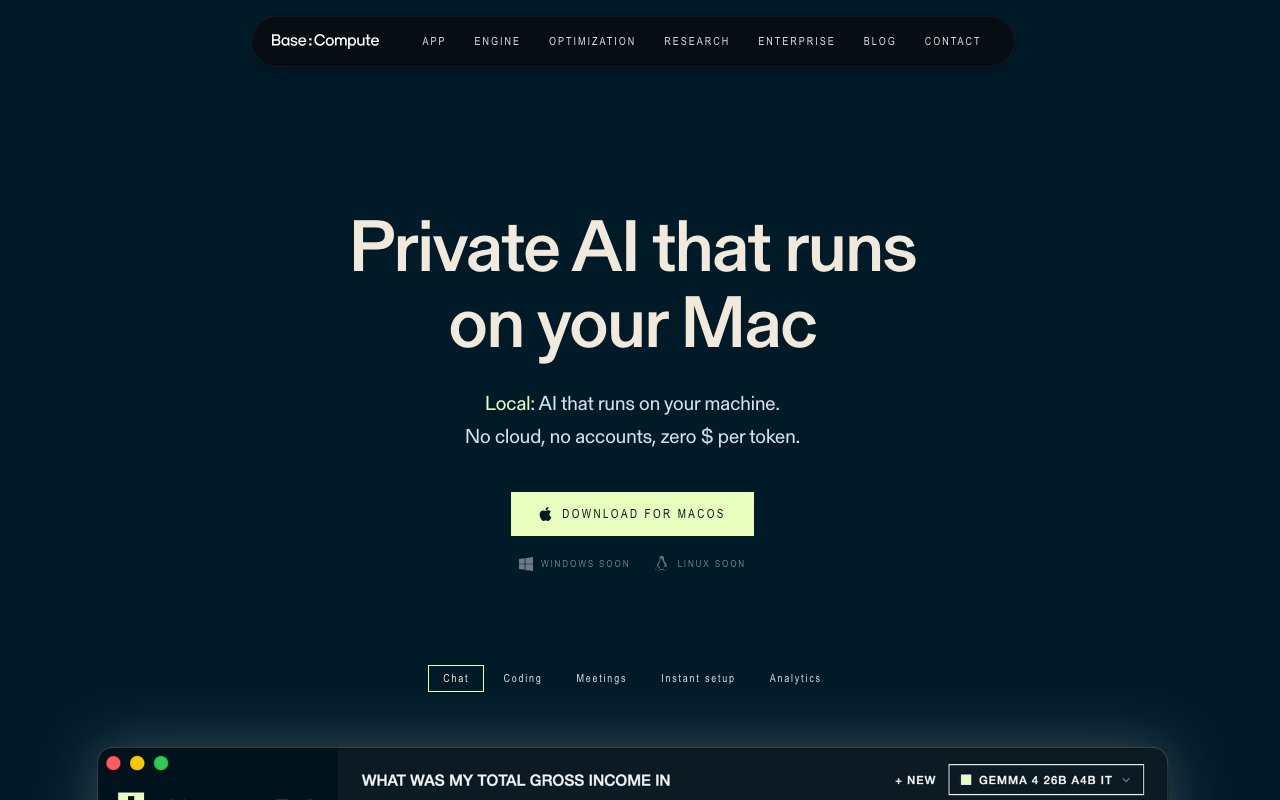
Local by Base Compute is a macOS application that runs large language models directly on your machine. Nothing leaves your device. You pay zero dollars per token because inference happens locally on Apple silicon, using an optimized runtime the company calls BaseRT. If you've wanted to use AI for chat, coding, or transcription but don't want your data touching someone else's servers, this is the pitch. The entire inference stack runs on your hardware, and the app never phones home. There are no usage meters, no API limits, and no monthly bills. Once you download it, you own the compute.
The app handles everything through a single interface. Chat works like any AI assistant, letting you ask questions and analyze documents without uploading them anywhere. You can drag in PDFs, text files, or code and have the model reason over them entirely on your disk. That document analysis runs locally, so if you're working with contracts, internal memos, or customer data, it never leaves your Mac. Coding mode reads and edits project files, suggesting changes you can accept inline. It works with your local file system, so you point it at a directory and it understands the structure. You can ask it to refactor a function, explain a piece of legacy code, or scaffold a new feature, and it makes changes in place without requiring copy-paste. Meeting transcription runs through Whisper locally, with speaker identification so you can tell who said what. That speaker diarization is useful for anyone who records calls and needs clean notes afterwards. There's also a personal memory system that keeps context on your device across sessions, so you don't have to re-explain your project every time you open the app.
Model support is broad for a local-first tool. Out of the box you get access to Qwen, Llama, Gemma, Mistral, Phi, DeepSeek, and Whisper. These are open source models with strong performance across chat, reasoning, and coding tasks. Each model has different strengths, and you can swap between them depending on whether you need speed, context length, or specialized coding ability. If you prefer proprietary models, you can plug in your own OpenAI or Anthropic API keys and run those through the same interface, though at that point the requests do leave your machine. The hybrid option is useful if you want one UI but different backends for different tasks. Most users will find the local models sufficient for day-to-day work, especially if privacy is the priority.
Performance depends on your hardware, and Local is built to squeeze everything it can from Apple silicon. The app auto-detects your Mac's specs and installs a version of BaseRT optimized for your specific chip. The company claims speeds up to 5.4 times faster than other local inference engines, which makes a real difference on larger models that would otherwise feel sluggish. If you have 8 to 16 GB of RAM, basic models run fine. At 24 GB you unlock mid-tier options like the larger Llama variants. The biggest models need 32 GB or more, which usually means a Max chip or a Mac Studio. The memory ceiling is the main constraint, so if you're shopping for a new Mac and plan to run AI locally, this is the app to keep in mind when sizing RAM. Running out of memory mid-conversation is frustrating, and Local makes it clear upfront which models fit your hardware.
Privacy is the headline feature and the reason someone would choose Local over a cloud assistant. No account is required. No telemetry is collected. Your data stays on your disk. For anyone working with sensitive material, client data, medical records, legal documents, or proprietary code, that's the selling point. There's no ambiguity about where your prompts go because they never leave your machine. That guarantee is harder to make with cloud services, no matter how strong their privacy policies claim to be. If compliance or confidentiality is part of your job, local inference removes a category of risk entirely.
Local is free to download and use. The company makes money through its cloud inference business, so the desktop app serves as an on-ramp to show what their runtime can do. There are no subscriptions, usage limits, or upsells inside the app. You install it, pick a model, and start using it. Windows and Linux versions are listed as coming soon, but for now it's Mac-only. If you're on Apple silicon and want a private, cost-free AI assistant that handles chat, coding, and transcription in one place, Local is the most polished option in the space. The combination of zero cost, zero telemetry, and a genuinely capable interface makes it worth a try for anyone who has been curious about running models locally but didn't want to wrestle with terminal commands or model downloads.
Key Features
- Fully local LLM inference on Mac
- BaseRT optimized for Apple silicon
- Meeting transcription with speaker ID
- Coding assistant for local files
- Support for multiple open source models
- Optional integration of proprietary APIs
Pros & Cons
What we like
- No data ever leaves your device
- Zero cost per token for local models
- Optimized runtime claims up to 5.4x speed gains
- No account or telemetry required
Room for improvement
- Mac-only for now, Windows and Linux coming
- Performance limited by available RAM
- Best models require 24 GB or more
- No cloud backup of memory or settings
Frequently Asked Questions
What is Local by Base Compute?
Is Local free?
What models does Local support?
How much RAM do I need?
Best For
Featured in
Alternatives to Local by Base Compute
View all
Apatero AI
The creator studio for AI image, video, audio, 3D, and avatars, now at apatero.ai.

SoloDevStack
A solo developer blog built on head-to-head tool comparisons, 580+ posts deep.
Apatero Studio
Creator studio for AI image, video, audio, 3D, and avatars. Every model worth using, in one workspace.

Melodex
Turn your idea into an AI-generated music video
Reviews (0)
No reviews yet
Be the first to share your experience with Local by Base Compute
Sign in to write a reviewBadge builder
Add Local by Base Compute to your website
Choose a badge style and size, preview it here, then copy the generated HTML. Badge images are self-contained SVGs and do not require an external script.

<a href="https://toolindex.net/tools/local-by-base-compute?ref=badge" target="_blank" rel="noopener">
  <img src="https://toolindex.net/badge/local-by-base-compute/medium.svg" alt="Local by Base Compute - Listed on Tool Index" width="180" height="50" />
</a>How to use the badge
- 1. Pick the style, size, and theme that fit your layout.
- 2. Copy the generated HTML from the code block.
- 3. Paste it into your footer, homepage, or press page.
Standard badge available
The standard listing badge is available now. Score and circle badges are limited to tools currently ranked in the top 10 of a category.
Badge clicks return visitors to this profile with a referral tag so the source remains identifiable.
Related Tools
Apatero AI
The creator studio for AI image, video, audio, 3D, and avatars, now at apatero.ai.
Kevin Gabeci Toolkits
Seven AI toolkits for writing books, making music, cutting video, and building agents.

Warp
The modern terminal reimagined with AI and collaboration

Bolt.new
Prompt-to-deployed full-stack app inside the browser
Work on Local by Base Compute? Request listing access or correction