
Longscribe
Free Whisper-powered transcription built for long videos, podcasts, and broadcasts
Gallery
About Longscribe
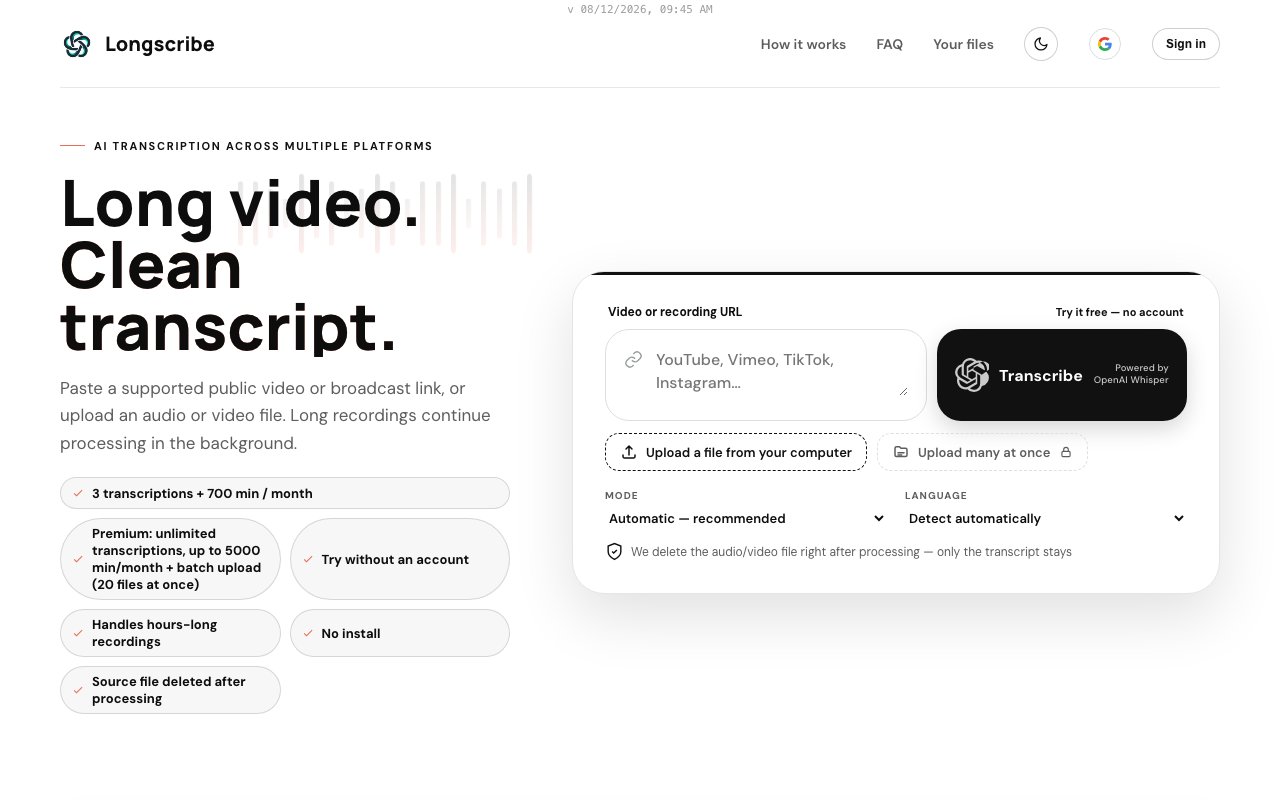
Longscribe is a transcription service built specifically for long recordings, the two-hour podcast episodes, livestream archives, lectures, and broadcast recordings that most transcription tools either choke on or price out of reach. It converts audio and video into text using OpenAI Whisper, and the whole product is designed around the assumption that your file isn't a tidy five-minute clip. You hand it something long, it queues the job, does the work in the background, and hands you back a transcript in the format you actually need.
The economics are the reason it exists. Most transcription services price per audio minute, which feels fine on a ten-minute clip and becomes brutal on a back catalog of two-hour episodes. Long-form creators end up rationing which recordings deserve a transcript at all, which defeats the point of having one. Longscribe flips that by making long content the default case rather than the expensive edge case, with monthly minute allowances that assume your files are measured in hours, not minutes.
Getting a transcript is a two-step affair. You either paste a link to a video or upload an audio or video file directly. The link route covers a genuinely wide spread of platforms, YouTube, Vimeo, TikTok, Instagram, Facebook, Twitch, X, Dailymotion, and SoundCloud, so most places your source material lives are already handled without you downloading anything first. Long recordings go into a background processing queue, which matters more than it sounds. A three-hour recording takes real time to transcribe, and the queue means you don't have to babysit a browser tab while it churns. You come back when it's done and download the result. There's no editor to learn and no project setup, the whole interface is built around getting from a link to a finished transcript in as few steps as possible.
The output options cover the main ways people actually use transcripts. Plain text gives you something to read, quote, or paste into an editor. SRT gives you timed subtitles ready to attach to a video. DOCX drops the transcript straight into a Word document for editing or sharing, and JSON exposes the structured data with timing for anyone building something on top. Language coverage is broad too, with dozens of languages supported including English, Spanish, French, German, Polish, Ukrainian, Italian, Portuguese, Japanese, Chinese, and Arabic, so it isn't limited to English-language media. That combination of formats and languages means one tool covers the reading, subtitling, editing, and programmatic cases without a converter in between.
The natural audience is anyone who works with long-form media. Podcasters turning episodes into show notes, quotes, and articles. Video creators who need subtitle files without paying per-minute rates that punish long content. Researchers and students working through hours of recorded interviews or lectures. Journalists pulling quotes from press conferences and long interviews. If your recordings regularly run past the hour mark, you've probably already discovered how quickly per-minute pricing on mainstream transcription tools adds up, and that's exactly the gap Longscribe sits in. Accessibility is part of the picture too, since subtitle files make long videos usable for viewers who watch without sound or rely on captions.
What sets it apart is that the free tier is genuinely usable rather than a teaser. You get up to 3 transcriptions and 700 transcription minutes per month at no cost, which is enough to transcribe several full-length podcast episodes without paying anything. Most competitors cap free usage in single-digit minutes. Combined with the background queue and the link-based ingestion from major platforms, the whole experience is tuned for long content rather than treating it as an edge case. It also means students and hobbyists with occasional needs may never have to pay at all, while heavy users only hit the paywall once their volume genuinely justifies it.
When you outgrow the free allowance, Premium runs $4.99 per month, and at the time of writing the site lists a limited-time 50 percent discount bringing it to $2.49. Premium lifts the cap to unlimited transcriptions with up to 5,000 minutes per month and adds batch upload of 20 files at once, which is the feature that matters if you're clearing a backlog of episodes or a semester of lectures. There's no complicated tier ladder, no per-minute overage math to do, and no enterprise tier to navigate, just free and one cheap paid plan. For a tool doing one job, that simplicity is part of the appeal, and the generous free tier means you can find out whether the Whisper-quality output fits your workflow before spending a cent.
Key Features
- Whisper-powered speech-to-text transcription
- Link ingestion from nine major platforms
- Background queue for hours-long recordings
- TXT, SRT, DOCX, and JSON exports
- Support for dozens of languages
- Batch upload of 20 files on Premium
Pros & Cons
What we like
- Free tier covers 700 minutes per month, enough for real use
- Handles very long recordings through a background queue
- Paste a link instead of downloading source files yourself
- Premium is cheap at $4.99 per month with a 5,000 minute cap
Room for improvement
- Free tier is capped at 3 transcriptions per month
- Whisper output still needs a proofreading pass for names and jargon
- No collaboration or team features
- Narrow focus, it transcribes and nothing else
Frequently Asked Questions
What is Longscribe?
Is Longscribe free?
Which platforms can Longscribe transcribe from?
Who is Longscribe for?
Best For
Featured in
Alternatives to Longscribe

Apatero AI
The creator studio for AI image, video, audio, 3D, and avatars, now at apatero.ai.

SoloDevStack
A solo developer blog built on head-to-head tool comparisons, 580+ posts deep.
Apatero Studio
Creator studio for AI image, video, audio, 3D, and avatars. Every model worth using, in one workspace.

Melodex
Turn your idea into an AI-generated music video
Reviews (0)
Badge builder
Add Longscribe to your website
Choose a badge style and size, preview it here, then copy the generated HTML. Badge images are self-contained SVGs and do not require an external script.

<a href="https://toolindex.net/tools/longscribe?ref=badge" target="_blank" rel="noopener">
  <img src="https://toolindex.net/badge/longscribe/medium.svg" alt="Longscribe - Listed on Tool Index" width="180" height="50" />
</a>How to use the badge
- 1. Pick the style, size, and theme that fit your layout.
- 2. Copy the generated HTML from the code block.
- 3. Paste it into your footer, homepage, or press page.
Standard badge available
The standard listing badge is available now. Score and circle badges are limited to tools currently ranked in the top 10 of a category.
Badge clicks return visitors to this profile with a referral tag so the source remains identifiable.
Related Tools
Apatero AI
The creator studio for AI image, video, audio, 3D, and avatars, now at apatero.ai.
Kevin Gabeci Toolkits
Seven AI toolkits for writing books, making music, cutting video, and building agents.

Warp
The modern terminal reimagined with AI and collaboration

Bolt.new
Prompt-to-deployed full-stack app inside the browser
Work on Longscribe? Request listing access or correction