AI Manga Translator
Translate manga pages and full documents while preserving reading order and layout
Gallery
About AI Manga Translator
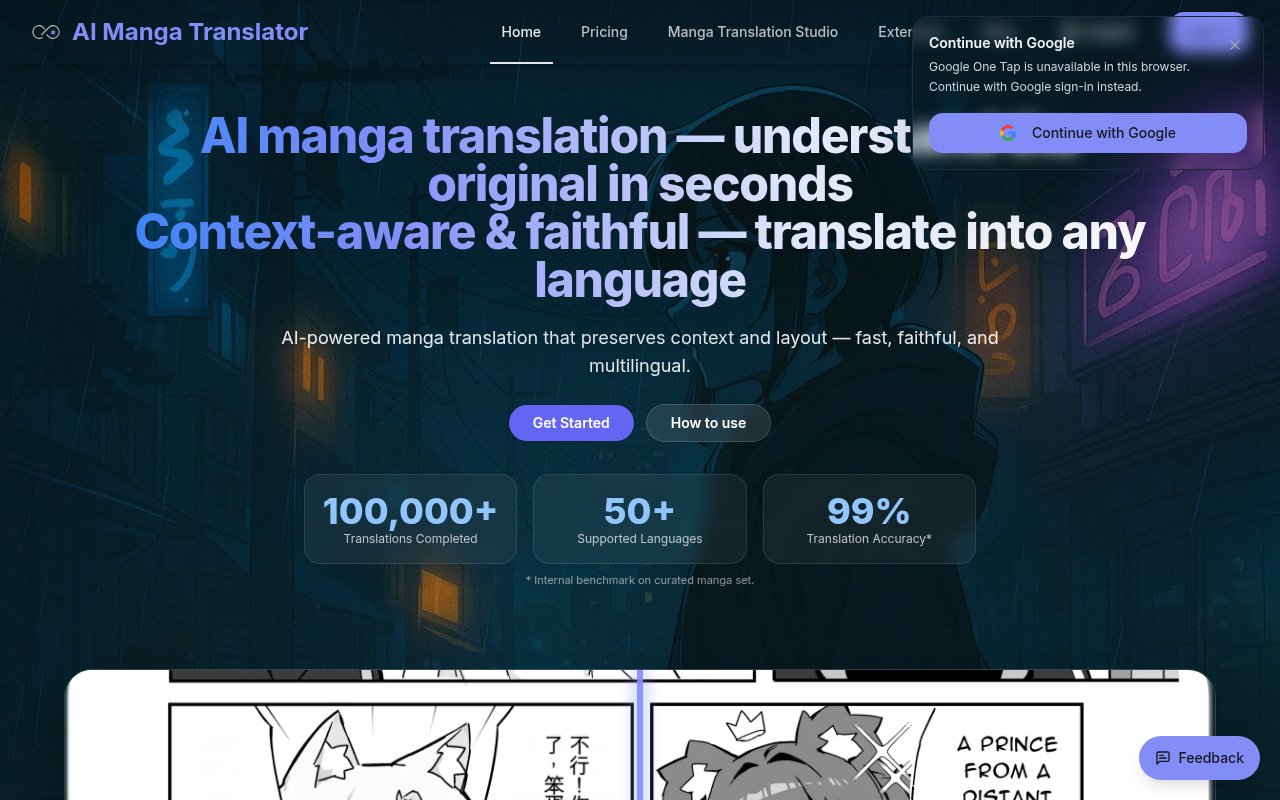
AI Manga Translator is a browser tool for converting the text inside manga and comic pages into another language without rebuilding every speech bubble by hand. It combines optical character recognition, translation, and automatic typesetting in a single upload flow. The result is intended to remain readable as a page, not simply return the extracted dialogue in a separate text box. That focus addresses the awkward parts of comic translation, where text may run vertically, sound effects sit outside bubbles, context spans several panels, and translated phrases need to fit a fixed amount of space.
A user can drag images or documents into the translator or import material from a link. The listed image formats include JPG, JPEG, PNG, and WebP, with a limit of 5 MB per image. It also accepts PDF, EPUB, and CBZ documents up to 200 MB, making it possible to work with a chapter or longer volume rather than upload every page as an isolated task. After choosing a target language, the user can adjust the language model, OCR method, text direction, and font style. The service shows an estimated credit cost before processing and places uploaded pages in a queue with visible states for uploading, translating, completion, and errors.
The translation options are broader than one fixed model. The site lists offline and cloud choices including Sugoi, NLLB, M2M100, mBART, Qwen, ChatGPT, DeepSeek, Groq, and Gemini. Switching models can help when a language pair, tone, or page does not respond well to the default. AI Manga Translator also tries to use dialogue context so character voice, honorifics, catchphrases, jokes, and onomatopoeia are handled as connected parts of a scene. That doesn't make the output automatically publication-ready, but it is more appropriate for narrative pages than translating each detected fragment without considering surrounding dialogue.
Layout controls are central to the product. The system detects vertical and horizontal writing, then adapts font size, line spacing, and bubble areas to suit the original page. Users can override the text direction when automatic detection produces the wrong flow. For PDFs, pages are processed in parallel and merged again while preserving page dimensions and reading order. Completed pages appear as thumbnails that can be opened for closer inspection and downloaded. Large documents may be split into smaller chunks to keep processing stable. This approach suits readers who want quick access to an untranslated series and scanlation teams that need a first pass before detailed editorial work.
The tool is also useful for multilingual researchers, collectors, and creators reviewing visual stories outside the languages they read fluently. It supports more than 50 languages according to the homepage, with common coverage including Japanese, English, Simplified and Traditional Chinese, Korean, major European languages, and Southeast Asian languages supported by the available models. The range of model choices is a practical advantage, since the strongest option can change with the source and target pair. Clear scans still matter. OCR errors, stylized lettering, crowded art, and unusual sound effects can all weaken a result before the translation model even sees the text.
There are important workflow limits to know. The current product does not offer direct in-browser editing of the translated result. The site says editing is planned, but for now a user can rerun the page with another model or target language and compare outputs. That means anyone preparing a polished release may need another image editor for manual corrections, lettering decisions, or changes that cannot be solved through a new model run. The tool is strongest as an automated reading aid or a production starting point. It reduces extraction and placement work, while human review remains necessary for nuanced dialogue, names, visual effects, and pages where the art makes boundaries ambiguous.
Privacy is handled through short-lived processing by default, with results retained temporarily for download and then purged. The site also mentions an offline-only path for private deployments, although the public pages do not provide enough detail to treat that as a standard self-service plan. Access is freemium. A free quick translation allowance lets light users try the service, and the homepage advertises a login bonus of 10 credits. Professional translation uses paid credits. At the time reviewed, packs start at $6.90 for about 300 credits, with larger packs at $19.90 and $49.90, and purchased pack credits do not expire. This credit model works well for occasional chapters, though users should estimate page volume before choosing a pack.
Key Features
- Multi-model OCR and translation
- Context-aware dialogue translation
- Adaptive manga text layout
- Batch PDF document processing
- Link-based chapter imports
- Short-lived job processing
Pros & Cons
What we like
- Translates text while preserving the visual page
- Handles images and complete reading documents
- Lets users switch OCR and translation models
- Supports vertical and horizontal text layouts
Room for improvement
- Direct in-browser result editing is not available yet
- Individual image uploads are limited to 5 MB
- Polished scanlation still needs human review
- Professional translation consumes paid credits
Frequently Asked Questions
What is AI Manga Translator?
Can AI Manga Translator be used for free?
Which file types does AI Manga Translator accept?
Can users edit a translated page in the browser?
Best For
Featured in
Alternatives to AI Manga Translator
View all
Apatero AI
The creator studio for AI image, video, audio, 3D, and avatars, now at apatero.ai.

SoloDevStack
A solo developer blog built on head-to-head tool comparisons, 580+ posts deep.
Apatero Studio
Creator studio for AI image, video, audio, 3D, and avatars. Every model worth using, in one workspace.

Melodex
Turn your idea into an AI-generated music video
Our take
Tool Index Editorial · Sep 2026· 3.5/5
AI Manga Translator combines OCR, translation, and page typesetting for manga images and complete PDF, EPUB, or CBZ documents. We found meaningful controls for language model, text direction, and font, plus a guest allowance of five credits a day and a ten credit login bonus. Paid packs begin at $6.90 for about 300 credits, and purchased credits don't expire.
Its strongest case is preserving a readable page while handling vertical text and batches, which saves more work than a plain text translator. The site itself suggests switching models when results disappoint, and that points to the core limitation. Stylized lettering, sound effects, jokes, and crowded art still demand review, while the lack of a clearly demonstrated in browser correction workflow makes polished publication work harder.
Editorial opinion from the Tool Index team, written from the public product pages. Not a user review.
Reviews (0)
No reviews yet
Be the first to share your experience with AI Manga Translator
Sign in to write a reviewBadge builder
Add AI Manga Translator to your website
Choose a badge style and size, preview it here, then copy the generated HTML. Badge images are self-contained SVGs and do not require an external script.

<a href="https://toolindex.net/tools/manga-translator?ref=badge" target="_blank" rel="noopener">
  <img src="https://toolindex.net/badge/manga-translator/medium.svg" alt="AI Manga Translator - Listed on Tool Index" width="180" height="50" />
</a>How to use the badge
- 1. Pick the style, size, and theme that fit your layout.
- 2. Copy the generated HTML from the code block.
- 3. Paste it into your footer, homepage, or press page.
Standard badge available
The standard listing badge is available now. Score and circle badges are limited to tools currently ranked in the top 10 of a category.
Badge clicks return visitors to this profile with a referral tag so the source remains identifiable.
Related Tools
Apatero AI
The creator studio for AI image, video, audio, 3D, and avatars, now at apatero.ai.
Kevin Gabeci Toolkits
Seven AI toolkits for writing books, making music, cutting video, and building agents.

Warp
The modern terminal reimagined with AI and collaboration

Bolt.new
Prompt-to-deployed full-stack app inside the browser
Work on AI Manga Translator? Request listing access or correction