
Maple Preview
Ternary 20B reasoning model that runs at 200+ tokens per second on consumer hardware
Gallery
About Maple Preview
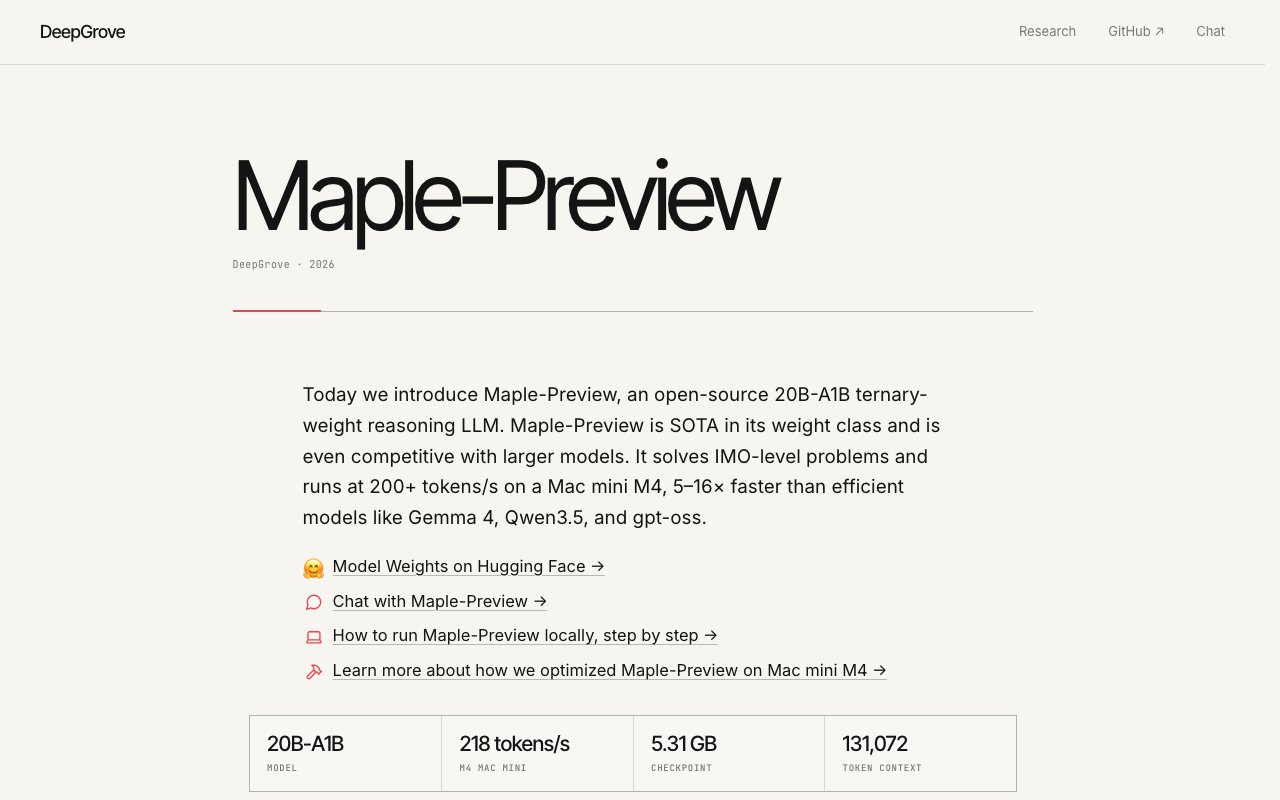
Maple Preview is an open source reasoning model from DeepGrove that compresses a 20 billion parameter architecture into a 5.3 gigabyte checkpoint. The trick is ternary weights. Instead of standard floating point values, each weight can only be one of three discrete values. That constraint sounds limiting until you see what it enables. On an M4 Mac mini, Maple Preview runs at 218 tokens per second. On an iPhone, it hits 120 tokens per second. For a model that solves math olympiad problems and graduate level science questions, those speeds are five to sixteen times faster than competing systems in the same weight class. The combination of small footprint and fast inference makes local deployment practical on hardware people already own.
The problem this addresses is practical. Large language models with strong reasoning capabilities usually require expensive cloud compute or high end GPUs. Developers building local applications face a choice between paying for inference or running a weaker model that fits on consumer hardware. Maple Preview lands in a different spot on that curve. It compresses aggressively enough to fit in memory on a laptop or phone while still scoring well on benchmarks that matter for reasoning tasks. You get local inference at interactive speeds without renting a GPU cluster. For applications where latency matters or where data cannot leave the device, that capability changes what is possible.
Under the hood, the architecture is a Mixture of Experts design with 256 experts total and 8 active at any time across 24 layers. The attention mechanism uses a sliding window of 512 tokens on three out of four layers, which keeps memory use reasonable even at the maximum context length of 131,072 tokens. That context window is long enough for entire codebases, long documents, or extended conversations. The checkpoint is packed in BF16 format and weighs in at 5.31 gigabytes. That footprint is remarkably small for a model that competes on reasoning benchmarks with systems several times larger and several times slower.
Benchmark numbers situate Maple Preview at a new Pareto frontier for memory to performance and speed to performance ratios. It scores 75.1 on LCB v6, 87.5 on AIME 2026, 78.8 on HMMT 2026, and 73.5 on GPQA Diamond. Those results demonstrate strong reasoning on math olympiad problems, competition mathematics, and graduate level science questions. The AIME 2026 score in particular is notable because that benchmark tests serious mathematical problem solving, not just text generation. The model solves IMO level problems without external tools or calculator plugins. The GPQA Diamond score shows it handles graduate level scientific reasoning well enough to be useful for researchers and students working through technical material.
Running the model requires a compatible environment. The full Transformers implementation uses Triton and FlashAttention under the hood, so a CUDA compatible GPU works. Apple Silicon Macs hit the top speeds mentioned above through native Metal support. You can load the model through the Hugging Face Transformers pipeline with a few lines of Python. It also runs via vLLM or SGLang if you prefer those inference servers for production deployments. The documentation includes examples for each method. No paid API or managed service exists. You download the weights from Hugging Face and run them yourself using whatever infrastructure you control.
The target audience is developers and researchers who need fast local inference for reasoning tasks. If you are building an application that handles math, code, or logic problems and you want to run it on device rather than calling an external API, Maple Preview gives you a foundation that fits in memory and responds quickly. Mobile applications benefit from the 120 tokens per second iPhone performance, which is fast enough for real time assistance without noticeable lag. Desktop applications benefit from the 218 tokens per second Apple Silicon numbers. Cloud deployments benefit from the reduced memory footprint compared to larger models, letting you fit more inference capacity on the same hardware.
One honest limitation is that the model underperforms on agentic benchmarks. DeepGrove focused on raw reasoning and did only small scale general reinforcement learning during training. Multi step planning and tool use were not optimization targets. If your use case involves agents calling external APIs, executing long chains of actions, or coordinating with other systems, you may find Maple Preview less capable than models tuned specifically for those agentic workflows. For pure reasoning and generation tasks where you pose a question and get an answer, though, the speed to quality ratio is hard to beat at this size and price point.
Access is completely free. Maple Preview ships under the MIT license, so you can download the weights from Hugging Face and use them commercially without restrictions. There is no paid tier, no usage limits, no telemetry, and no service to pay for. You run it yourself and own the inference stack. The model card on Hugging Face includes the technical specifications, benchmark results, and code examples to get started. For developers evaluating whether to build on local inference or pay for cloud APIs, Maple Preview offers a reasonable baseline to test against.
Key Features
- Ternary weights for extreme compression
- 200+ tokens per second on M4 Mac
- 131K token context window
- 256-expert Mixture of Experts architecture
- 5.3 GB checkpoint size
- MIT license for commercial use
Pros & Cons
What we like
- Runs fast on consumer hardware without a GPU cluster
- Strong math and reasoning benchmarks for its size
- Fully open source with permissive licensing
- Works on iPhone at 120 tokens per second
Room for improvement
- Underperforms on agentic and tool-use tasks
- Requires technical setup to run locally
- No hosted API or managed service option
- Newer release with smaller community
Frequently Asked Questions
What is Maple Preview?
Is Maple Preview free?
What hardware does Maple Preview need?
What is Maple Preview good at?
Best For
Featured in
Alternatives to Maple Preview
View all
Apatero AI
The creator studio for AI image, video, audio, 3D, and avatars, now at apatero.ai.

SoloDevStack
A solo developer blog built on head-to-head tool comparisons, 580+ posts deep.
Apatero Studio
Creator studio for AI image, video, audio, 3D, and avatars. Every model worth using, in one workspace.

Melodex
Turn your idea into an AI-generated music video
Our take
Tool Index Editorial · Oct 2026· 3.5/5
Maple Preview is DeepGrove's MIT-licensed 20B-A1B reasoning model built around ternary weights and roughly 1 billion active parameters per token. We verified the public weights, 131,072-token configuration, 24-layer mixture-of-experts design, and separate packed releases for local runtimes. The model is free to download and self-host, making it relevant to developers testing fast, private inference on their own hardware.
The efficiency story is promising, but the headline speed figures are vendor benchmarks tied to particular runtimes and devices. The original Transformers checkpoint is about 40 GB and requires custom code plus compatible CUDA tooling, while the compact variants need the right runtime. DeepGrove also calls this a preview and explicitly notes weak post-training for agentic work. It is an interesting local reasoning model, not yet an all-purpose agent foundation.
Editorial opinion from the Tool Index team, written from the public product pages. Not a user review.
Reviews (0)
Badge builder
Add Maple Preview to your website
Choose a badge style and size, preview it here, then copy the generated HTML. Badge images are self-contained SVGs and do not require an external script.

<a href="https://toolindex.net/tools/maple-preview?ref=badge" target="_blank" rel="noopener">
  <img src="https://toolindex.net/badge/maple-preview/medium.svg" alt="Maple Preview - Listed on Tool Index" width="180" height="50" />
</a>How to use the badge
- 1. Pick the style, size, and theme that fit your layout.
- 2. Copy the generated HTML from the code block.
- 3. Paste it into your footer, homepage, or press page.
Standard badge available
The standard listing badge is available now. Score and circle badges are limited to tools currently ranked in the top 10 of a category.
Badge clicks return visitors to this profile with a referral tag so the source remains identifiable.
Related Tools
Apatero AI
The creator studio for AI image, video, audio, 3D, and avatars, now at apatero.ai.
Kevin Gabeci Toolkits
Seven AI toolkits for writing books, making music, cutting video, and building agents.

Warp
The modern terminal reimagined with AI and collaboration

Bolt.new
Prompt-to-deployed full-stack app inside the browser
Work on Maple Preview? Request listing access or correction