MD Flow
Native Markdown reader for Mac, iPhone, and iPad with instant preview and cross-folder search
Gallery
About MD Flow
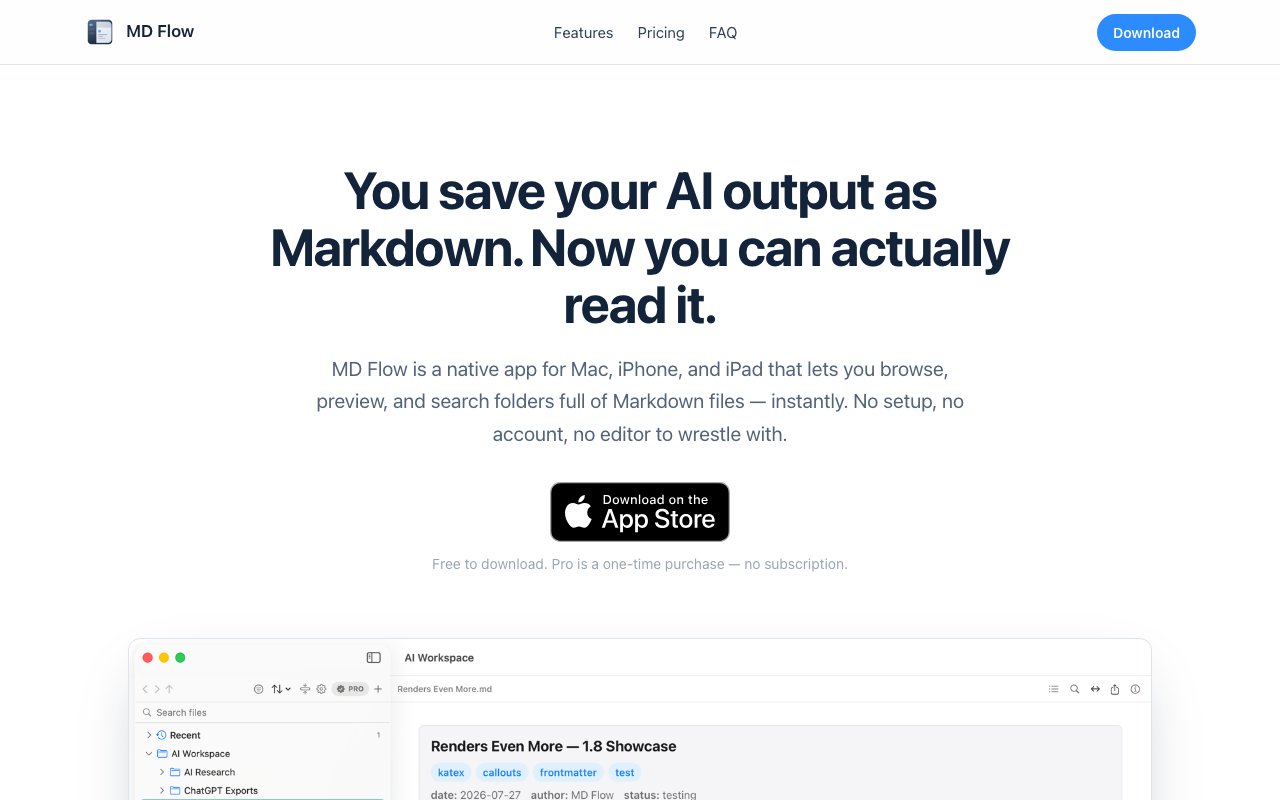
MD Flow is a native Markdown reader for Mac, iPhone, and iPad that focuses entirely on viewing and navigating Markdown files rather than editing them. It addresses a specific gap in the Markdown tool landscape that becomes obvious once you notice it. Most applications emphasize writing and editing capabilities, but plenty of users have folders full of Markdown content they need to read and search through without any intention of modifying it. AI tool exports from language models and code assistants, documentation repositories for software projects, Obsidian vaults accumulated over years of note taking, and developer reference notes all generate substantial Markdown archives that benefit from a dedicated reading experience. MD Flow provides exactly that, designed from scratch for browsing rather than creating.
The core workflow starts by connecting folders from your device to the application through standard system file pickers. These can be local directories on your machine, iCloud Drive locations that sync across your Apple devices, or synchronized folders from cloud services like Dropbox and Google Drive. Once connected, you browse through files using arrow key navigation while live previews render in real time as you move through the folder structure. The rendering engine handles standard Markdown syntax with full CommonMark compliance plus several extended formats that power users rely on. Mermaid diagrams display as properly rendered visual flowcharts and sequence diagrams. KaTeX mathematics render with full equation support for technical documentation. Obsidian style callouts appear with their intended colored formatting. YAML frontmatter parses cleanly and displays metadata at the top of documents.
Beyond Markdown, the application previews HTML files with basic rendering, source code files with syntax highlighting across common programming languages, CSV data in clean tabular format that makes spreadsheet exports readable, and plain text documents for notes and logs. This versatility makes MD Flow useful for exploring mixed content directories where Markdown sits alongside configuration files, data exports, and web content. The unified interface means you don't need to switch between different viewers for different file types when browsing a project folder or documentation archive.
Privacy sits at the center of the design philosophy in a way that matters for users handling sensitive material. MD Flow operates fully offline with no account requirements, no cloud uploads, and no analytics tracking your reading habits. Files stay on your device exactly where they belong. The application simply reads from directories you explicitly grant access to through macOS and iOS permission dialogs, renders content locally using your device's processing power, and never phones home with your data or usage patterns. For users who work with sensitive documentation or maintain strict data hygiene practices, this architecture removes an entire category of concern that cloud dependent applications introduce.
The free version provides a complete reading experience with two connected folders and five recent files tracked in your history. This covers casual users who browse a handful of directories without needing extensive history or search capabilities. MD Flow Pro unlocks unlimited folder connections for users with many documentation sources, fifty recent files with cross device syncing through iCloud, full text search across all connected content for finding specific information quickly, and PDF export for sharing rendered documents with colleagues who don't have Markdown viewers. The Pro upgrade costs seven ninety nine as a one time purchase rather than an ongoing subscription, and it covers Mac, iPhone, and iPad through Apple's universal purchase system.
Recent files syncing through iCloud means your reading position and frequently accessed documents follow you between devices seamlessly. Start reviewing documentation on your Mac at your desk, continue on iPad during a commute or flight, and reference specific files from your iPhone during a meeting or conversation. This continuity makes MD Flow practical for users who distribute their computing across Apple's ecosystem rather than anchoring to a single device, which increasingly describes how people actually work with their technology.
The application targets several user profiles explicitly based on how people actually accumulate Markdown content today. AI practitioners working with outputs from language models and code generators need to review exports efficiently without loading full editing environments. Knowledge management enthusiasts running Obsidian or similar personal wiki systems want lightweight reading without loading their full vault into the writing application just to reference something. Developers navigating documentation directories benefit from quick preview capabilities when exploring unfamiliar codebases. MD Flow holds a 4.3 star rating across App Store reviews, positioning it as an actively developed indie product with an engaged user base providing feedback on real usage patterns.
Key Features
- Instant Markdown preview with Mermaid and KaTeX
- Native folder browsing for iCloud and Dropbox
- Cross-folder search in Pro version
- Recent files sync across Apple devices
- PDF export for sharing rendered output
- Offline access with no account required
Pros & Cons
What we like
- Files stay local with no cloud backend or login
- Renders diagrams and math notation natively
- One time purchase with no subscription
- Works across Mac, iPhone, and iPad
Room for improvement
- Apple devices only, no Windows or Android
- Free tier limited to two folders
- Read only, no editing capabilities
- Search requires Pro upgrade
Frequently Asked Questions
What is MD Flow?
Is MD Flow free?
Does MD Flow sync my files to a server?
Can I edit Markdown files in MD Flow?
Best For
Featured in
Alternatives to MD Flow
View all
CalendHub
Smart scheduling and calendar management for teams
Kevin Gabeci Toolkits
Seven AI toolkits for writing books, making music, cutting video, and building agents.

Eased Into AI
Learn AI from zero. No jargon, no hype, just steps that work.

Fix It Gently
Calm, plain-English fixes for everyday tech problems.
Reviews (0)
Badge builder
Add MD Flow to your website
Choose a badge style and size, preview it here, then copy the generated HTML. Badge images are self-contained SVGs and do not require an external script.

<a href="https://toolindex.net/tools/md-flow?ref=badge" target="_blank" rel="noopener">
  <img src="https://toolindex.net/badge/md-flow/medium.svg" alt="MD Flow - Listed on Tool Index" width="180" height="50" />
</a>How to use the badge
- 1. Pick the style, size, and theme that fit your layout.
- 2. Copy the generated HTML from the code block.
- 3. Paste it into your footer, homepage, or press page.
Standard badge available
The standard listing badge is available now. Score and circle badges are limited to tools currently ranked in the top 10 of a category.
Badge clicks return visitors to this profile with a referral tag so the source remains identifiable.
Related Tools

Confluence
Atlassian's long-running team wiki that anchors many enterprise knowledge stacks
Asana
Project management for teams that live in projects, tasks and dependencies
Kevin Gabeci Toolkits
Seven AI toolkits for writing books, making music, cutting video, and building agents.

Logseq
An open-source outliner notes app where every bullet is a first-class block
Work on MD Flow? Request listing access or correction