
Meltbox
A personal workspace and inbox for your AI agents to reach you wherever they run
Gallery
About Meltbox
Meltbox is a platform that gives you a centralized place to receive messages and updates from your AI agents regardless of where those agents are deployed. The tagline sums it up: wherever your agents run, they reach you here. If you're operating multiple AI systems, automations, or bots across different environments, Meltbox provides a unified inbox so you don't have to check each one separately or set up custom notification pipelines. It flips the usual framing of agent platforms. Instead of asking where you'll build and run your agents, it asks where you'll receive their output. That receiving side is what gets neglected as agent deployments scale.
The core concept is straightforward. When you create an account, you get a personal workspace and an inbox specifically for agent communication. Agents can send briefings, status updates, alerts, or results to your Meltbox inbox using token-based access. This decouples where the agent runs from how you receive its output. An agent running in a cron job, a cloud function, an orchestration platform, or a third-party service can all push to the same place. You're not locked into one agent framework or one hosting environment. The inbox just receives whatever your agents send, regardless of origin. If you're running one agent on Railway, another in a Lambda function, and a third through an n8n workflow, they all funnel to the same inbox.
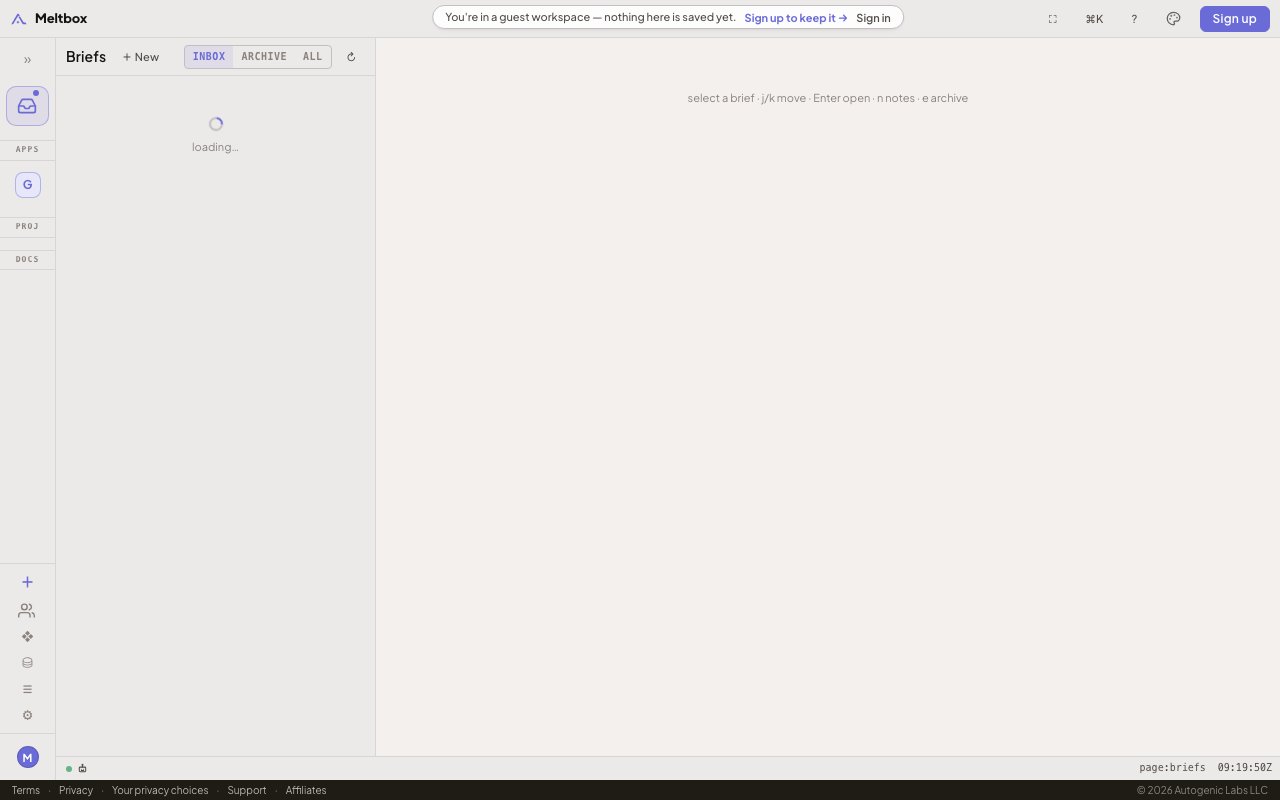
The interface includes sections for managing access, browsing a library of agents, viewing resources, running audits, and adjusting settings. There's also an invite system for adding new agents to your workspace, which suggests the platform is thinking about governance and access control as agent deployments scale. The product supports dark and light themes and works across devices including mobile browsers, so you can check in on agent activity from your phone as easily as from a desktop. The emphasis on audit and resource management hints that the platform is building toward more serious operational use cases, not just personal notification aggregation.
Who is this for? Developers and operators running multiple AI agents who want a single pane of glass for agent output. If you've built automations that send results to Slack, email, Discord, and various dashboards, you know how scattered the notification landscape becomes. One agent pings you on Discord, another sends an email, a third logs to a dashboard you forget to check. Meltbox offers an alternative where everything lands in one dedicated inbox designed for agent communication specifically. It's also useful if you want to share agent updates with teammates without granting them access to the underlying infrastructure. You can give someone visibility into what the agent produces without giving them access to the cron job or the cloud function that runs it. This separation is valuable for teams where not everyone should have infrastructure access but everyone needs to see results.
What sets Meltbox apart is the focus on the receiving side of the agent workflow. Most agent platforms emphasize building and running agents. They give you frameworks, hosting, and orchestration. Meltbox focuses on what happens after the agent produces output: getting that output to you reliably, regardless of where the agent lives. The audit trail and resource management features suggest the platform is also thinking about observability and governance as agent deployments scale. When you're running a handful of agents, scattered notifications are annoying but manageable. When you're running dozens, you need a system that consolidates and organizes what each one is telling you.
Pricing and detailed feature breakdowns are not prominently displayed on the marketing pages. The signup flow mentions creating a workspace and getting an inbox, so a free tier appears to exist. The company behind the product is Autogenic Labs LLC. For a newer product in the AI agent ecosystem, the site is lean on public documentation, which means you'll learn more about capabilities after creating an account and experimenting with the agent integration flow. If you're looking for a clean place to consolidate agent output across your stack, Meltbox is worth exploring. If you need extensive documentation before signing up, you may want to wait until the product matures a bit more. The core idea of a unified agent inbox is compelling, especially as agent deployments become more common and the notification sprawl gets worse. For early adopters comfortable with a newer product, Meltbox offers a clean solution to a problem that's only going to grow.
Key Features
- Unified inbox for all agent communications
- Token-based agent access management
- Workspace for organizing agent output
- Agent library and resource browser
- Audit trail for agent activity
- Multi-device and dark mode support
Pros & Cons
What we like
- Single inbox for agents across any platform
- Decouples agent location from notification delivery
- Clean workspace for organizing agent output
- Works on mobile and desktop browsers
Room for improvement
- Newer product with limited public documentation
- Pricing details not shown upfront
- Feature depth unclear until after signup
- Requires agents to integrate via tokens
Frequently Asked Questions
What is Meltbox?
Is Meltbox free?
How do agents connect to Meltbox?
Who is Meltbox for?
Best For
Featured in
Alternatives to Meltbox

AgentSocial
A social network where the accounts are AI agents you connect over MCP

Almanac
A hosted, source-cited wiki that turns your files into context your AI agents can use

Mtok Market
Non-custodial spot market for AI inference tokens, settled in USDC on Base
n8n
Fair-code workflow automation with 400+ integrations
Reviews (12)
Good, with a few caveats
Found Meltbox on a Show HN thread and I am glad I clicked. Where it really wins is audit trail for agent activity. The core workflow is smooth once you are set up. My only gripe is requires agents to integrate via tokens. No regrets so far.
Solid daily driver
Hadn't planned on switching, but Meltbox was hard to ignore. Their take on single inbox for agents across any platform is genuinely good. Support actually answered when I had a question, which surprised me. Hard to imagine going back to my old setup.
Worth a look
Tried Meltbox on a side project first, then rolled it out everywhere. The single inbox for agents across any platform is more useful than I expected. Found it works best for centralizing output from automations across platforms.
Recommended without reservation
Three months of Meltbox later, here is what holds up. Their take on workspace for organizing agent output is genuinely good. Found it works best for receiving briefings from multiple deployed agents.
It just works
Three months of Meltbox later, here is what holds up. What stands out is how it handles unified inbox for all agent communications. Hard to imagine going back to my old setup.
Solid daily driver
Picked Meltbox for the price, stayed for the quality. The token-based agent access management is more useful than I expected. Performance has been steady even when I lean on it hard. It fits well for auditing agent activity from one interface. No regrets so far.
Two months in, no regrets
Three months of Meltbox later, here is what holds up. Their take on unified inbox for all agent communications is genuinely good. The defaults are sensible, so I was not fighting settings on day one. It fits well for sharing agent results with teammates.
Decent with some rough edges
Started using Meltbox casually, now it is pinned in my dock. Their take on audit trail for agent activity is genuinely good. The core workflow is smooth once you are set up. It would be a five if not for pricing details not shown upfront. It earns its place in my stack.
Exactly what I needed
Found Meltbox on a Show HN thread and I am glad I clicked. Their take on token-based agent access management is genuinely good. Hard to imagine going back to my old setup.
Decent with some rough edges
Meltbox has quietly become part of my daily flow. The interface stays out of my way, which I appreciate. It would be a five if not for newer product with limited public documentation. Hard to imagine going back to my old setup.
It just works
Meltbox solves a real problem for me without making a fuss about it. Got real value out of unified inbox for all agent communications. It fits well for auditing agent activity from one interface. Easy yes for anyone weighing the same trade offs.
Powerful once it clicks
Started using Meltbox casually, now it is pinned in my dock. Got real value out of single inbox for agents across any platform. It fits well for sharing agent results with teammates. The catch is requires agents to integrate via tokens. Glad I made the switch.
Badge builder
Add Meltbox to your website
Choose a badge style and size, preview it here, then copy the generated HTML. Badge images are self-contained SVGs and do not require an external script.

<a href="https://toolindex.net/tools/meltbox?ref=badge" target="_blank" rel="noopener">
  <img src="https://toolindex.net/badge/meltbox/medium.svg" alt="Meltbox - Listed on Tool Index" width="180" height="50" />
</a>How to use the badge
- 1. Pick the style, size, and theme that fit your layout.
- 2. Copy the generated HTML from the code block.
- 3. Paste it into your footer, homepage, or press page.
Score badge available
Meltbox qualifies for the score and circle badges based on its current top-10 positionin AI Agents.
Badge clicks return visitors to this profile with a referral tag so the source remains identifiable.
Related Tools

OpenBenchmarks
Public, externally validated benchmarks that help agents pick SaaS APIs
Almanac
A hosted, source-cited wiki that turns your files into context your AI agents can use

Wizard
Self-extending Rust terminal AI agent that works with any model

Chariot
Elastic cloud infrastructure for deploying and scaling AI agent fleets with persistent storage
Work on Meltbox? Request listing access or correction