
Mergd
Merge macOS folders without losing files, with full preview and undo via Trash
Gallery
About Mergd
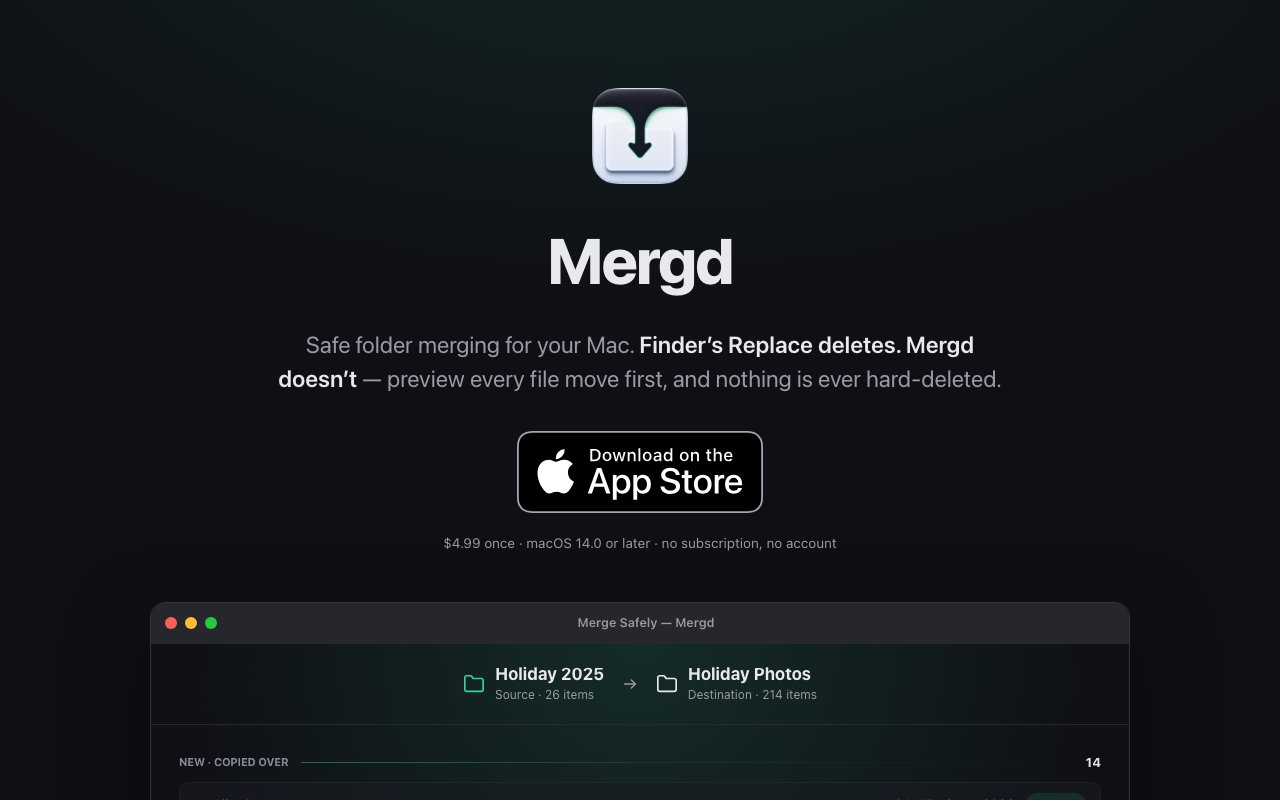
Mergd is a macOS utility that solves a genuine gap in how Finder handles folder merging. When you drag one folder onto another with the same name in Finder, macOS gives you two options that both risk losing files. Replace deletes everything in the destination folder, wiping out any unique files that existed only there. Stop cancels the operation entirely, leaving you to figure out another approach. There's no native way to actually merge folder contents while preserving everything from both locations, which is exactly what most people want when they have two folders with the same name containing different but overlapping files. Mergd provides that missing third option with a preview first workflow that shows exactly what will happen before any files move, then sends conflicts to Trash rather than permanently deleting them so you can recover if something goes wrong.
The preview interface displays every operation the merge will perform before you commit to anything. You see which files will copy over from the source to the destination, which will be skipped because identical versions already exist in both locations, and which conflict because different files share the same name. For conflicts, Mergd offers multiple resolution policies to fit different situations. Keep the newest version automatically if you trust file dates, keep both files with the duplicate getting an appended number if you want to sort it out manually later, keep the destination copy if you're treating that folder as authoritative, or decide on a per file basis if you want granular control over each conflicting item. This transparency means you understand the complete outcome before committing, which eliminates the anxiety that accompanies folder operations with the potential to destroy hours of work or lose irreplaceable files.
Under the hood, Mergd handles edge cases that trip up simpler merge approaches and command line solutions. It treats sealed bundles like Photos libraries, GarageBand projects, Final Cut projects, and application packages as single units without cracking them open and potentially corrupting their carefully maintained internal structures. The tool accounts for case sensitivity differences across Mac volumes, which matters when merging between drives formatted with different file systems since HFS+ is case insensitive while some APFS configurations and external drives formatted for other operating systems are case sensitive. iCloud placeholder detection identifies files that haven't been downloaded to local storage yet, preventing operations that would create empty placeholders in the destination rather than actual files. Symlinks and aliases copy as links without following them to external destinations, which keeps the merge scoped to your selected folders rather than accidentally pulling in referenced content from across your filesystem.
A merge journal logs every operation as it executes, enabling resume if something interrupts the process mid operation and rollback if you change your mind after seeing partial results. Power loss, system crashes, and accidental interruptions won't leave you with a partially completed merge and no record of what happened. On APFS formatted drives, Mergd uses Apple's clonefile technology for same volume merges, which makes copies instant without consuming additional disk space until files actually diverge. This optimization matters when merging large folders with significant overlap since traditional copying would duplicate gigabytes of data unnecessarily. The entire application runs locally with no network access required and no account creation to manage. Your files never leave your computer, there's no subscription to maintain, and the tool works completely offline.
Mergd costs $4.99 as a one time purchase from the Mac App Store and requires macOS 14.0 or later. The target audience includes photographers managing library backups who need to consolidate shots from multiple trips or devices without losing any images, creative professionals merging project folders from collaborators without overwriting their own work, developers consolidating code repositories or backup copies without missing any uncommitted changes, and anyone who regularly works with nested folder structures where accidental deletion isn't an acceptable risk. If you've ever hesitated before dragging a folder in Finder because you weren't confident about what would happen to your existing files, Mergd transforms that risky guessing game into a safe, predictable, and fully reversible process that puts you in control of every decision with complete visibility into the consequences before anything moves.
Key Features
- Full merge preview before execution
- Conflict resolution with multiple policies
- Trash based undo for all operations
- APFS clone support for instant copies
- App bundle and photo library protection
- Offline operation with no network access
Pros & Cons
What we like
- Never permanently deletes files during merge conflicts
- Preview shows exactly what will change before any files move
- One time purchase with no subscription
- Handles edge cases like iCloud placeholders and symlinks
Room for improvement
- macOS only, requires version 14.0 or later
- Single purpose tool for folder merging
- No batch operation for multiple merge jobs
- Smaller utility from an indie developer
Frequently Asked Questions
What is Mergd?
How is Mergd different from Finder?
Is Mergd a subscription?
Does Mergd work offline?
Best For
Featured in
Alternatives to Mergd
View all
CalendHub
Smart scheduling and calendar management for teams
Kevin Gabeci Toolkits
Seven AI toolkits for writing books, making music, cutting video, and building agents.

Eased Into AI
Learn AI from zero. No jargon, no hype, just steps that work.

Fix It Gently
Calm, plain-English fixes for everyday tech problems.
Reviews (0)
Badge builder
Add Mergd to your website
Choose a badge style and size, preview it here, then copy the generated HTML. Badge images are self-contained SVGs and do not require an external script.

<a href="https://toolindex.net/tools/mergd?ref=badge" target="_blank" rel="noopener">
  <img src="https://toolindex.net/badge/mergd/medium.svg" alt="Mergd - Listed on Tool Index" width="180" height="50" />
</a>How to use the badge
- 1. Pick the style, size, and theme that fit your layout.
- 2. Copy the generated HTML from the code block.
- 3. Paste it into your footer, homepage, or press page.
Standard badge available
The standard listing badge is available now. Score and circle badges are limited to tools currently ranked in the top 10 of a category.
Badge clicks return visitors to this profile with a referral tag so the source remains identifiable.
Related Tools

Confluence
Atlassian's long-running team wiki that anchors many enterprise knowledge stacks
Asana
Project management for teams that live in projects, tasks and dependencies
Kevin Gabeci Toolkits
Seven AI toolkits for writing books, making music, cutting video, and building agents.

Logseq
An open-source outliner notes app where every bullet is a first-class block
Work on Mergd? Request listing access or correction