Mint MCP
Generate 3D models, materials, and audio through AI agents using the Model Context Protocol
Gallery
About Mint MCP
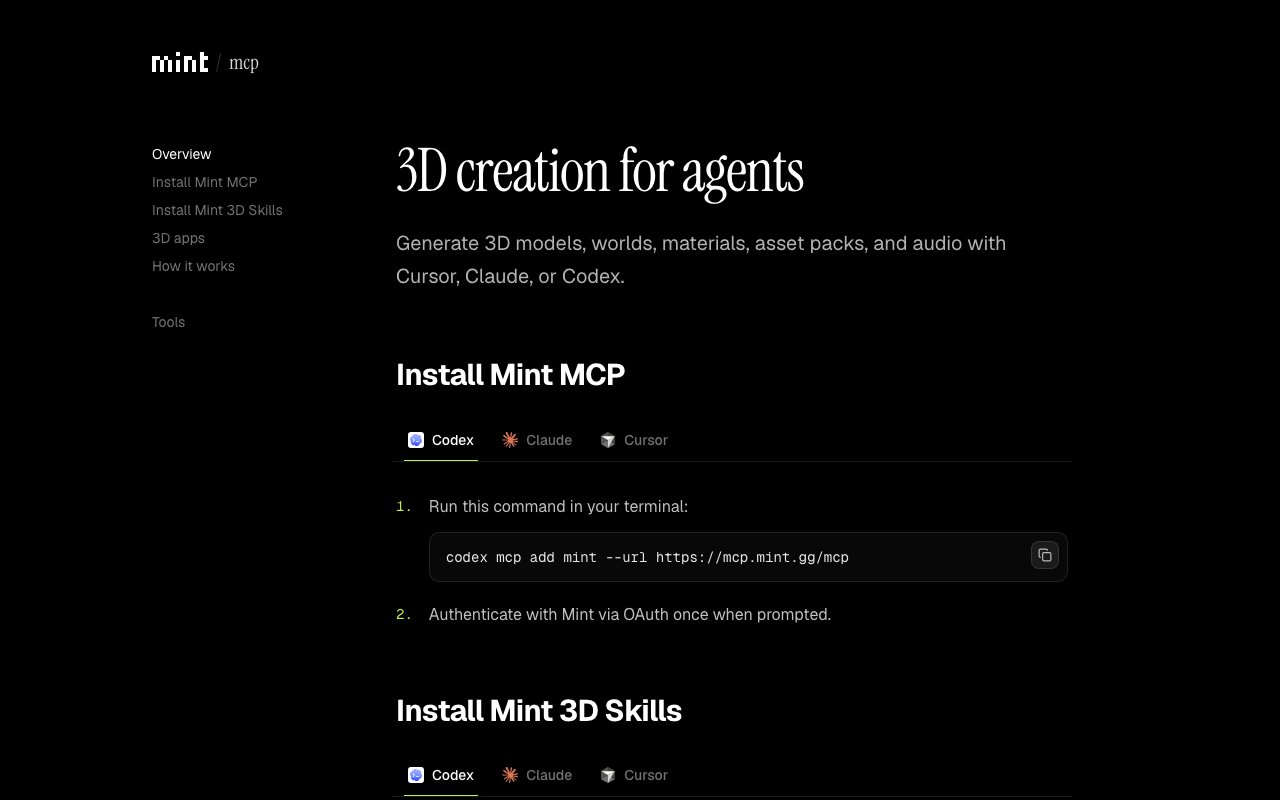
Mint MCP is a remote server that lets AI agents generate creative digital assets through the Model Context Protocol. When you connect an MCP compatible client like Claude or Cursor, the agent gains the ability to create 3D models, virtual worlds, materials, asset packs, images, and audio on demand. Instead of manually operating generation tools, you describe what you need and the agent handles the creation through Mint's endpoint at mcp.mint.gg. The generation process runs automatically from prompt to final asset, removing the manual steps that typically sit between an idea and a usable file. This is infrastructure for agentic pipelines, not a consumer facing generator.
The idea is to bring asset generation directly into agent workflows. If you are building an AI system that needs to produce game assets, create textures for a Three.js scene, or generate audio clips, Mint MCP exposes those capabilities as tools the agent can call. The agent requests a 3D model of a spaceship, Mint generates it using its underlying AI engines, and the result comes back ready to use. There is no switching between interfaces, no manual export steps, and no human in the loop for routine generation tasks. This matters for pipelines where asset creation needs to happen programmatically as part of a larger automated workflow, such as procedural game content, dynamic product visualizations, or batch asset creation for virtual environments.
Under the hood, Mint aggregates multiple AI generation engines into a single protocol. Rather than integrating separately with a model generator, a texture generator, and an audio generator, you connect once to Mint and access all of them through the same MCP interface. The server handles authentication through OAuth via the connected MCP client, so credentials flow through your existing agent setup rather than requiring separate key management. An agent skills index is available for capability discovery, letting clients query what generation tools exist before attempting to use them. This discoverability feature means agents can adapt to new capabilities as Mint adds them, without hardcoded assumptions about what tools are available.
The connection uses streamable HTTP at the mcp.mint.gg/mcp endpoint. Documentation lives at mcp.mint.gg/docs, where you can browse the available tools and see integration examples. Because the Model Context Protocol is an open standard, any client that speaks MCP can connect, not just specific platforms. This gives developers flexibility in how they build their agent stacks while still accessing Mint's generation capabilities. The protocol's streaming support means large assets can begin transferring before generation completes, reducing perceived latency in interactive applications.
Mint MCP is aimed at developers building AI agent systems who need programmatic access to generative creative tools. Game developers creating procedural content, Three.js engineers generating textures on the fly, and anyone building applications that require dynamic asset creation can wire Mint MCP into their agent stack. The platform sits within the larger Mint ecosystem, which focuses on AI powered 3D content creation. Mint MCP is specifically the integration layer that makes those generation capabilities accessible to agents rather than humans operating a UI directly. It bridges the gap between agentic code that knows what assets it needs and the generation engines that produce them.
Pricing and access details are not prominently displayed on the landing page, which suggests either early stage positioning or a focus on developer outreach before broad commercialization. The endpoint is live and functional, with documentation and integration guides available, so this is a working product rather than a preview. Teams interested in production integration should expect to engage with Mint directly to understand terms and any usage limits. For developers experimenting with agentic workflows that touch creative asset generation, Mint MCP offers a clean way to add those capabilities without building the generation infrastructure yourself. The aggregation of multiple asset types under one protocol reduces integration surface area, and the MCP standard means the same agent code can potentially swap to other providers as the ecosystem matures. For teams building agentic products that need to generate creative content at scale, Mint MCP removes a layer of complexity that would otherwise require stitching together multiple separate APIs.
Key Features
- 3D model generation via MCP protocol
- Material and texture creation tools
- Audio and image generation support
- OAuth authentication for agent clients
- Agent skills index for capability discovery
- Streamable HTTP endpoint integration
Pros & Cons
What we like
- Brings asset generation directly into agent workflows
- Aggregates multiple creative engines under one protocol
- Works with any MCP compatible AI client
- Live endpoint with documentation available
Room for improvement
- Pricing and access terms not clearly published
- Early stage product with minimal public documentation
- Depends on the broader Mint platform for generation
- Output quality varies by underlying AI engines
Frequently Asked Questions
What is Mint MCP?
Is Mint MCP free?
Which AI agents work with Mint MCP?
Who is Mint MCP for?
Best For
Featured in
Alternatives to Mint MCP
View all
Apatero AI
The creator studio for AI image, video, audio, 3D, and avatars, now at apatero.ai.

SoloDevStack
A solo developer blog built on head-to-head tool comparisons, 580+ posts deep.
Apatero Studio
Creator studio for AI image, video, audio, 3D, and avatars. Every model worth using, in one workspace.

Melodex
Turn your idea into an AI-generated music video
Reviews (0)
Badge builder
Add Mint MCP to your website
Choose a badge style and size, preview it here, then copy the generated HTML. Badge images are self-contained SVGs and do not require an external script.

<a href="https://toolindex.net/tools/mint-mcp?ref=badge" target="_blank" rel="noopener">
  <img src="https://toolindex.net/badge/mint-mcp/medium.svg" alt="Mint MCP - Listed on Tool Index" width="180" height="50" />
</a>How to use the badge
- 1. Pick the style, size, and theme that fit your layout.
- 2. Copy the generated HTML from the code block.
- 3. Paste it into your footer, homepage, or press page.
Standard badge available
The standard listing badge is available now. Score and circle badges are limited to tools currently ranked in the top 10 of a category.
Badge clicks return visitors to this profile with a referral tag so the source remains identifiable.
Related Tools
Apatero AI
The creator studio for AI image, video, audio, 3D, and avatars, now at apatero.ai.
Kevin Gabeci Toolkits
Seven AI toolkits for writing books, making music, cutting video, and building agents.

Warp
The modern terminal reimagined with AI and collaboration

Bolt.new
Prompt-to-deployed full-stack app inside the browser
Work on Mint MCP? Request listing access or correction