
Moadim
An open-source daemon that runs AI agent routines on a cron schedule in isolated workbenches
Gallery
About Moadim
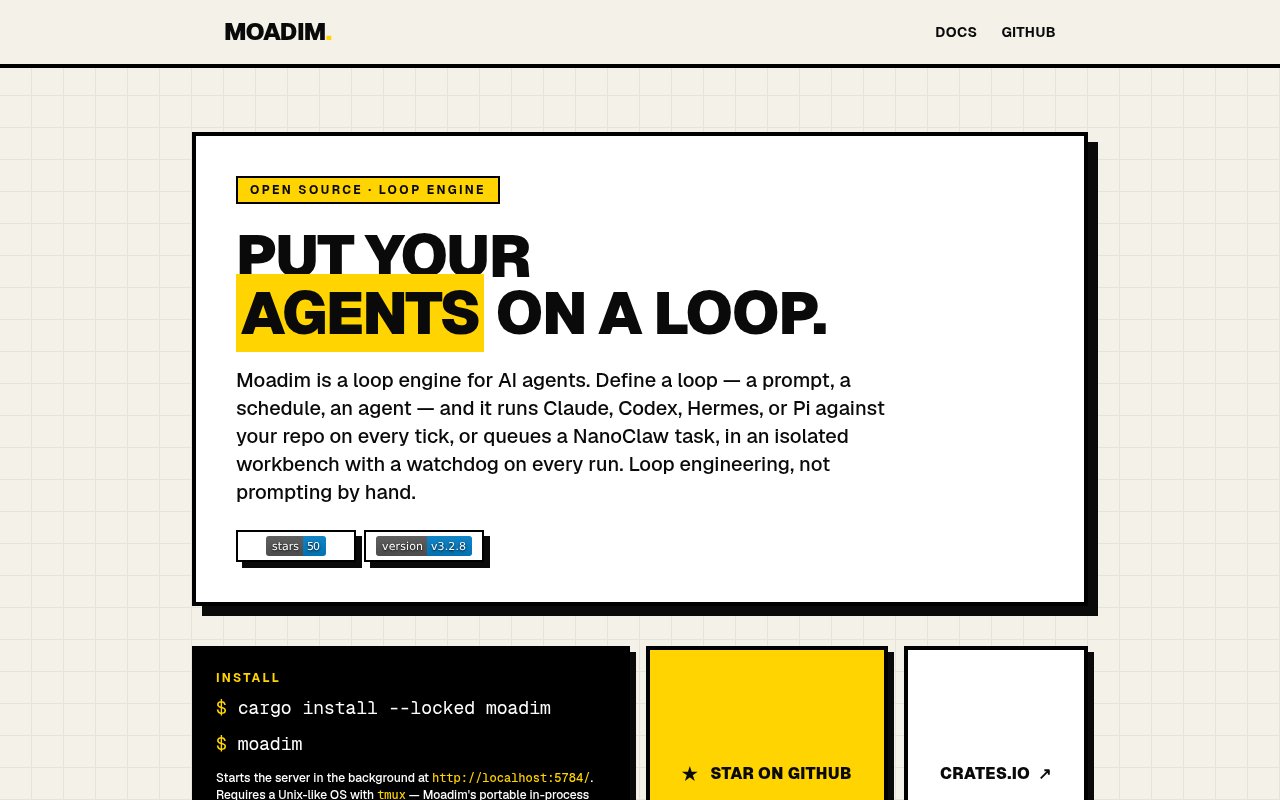
Moadim is an open-source daemon that runs AI agents on a schedule. You write a routine as a small TOML file that pairs a cron expression, an agent and a prompt, point it at one or more repositories, and Moadim fires it at the right time inside an isolated workbench, watches it, and cleans up afterwards. It's the piece that turns a one-off agent session into a loop that runs every night, every hour or every Monday without you at the keyboard.
The problem it solves is that agents are still mostly driven by hand. Someone has to open a terminal, type the prompt, wait, and repeat, which is fine for a single task and hopeless for the recurring ones such as dependency bumps, test triage, changelog drafting or a daily inbox sweep. Cron can launch a script but knows nothing about tmux sessions, hung agents, overlapping runs or the mess an agent leaves in a working tree. Moadim owns all of that.
Routines live in the moadim config directory as TOML, each with a schedule, an agent, a prompt, target repos and optional environment variables. Claude, Codex, Hermes, NanoClaw and Pi are built in, and a custom agent is just another TOML file in the agents directory. Each run gets its own workbench that's removed after a configurable TTL, executes inside a tmux session, and is guarded by a watchdog that force-kills anything still running past its maximum runtime. Global concurrency caps and per-routine overlap policies decide what happens when a slow run meets its next fire time, failure webhooks tell you when something broke, and machine identity targeting lets one set of files describe routines for several machines. A routine reads the way you'd describe it out loud. A cron line says when, an agent field says which of the built-in or custom agents runs, a prompt says what to do, and the repos field lists the working trees it may touch, with environment variables for anything the agent needs at runtime. Because each run happens in a fresh workbench, the agent starts from a clean copy every time and the TTL sweeps the leftovers away, which keeps a nightly job from slowly filling a disk with half-finished branches.
The daemon exposes itself four ways at once. There's a browser UI on localhost port 5784, a REST API with an OpenAPI schema and Swagger docs, an MCP endpoint so Claude or another client can create and inspect routines conversationally, and an iCalendar feed you can subscribe to in a calendar app to see when things will fire. It also respects power-saving state, and it can be registered as a launchd service on macOS or a systemd service on Linux so it survives reboots.
It's built for developers who already use coding agents and want the recurring chores to run themselves, on their own machine, with the same agents they use interactively. Solo maintainers with a handful of repositories are the obvious fit, and so is anyone experimenting with long-running agent loops who wants isolation and a kill switch rather than a shell script and hope. Operators with several machines can describe routines for all of them in one place through machine identity targeting.
What sets it apart from a plain cron job or a hosted agent platform is that it's local, agent-aware and small. It's a single Rust binary you install with cargo install, Homebrew or npm, it needs tmux on the PATH and Python 3 for the built-in Claude setup, and everything stays on your machine. The limits follow from that. It runs on macOS and Linux only, there's no hosted version and no team features, and the project is young, with the repository showing around fifty stars at the time of writing. Compared with cron and a shell script, the wins are the parts cron never had. Overlap policies stop a slow run from piling onto the next one, the watchdog ends a session that's stuck waiting on a prompt, the web UI shows what ran and what failed, and the iCalendar feed puts tomorrow's runs on the same calendar as your meetings. Compared with a hosted agent platform, it gives up multi-user features and a dashboard in the cloud in exchange for keeping your repositories, credentials and agent sessions on hardware you control. For a solo developer that's usually the right trade, and it's an easy one to try since install is a single command.
Access is open source under the MIT license with no paid tier and no account. The code is in the moadim-io/daemon repository on GitHub, the crate is on crates.io, and the site carries the install and configuration docs. No contact email is published, so questions go through GitHub.
Key Features
- Cron-scheduled agent routines in TOML
- Built-in Claude, Codex, Hermes, NanoClaw and Pi agents
- Isolated workbenches with TTL cleanup
- Watchdog and overlap policies
- REST API, MCP endpoint and web UI
- iCalendar feed of fire times
Pros & Cons
What we like
- Runs on your own machine with no hosted dependency
- Hung agents get killed automatically
- Four interfaces from one daemon
- MIT licensed with no paid tier
Room for improvement
- macOS and Linux only
- Requires tmux and a terminal-first setup
- No hosted or team version
- Young project with a small community
Frequently Asked Questions
What is Moadim?
Is Moadim free?
Which agents does Moadim support?
Does Moadim need a server?
Best For
Featured in
Alternatives to Moadim
View all
Almanac
A hosted, source-cited wiki that turns your files into context your AI agents can use

Demi AI
Demi helps busy professionals eliminate repetitive admin work across their favorite tools.

Lindy
No-code AI agents that handle email, meetings, and recurring workflows
Vapi
Build voice AI agents that take and place phone calls
Our take
Tool Index Editorial · Sep 2026· 3.5/5
Moadim is a local scheduler for recurring AI agent work. A developer defines a prompt, schedule and agent, and Moadim runs each tick in a fresh workbench with a watchdog for hung sessions. The public site shows built-in support for Claude, Codex, Hermes, NanoClaw and Pi, plus a web UI, REST API, MCP endpoint and iCal feed.
It is free under the MIT license, with no account or paid tier. We think the overlap controls, cleanup and reboot-safe service turn a fragile cron script into a credible routine runner. The tradeoff is operational. It needs a Unix-like machine and tmux, stays local, and offers no hosted or team layer. That makes it a good fit for technical solo users, not an unattended business automation service.
Editorial opinion from the Tool Index team, written from the public product pages. Not a user review.
Reviews (0)
Badge builder
Add Moadim to your website
Choose a badge style and size, preview it here, then copy the generated HTML. Badge images are self-contained SVGs and do not require an external script.

<a href="https://toolindex.net/tools/moadim?ref=badge" target="_blank" rel="noopener">
  <img src="https://toolindex.net/badge/moadim/medium.svg" alt="Moadim - Listed on Tool Index" width="180" height="50" />
</a>How to use the badge
- 1. Pick the style, size, and theme that fit your layout.
- 2. Copy the generated HTML from the code block.
- 3. Paste it into your footer, homepage, or press page.
Standard badge available
The standard listing badge is available now. Score and circle badges are limited to tools currently ranked in the top 10 of a category.
Badge clicks return visitors to this profile with a referral tag so the source remains identifiable.
Related Tools

OpenBenchmarks
Public, externally validated benchmarks that help agents pick SaaS APIs
Almanac
A hosted, source-cited wiki that turns your files into context your AI agents can use

Wizard
Self-extending Rust terminal AI agent that works with any model

Chariot
Elastic cloud infrastructure for deploying and scaling AI agent fleets with persistent storage
Work on Moadim? Request listing access or correction