MyBestLook
AI stylist that tries outfits, haircuts, and store clothes on your own photo
Gallery
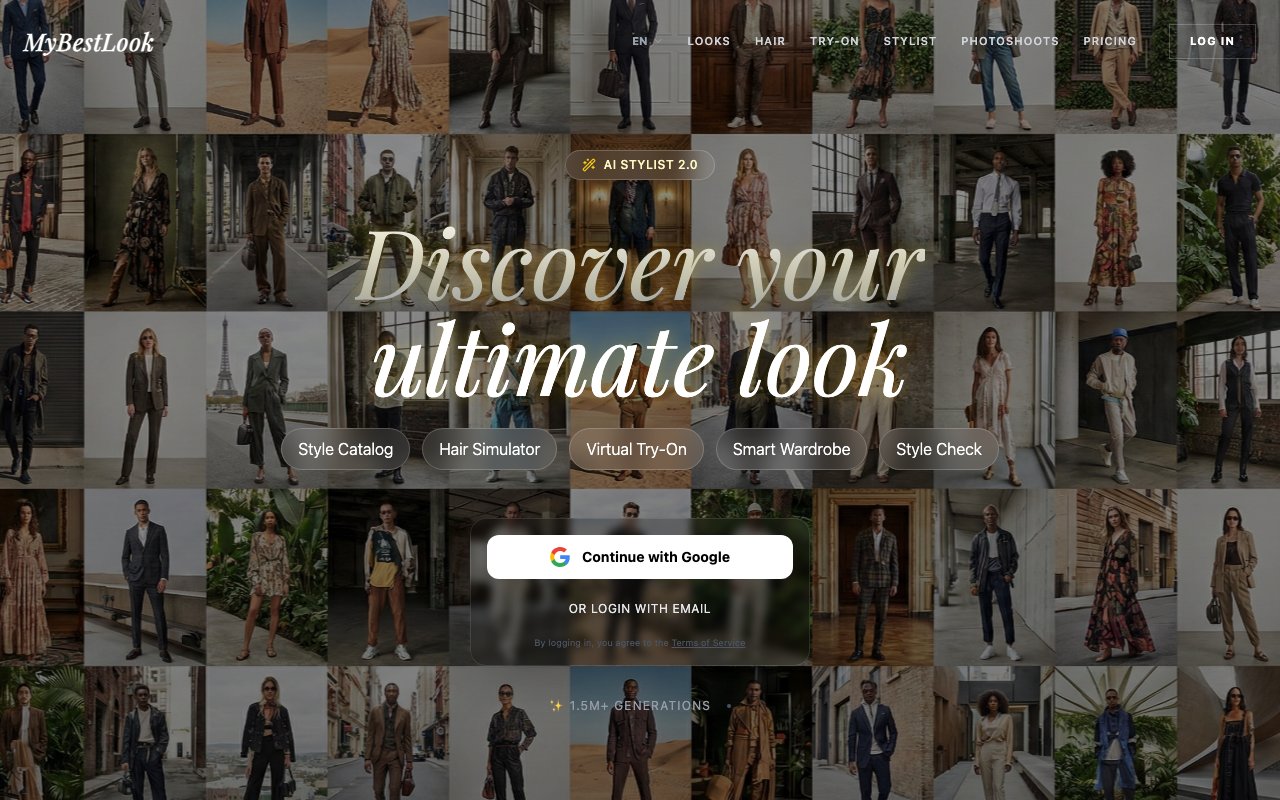
About MyBestLook
MyBestLook is an AI stylist that runs in the browser and shows you what a new outfit, haircut, or hair color would look like on your own face before you spend money on any of it. You upload a photo, pick a direction, and it generates you in that look rather than showing you a model who isn't you.
The gap it goes after is the one between inspiration and reality. Style boards and store listings put clothes on someone else's body, and a salon consultation is a conversation about a haircut nobody can actually see yet. Plenty of people end up with pieces that hang in the closet unworn, or a cut they regret for three months. MyBestLook turns that guesswork into something you can look at first.
Getting started takes two photos. The site asks for at least one clear shot of your face and one full-body photo so the model understands your build, and it's upfront that hair, glasses, or heavy shadow across the face will hurt the result. Each generation then returns up to four variations on a single image, and you can set that count to one, three, or four depending on how much you want to compare. Face retention is the core promise, so the output is meant to read as you in a different outfit instead of a stranger who vaguely resembles you.
What looks like one product is really several tools sharing the same photo. The Style Catalog holds more than twenty ready-made directions covering business, evening, casual, summer, and wedding, and it invents fresh cuts, colors, and accessories on every click rather than copying a reference image. The Hair Simulator carries over thirty haircuts and coloring techniques including AirTouch, ombre, highlights, and platinum blonde. Virtual Try-On takes a screenshot of an item from a store like ASOS, Zara, or Amazon and puts that specific garment on your body. Smart Wardrobe digitizes clothes you already own and builds four complete outfits around one piece. Photoshoots drops you into a chosen setting such as an alpine peak, a coastline, a city rooftop, or a studio, with cinematic lighting handled for you.
Style Check is the mode that separates this from a straight image generator. You send a mirror selfie from the fitting room and get a score out of ten plus a blunt buy or pass verdict, with notes on proportion, color, and styling and specific swaps like changing the shoes, adding a belt, or dropping the scarf. The framing is honest about why that matters, since a friend standing next to you will soften the truth and an AI critic won't. It's aimed squarely at the moment before you hand over a card.
Smart Wardrobe deserves its own note because it's the part aimed at the clothes you already own. You photograph a single item, and the system returns four complete looks built around it, from office to night out, so a jacket that has sat unused for a year suddenly has three ways to wear it. You can also steer it by occasion in plain words, asking for something for a date, for the office, or for a casual walk, and it composes the rest of the outfit to match. The stated goal is to stop people buying yet another near-identical piece when a combination they already have would work.
The audience is broad by design. It fits shoppers trying to stop buying clothes they never wear, anyone weighing a big hair change they can't undo, people who want polished photos without booking a studio or a makeup artist, and anyone curious about a color type analysis or how glasses would sit on their face. The interface ships in ten languages including English, Turkish, Spanish, Italian, German, French, Portuguese, Polish, Dutch, and Romanian, which is unusual at this size and suggests the user base sits well outside a single market. The site reports more than 1.5 million generations so far.
Beyond the main modes there are narrower try-on tools for makeup, glasses, hair color, and a color type analysis that suggests which palettes suit you. Photoshoots take roughly ten to fifteen minutes end to end, which is the closest the product gets to a content workflow rather than a shopping one, and it's a plausible fit for anyone who needs profile pictures or social images without organizing a shoot. Sign-in is through Google or email, and there's nothing to install since everything runs on the site.
Access is paid and deliberately not a subscription. Credit packs start at $10 for ten generations, roughly forty looks, with $18 and $24 tiers bringing the cost per look down to twenty-two cents. Every pack unlocks all modes, so you're buying volume rather than features, and credit only comes off your balance on a successful generation. Free generations are switched off at the moment because the models behind it cost real money to run, which makes this a try-it-with-a-small-pack product rather than one you can sample for nothing. The refund policy covers technical defects and results where the face genuinely isn't recognizable, though not looks you simply didn't like.
Key Features
- Style catalog with 20+ ready looks
- Hair simulator with 30+ cuts and colors
- Virtual try-on from store photos
- Smart wardrobe outfit builder
- AI style check with buy or pass verdict
- AI photoshoots in chosen locations
Pros & Cons
What we like
- Shows the look on your own face instead of a model
- Four variations per generation for quick comparison
- Credit packs rather than a recurring subscription
- Ten interface languages out of the box
Room for improvement
- No free generations at the moment
- Result quality depends heavily on your source photos
- Browser product with no dedicated mobile app
- Refunds cover technical defects, not looks you dislike
Frequently Asked Questions
What is MyBestLook?
Is MyBestLook free?
What do I need to upload?
Can I try on clothes from an online store?
Best For
Featured in
Alternatives to MyBestLook

HairstylesPro
Try hundreds of hairstyles on your own photo before you commit to a cut

Recraft
AI image generator built around vector output and brand styles

Midjourney
Create stunning AI artwork from text prompts
Leonardo.ai
Image generation suite with fine-tuned models for game and product art
Our take
Tool Index Editorial · Oct 2026· 3.0/5
MyBestLook generates outfit, haircut, hair color, wardrobe, and photo shoot variations from a user's photos. We found a broad browser toolkit and a credit model with no recurring subscription. The public pricing page starts at an $18 minimum top-up for 20 generations, with a $24 pack for 30, and charges only for successful generations.
The site promises strong face retention and fast results, but those are hard to judge from product copy alone. Output quality will depend on source photos, and a generated try-on cannot reliably show real garment fit, fabric, or construction. The pricing page also does not offer a clear free evaluation path. MyBestLook is best used for inspiration before a haircut or purchase, not as evidence that an item will fit or suit someone in real life.
Editorial opinion from the Tool Index team, written from the public product pages. Not a user review.
Reviews (0)
Badge builder
Add MyBestLook to your website
Choose a badge style and size, preview it here, then copy the generated HTML. Badge images are self-contained SVGs and do not require an external script.

<a href="https://toolindex.net/tools/mybestlook?ref=badge" target="_blank" rel="noopener">
  <img src="https://toolindex.net/badge/mybestlook/medium.svg" alt="MyBestLook - Listed on Tool Index" width="180" height="50" />
</a>How to use the badge
- 1. Pick the style, size, and theme that fit your layout.
- 2. Copy the generated HTML from the code block.
- 3. Paste it into your footer, homepage, or press page.
Standard badge available
The standard listing badge is available now. Score and circle badges are limited to tools currently ranked in the top 10 of a category.
Badge clicks return visitors to this profile with a referral tag so the source remains identifiable.
Related Tools
HairstylesPro
Try hundreds of hairstyles on your own photo before you commit to a cut
Recraft
AI image generator built around vector output and brand styles

AIMakeTattoo
Turn text descriptions into visual tattoo concepts with style and placement options
Flux by Black Forest Labs
Open and hosted image models that power half the AI art stack
Work on MyBestLook? Request listing access or correction