My Todo
Browser-based task board with a floating focus timer that stays visible while you work
Gallery
About My Todo
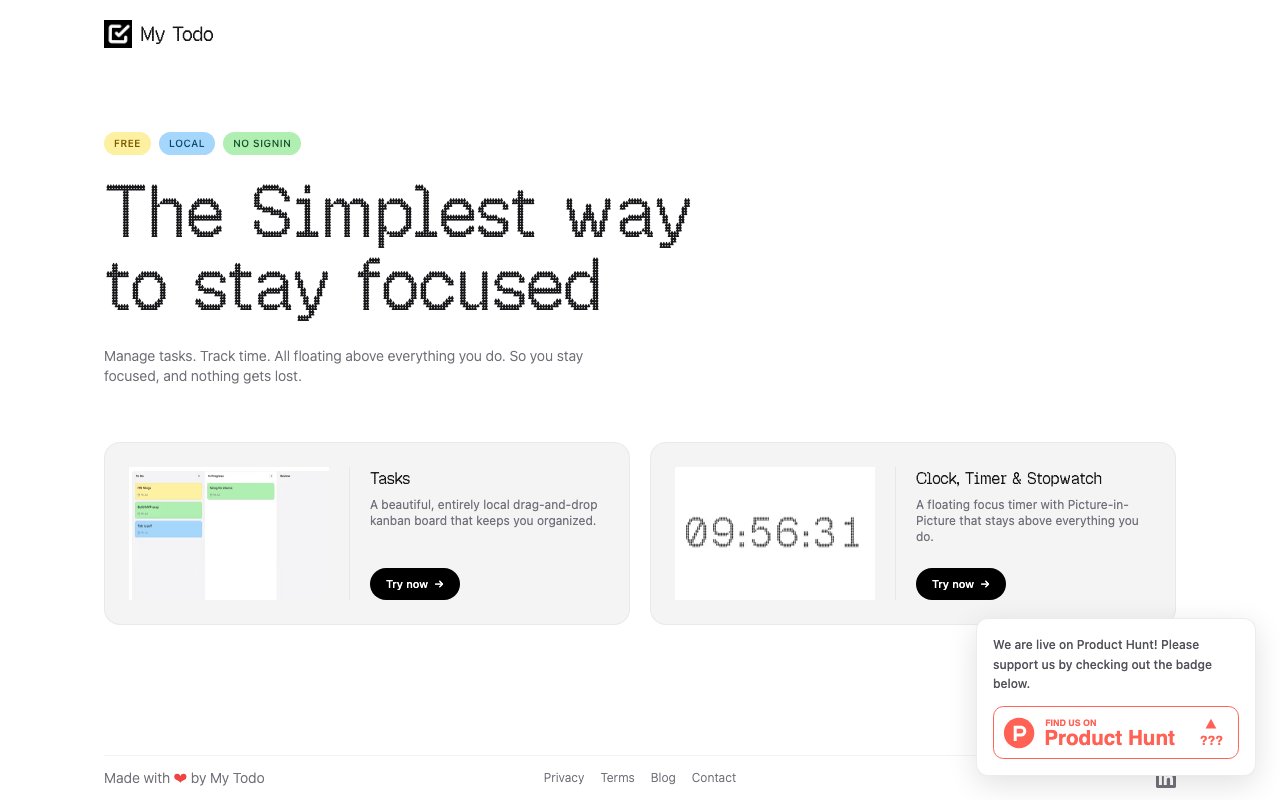
My Todo is a browser-based task management application built around the idea that productivity tools should stay out of the way while keeping you on track. It runs entirely in your web browser with no account creation required, storing everything locally so there's nothing to sign up for and no data leaving your machine. The interface floats above your other work, letting you manage tasks and track time without constantly switching windows or tabs. For anyone who's felt overwhelmed by feature-heavy project management software that demands more attention than the work itself, this stripped-down approach offers a refreshing alternative that focuses on what actually matters. The philosophy here is that productivity software should be invisible infrastructure, not another thing competing for your attention throughout the day.
The application centers on a Kanban board interface where you can organize tasks visually and move them between columns using drag-and-drop. You'll see your work laid out in stages, making it easy to understand what's pending, what's in progress, and what's complete at a glance. The column structure creates natural workflow states without requiring elaborate configuration or methodology training. You can adapt the board to match how you actually work rather than conforming to someone else's productivity framework. The floating design means the app can stay visible while you're working on other things, serving as a persistent reminder of your current priorities without demanding a dedicated browser tab or application window that gets lost in the shuffle. This visibility helps you maintain awareness of what needs attention without the context switches that fragment focused work.
Time tracking integrates directly into the workflow through a focus timer and Picture-in-Picture stopwatch. You can start timing a task and then minimize the stopwatch to a small overlay that remains visible while you work in other applications, tracking how long you spend without interrupting what you're doing. This combination of task management and time awareness helps establish work rhythms and provides accountability without requiring manual logging that feels like administrative overhead. Knowing the clock is running can create just enough urgency to stay on task, while the recorded durations help you understand where your time actually goes. The progress tracking features let you see how much you've accomplished over time, which can be motivating when it feels like you're spinning your wheels and provides data for realistic future planning.
The target audience is anyone looking for a simple productivity system without the friction of onboarding, subscriptions, or learning curves that seem designed to justify complexity rather than serve users. Freelancers tracking billable hours can log time directly alongside their task lists without switching between tools. Students managing assignments can see everything due without wrestling with elaborate project structures. Remote workers trying to stay focused at home can use the floating interface to maintain accountability when supervision is self-directed. Anyone who just wants a digital to-do list that doesn't require a tutorial will find something useful here. The local storage approach means your task data stays private by default, which matters for people cautious about putting their personal productivity information in someone else's cloud where it might feed advertising profiles or get caught in data breaches.
What distinguishes My Todo from the countless other task apps available is the commitment to simplicity as a feature rather than a limitation. There's no premium tier waiting to unlock advanced functionality that makes the free version feel artificially constrained. There are no team collaboration features pushing you toward organizational accounts and per-seat pricing. There's no AI assistant trying to reorganize your priorities based on algorithmic assumptions about what matters. The Kanban board does what Kanban boards do, reliably and predictably. The timer does what timers do, without gamification or social features. Everything works immediately in the browser without plugins, downloads, or compatibility concerns. This restraint represents a deliberate design choice for users who want their tools to be invisible rather than impressive, to solve problems rather than create new ones.
The application is completely free with no pricing tiers, hidden costs, or future monetization plans lurking behind the current offer. It works on any operating system with a modern web browser that supports JavaScript and HTML5, which covers essentially every computer and mobile device in active use today. Because data lives in browser local storage, you'll want to use the same browser consistently to maintain your task history, and clearing browser data will reset your lists. For straightforward task tracking that respects your attention and your privacy while staying accessible whenever you need it, My Todo delivers exactly what its name promises without any extra baggage or expansion into adjacent problem spaces. Sometimes the best tool is the one that does one thing well and then gets out of the way, and that's precisely the role this application fills in a crowded productivity landscape.
Key Features
- Kanban board with drag-and-drop tasks
- Floating focus timer via Picture-in-Picture
- Local browser storage with no account
- Progress tracking across columns
- Zero setup required
- Lightweight single-page interface
Pros & Cons
What we like
- No login or account needed, works instantly
- Timer floats over other windows while you work
- Completely free with no hidden tiers
- Fast and minimal with no bloat
Room for improvement
- Data lives in one browser, no cross-device sync
- Clearing browser data wipes your board
- No collaboration or sharing features
- Limited to basic kanban without subtasks or labels
Frequently Asked Questions
What is My Todo?
Is My Todo free?
Where is my data stored?
Who is My Todo for?
Best For
Featured in
Alternatives to My Todo
View all
CalendHub
Smart scheduling and calendar management for teams
Kevin Gabeci Toolkits
Seven AI toolkits for writing books, making music, cutting video, and building agents.

Confluence
Atlassian's long-running team wiki that anchors many enterprise knowledge stacks
Kibu
Vertical software for disability service providers covering compliance, documentation, and programming
Reviews (9)
Exactly what I needed
Tried My Todo on a side project first, then rolled it out everywhere. The core workflow is smooth once you are set up. It slotted into my routine without much fuss. It fits well for tracking daily tasks with a visible countdown. Easy yes for anyone weighing the same trade offs.
Exactly what I needed
Three months of My Todo later, here is what holds up. Got real value out of zero setup required. What stands out is how little babysitting it needs.
Two months in, no regrets
My Todo has quietly become part of my daily flow. Got real value out of local browser storage with no account. Mostly using it for managing focus blocks during remote work. Hard to imagine going back to my old setup.
Recommended without reservation
Found My Todo on a Show HN thread and I am glad I clicked. Got real value out of no login or account needed, works instantly. Recommending it to people in a similar spot.
It just works
Came to My Todo after getting frustrated with what I had before. Where it really wins is floating focus timer via picture-in-picture. Mostly using it for running a pomodoro session without leaving your browser. It earns its place in my stack.
Exactly what I needed
My Todo solves a real problem for me without making a fuss about it. The zero setup required is more useful than I expected. Easy yes for anyone weighing the same trade offs.
It just works
Three months of My Todo later, here is what holds up. Got real value out of kanban board with drag-and-drop tasks. Mostly using it for quick task capture without signing up for anything. Hard to imagine going back to my old setup.
Exactly what I needed
Came to My Todo after getting frustrated with what I had before. The defaults are sensible, so I was not fighting settings on day one. It earns its place in my stack.
Finally something that fits
Started using My Todo casually, now it is pinned in my dock. Got real value out of completely free with no hidden tiers. It fits well for running a pomodoro session without leaving your browser. Worth it for what I get out of it.
Badge builder
Add My Todo to your website
Choose a badge style and size, preview it here, then copy the generated HTML. Badge images are self-contained SVGs and do not require an external script.

<a href="https://toolindex.net/tools/mytodo?ref=badge" target="_blank" rel="noopener">
  <img src="https://toolindex.net/badge/mytodo/medium.svg" alt="My Todo - Listed on Tool Index" width="180" height="50" />
</a>How to use the badge
- 1. Pick the style, size, and theme that fit your layout.
- 2. Copy the generated HTML from the code block.
- 3. Paste it into your footer, homepage, or press page.
Standard badge available
The standard listing badge is available now. Score and circle badges are limited to tools currently ranked in the top 10 of a category.
Badge clicks return visitors to this profile with a referral tag so the source remains identifiable.
Related Tools
Confluence
Atlassian's long-running team wiki that anchors many enterprise knowledge stacks
Asana
Project management for teams that live in projects, tasks and dependencies
Kevin Gabeci Toolkits
Seven AI toolkits for writing books, making music, cutting video, and building agents.

Logseq
An open-source outliner notes app where every bullet is a first-class block
Work on My Todo? Request listing access or correction