
Neon
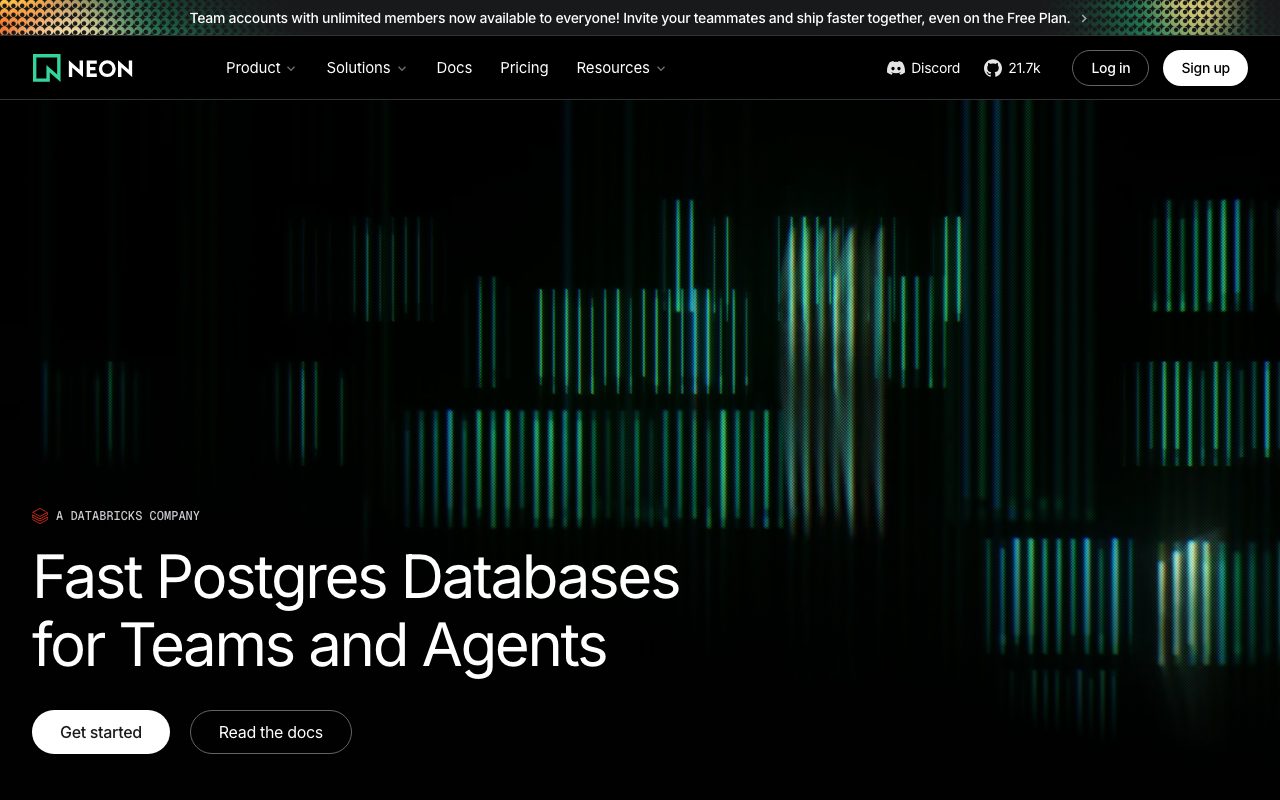
Serverless Postgres with database branching, scale-to-zero compute, and a generous free tier.
Gallery
About Neon
Neon is serverless Postgres. The pitch: a fully managed Postgres database with database branching, scale-to-zero compute, and pricing that doesn't punish you for idle apps.
That sentence packs three things that traditional Postgres providers don't do. Branching like git, sleeping when nobody's connected, and a free tier that's actually usable for real apps.
If you've used Supabase or AWS RDS and felt the pain points, Neon's architectural choices feel like a fresh take.
What Neon actually does
Neon separates storage and compute. Your data lives in a distributed storage layer. Compute nodes spin up to query that data and shut down when idle. You pay for actual usage, not provisioned capacity.
It's still vanilla Postgres on the protocol side. Your existing app, ORM, and migration tools work without modification. The differentiation is operational, not API-level.
Database branching
You can branch your database the way you branch code. A copy-on-write fork that costs nothing until you write to it. Test migrations against production-like data without paying for a duplicate cluster.
Who Neon is for
Developers building apps that don't run 24/7 traffic. Preview environments and ephemeral databases per pull request. Teams running many small databases and tired of paying for idle capacity.
It's less ideal for steady-state workloads at scale. If you're running one big production database with constant traffic, traditional managed Postgres is often cheaper.
The preview-environment use case
Branching changes how teams handle preview deployments. Every PR gets a fresh database branch with real schema and seed data, and it costs almost nothing because the compute idles.
Pricing breakdown
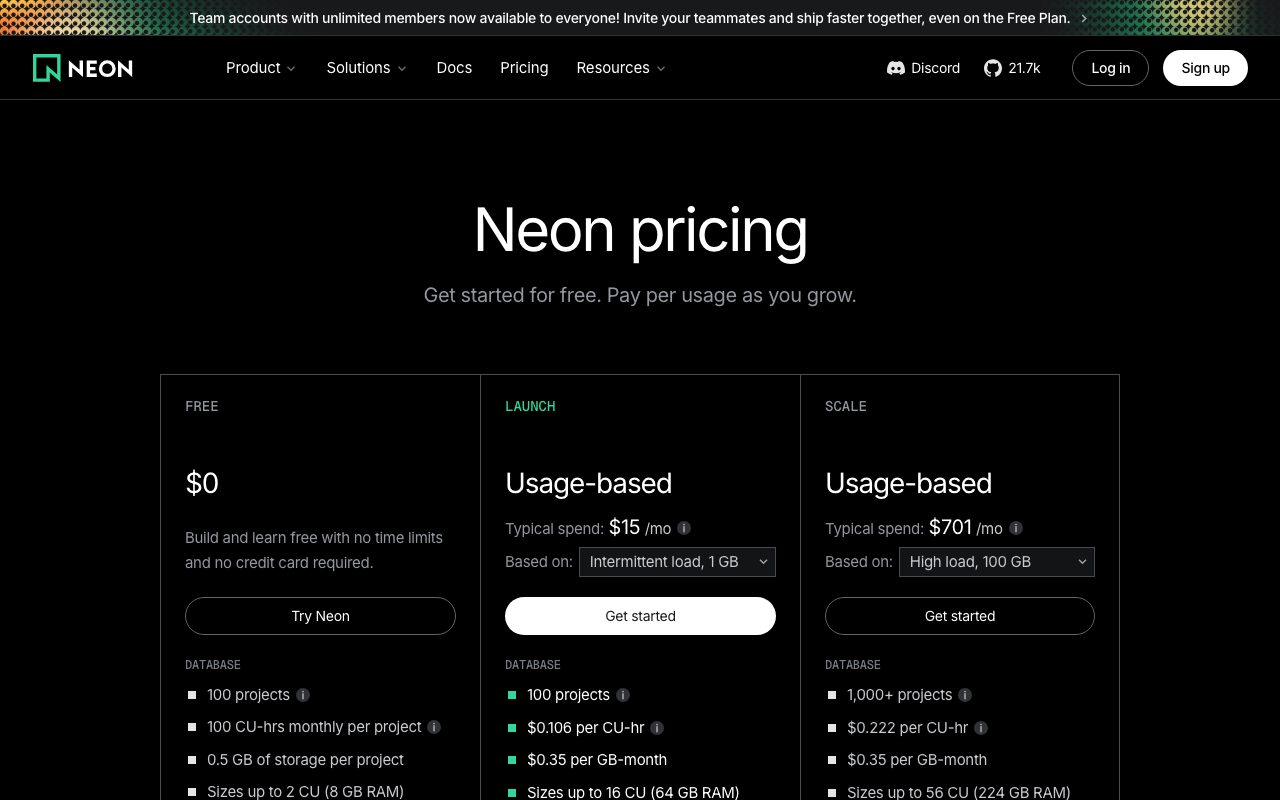
Free tier with one project, branching, and a generous compute allowance. Launch and Scale tiers add more storage, compute hours, and project counts. Enterprise for SLA needs.
The free tier is one of the best in the database space. Solo developers and small teams can run real production workloads on it without immediately hitting limits.
What scales the bill
Compute hours, storage, and project count. Branching itself is cheap. The cost lever is mostly active compute time.
Standout features of Neon
Branching. Already mentioned but it's the headline. Nothing else in the Postgres world makes it this easy to clone a database for testing.
Scale-to-zero. Your database literally goes to sleep when no one's connecting. Wake-up is fast enough that most apps don't notice.
Postgres compatibility
It's real Postgres. Extensions, full SQL, real indexes. You're not learning a new dialect. Migrations from RDS or Heroku Postgres are mostly drop-in.
Honest tradeoffs with Neon
Cold starts exist. The first query after a sleep period takes a moment longer than warm queries. Most apps absorb this fine but latency-sensitive workloads will notice.
The platform is younger than competitors. The track record on long-tail edge cases is shorter. If you need decade-of-uptime stories, Neon is still building that case.
Neon is the kind of architectural rethink Postgres has needed for years. The branching alone is worth the migration for teams running ephemeral environments.
Neon vs alternatives
Neon vs Supabase: Supabase is a backend-as-a-service. Neon is just the database. Different scopes.
Neon vs RDS: RDS is the heavyweight enterprise option. Neon is the developer-friendly modern option.
Neon vs PlanetScale: PlanetScale does this for MySQL. Neon does it for Postgres. Pick by your engine of choice.
For the broader category, see the best managed databases or check Supabase alternatives.
When Neon wins
You want preview databases per branch. You're tired of paying for idle compute. You want real Postgres without the operational pain.
Bottom line on Neon
Neon is the modern serverless Postgres for developers who think branching their database should be as cheap as branching their code. The bet on architecture is paying off.
If you're running constant heavy workloads, traditional Postgres providers may still cost less. For everyone else, Neon deserves serious consideration. See tools for developers for adjacent options.
Neon's branching changes how teams work
The first time you spin up a database branch for a pull request, you realize how much you'd been compromising. Test environments shared a database. Migrations ran in staging and prayed. Schema changes got tested last.
With Neon branching, every PR gets a fresh database with production-like schema and seed data. Migrations test themselves. Breaking changes show up in CI, not in production at 3am.
The cost model that actually fits dev work
Traditional Postgres pricing is provisioned capacity. You pay for the cluster size whether anyone's using it or not. Neon's storage-compute split means dev databases cost almost nothing because dev databases are mostly idle.
Neon in production workloads
For steady-state production traffic, Neon works fine. The cold-start concern is mostly a dev-environment thing, since production traffic keeps the compute warm. The cost story shifts though: at constant heavy load, traditional providers may be cheaper.
The right pattern for many teams is Neon for dev and preview, traditional Postgres for production. That's a respectable architecture and Neon's tooling supports it cleanly.
Postgres extensions support
Most popular extensions work: pgvector for embeddings, PostGIS for geo, citext for case-insensitive strings. The extension list is shorter than self-managed Postgres but covers the common cases.
Common Neon questions
Is Neon real Postgres? Yes, it's vanilla Postgres with custom storage. Does it support read replicas? Yes, on appropriate tiers. Can you import an existing database? Yes, via pg_dump or other tooling.
For more, see tools for backend developers and Neon vs Supabase.
Final take on Neon
Neon is the modern serverless Postgres for teams that want branching and scale-to-zero without leaving the Postgres ecosystem. The architectural choices feel correct for how modern apps are actually built. Worth a serious evaluation.
Neon's storage architecture in plain language
Traditional Postgres stores your data on a disk attached to a compute server. Scaling means resizing both. Neon separates them. Your data lives in distributed storage. Compute nodes attach to read and write that storage.
This separation makes branching cheap because branches share storage until they diverge. It makes scale-to-zero possible because compute can shut down without losing data. It makes scaling compute independent of storage, which matches how most apps actually grow.
Connection pooling and edge functions
Neon supports connection pooling natively. This matters for serverless apps that spin up many short-lived connections. Without pooling, you'd exhaust connections fast. With Neon's pgBouncer-style pooler, serverless apps work cleanly.
Neon for AI and ML workloads
The pgvector extension is supported, which means Neon can store embeddings alongside your relational data. For RAG applications and AI features, this consolidation is real. You don't run a separate vector database for embeddings and a relational database for everything else.
The cold-start concern matters less for batch workloads than for real-time apps. ML pipelines that run scheduled jobs care more about cost than warm-up latency. Neon fits batch nicely.
Branching workflows in detail
You can branch from production, branch from another branch, or branch at a specific point in time. The branches share storage until you write, at which point copy-on-write kicks in. Most branches stay tiny because they're read-only or have minimal writes.
Branches expire by default to avoid runaway costs. You can pin branches that need to stick around. The TTL approach matches how most teams use branches: ephemerally, for testing, then discarded.
Migration tooling
You can import an existing database via pg_dump or the Neon Import service. For teams moving from RDS or Heroku Postgres, the import path is documented and works. The schema and data come over cleanly. Configuration like extensions and roles need attention.
Production patterns with Neon
Some teams run production fully on Neon. Others use Neon for dev and preview, with traditional Postgres for production. Both are legitimate patterns. The choice depends on your traffic profile and tolerance for newer infrastructure.
For SaaS teams with bursty traffic, Neon's elasticity often saves real money compared to provisioned-capacity providers. For teams with constant heavy load, traditional providers may still be cheaper. Run the numbers on your actual workload.
Observability and monitoring
Neon's dashboard shows query performance, connection count, storage size, and compute usage. Logs and metrics integrate with common observability tools. The visibility is solid enough that you can run production confidently.
The roadmap signals
Neon has been shipping consistently: more regions, better performance, deeper extension support, improved CLI. The pace is fast and the direction is clear. They're betting on serverless Postgres becoming the default for new apps, and the bet looks right.
Neon wrap-up
The platform's architectural rethink is the kind of change Postgres has needed for years. Branching, scale-to-zero, and storage-compute separation aren't gimmicks. They're the right primitives for how modern apps are built and deployed.
For teams running RDS, the migration question is real but bounded. New apps should default to Neon unless there's a specific reason not to. Existing apps benefit from migration when their workload pattern matches Neon's strengths: bursty traffic, many environments, and significant idle time.
The trial recommendation
Spin up a Neon project, branch it for a feature, run migrations against the branch, and merge the branch. The whole loop should feel natural and cheap. If it does, you've experienced the workflow that justifies the entire platform. If it doesn't fit your team's process, traditional Postgres providers may suit better.
Tutorial / Demo
Key Features
- Database branching for preview environments
- Compute that scales to zero when idle
- Point-in-time restore from log-structured storage
- Connection pooling for serverless runtimes
- Standard Postgres protocol, works with any client
Pros & Cons
What we like
- Database branching is a genuine workflow improvement
- Scale-to-zero makes hobby projects free
- Plain Postgres compatibility, with no proprietary lock-in
Room for improvement
- Cold start latency hurts for latency-sensitive APIs
Frequently Asked Questions
Is Neon free for hobby projects?
What is database branching in Neon?
Neon vs Supabase, which?
Does Neon scale to zero?
Is Neon really Postgres?
Best For
Featured in
Alternatives to Neon
View allMongoDB Atlas
The fully-managed cloud version of MongoDB with built-in search, vector search, time series, and serverless tiers.

Turso
Distributed SQLite at the edge. Replicate a libSQL database to dozens of regions for sub-10ms reads.
PlanetScale
Serverless MySQL platform with branching and zero-downtime migrations

Upstash
Serverless Redis, Kafka, and QStash for modern applications
Our take
Tool Index Editorial · May 2026· 4.6/5
Neon sits in a crowded category, differentiating itself as serverless postgres with database branching, scale-to-zero compute, and a generous free tier.
Worth highlighting: Database branching is a genuine workflow improvement, Scale-to-zero makes hobby projects free, and Plain Postgres compatibility, with no proprietary lock-in. The friction points: Cold start latency hurts for latency-sensitive APIs.
Bottom line: pick Neon when you need vercel and Next.js apps that need Postgres; look elsewhere if cold start latency hurts for latency-sensitive APIs would be a dealbreaker.
Editorial opinion from the Tool Index team, written from the public product pages. Not a user review.
Reviews (8)
Neon, better than expected
Been using Neon for a couple of cycles now. The thing I keep coming back to: database branching is a genuine workflow improvement. Found it works best for preview environments with seeded production-like data. One thing that bugs me: cold start latency hurts for latency-sensitive APIs.
Pros
- Database branching is a genuine workflow improvement
- Plain Postgres compatibility — no proprietary lock-in
Onboarded the team in a day
First impression of Neon was 'huh, this is actually thought through.' The biggest win has been plain Postgres compatibility — no proprietary lock-in. It fits well for multi-tenant apps spawning a branch per customer trial. Hard to imagine going back to my previous setup.
Recommended without reservation
The pitch for Neon sounded too good to be true. Mostly true. Honestly impressed by how plain Postgres compatibility — no proprietary lock-in. Main use case: multi-tenant apps spawning a branch per customer trial.
Pros
- Scale-to-zero makes hobby projects free
- Plain Postgres compatibility — no proprietary lock-in
Neon, better than expected
Been using Neon for two months now. Where it really wins is plain Postgres compatibility — no proprietary lock-in. Database branching for preview environments works the way you'd hope. It would be a 5 if not for cold start latency hurts for latency-sensitive APIs. Would buy again without thinking twice.
Pros
- Plain Postgres compatibility — no proprietary lock-in
- Scale-to-zero makes hobby projects free
- Database branching is a genuine workflow improvement
Recommended without reservation
Hadn't planned on switching, but Neon was hard to ignore. The biggest win has been plain Postgres compatibility — no proprietary lock-in. The compute that scales to zero when idle is more useful than I expected. Easy yes for anyone weighing the same trade-offs.
Pros
- Database branching is a genuine workflow improvement
Cons
- Cold start latency hurts for latency-sensitive APIs
Pulled its weight from week one
Hadn't planned on switching, but Neon was hard to ignore. The thing I keep coming back to: plain Postgres compatibility — no proprietary lock-in. Their take on point-in-time restore from log-structured storage is solid. Still recommending it to people in similar setups.
Pros
- Plain Postgres compatibility — no proprietary lock-in
Hit the Neon sweet spot
Honest take: Neon delivers most of what the marketing promises. Real selling point: database branching is a genuine workflow improvement. It fits well for side projects that should not pay when nobody is using them. Hard to imagine going back to my previous setup.
Pros
- Database branching is a genuine workflow improvement
Quietly excellent
Have been using Neon for a while, here's where I land. Real selling point: plain Postgres compatibility — no proprietary lock-in. Database branching for preview environments works the way you'd hope. It fits well for side projects that should not pay when nobody is using them. Worth the price for what I get out of it.
Pros
- Database branching is a genuine workflow improvement
Badge builder
Add Neon to your website
Choose a badge style and size, preview it here, then copy the generated HTML. Badge images are self-contained SVGs and do not require an external script.

<a href="https://toolindex.net/tools/neon?ref=badge" target="_blank" rel="noopener">
  <img src="https://toolindex.net/badge/neon/medium.svg" alt="Neon - Listed on Tool Index" width="180" height="50" />
</a>How to use the badge
- 1. Pick the style, size, and theme that fit your layout.
- 2. Copy the generated HTML from the code block.
- 3. Paste it into your footer, homepage, or press page.
Score badge available
Neon qualifies for the score and circle badges based on its current top-10 positionin Database.
Badge clicks return visitors to this profile with a referral tag so the source remains identifiable.
Related Tools



Work on Neon? Request listing access or correction