
Nore
Publish a polished blog from your Notion database without leaving Notion
Gallery
About Nore
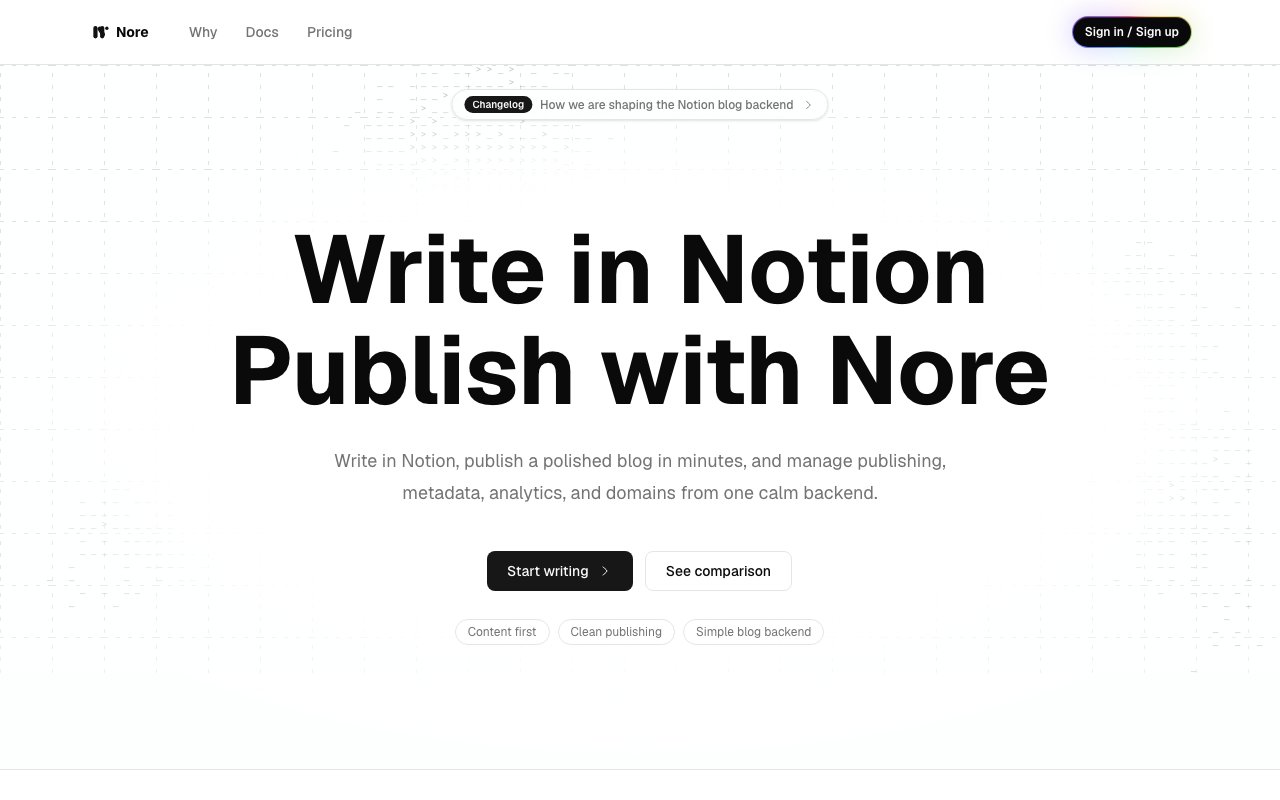
Nore transforms Notion databases into public blogs without requiring you to migrate your content or learn a new writing environment. If you've built a workflow around Notion for drafting, organizing, and collaborating on content, Nore lets you publish that work directly rather than copying it into a separate CMS. The platform handles what it calls the complex work after writing, automating everything from content processing to public access while keeping Notion as your primary authoring tool. This means you don't maintain two copies of your content or deal with synchronization headaches between where you write and where you publish.
The publishing workflow involves connecting your Notion database to Nore, then reviewing proposed changes before they go live. A pre publish screen shows which posts are new, which have been updated since last sync, and which are being skipped based on your publication criteria. This review step prevents accidental publishing of drafts or work in progress content that might have a status property set incorrectly. Once approved, posts appear on your blog with stable URLs that won't break if you reorganize your Notion workspace. The sync continues automatically going forward, so updates to existing posts flow through to the published version without manual intervention. You edit in Notion, the changes appear on your blog.
Blog operations get handled comprehensively with features you'd expect from a dedicated publishing platform. Custom domains are supported alongside built in addresses at yourname.nore.sh for those who don't need their own domain immediately. SEO metadata management lets you control how posts appear in search results, including titles, descriptions, and open graph tags. RSS feeds enable subscription through feed readers so visitors can follow your content without checking back manually. Images hosted in Notion are automatically processed, optimized for web display, and served through Nore's infrastructure so you don't deal with broken image links, slow loading pages, or Notion's temporary signed URLs expiring.
Content organization mirrors what you'd expect from a full blogging platform rather than a database export. Post pages display individual articles with clean typography and responsive layouts. Tag archives group related content for browsing by topic. Author pages aggregate contributions when multiple writers share a database, useful for team blogs or publications. Index pages list recent posts with pagination for sites with extensive archives. Sitemaps generate automatically for search engine indexing. The reading experience is optimized for consumption rather than showing the database structure that works well for writing. Visitors see a blog, not a Notion embed.
The target audience spans several use cases that share a common thread of already using Notion for content creation. Independent developers publishing product logs, changelogs, and roadmaps can write in the same workspace where they track tasks and bugs. Small teams and startups can maintain company blogs without adopting separate publishing tools or training writers on new interfaces. Creators and researchers can turn their knowledge bases into public resources without rebuilding their organizational structure. Content editors managing operations across multiple writers benefit from Notion's collaboration features, comments, and permissions while still publishing to a professional blog frontend.
What makes Nore different from exporting Notion pages manually or using general purpose static site generators is the bidirectional integration that preserves your existing workflow. You don't export once and lose the connection between source and publication. Changes in Notion propagate forward automatically. The platform handles the translation from Notion's block structure to clean HTML, manages image assets, generates feeds and sitemaps, provides CDN backed hosting, and handles custom domains with SSL. You keep writing in the tool you're already using while getting the output of a purpose built publishing system.
Pricing details aren't prominently displayed on the marketing site, though the product offers a free tier at the nore.sh subdomain with paid plans for custom domain support and additional features. The publishing model itself is worth considering since there's no lock in on content. Everything lives in your Notion database, so if you stop using Nore, you haven't lost your work or committed to a proprietary format. For Notion users who want to publish without platform switching, maintaining multiple editors, or dealing with export and import cycles, Nore eliminates the friction that typically makes maintaining a blog feel like maintaining a separate system from where you actually write.
Key Features
- Notion database to blog publishing
- Release review workflow before publish
- Custom domains with automatic SSL
- RSS feeds and sitemaps with stable slugs
- Edge-cached Notion image hosting
- Email newsletter subscriptions
Pros & Cons
What we like
- Keeps Notion as the primary writing tool
- No subscription, pay only when active
- Editorial review queue before anything goes live
- Images cached at edge for fast loading
Room for improvement
- Tied to Notion as the content source
- Limited to 3 sites on Pro plan
- 100 email credits per month caps newsletter reach
- Theme options may be narrower than custom builds
Frequently Asked Questions
What is Nore?
How much does Nore cost?
Can I use my own domain?
Who is Nore for?
Best For
Featured in
Alternatives to Nore
View all
Bear
A beautiful Markdown notes app for Apple devices that doubles as a writing tool

Frase
AI-assisted SEO content tool that turns SERP research into briefs, outlines, and optimized drafts inside one editor.

Confluence
Atlassian's long-running team wiki that anchors many enterprise knowledge stacks

ChatGPT
AI assistant for conversation and content generation
Reviews (0)
Badge builder
Add Nore to your website
Choose a badge style and size, preview it here, then copy the generated HTML. Badge images are self-contained SVGs and do not require an external script.

<a href="https://toolindex.net/tools/nore?ref=badge" target="_blank" rel="noopener">
  <img src="https://toolindex.net/badge/nore/medium.svg" alt="Nore - Listed on Tool Index" width="180" height="50" />
</a>How to use the badge
- 1. Pick the style, size, and theme that fit your layout.
- 2. Copy the generated HTML from the code block.
- 3. Paste it into your footer, homepage, or press page.
Standard badge available
The standard listing badge is available now. Score and circle badges are limited to tools currently ranked in the top 10 of a category.
Badge clicks return visitors to this profile with a referral tag so the source remains identifiable.
Related Tools
Confluence
Atlassian's long-running team wiki that anchors many enterprise knowledge stacks

SoloDevStack
A solo developer blog built on head-to-head tool comparisons, 580+ posts deep.

Logseq
An open-source outliner notes app where every bullet is a first-class block
Bear
A beautiful Markdown notes app for Apple devices that doubles as a writing tool
Work on Nore? Request listing access or correction