Notebooker
Turn saved links, PDFs, audio, and video into searchable knowledge with AI
Gallery
About Notebooker
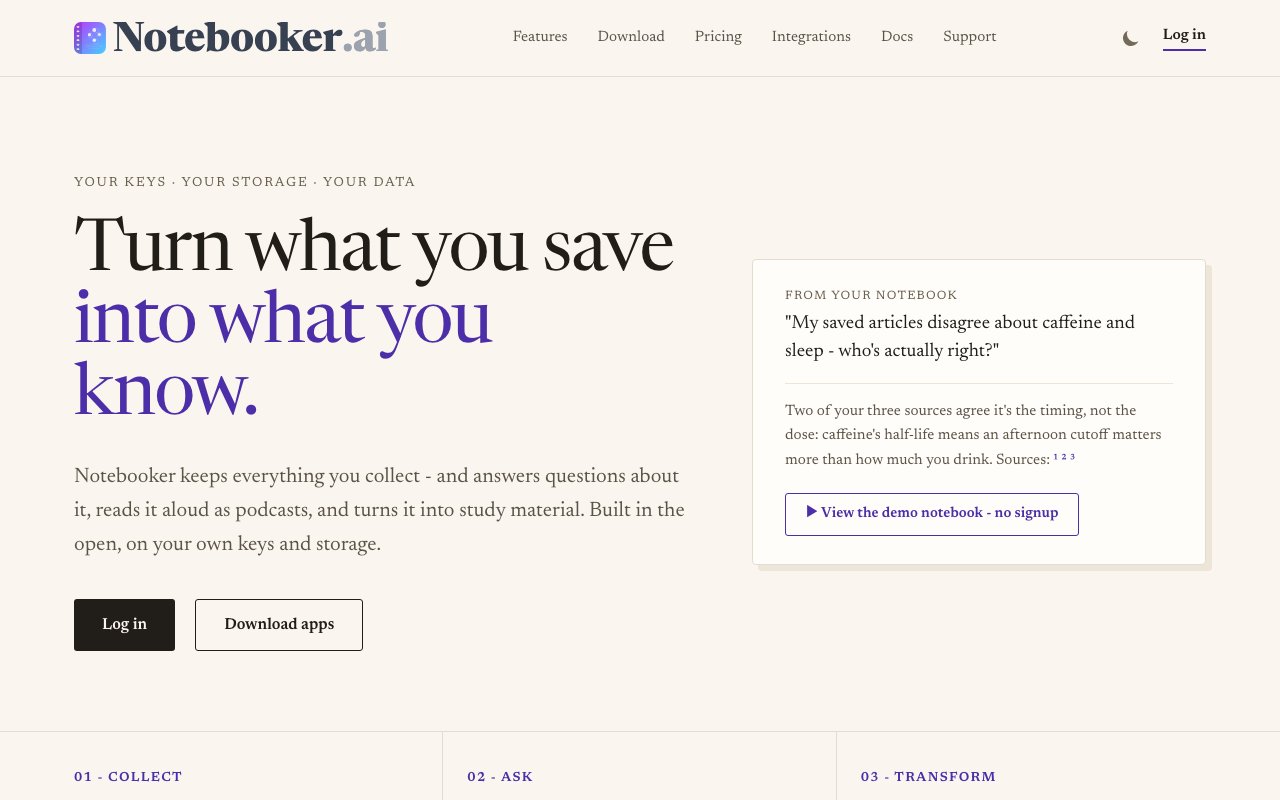
Notebooker is a knowledge management platform that collects content from around the web, extracts meaning from it, and lets you query everything through a single interface. You save links, PDFs, audio files, and videos from your browser, phone, or webhooks, and the system indexes that material so you can ask questions later and get cited answers pointing back to the original sources. Every response tells you where the information came from, with coverage metrics showing how much of your library contributed to the answer. It is not just search; it is synthesis with receipts.
The problem it tackles is information sprawl. Bookmarks pile up in your browser, PDFs sit unread in cloud folders, podcast episodes disappear into a backlog, and the insights inside all that content never surface when you actually need them. Most people bookmark with good intentions, then never return because revisiting a chaotic pile takes more effort than starting fresh. The content sits there, theoretically available but practically useless. Notebooker flips the model. Instead of organizing files into folders you hope to revisit someday, you dump everything into one notebook and let AI retrieve the relevant pieces when a question comes up. The platform handles the indexing, chunking, and search so you can focus on thinking instead of filing.
Beyond retrieval, Notebooker transforms your saved material into new formats designed for learning and synthesis. It generates podcasts in multiple styles including deep dives, brief summaries, critiques, debates, and step by step walkthroughs. Multiple speaker voices turn dry source material into something you can listen to during a commute or while doing dishes. It creates flashcards with spaced repetition support and exports to Anki so you can drill the material using proven memory techniques. It builds mindmaps, charts, infographics, and even textbook style study guides from your sources. You can switch between personas like Professor, Critic, Debate, and Beginner Guide to change the tone and depth of the output depending on whether you want rigorous analysis or an accessible introduction.
Privacy is a central selling point that differentiates Notebooker from similar tools. Users bring their own AI API keys and connect their own S3 compatible storage. The platform does not train models on your data, does not sell your information to third parties, and lets you export everything at any time. If you want to leave, nothing locks you in. Your notes, sources, and generated artifacts belong to you, stored on infrastructure you control rather than in a proprietary database the vendor holds hostage. For users who have been burned by services that go dark or change terms, this architecture offers a meaningful safety net.
The platform runs across web, iOS, Android, macOS, Windows, and Linux with browser extensions for quick saves. RSS feeds and webhooks automate content collection so you can pipe in newsletters, research alerts, internal documents, or social media threads without manual effort. Set up once and let content flow in as it gets published. A REST API opens full programmatic access for power users who want to integrate the library into custom workflows, embed queries in their own apps, or automate report generation from saved content. The flexibility makes it useful for personal projects and for teams building knowledge systems into their own products.
Who gets the most out of this? Researchers tracking literature across dozens of sources and needing cited answers they can trace back to original papers. Students building study systems from lecture recordings, textbook chapters, and supplementary readings. Professionals managing a personal knowledge base that grows with their career and contains everything from industry reports to conference talks. Curious generalists who consume more content than they can possibly revisit and want a way to make that consumption count. If your information intake outpaces your ability to synthesize and recall, Notebooker tries to close that gap by turning passive saving into active retrieval.
Pricing is straightforward. Monthly plans start at five dollars, yearly at fifty dollars which works out to two free months. Both tiers include unlimited sources, chat with cited answers, full text search, podcast generation, flashcards, charts, mindmaps, webhooks, and mobile plus desktop apps. The first five gigabytes of storage are free, with overage billed at ten cents per gigabyte per month. A configurable spending cap defaults to zero, so you never spend more than you opt into. No surprises on the bill, and no upsells after you start using the service.
Key Features
- Cited answers with source coverage metrics
- Podcast generation in multiple styles
- Flashcards with spaced repetition and Anki export
- Bring your own AI keys and S3 storage
- Cross platform apps plus browser extensions
- REST API for programmatic library access
Pros & Cons
What we like
- Answers link directly to original sources with citations
- Transforms content into podcasts, flashcards, and mindmaps
- Full data portability with your own storage backend
- Works across web, mobile, and desktop
Room for improvement
- Requires your own AI API key for full features
- No free tier, only a free trial before purchase
- Storage overage adds cost beyond five gigabytes
- Newer product with a smaller community
Frequently Asked Questions
What is Notebooker?
Is Notebooker free?
Does Notebooker train on my data?
Who is Notebooker for?
Best For
Featured in
Alternatives to Notebooker
View all
CalendHub
Smart scheduling and calendar management for teams
Kevin Gabeci Toolkits
Seven AI toolkits for writing books, making music, cutting video, and building agents.

Confluence
Atlassian's long-running team wiki that anchors many enterprise knowledge stacks
Kibu
Vertical software for disability service providers covering compliance, documentation, and programming
Our take
Tool Index Editorial · Sep 2026· 4.0/5
Notebooker collects links, PDFs, audio, and video, answers questions with citations, and turns the same sources into podcasts, flashcards, charts, study guides, and other artifacts. We found a broad but coherent research workflow, with browser capture, API and MCP access, publishing, and the option to bring AI keys and S3 compatible storage. It costs $5 a month or $50 a year, with usage credit included and metered use beyond it.
This holds up for researchers and students who want their saved material to become searchable and reusable rather than another bookmark pile. Cited answers and editable creations matter more than the sheer number of output formats. The catch is operational complexity. AI generation, fetching, and storage all consume a budget, while bring your own keys and storage shift setup onto the user. Citations help checking, but they don't make generated summaries automatically correct.
Editorial opinion from the Tool Index team, written from the public product pages. Not a user review.
Reviews (0)
Badge builder
Add Notebooker to your website
Choose a badge style and size, preview it here, then copy the generated HTML. Badge images are self-contained SVGs and do not require an external script.

<a href="https://toolindex.net/tools/notebooker-ai?ref=badge" target="_blank" rel="noopener">
  <img src="https://toolindex.net/badge/notebooker-ai/medium.svg" alt="Notebooker - Listed on Tool Index" width="180" height="50" />
</a>How to use the badge
- 1. Pick the style, size, and theme that fit your layout.
- 2. Copy the generated HTML from the code block.
- 3. Paste it into your footer, homepage, or press page.
Standard badge available
The standard listing badge is available now. Score and circle badges are limited to tools currently ranked in the top 10 of a category.
Badge clicks return visitors to this profile with a referral tag so the source remains identifiable.
Related Tools
Confluence
Atlassian's long-running team wiki that anchors many enterprise knowledge stacks
Asana
Project management for teams that live in projects, tasks and dependencies
Kevin Gabeci Toolkits
Seven AI toolkits for writing books, making music, cutting video, and building agents.

Logseq
An open-source outliner notes app where every bullet is a first-class block
Work on Notebooker? Request listing access or correction