
Notify Sound
Design layered notification sounds in a browser or with an AI assistant
Gallery
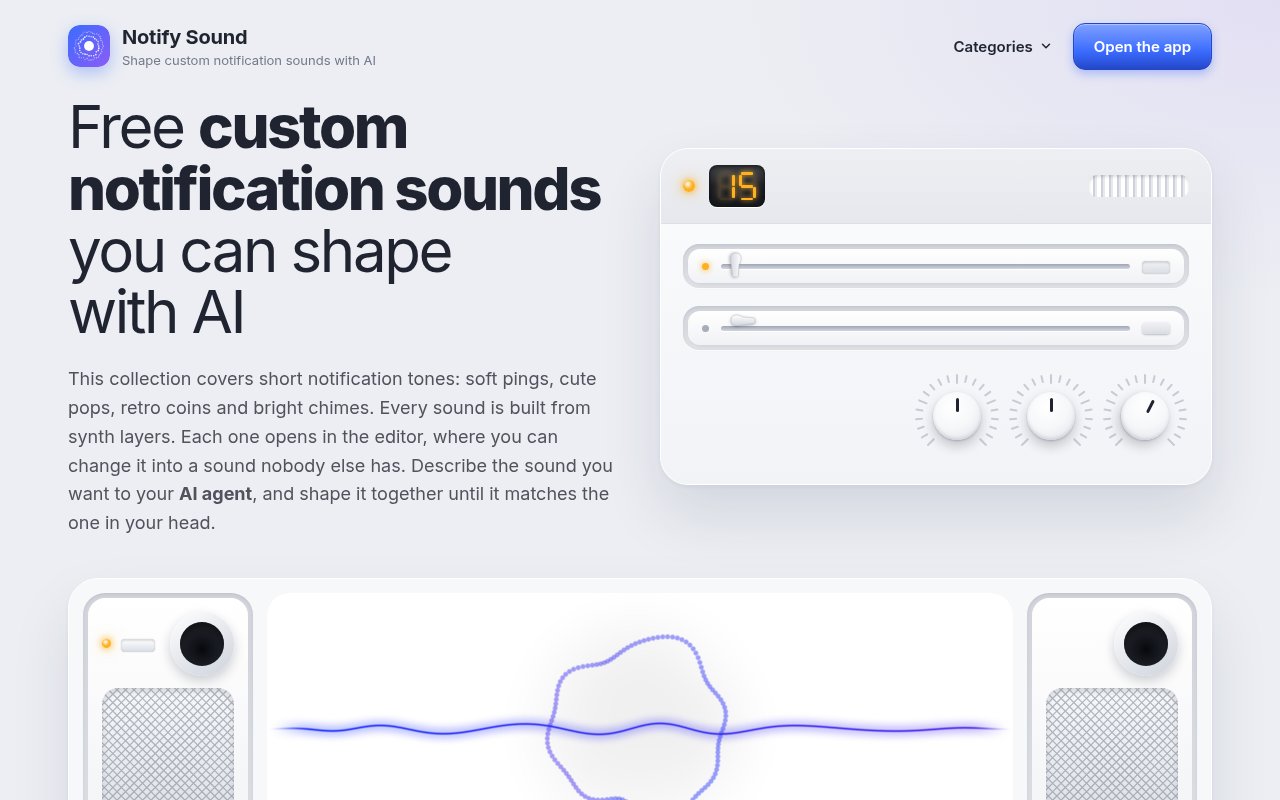
About Notify Sound
Notify Sound is a browser-based editor for making short notification tones, interface clicks, alerts, and simple game effects. It solves a smaller and more specific problem than a general audio workstation. When someone needs a warm chat chime, a clear payment sound, or a compact warning tone, they can start with a ready-made sound and shape it instead of searching through stock libraries or learning a full music production tool. The site includes categories such as beeps, bells, chimes, clicks, arcade sounds, whooshes, and text message tones. Every item opens with its settings intact, so the library is useful both as a source of finished sounds and as a practical set of editable starting points. The built-in examples also show how different layer combinations produce recognizable results.
The editor builds audio from synthesis rather than recordings. A sound is a stack of tone or noise layers, and each layer can contribute a note, a burst, a brighter overtone, a low foundation, or a delayed part of a short melody. Users can choose sine, triangle, saw, square, or noise waveforms, then adjust pitch, level, stereo balance, timing, repeats, and the way a layer rises and fades. Pitch slides create chirps and falls, while wobble and flutter add movement. White, pink, and brown noise provide different textures for strikes, air, and rumble. One effect can shape the complete sound, with choices that include reverb, chamber, echo, ping-pong delay, chorus, a small-speaker phone effect, and an 8-bit crunch. Note length applies across the sound, while attack, decay, hold, and ring-out settings shape each layer. Delays and repeat gaps can turn separate notes into a compact melodic pattern without requiring a timeline editor.
Changes can be heard while the sound loops, which makes the tool approachable for people who don't speak in audio engineering terms. A visualizer shows the combined result, and optional scopes show the wave from each layer. Bass, treble, and listening volume affect playback in the editor without changing the sound that gets shared or downloaded. When a design is finished, it can be saved to the browser's local library, shared through a link that carries the complete sound setup, or downloaded as an MP3. Because the shared link preserves the synthesis settings rather than only presenting a fixed preview, another person can open the same design and continue editing it. The tool doesn't require an installation or an account, and its browser-first setup makes it practical for quick experiments on a personal computer.
Notify Sound also exposes an MCP server for supported AI assistants and coding tools. Claude, Claude Code, ChatGPT, Codex, Cursor, and VS Code can connect to the published MCP URL without authentication. A user can describe a cue in ordinary language, ask for a soft two-note chime under a second long, for example, and receive a link that opens the assistant's layered design in the editor. The result isn't a sealed audio file. It remains editable, so the user can soften a sharp attack, change the pitch, shorten the tail, add depth with another layer, or replace an effect. This makes the AI connection more like a fast starting point than an opaque generator.
The narrow scope is a strength for mobile users, app makers, game developers, and video creators who need brief cues rather than songs or long sound effects. A product team can shape a small family of related sounds for new messages, successful actions, errors, and payments. A creator can use a ding to mark a correct answer or a whoosh across a cut. Phone users can download tones for notifications, alarms, text messages, or ringtones, subject to what their device and apps allow. The site says its sounds are synthesized from scratch with no samples, and it publishes them under CC BY 4.0. That permits commercial use and adaptation as long as Notify Sound receives the required credit.
Access is free, with no account needed to open the editor or work from the built-in sounds. There is no paid plan shown on the product or about pages. The tradeoff is that it stays intentionally compact. Downloads are MP3 rather than a menu of professional export formats, saved work lives in the user's browser, and the library is focused on short synthetic cues rather than recorded ambience, speech, or full music. Its layer controls still go well beyond a one-click sound generator, while shared editable links and the MCP workflow give it a distinctive way to move from a verbal idea to a sound someone can inspect and refine.
Key Features
- Layered browser sound editor
- Tone and noise synthesis
- Live looping and visualization
- AI assistant MCP server
- Editable sound sharing links
- MP3 downloads with CC licensing
Pros & Cons
What we like
- Runs without an install or account
- Keeps AI-created sounds fully editable
- Offers detailed controls for short synthetic cues
- Allows commercial use with required credit
Room for improvement
- Exports MP3 rather than multiple audio formats
- Focuses on short synthesized sounds only
- Saved work stays in the local browser
- Commercial use requires attribution
Frequently Asked Questions
What is Notify Sound?
Is Notify Sound free?
Can an AI assistant create a sound?
Can Notify Sound files be used commercially?
Best For
Featured in
Alternatives to Notify Sound

Framer
Visual website builder that lets designers ship production-grade marketing sites with real CMS, SEO controls, and code components.

Tailwind CSS
Rapidly build custom designs without leaving your HTML

Apatero Studio
Creator studio for AI image, video, audio, 3D, and avatars. Every model worth using, in one workspace.

Pixel Painters
Unlimited graphic design subscriptions built only for churches and ministries
Reviews (0)
Badge builder
Add Notify Sound to your website
Choose a badge style and size, preview it here, then copy the generated HTML. Badge images are self-contained SVGs and do not require an external script.

<a href="https://toolindex.net/tools/notify-sound?ref=badge" target="_blank" rel="noopener">
  <img src="https://toolindex.net/badge/notify-sound/medium.svg" alt="Notify Sound - Listed on Tool Index" width="180" height="50" />
</a>How to use the badge
- 1. Pick the style, size, and theme that fit your layout.
- 2. Copy the generated HTML from the code block.
- 3. Paste it into your footer, homepage, or press page.
Standard badge available
The standard listing badge is available now. Score and circle badges are limited to tools currently ranked in the top 10 of a category.
Badge clicks return visitors to this profile with a referral tag so the source remains identifiable.
Related Tools
Apatero Studio
Creator studio for AI image, video, audio, 3D, and avatars. Every model worth using, in one workspace.
Tailwind CSS
Rapidly build custom designs without leaving your HTML

Figma
Collaborative interface design tool

Marvel
Lightweight prototyping platform for turning images and screens into clickable mobile and web prototypes.
Work on Notify Sound? Request listing access or correction