
Novastart
Organize live apps, AI agents, and teammates on an infinite canvas
Gallery
About Novastart
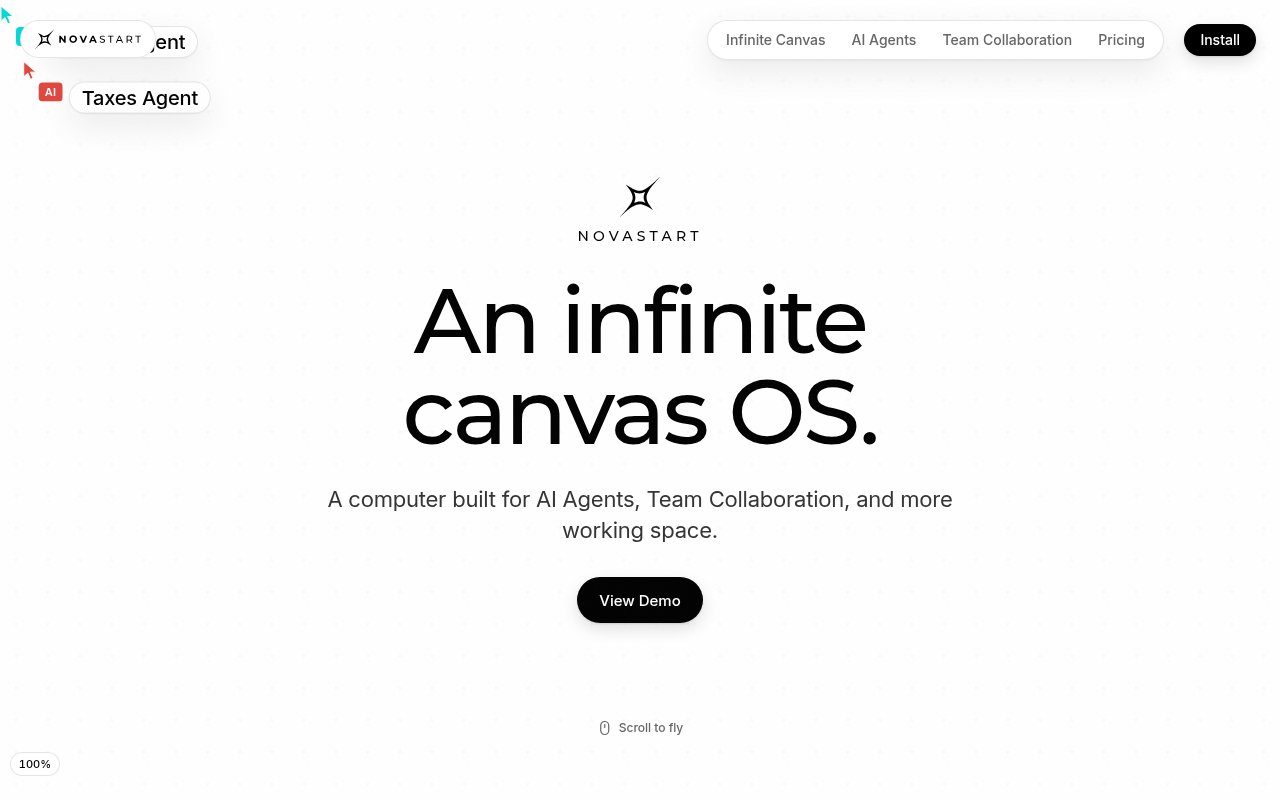
Novastart is an operating environment that replaces the usual stack of overlapping windows and tabs with an infinite canvas. Every app opens as a live window placed somewhere on that canvas, so a person can zoom out to see a whole project and zoom back in to work. Separate canvases can hold different areas of life or work, and Novastart restores each app, tab, and position when the user returns. The goal is to make spatial context part of the desktop instead of forcing people to remember what is hidden behind the current window. Apps remain active at their position, so the overview represents the working project rather than a board of static screenshots.
The canvas supports zoom levels from 5 to 1000 percent while keeping apps live and readable. Windows can snap together, move as a selected group, align, distribute, or pack into a grid. A user can open another copy of a page beside the first one, and the desktop records actions so accidental changes such as closing a window can be undone and redone. Folders hold related canvases, which gives larger collections a simple hierarchy without turning every task into another tab group. Every plan can open web apps such as Gmail, Excel, WhatsApp, and Notion, any site through the bundled browser, plus ONLYOFFICE and Linux applications.
Novastart also gives AI agents visible seats on the canvas. A lead agent can plan a job, recruit helpers for separate parts, and place each helper in its own window with its own cursor. The person can watch clicks and typing, pause the work, edit the plan, steer a helper, or take a window back without ending the whole run. A separate check reads a fresh screenshot before an agent marks a task complete. The agent view is built for parallel work, with up to ten helpers for a lead and a canvas designed to show as many as sixteen agents, one agent per window. This approach makes agent work observable and interruptible instead of reducing the entire process to a spinner in a chat window.
Team collaboration uses the canvas itself rather than a video of somebody's screen. Each teammate gets a cursor, and several people can click and type at the same time. A window can keep running on one person's machine while another teammate interacts with the live streamed app from theirs. Moving or editing that window is reflected for the person whose machine runs it. A user can hide a private window, which leaves a placeholder for collaborators instead of exposing its contents. Shared canvases persist after a session, built-in chat keeps conversation attached to the workspace, and team members can see agents working alongside human collaborators. Novastart says this machine-to-machine sharing has no server in the middle, and the collaboration capability is reserved for the Team plan.
There are two ways to try the product. The Novastart app runs the full environment inside a window on Windows 10 or 11 and Intel based Macs. It needs 8 GB of RAM, about 32 GB of disk space, and hardware virtualization, and the site warns that this virtualized route has some lag. Novastart OS installs directly on an Intel or other x86 PC for the full performance, with drivers and installation instructions included. Installing the OS involves writing the provided image to a USB drive, booting from it, and following the on-screen installer, which the site estimates at 8 to 15 minutes. An Ubuntu package can add Novastart to an existing desktop without replacing it, while the direct OS installation takes over the selected machine. Updates install automatically.
The product is a fit for people who organize projects visually, teams that need to work inside the same live set of apps, and early adopters who want to supervise several agents at once. Its value is easiest to see when a project spans a spreadsheet, research pages, messages, notes, and agent work that all benefit from staying in view. It can also reduce the friction of a remote planning session because participants work directly in the same live windows instead of requesting control of a shared screen. The tradeoff is that this isn't a light browser extension. Trying the app asks for substantial disk space and virtualization, and the best performance requires dedicating a compatible PC or changing an existing Ubuntu setup.
Novastart is freemium. The Free plan includes all apps but limits a user to one folder, two canvases, and four windows on each canvas. Pro is listed at $10 per month and removes the folder, canvas, and window limits. Team is $20 per month and adds shared canvas collaboration. AI agents are available on every plan at $0.02 per use, with credits purchased in amounts of at least $25, so even free users should expect usage charges when they bring agents into the workspace. Agent credits are separate from the monthly Pro and Team fees, which makes the cost depend on both the workspace tier and how often agents run.
Key Features
- Zoomable infinite desktop canvas
- Persistent saved app workspaces
- Visible multi-agent task execution
- Simultaneous team cursors
- Live cross-machine app control
- Installable app and operating system
Pros & Cons
What we like
- Keeps live project windows visible in spatial context
- Lets people watch and interrupt agent work
- Supports simultaneous control by several teammates
- Offers a free plan with all supported apps
Room for improvement
- Virtualized app requires 32 GB and may feel laggy
- Full speed requires a compatible dedicated PC
- Team collaboration starts on the $20 monthly plan
- Agent credits require a $25 minimum purchase
Frequently Asked Questions
What is Novastart?
Can Novastart run on an existing computer?
How do AI agents work in Novastart?
Is Novastart free?
Best For
Featured in
Alternatives to Novastart

CalendHub
Smart scheduling and calendar management for teams

Apatero AI
The creator studio for AI image, video, audio, 3D, and avatars, now at apatero.ai.
Apatero Studio
Creator studio for AI image, video, audio, 3D, and avatars. Every model worth using, in one workspace.

Melodex
Turn your idea into an AI-generated music video
Reviews (0)
Badge builder
Add Novastart to your website
Choose a badge style and size, preview it here, then copy the generated HTML. Badge images are self-contained SVGs and do not require an external script.

<a href="https://toolindex.net/tools/novastart?ref=badge" target="_blank" rel="noopener">
  <img src="https://toolindex.net/badge/novastart/medium.svg" alt="Novastart - Listed on Tool Index" width="180" height="50" />
</a>How to use the badge
- 1. Pick the style, size, and theme that fit your layout.
- 2. Copy the generated HTML from the code block.
- 3. Paste it into your footer, homepage, or press page.
Standard badge available
The standard listing badge is available now. Score and circle badges are limited to tools currently ranked in the top 10 of a category.
Badge clicks return visitors to this profile with a referral tag so the source remains identifiable.
Related Tools

Confluence
Atlassian's long-running team wiki that anchors many enterprise knowledge stacks
Asana
Project management for teams that live in projects, tasks and dependencies
Apatero AI
The creator studio for AI image, video, audio, 3D, and avatars, now at apatero.ai.
Kevin Gabeci Toolkits
Seven AI toolkits for writing books, making music, cutting video, and building agents.
Work on Novastart? Request listing access or correction