Nysa
Shared team memory that gives AI agents permission-aware business context
Gallery
About Nysa
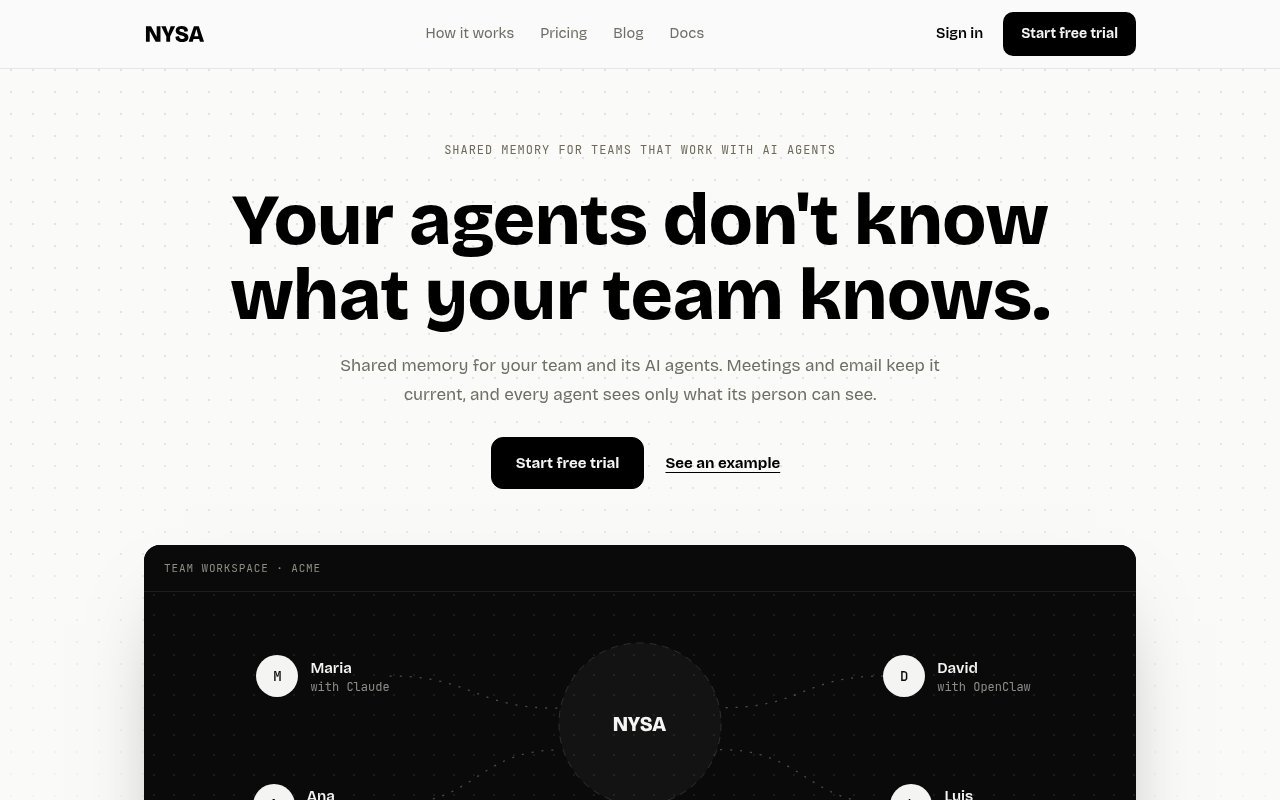
Nysa is a shared memory system for teams whose members rely on AI agents. It collects useful context from meetings, Gmail, Google Calendar, and agent contributions, then turns that material into a company brain that supported agents can read and update. The aim is to stop every conversation with an assistant from starting at zero. Instead of copying notes into a prompt or asking a colleague what happened on a call, a person can ask their agent to prepare for the next discussion using knowledge the team has already captured. Nysa is built for shared context, but it doesn't assume that everything should be visible to everyone.
Information enters the workspace through several routes. Nysa's notetaker can join selected meetings as a visible participant, record the call, and transcribe who said what. Email and calendar data sync from a connected Google account, while teammates and their agents can add other material over the Model Context Protocol, usually called MCP. Nysa processes those sources into discrete facts, organizes them into topics, and keeps the history around a subject together. Each fact includes its supporting quote, date, and source, giving users a way to check where an answer came from instead of trusting an isolated summary. Existing knowledge can also be imported from GBrain, an Obsidian vault, or a folder of Markdown notes, with a preview and an undo option.
The retrieval layer connects the same workspace to multiple agents. Nysa publishes setup guides for Claude, ChatGPT, Codex, Cursor, OpenClaw, Hermes, and other clients that support MCP. Each agent signs in as the teammate using it, so the result isn't a single unrestricted key shared across the company. Agents can read from and write to the brain, depending on the permissions assigned to their key. That makes the product relevant both when someone wants an assistant to find background and when an agent needs to save a decision, note, or other durable context for later work. The managed service also means a team doesn't have to operate its own server, database, ingestion pipelines, or meeting transcription stack.
Access control is central to how Nysa presents the product. Admins can describe scopes such as HR, Legal, or Board in ordinary language, and Nysa sorts facts into the appropriate scope. A single message can contribute a deal detail to the general workspace while keeping a salary detail inside HR. Projects group meetings, email, and facts around a narrower effort and start private to their members, with an option to open them to the team. Every person also has a personal scope that other people, including administrators, cannot read. Raw email stays private to its owner, while eligible facts drawn from it can become shared knowledge. Agent keys can be read-only or allow writes, and they can be limited to chosen projects or scopes.
This approach fits teams that already use several AI assistants and keep losing context between people, tools, and sessions. Sales teams can retrieve account history before a customer call. Product and operations groups can preserve decisions across recurring meetings. Technical teams can let coding agents look up approved internal context without giving every agent the same unrestricted view. Nysa is less suitable for an organization that runs entirely on Microsoft 365 today, because the current email and calendar connections support personal Gmail and Google Workspace with Gmail and Google Calendar, not Outlook or Microsoft 365. It also requires trust in automated fact extraction and sorting, so important conclusions still deserve a look at their cited source. Those receipts make checking a sensitive detail much easier than auditing an answer with no visible provenance.
Nysa is a paid team product with a 14-day free trial rather than a permanent free tier. The Team plan is listed at $99 per month for as many as 10 users, while Growth costs $299 per month for 11 to 25 users. Larger organizations receive custom enterprise pricing. All published plans include meeting recording and transcripts, email and calendar enrichment, topic organization, private scopes and projects, permissioned agent keys, imports, and MCP access. The company says its Gmail and Calendar access has been approved by Google following a CASA Tier 2 security assessment, and it says customer data isn't sold or used to train AI. For teams that need a managed, source-linked memory layer across several agents, the combination of ingestion, scoped facts, and per-person access is the core reason to consider it.
Key Features
- Meeting recording and transcription
- Gmail and Calendar enrichment
- Source-linked fact extraction
- Permission-aware scopes and projects
- MCP access for multiple agents
- Reversible knowledge imports
Pros & Cons
What we like
- Gives multiple agents one managed source of team context
- Keeps facts traceable to quotes, dates, and sources
- Applies teammate permissions to each connected agent
- Combines meetings, email, calendar, and imported notes
Room for improvement
- No permanent free tier beyond the trial
- Email and calendar sync currently requires Google
- Automated fact sorting still merits human review
- Team plans may be costly for very small groups
Frequently Asked Questions
What is Nysa?
Which AI agents work with Nysa?
Who can see information stored in Nysa?
Is Nysa free?
Best For
Featured in
Alternatives to Nysa
View all
Apatero AI
The creator studio for AI image, video, audio, 3D, and avatars, now at apatero.ai.

SoloDevStack
A solo developer blog built on head-to-head tool comparisons, 580+ posts deep.
Apatero Studio
Creator studio for AI image, video, audio, 3D, and avatars. Every model worth using, in one workspace.

Melodex
Turn your idea into an AI-generated music video
Reviews (0)
Badge builder
Add Nysa to your website
Choose a badge style and size, preview it here, then copy the generated HTML. Badge images are self-contained SVGs and do not require an external script.

<a href="https://toolindex.net/tools/nysa?ref=badge" target="_blank" rel="noopener">
  <img src="https://toolindex.net/badge/nysa/medium.svg" alt="Nysa - Listed on Tool Index" width="180" height="50" />
</a>How to use the badge
- 1. Pick the style, size, and theme that fit your layout.
- 2. Copy the generated HTML from the code block.
- 3. Paste it into your footer, homepage, or press page.
Standard badge available
The standard listing badge is available now. Score and circle badges are limited to tools currently ranked in the top 10 of a category.
Badge clicks return visitors to this profile with a referral tag so the source remains identifiable.
Related Tools
Apatero AI
The creator studio for AI image, video, audio, 3D, and avatars, now at apatero.ai.
Kevin Gabeci Toolkits
Seven AI toolkits for writing books, making music, cutting video, and building agents.

Warp
The modern terminal reimagined with AI and collaboration

Bolt.new
Prompt-to-deployed full-stack app inside the browser
Work on Nysa? Request listing access or correction