
OOMU
A local-first AI workspace that runs agents, workflows, and document tasks on a Mac
Gallery
About OOMU
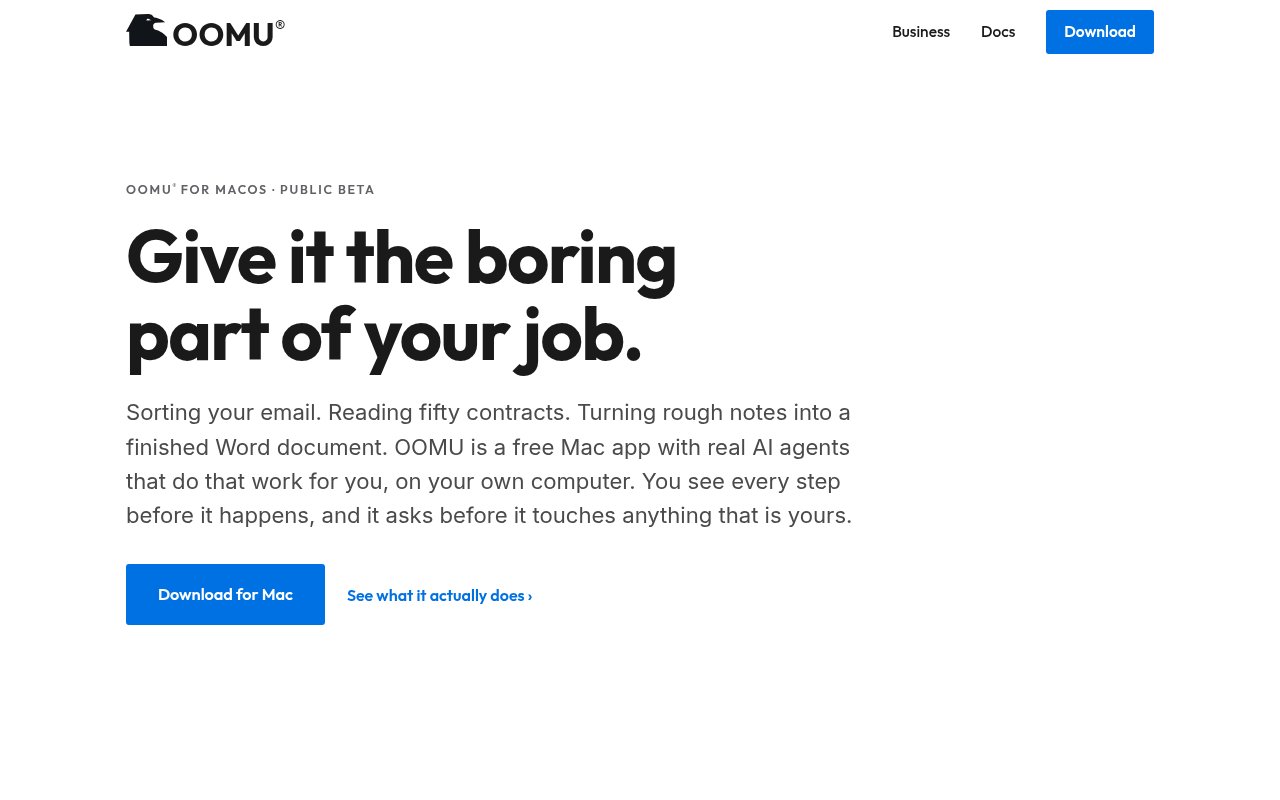
OOMU is a free native Mac application that gives AI agents practical work to do on the computer a person already uses. It is built for jobs such as sorting email, reviewing a folder of documents, summarizing a long file, drafting a familiar reply, or turning rough notes into a finished document. The emphasis is on completing ordinary office work without forcing users to learn model terminology or assemble a collection of developer tools. Chats, agents, workflows, schedules, projects, connections, and past runs live inside one desktop application. OOMU is currently in public beta and is made specifically for Apple Silicon rather than being a web service with a Mac wrapper.
A user starts by describing a job in familiar language. OOMU turns that request into steps, shows the plan, and lets the user change anything that doesn't look right before the run begins. It asks before touching files, applications, or other material that belongs to the user. That review loop gives it a different feel from an assistant that returns an answer without showing how it reached the result. Every run leaves a record that can be opened later, so people can check what happened, adjust the steps, and try the job again. This makes the product useful for repeatable work where visibility matters as much as speed.
The product page groups its everyday uses into a few clear patterns. It can read a pile of documents and return an actionable summary with a source for each claim. It can draft a reply, update, or weekly report from material the user already has. A repeated process can become a workflow that runs again without being reconstructed from memory, and users can create assistants with a temperament suited to a role such as tutoring or research. A shortcut also opens OOMU over the current application for quick questions and calculations. The result can be copied without moving through several browser tabs, while longer jobs remain available in the main application.
OOMU uses the Mac as part of the product rather than treating it as a generic screen. Search follows a familiar Spotlight style and can find chats, agents, workflows, connections, and settings. The application can work with Mail, Calendar, Notes, Reminders, Contacts, Photos, Music, notifications, and existing Shortcuts. It uses the standard macOS permission controls, so access is granted and revoked in System Settings instead of through a second permission scheme invented by the app. Reading and writing are kept as separate actions. When OOMU removes a file, it sends it to the macOS Trash, which preserves the ordinary Put Back behavior instead of making deletion an unfamiliar agent operation.
Everyday work runs on the user's Mac with local models, and setup downloads and verifies those models. No OOMU API key is needed for that local path, there is no charge per question, and the app can keep working without a network connection after setup. Cloud models remain optional. If a job needs one, the user supplies the provider key, turns cloud use on, and pays that provider directly. Local-only projects stay on the Mac, while Air-Gap Mode and encrypted history are included in the free application. This local-first posture is most relevant to people who handle material they would rather not send to a hosted assistant by default, though it doesn't make an enabled cloud request local.
The narrow platform support is the main tradeoff. OOMU requires an Apple Silicon Mac with an M1 chip or later, at least 8 GB of memory, and about 5 GB of disk space for the app and two downloaded models. It doesn't run on Intel Macs, Windows, or Linux. More unified memory gives the local model room for larger jobs, so the practical experience will vary with the machine. The application is also still a public beta, which makes a careful trial sensible before someone relies on it for a critical recurring process. People who mainly want the largest hosted model on any device may find a browser service simpler, while Mac users who value local work and visible approvals get the clearer fit.
OOMU is free to download and use, including for a job, client work, or use inside a company. The whole individual application is available without a card, account, sales call, or intentionally limited trial. Workflows, schedules, local models, optional bring-your-own cloud keys, run records, approvals, Air-Gap Mode, encrypted history, and the audit trail remain part of that free product. OOMU Control is the separate paid offering for organizations that need central model policy, deployment through existing IT tools, visibility into what managed Macs are running, and records for a security team. Individuals can therefore evaluate the actual desktop app without entering a purchase process, while companies pay only when they want centralized governance.
Key Features
- Local model execution
- Local document analysis
- Agents and scheduled workflows
- Apple app automation
- Encrypted local activity history
- Optional bring-your-own cloud models
Pros & Cons
What we like
- Everyday work runs locally by default
- Free for personal and commercial use
- Uses native macOS permissions and apps
- Shows plans and past run records
Room for improvement
- Only supports Apple Silicon Macs
- Local quality depends on available memory
- Cloud requests follow the provider's terms
- Public beta may still change
Frequently Asked Questions
What is OOMU?
Is OOMU free?
Does OOMU send data to the cloud?
What Mac does OOMU require?
Best For
Featured in
Alternatives to OOMU

CalendHub
Smart scheduling and calendar management for teams
Kevin Gabeci Toolkits
Seven AI toolkits for writing books, making music, cutting video, and building agents.

Eased Into AI
Learn AI from zero. No jargon, no hype, just steps that work.

Fix It Gently
Calm, plain-English fixes for everyday tech problems.
Our take
Tool Index Editorial · Oct 2026· 3.5/5
OOMU is a free, public beta Mac workspace for running document, communication, and recurring workflows with local AI models. We like that it shows a plan before acting, asks permission before touching user data, and keeps a readable record of each run. The public docs are unusually specific about local processing, optional cloud providers, Apple app connections, and encrypted history.
This is a good fit for Apple Silicon users who value local control over maximum model capability. It is not a general cross-platform assistant, and the beta status matters for critical work. Local quality and speed will depend on the Mac's memory, while any enabled cloud model follows that provider's terms. Free access makes the practical test easy, but important automations still need close review.
Editorial opinion from the Tool Index team, written from the public product pages. Not a user review.
Reviews (0)
Badge builder
Add OOMU to your website
Choose a badge style and size, preview it here, then copy the generated HTML. Badge images are self-contained SVGs and do not require an external script.

<a href="https://toolindex.net/tools/oomu?ref=badge" target="_blank" rel="noopener">
  <img src="https://toolindex.net/badge/oomu/medium.svg" alt="OOMU - Listed on Tool Index" width="180" height="50" />
</a>How to use the badge
- 1. Pick the style, size, and theme that fit your layout.
- 2. Copy the generated HTML from the code block.
- 3. Paste it into your footer, homepage, or press page.
Standard badge available
The standard listing badge is available now. Score and circle badges are limited to tools currently ranked in the top 10 of a category.
Badge clicks return visitors to this profile with a referral tag so the source remains identifiable.
Related Tools

Confluence
Atlassian's long-running team wiki that anchors many enterprise knowledge stacks
Asana
Project management for teams that live in projects, tasks and dependencies
Kevin Gabeci Toolkits
Seven AI toolkits for writing books, making music, cutting video, and building agents.

Logseq
An open-source outliner notes app where every bullet is a first-class block
Work on OOMU? Request listing access or correction