
OpenOTP
macOS app that auto-detects email verification codes and fills them with a keyboard shortcut
Gallery
About OpenOTP
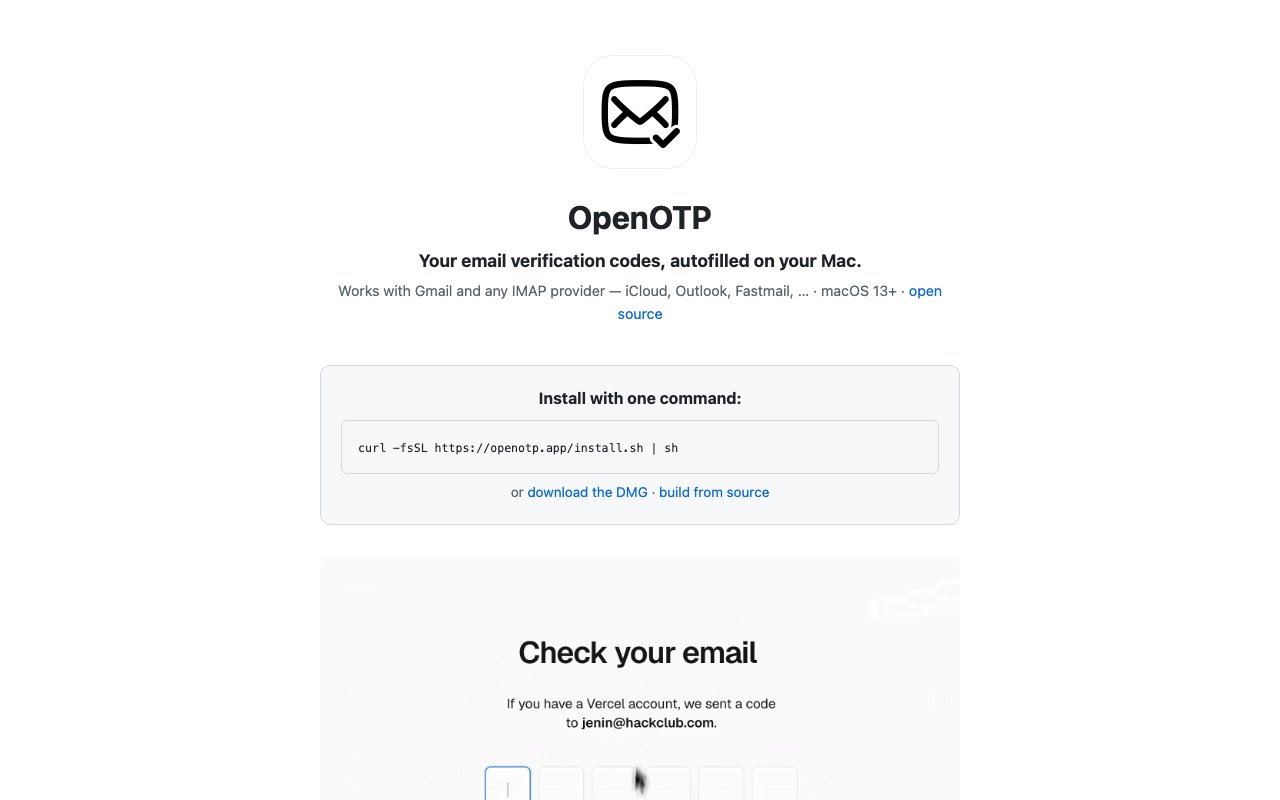
OpenOTP brings the convenience of automatic verification code detection to macOS email users who are tired of the constant context switching involved in two-factor authentication. On iPhones, SMS codes pop up as keyboard suggestions ready to tap without leaving the app you're in. Email verification codes require a much more tedious workflow by comparison. You have to switch to your mail app, wait for the message to arrive, find it among other messages, copy the six digits, switch back to wherever you were authenticating, and paste them in. OpenOTP monitors your inbox for incoming one-time passcodes and surfaces them for quick access, handling email codes with the same streamlined flow that iOS provides for SMS ones. The app runs locally on your Mac with no cloud servers involved, storing your email credentials in the system Keychain and keeping codes only in memory with short expiration times that match the codes themselves.
Three access methods cover different preferences and situations, so you can use whichever fits your workflow or context. A global keyboard shortcut, defaulting to Control-Option-V but configurable to whatever you prefer, types the most recent code directly into whatever input field has focus. You don't have to click or select anything since pressing the shortcut just enters the digits where your cursor sits. A floating pill widget appears automatically next to authentication fields, showing the code ready to click for those who prefer a visual confirmation of what they're about to enter. A menu bar dropdown maintains a 12-hour history of recent codes so you can grab older ones if needed, which helps when authentication workflows don't complete on the first try or you need to enter the same code multiple times. Each method handles the same codes differently depending on whether you want something typed for you, clicked manually, or browsed through.
Privacy considerations shaped the design throughout since email access is sensitive by nature. The app uses read-only access to your email, connecting with credentials you provide rather than OAuth tokens that could theoretically grant broader permissions than necessary. No account creation is required anywhere, nothing syncs to external servers, and the developer has no way to access your credentials or codes. The floating pill automatically excludes itself from screenshots and screen recordings, preventing accidental capture of codes in video calls, streams, or screen shares where you might forget it's visible. The menu bar display hides digits during screen capture as well, with these protections toggleable in preferences if you need to capture codes intentionally for documentation or support purposes.
Email compatibility covers major providers including Gmail, iCloud, Outlook, and Fastmail right out of the box, plus any IMAP server you can configure manually for custom domains or less common providers. The detection logic runs conservatively to minimize false positives, meaning it might occasionally miss an oddly formatted code from a sender using unusual templates rather than constantly surfacing numbers from receipts, shipping confirmations, and other non-authentication emails. This tradeoff keeps the experience clean for normal verification flows and avoids the annoyance of wrong detections popping up constantly and training you to ignore the widget. The focus stays on reliability for the common case rather than theoretical coverage of edge cases that would degrade the experience.
Installation offers three paths depending on your comfort level with various approaches. A one-command curl installation handles everything automatically for those who trust the source and want the fastest path to running. A DMG download provides traditional drag-to-Applications installation for those who prefer examining what they're installing first. The full source code sits on GitHub under MIT license for anyone who wants to build it themselves, audit the implementation before trusting it with email credentials, or fork it for modifications. The developer describes it as a simple personal project rather than a polished commercial product, which explains the open-source approach and absence of pricing tiers.
The app requires macOS 13 or later and Accessibility permission for the auto-type feature, though copying to clipboard works without any special permissions for those who don't want to grant Accessibility access. Anyone frequently receiving email verification codes will recognize the friction OpenOTP addresses in their daily workflow. Signing into services, confirming transactions, and two-factor authentication flows all pause while you hunt for the email, wait for it to arrive, and copy the code manually. Having those codes surface automatically on your Mac removes that context switch without requiring browser extensions that access your email through web interfaces where security practices may vary. It's a free utility that solves an everyday annoyance that most people have simply accepted as unavoidable.
Key Features
- Global keyboard shortcut autofill
- Floating pill near active input fields
- Menu bar with 12 hour code history
- Gmail OAuth and IMAP provider support
- Screen recording protection for codes
- Local only processing with Keychain storage
Pros & Cons
What we like
- Completely free and open source under MIT license
- No server, all processing happens locally on device
- Works with Gmail and any IMAP email provider
- Codes hidden from screen recordings while still visible to you
Room for improvement
- macOS only, no Windows or Linux version
- Requires macOS 13 Ventura or later
- Does not support SMS codes, only email
- IMAP setup requires manual credential entry
Frequently Asked Questions
What is OpenOTP?
Is OpenOTP free?
Does OpenOTP send my codes to a server?
What email providers does OpenOTP support?
Best For
Featured in
Alternatives to OpenOTP
View all
CalendHub
Smart scheduling and calendar management for teams
Kevin Gabeci Toolkits
Seven AI toolkits for writing books, making music, cutting video, and building agents.

Confluence
Atlassian's long-running team wiki that anchors many enterprise knowledge stacks
Kibu
Vertical software for disability service providers covering compliance, documentation, and programming
Reviews (0)
Badge builder
Add OpenOTP to your website
Choose a badge style and size, preview it here, then copy the generated HTML. Badge images are self-contained SVGs and do not require an external script.

<a href="https://toolindex.net/tools/openotp?ref=badge" target="_blank" rel="noopener">
  <img src="https://toolindex.net/badge/openotp/medium.svg" alt="OpenOTP - Listed on Tool Index" width="180" height="50" />
</a>How to use the badge
- 1. Pick the style, size, and theme that fit your layout.
- 2. Copy the generated HTML from the code block.
- 3. Paste it into your footer, homepage, or press page.
Standard badge available
The standard listing badge is available now. Score and circle badges are limited to tools currently ranked in the top 10 of a category.
Badge clicks return visitors to this profile with a referral tag so the source remains identifiable.
Related Tools
Confluence
Atlassian's long-running team wiki that anchors many enterprise knowledge stacks
Asana
Project management for teams that live in projects, tasks and dependencies
Kevin Gabeci Toolkits
Seven AI toolkits for writing books, making music, cutting video, and building agents.

Logseq
An open-source outliner notes app where every bullet is a first-class block
Work on OpenOTP? Request listing access or correction