OrbitalNote
A modern desktop and mobile workspace for Org notes, tasks, and calendars
Gallery
About OrbitalNote
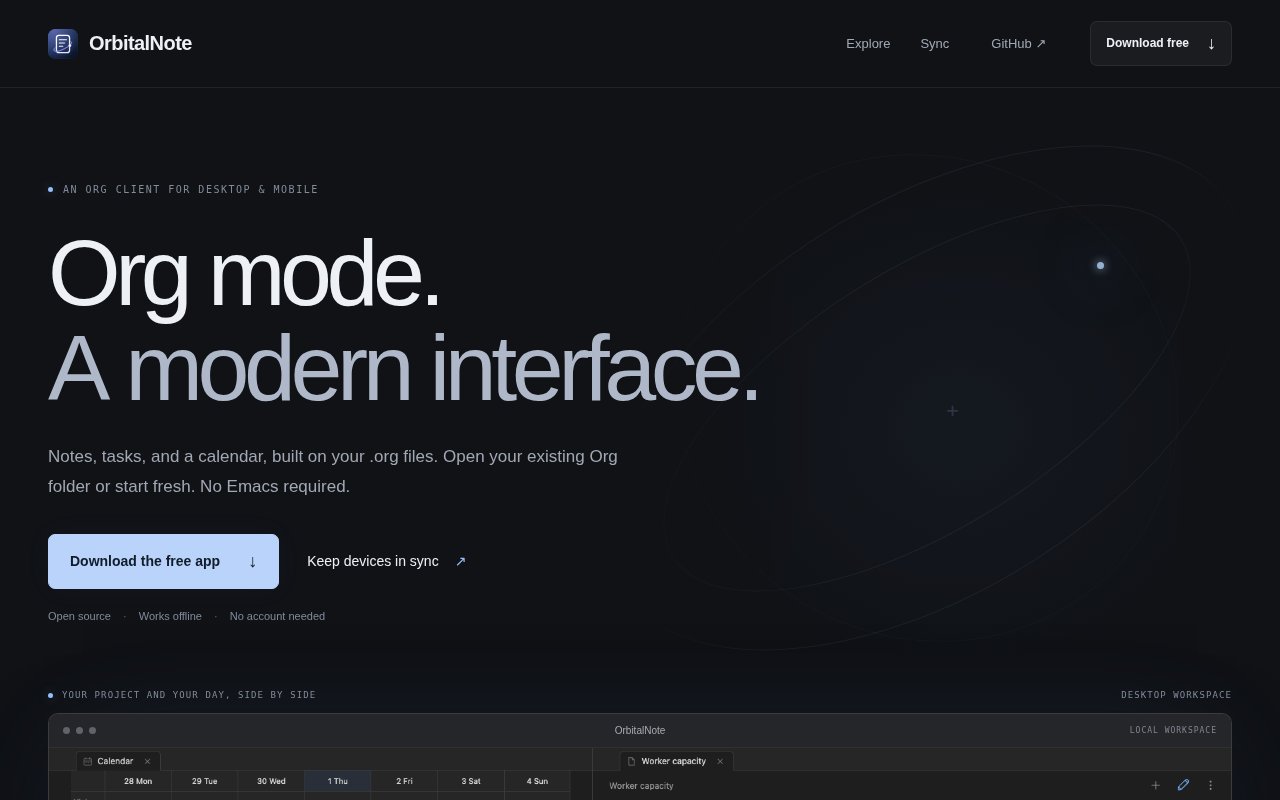
OrbitalNote is a modern client for working with Org files on desktop and mobile. It brings notes, tasks, an agenda, and a calendar into a visual interface while leaving the underlying information in ordinary plaintext .org files. Existing Org users can open a folder they already maintain, while newcomers can start fresh without learning Emacs or memorizing Org syntax. The app is open source under GPLv3, works offline, and doesn't require an account for its core local workflow.
The central idea is that project material and day planning belong together. A desktop workspace can keep a project open beside a calendar and a minimal agenda, while the broader agenda pulls tasks from files across the workspace. Users can filter that combined view by tags or task state, save a useful view, and mark work complete. A task can carry its notes, schedule, deadline, and time in the same file. Creating or changing those details through the interface updates the Org source, so the readable file remains the record rather than a hidden database. A newcomer can click a date, set a deadline, or add a time through the controls and learn the text format only if it becomes useful later.
The calendar covers day, week, month, and year views. Scheduled tasks can appear as time blocks, and moving a block changes the schedule in its source file. That makes OrbitalNote useful for someone who wants to move between a project outline and a practical plan for the week without copying tasks into a separate calendar system. It also supports the everyday mix that tends to fall outside a formal project tracker. Work plans, personal errands, reference notes, and capacity planning can live in separate Org files while still appearing in one agenda when needed. The agenda isn't limited to one project file, which is useful when a realistic day includes several work streams and personal commitments.
OrbitalNote doesn't treat Org as plain text only. Users can edit the source and switch to a richer reading view for images, tables, Mermaid diagrams, and math. Nested tasks and linked notes are shown in the product examples, and the app offers built in themes with light and dark palettes. The Default, Terminal, and Editorial themes cover several visual styles, and people who want more control can create a custom CSS theme. This combination keeps the portability of text while making a notebook easier to scan and use as a daily workspace. System theme following is available, so the workspace can change between its light and dark palettes with the rest of the device.
The local first posture is a meaningful part of the product. On desktop, files stay in a folder the user chooses, and OrbitalNote can edit the same files used in Emacs. The app says it preserves Org syntax it doesn't recognize, which reduces the risk of flattening a more advanced file. Support is still centered on core Org workflows. Repeaters aren't expanded and Babel code isn't executed, so people with a deeply automated Emacs setup should view it as a companion client rather than a complete visual replacement for every Org feature. Android uses a private app notebook instead of a user selected folder.
Current preview downloads cover Apple Silicon and Intel Macs, Windows, Linux, and Android. An installable iPhone build isn't available yet. The product is explicitly in an early preview, which fits the unfinished edges the site calls out. Even so, the available surface is broader than a simple editor. Calendar planning, cross file agendas, rich rendering, themes, and mobile access are already part of the same Org based model. Because files remain readable outside the app, trying the interface doesn't require committing notes to a proprietary format. The site also provides sample Org workspaces, which gives prospective users a way to see how project notes, linked material, diagrams, and daily tasks behave together.
The app itself is free and open source. OrbitalNote also offers an optional hosted Sync preview for people who want the same workspace across devices. Sync uses end-to-end encryption and costs $5 per month or $48 per year for one workspace with 1 GB and retained revision history. It works while apps are open and connected, and Android catches up after it is reopened. Attachments aren't synced yet, and history cleanup is not available. That pricing keeps local use free while charging only for the hosted convenience of encrypted device sync. A recovery key connects another device, while subscription management remains in the Sync account.
Key Features
- Cross-file task agenda
- Day to year calendars
- Rich Org reading view
- Offline local file storage
- Custom CSS themes
- Optional encrypted device sync
Pros & Cons
What we like
- Keeps notes in portable plaintext Org files
- Works offline without an account
- Combines project notes, tasks, and calendars
- Edits the same desktop files used by Emacs
Room for improvement
- Still labeled as an early preview
- iPhone builds are not available yet
- Hosted Sync does not include attachments yet
- Org repeaters and Babel execution are unsupported
Frequently Asked Questions
What is OrbitalNote?
Does OrbitalNote work with an existing Org folder?
Is OrbitalNote free?
Which platforms does OrbitalNote support?
Best For
Featured in
Alternatives to OrbitalNote

CalendHub
Smart scheduling and calendar management for teams
Kevin Gabeci Toolkits
Seven AI toolkits for writing books, making music, cutting video, and building agents.

Eased Into AI
Learn AI from zero. No jargon, no hype, just steps that work.

Fix It Gently
Calm, plain-English fixes for everyday tech problems.
Our take
Tool Index Editorial · Oct 2026· 3.5/5
OrbitalNote gives Org files a friendly desktop and Android interface for notes, tasks, agendas, and calendar planning. It is most useful for existing Org users who want a visual companion to Emacs, or newcomers who want portable plain text without first learning the editor. The app is free and open source, while optional encrypted Sync is listed at $5 a month.
We found the combination of cross file agendas, draggable calendar blocks, rich rendering, and local files more substantial than a basic Org editor. The early preview label still matters. There is no installable iPhone build, attachments do not sync, and advanced Org features such as repeaters and Babel execution are missing. It is promising and unusually portable, but not yet a complete replacement for a mature Org setup.
Editorial opinion from the Tool Index team, written from the public product pages. Not a user review.
Reviews (0)
Badge builder
Add OrbitalNote to your website
Choose a badge style and size, preview it here, then copy the generated HTML. Badge images are self-contained SVGs and do not require an external script.

<a href="https://toolindex.net/tools/orbitalnote?ref=badge" target="_blank" rel="noopener">
  <img src="https://toolindex.net/badge/orbitalnote/medium.svg" alt="OrbitalNote - Listed on Tool Index" width="180" height="50" />
</a>How to use the badge
- 1. Pick the style, size, and theme that fit your layout.
- 2. Copy the generated HTML from the code block.
- 3. Paste it into your footer, homepage, or press page.
Standard badge available
The standard listing badge is available now. Score and circle badges are limited to tools currently ranked in the top 10 of a category.
Badge clicks return visitors to this profile with a referral tag so the source remains identifiable.
Related Tools

Confluence
Atlassian's long-running team wiki that anchors many enterprise knowledge stacks
Asana
Project management for teams that live in projects, tasks and dependencies
Kevin Gabeci Toolkits
Seven AI toolkits for writing books, making music, cutting video, and building agents.

Logseq
An open-source outliner notes app where every bullet is a first-class block
Work on OrbitalNote? Request listing access or correction