
OzBrain
Shared knowledge layer that lets Claude, ChatGPT, Cursor, and other AI agents read and write to one source of truth
Gallery
About OzBrain
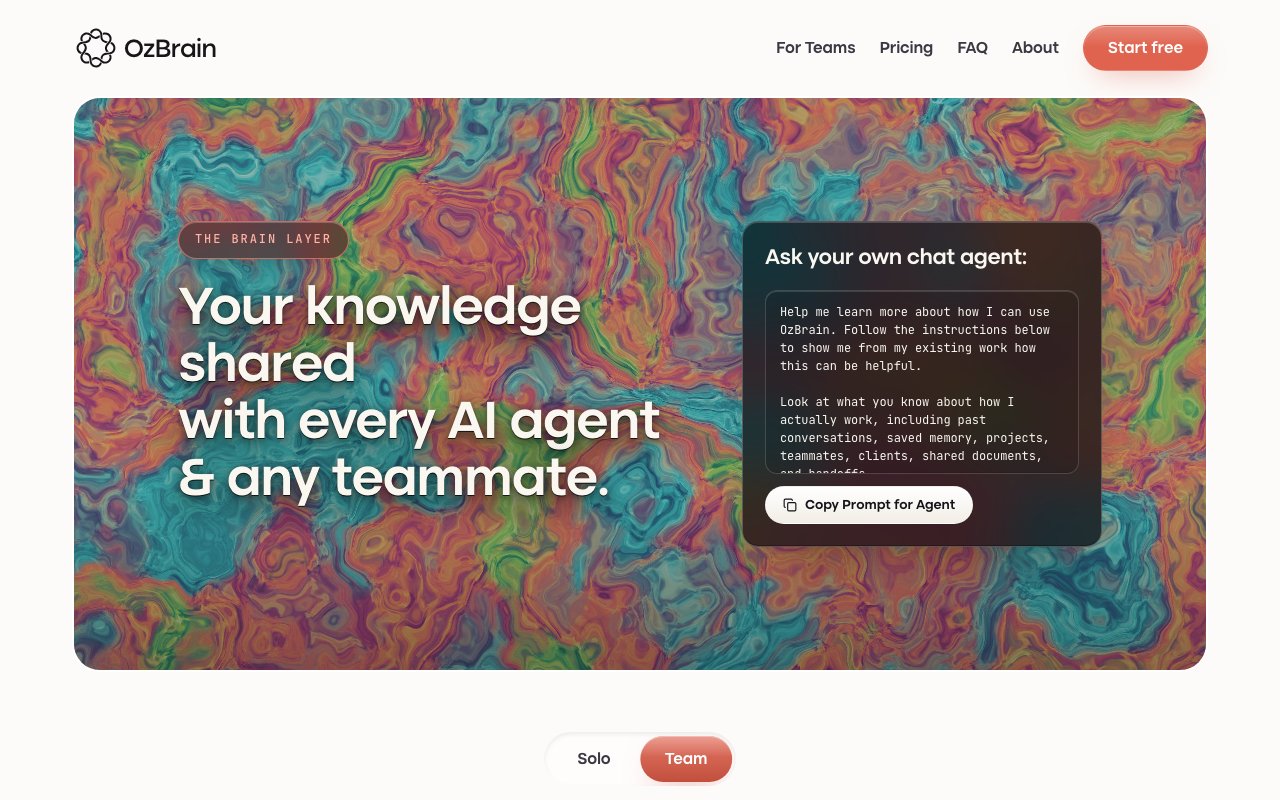
OzBrain is a knowledge management platform built specifically for people who use multiple AI agents and want those agents to share context rather than operate in isolation. It provides a single structured repository that Claude, ChatGPT, Cursor, and other tools can all read from and write to, so information you share with one agent becomes available to all of them. The result is continuity across tools that would otherwise have no awareness of each other, eliminating the repetitive context-setting that comes with switching between assistants throughout a workday.
The problem it solves is familiar to anyone juggling more than one AI interface. You explain your project background to Claude, then open ChatGPT and have to explain it again. You build up context in Cursor while coding, but that knowledge does not follow you to a different tool. Each conversation starts fresh, and you end up repeating yourself constantly. OzBrain sits underneath all of these agents as a shared brain, so project context, decisions, preferences, and accumulated knowledge persist regardless of which interface you happen to be using at any given moment. The friction of switching tools drops dramatically when every tool already knows what you are working on.
The architecture relies on nested knowledge structures. Information organizes hierarchically, so a launch plan might nest into a marketing campaign, which further nests into specific deliverables like email drafts or landing page copy. This granular organization lets agents pull only the context they need for a given task without loading everything at once. Token usage stays efficient, costs stay down, and the model receives relevant information rather than being stuffed with an entire knowledge base on every prompt. The nested structure also reduces hallucinations because the agent works from targeted context instead of guessing from vague references. You can think of it as giving your agents a well-organized filing cabinet instead of a pile of unsorted documents.
OzBrain handles supersession automatically. When you update a piece of information, the platform backtracks through existing knowledge, marks outdated entries, and points to the current version. There is no manual hunting for scattered old decisions or conflicting notes floating around in different corners of the system. Every modification carries full provenance, including which agent made the change, when it happened, what specifically changed, and the reasoning behind the update. Multiple agents can work simultaneously without overwriting each other because changes are proposed and staged before finalizing. This makes the platform viable for teams where both humans and AI agents are contributing to the same body of knowledge.
Data protection is explicit. Information encrypts at rest and seals to your account, preventing cross-tenant leakage. The company states it does not train on user data or sell it. You retain complete export rights, meaning you can download everything as markdown at any time, including after canceling your subscription. There is no lock-in beyond the value the platform provides while you use it. Integration requires no coding. You add a connector through the native menus in Claude or ChatGPT, authenticate via email code, and the shared brain is live. The platform also supports Claude Code, Cursor, OpenClaw, Hermes Agent, and Gemini Spark, covering most of the tools that power users are likely to have in their stack.
OzBrain targets individuals and teams who have committed to using AI agents heavily and need coordination across those tools. Solo professionals managing complex projects benefit when their research assistant, coding assistant, and writing assistant all share the same memory. Teams benefit when both humans and agents can read and write to a common knowledge base without stepping on each other's work. The free tier supports up to 100 articles with unlimited reads and writes, which is enough to test the concept without commitment. The Pro plan at twenty dollars per month bumps that to 500 articles. Max costs ninety-nine dollars per month and supports up to 5,000 articles. Enterprise pricing is available for organizations that want shared brains with per-seat access.
If you regularly use more than one AI tool and find yourself repeating context, explaining the same project background, or manually syncing information between agents, OzBrain is designed to solve exactly that problem. The value scales directly with how many tools you use and how often you switch between them. For users who only ever work in a single AI interface, the benefits are minimal. But for anyone running a multi-agent workflow, the coordination layer it provides can meaningfully reduce the overhead of keeping everything in sync.
Key Features
- Shared knowledge layer for multiple AI agents
- Nested hierarchical information architecture
- Automatic supersession of outdated notes
- Full audit trail of agent modifications
- Encrypted data with markdown export anytime
- Integrations with Claude, ChatGPT, and Cursor
Pros & Cons
What we like
- Eliminates repetitive context-setting across different AI tools
- Audit trail shows exactly what each agent changed and why
- Export to markdown anytime with no lock-in
- Free tier is generous for individual use
Room for improvement
- Value depends on using multiple AI agents regularly
- Article limits may feel restrictive for heavy users on lower tiers
- Requires setup and integration with each AI tool you use
- Newer product with a smaller user base so far
Frequently Asked Questions
What is OzBrain?
Is OzBrain free?
What AI tools does OzBrain work with?
Can I export my data from OzBrain?
Best For
Featured in
Alternatives to OzBrain
View all
Apatero AI
The creator studio for AI image, video, audio, 3D, and avatars, now at apatero.ai.

SoloDevStack
A solo developer blog built on head-to-head tool comparisons, 580+ posts deep.
Apatero Studio
Creator studio for AI image, video, audio, 3D, and avatars. Every model worth using, in one workspace.

Melodex
Turn your idea into an AI-generated music video
Reviews (0)
Badge builder
Add OzBrain to your website
Choose a badge style and size, preview it here, then copy the generated HTML. Badge images are self-contained SVGs and do not require an external script.

<a href="https://toolindex.net/tools/ozbrain?ref=badge" target="_blank" rel="noopener">
  <img src="https://toolindex.net/badge/ozbrain/medium.svg" alt="OzBrain - Listed on Tool Index" width="180" height="50" />
</a>How to use the badge
- 1. Pick the style, size, and theme that fit your layout.
- 2. Copy the generated HTML from the code block.
- 3. Paste it into your footer, homepage, or press page.
Standard badge available
The standard listing badge is available now. Score and circle badges are limited to tools currently ranked in the top 10 of a category.
Badge clicks return visitors to this profile with a referral tag so the source remains identifiable.
Related Tools
Apatero AI
The creator studio for AI image, video, audio, 3D, and avatars, now at apatero.ai.
Kevin Gabeci Toolkits
Seven AI toolkits for writing books, making music, cutting video, and building agents.

Warp
The modern terminal reimagined with AI and collaboration

Bolt.new
Prompt-to-deployed full-stack app inside the browser
Work on OzBrain? Request listing access or correction