
Paintlustrator
Draw layered artwork on iPad and export it as scalable SVG files for free
Gallery
About Paintlustrator
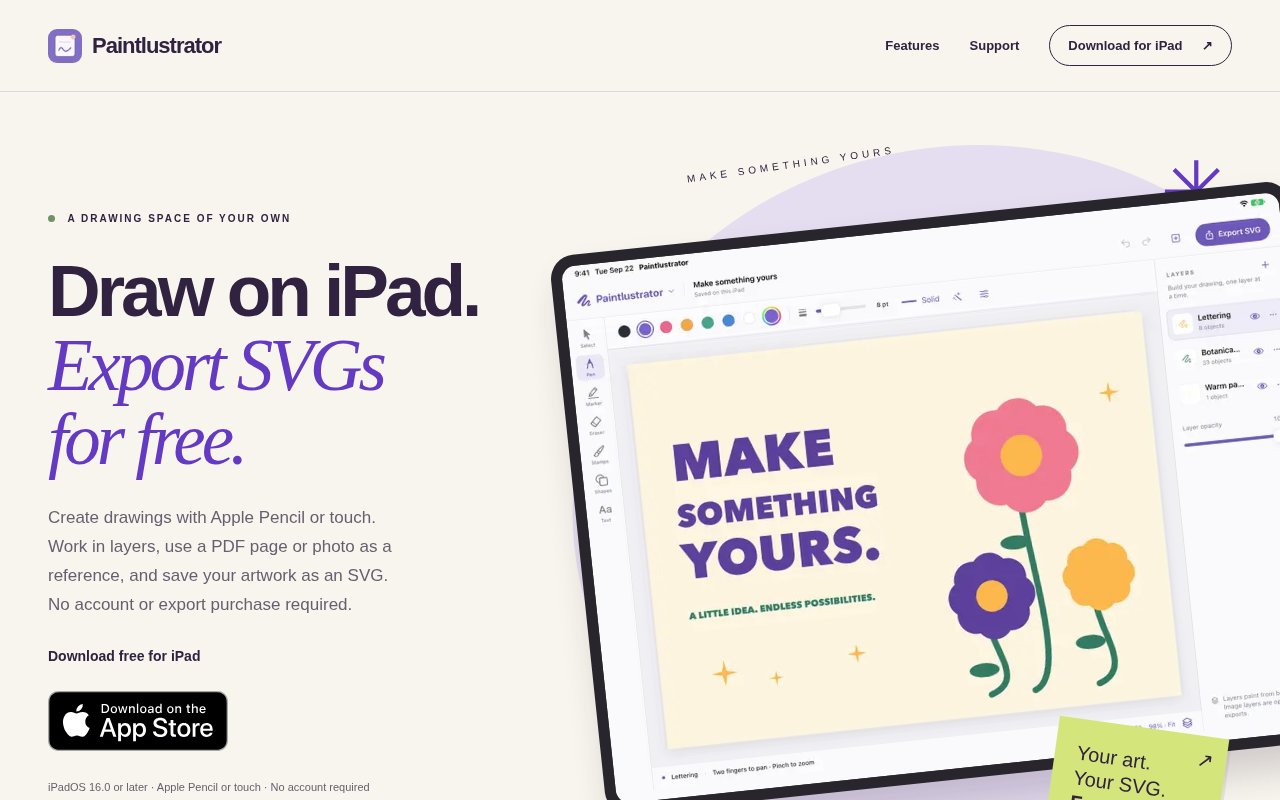
Paintlustrator is a free drawing and illustration app designed for iPad, with a workflow that leads from a blank canvas or visual reference to an exportable SVG file. It supports drawing with Apple Pencil or touch, organizing work across layers, and saving a project to continue later. The app is aimed at people who want to sketch naturally on a tablet but still take the result into a scalable vector format. That makes it useful for illustrations, simple designs, traced references, and other artwork that may need to be resized or passed to another app after the drawing stage. Its official App Store listing puts free SVG export at the center rather than treating export as an upgrade.
A project can begin on an empty canvas, over an imported photo, or from a page selected from a PDF. When a PDF is used, the artist can choose the page and import quality, then draw on separate layers above the reference. A photo can likewise provide a base for drawing over. This gives Paintlustrator a practical path for anyone working from a worksheet, diagram, scanned sketch, image reference, or document page. The reference stays distinct from the added drawing through the layer based workflow described by the developer. Apple Pencil provides the most direct input on a compatible iPad, while touch input means the basic drawing workflow isn't limited to Pencil owners.
Layers help separate parts of an image so the artist can organize the work as it develops. Undo and redo provide the basic correction loop expected in a drawing app, and saved projects can be reopened rather than completed in one sitting. Once the artwork is ready, Paintlustrator exports it as SVG. The file can be saved to the iPad's Files area or shared directly from the device. SVG is the notable endpoint because it preserves a scalable format that can move beyond the app, rather than leaving the work only as an in-app canvas or a fixed size screenshot. That portability matters when the drawing is an intermediate asset instead of the final presentation. A project can stay editable across sessions before the artist chooses to export it. The official listing doesn't claim a broad professional vector editing suite, so the clearest way to view it is as a focused drawing tool with a portable vector output.
The app fits artists and designers who prefer drawing on iPad, especially when the goal is a simple SVG that can be handed off or reused elsewhere. It also has a practical place in education and document based work. A teacher or student can import one page from a PDF and create a separate visual layer over it. A maker can trace a photo or sketch and export the result for a later stage. An illustrator can keep elements arranged in layers, revise with undo and redo, and return to the saved project over several sessions. Because the feature set is deliberately compact, it should be approachable for casual drawing as well as early concept work. The option to save or share from the same device also supports a mobile workflow without requiring a desktop export step.
Paintlustrator stands out through its narrow promise. It joins reference import, tablet drawing, project layers, and free SVG export in one small iPad app. There is no account requirement mentioned in the official listing, and Apple's privacy disclosure says the developer reports that the app collects no data. Those points make it appealing when a user wants a local creative tool without setting up a cloud workspace. The tradeoff is that its public feature description is much smaller than what mature illustration packages publish. It doesn't advertise advanced path editing, typography controls, collaboration, cloud synchronization, or a collection of desktop grade production tools. Buyers looking for those capabilities should evaluate the app on its stated drawing and export workflow.
Paintlustrator is listed as free, including SVG export, with no paid tier or in-app purchase disclosed on the official App Store page. It requires iPadOS 16.0 or later and is designed for iPad. The store also shows compatibility with Apple silicon Macs and Apple Vision, but the Mac experience is not verified by Apple, so iPad remains the dependable target. The app is very new and hasn't collected enough ratings for an App Store review overview, which limits the amount of long term user evidence available. Recent version notes focus on performance improvements for bigger drawings, suggesting that larger canvases remain an active area of refinement. For someone who wants a focused iPad canvas, reference import, layers, and a free route to SVG, it offers a straightforward tool with few barriers to trying it.
Key Features
- Apple Pencil and touch drawing
- Free scalable SVG export
- PDF page reference import
- Photo tracing workflow
- Layered artwork organization
- Saved project continuation
Pros & Cons
What we like
- Exports SVG without a paid upgrade
- Supports both PDF and photo references
- Works with Apple Pencil or touch
- Developer reports no data collection
Room for improvement
- Designed primarily for iPad
- Requires iPadOS 16 or later
- Advanced vector controls aren't advertised
- Too new for meaningful review history
Frequently Asked Questions
What is Paintlustrator?
Is Paintlustrator free?
Can Paintlustrator import a PDF?
Which devices support Paintlustrator?
Best For
Featured in
Alternatives to Paintlustrator

Framer
Visual website builder that lets designers ship production-grade marketing sites with real CMS, SEO controls, and code components.

Tailwind CSS
Rapidly build custom designs without leaving your HTML

Apatero Studio
Creator studio for AI image, video, audio, 3D, and avatars. Every model worth using, in one workspace.

Pixel Painters
Unlimited graphic design subscriptions built only for churches and ministries
Reviews (0)
Badge builder
Add Paintlustrator to your website
Choose a badge style and size, preview it here, then copy the generated HTML. Badge images are self-contained SVGs and do not require an external script.

<a href="https://toolindex.net/tools/paintlustrator?ref=badge" target="_blank" rel="noopener">
  <img src="https://toolindex.net/badge/paintlustrator/medium.svg" alt="Paintlustrator - Listed on Tool Index" width="180" height="50" />
</a>How to use the badge
- 1. Pick the style, size, and theme that fit your layout.
- 2. Copy the generated HTML from the code block.
- 3. Paste it into your footer, homepage, or press page.
Standard badge available
The standard listing badge is available now. Score and circle badges are limited to tools currently ranked in the top 10 of a category.
Badge clicks return visitors to this profile with a referral tag so the source remains identifiable.
Related Tools
Apatero Studio
Creator studio for AI image, video, audio, 3D, and avatars. Every model worth using, in one workspace.
Tailwind CSS
Rapidly build custom designs without leaving your HTML

Figma
Collaborative interface design tool

Marvel
Lightweight prototyping platform for turning images and screens into clickable mobile and web prototypes.
Work on Paintlustrator? Request listing access or correction