
ParkourNote
Read, annotate, organize, and question papers, notes, recordings, and videos in one workspace
Gallery
About ParkourNote
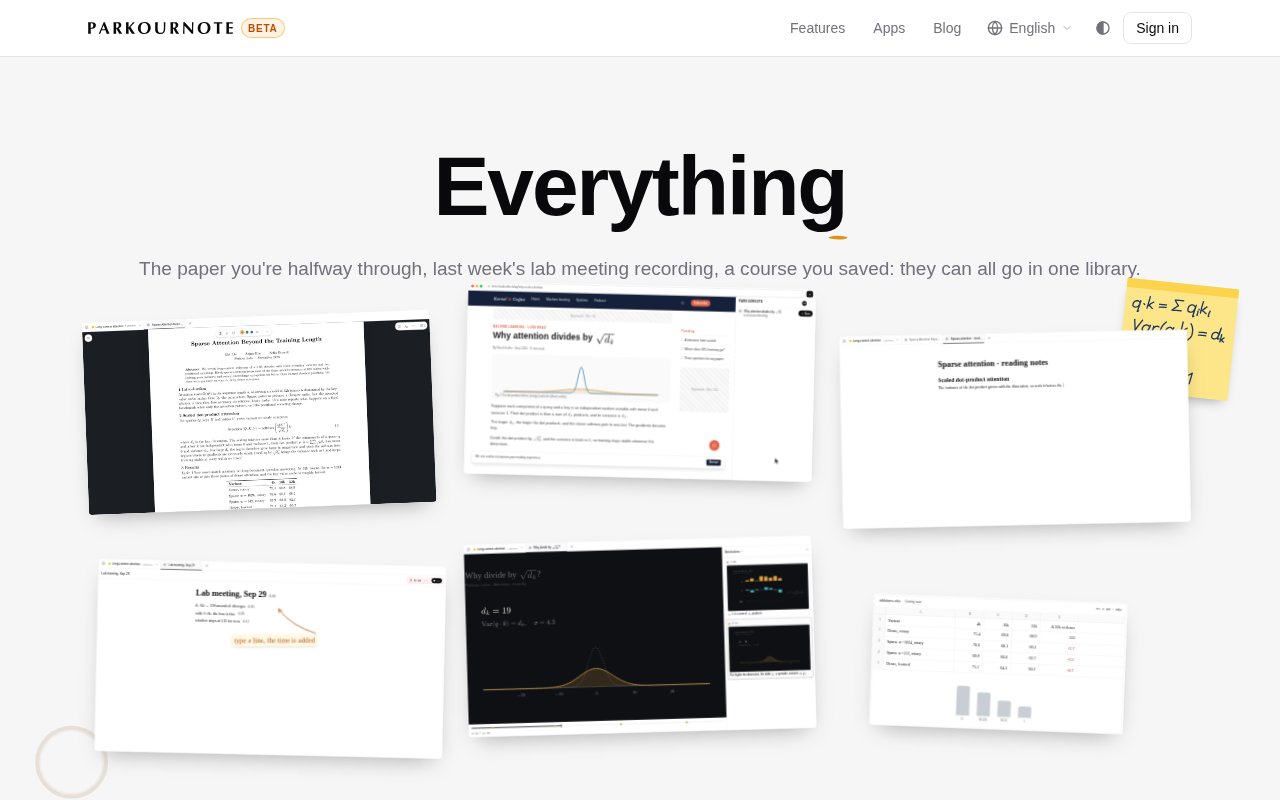
ParkourNote is a cloud research workspace that keeps papers, books, web pages, notes, recordings, videos, feeds, and academic writing in one library. It is designed for research that moves across formats, where a useful idea may sit in a PDF, a meeting transcript, a lecture frame, or a handwritten calculation. Instead of separating reading, note taking, media review, and AI chat into unrelated apps, ParkourNote keeps the sources together and lets answers point back to the original page, highlight, or moment.
The library accepts arXiv links, PDFs up to 1 GB, EPUB and Markdown files, clipped web pages, YouTube and Bilibili links, MP4 files, recorded audio, Typst and LaTeX projects, and RSS, Atom, JSON Feed, or OPML imports. New external items arrive in an Inbox with a suggested tag and a short reason. The suggestion remains optional, and nothing is tagged until the user accepts it. Tags can nest with slashes, a document can have several tags or none, and deleting a tag doesn't delete the underlying documents. Reading tools work across PDFs, EPUBs, web articles, and documents. Users can highlight text, capture a region containing a figure or formula, search inside the file, adjust document spacing, and preview a PDF citation before following it. Selected pages or chapters can be transcribed into editable blocks that preserve headings, paragraphs, formulas, tables, and figures, with each block linked to its original place. Translation can cover a selection, section, or full document and display beside or beneath the source while retaining mathematical and visual material.
Workspaces hold the material needed for a line of inquiry. Readers, notes, feeds, and chat appear as movable tiles that can sit side by side or stack as tabs. A saved Workspace keeps its tabs and conversation across devices, while quick switching and library search help reopen papers, notes, feeds, and sections. This layout suits a researcher who wants a paper, a calculation note, and a source-aware conversation visible at once. It also reduces the need to repeatedly rebuild context when returning to a topic.
AI chat is aware of the open Workspace. It can see the current page, attached passages and figures, the active note, pasted screenshots, and the current video frame when a user asks a question. It can search within files, across the library, on the web, or on arXiv. It can also create highlights, update notes, edit Typst or LaTeX source, manage citations, tag files, and open related papers. Answers include citations that return to pages or highlights, and formulas and diagrams can render in the reply. Flash is available on every plan, while the feature page says Pro models are included on plans that provide them.
Notes support structured blocks, images, links, citations, and mathematics. Quoted material can retain its source and page, and notes sync between the browser, phone, and other open tabs. Exports include Markdown, rich text, source archives, and citation packages. For academic writing, ParkourNote can open Typst or LaTeX source beside compiled pages. Clicking a compiled line can reveal its source, edits recompile the document, and AI changes are presented with a diff that can be inspected or reverted. Bibliographic export supports BibTeX, BibLaTeX, RIS, and CSL JSON. Recorded meetings and lectures receive the same source-aware treatment. Browser or phone recording uploads as it proceeds, then produces a transcript and summary when stopped. Notes written during a recording keep their time. Video notes also remember the relevant second and frame, so a click can return to the exact moment. This is particularly useful for research groups, students, and independent scholars who want observations from spoken material to remain traceable instead of becoming detached lines in a generic notebook.
ParkourNote extends beyond the browser through a Chrome side panel and connections for Claude and ChatGPT. The homepage says connected assistants can read the user's library, and those connections can be revoked in settings. The service stores data in Amazon Web Services in Tokyo according to its feature page. Its wide scope is a strength, but it also means new users have more concepts to learn than in a simple PDF reader. Spreadsheets are shown as coming soon, so they shouldn't be treated as a current capability.
The public site supports account creation but doesn't publish a simple price table. It refers to multiple plans, included AI models, and metered credits for compute-heavy work, so the listing treats access as paid rather than claiming an unverified free tier. Buyers should check the live account flow for current plan and credit costs. ParkourNote is best evaluated as an integrated research environment for people who will use several of its linked workflows, not merely as a place to store occasional notes.
Key Features
- Multi-format research library
- Source-aware AI chat
- PDF transcription and translation
- Time-linked media notes
- Typst and LaTeX editing
- Citation and bibliography exports
Pros & Cons
What we like
- Keeps diverse research formats in one library
- AI answers link back to source material
- Media notes retain exact times and frames
- Academic writing and citations are built in
Room for improvement
- Public pricing isn't presented in a simple table
- Broad workflow has a noticeable learning curve
- Cloud data is stored in Tokyo
- Spreadsheet support is still coming soon
Frequently Asked Questions
What is ParkourNote?
Which file and media types can ParkourNote import?
How does ParkourNote ground AI answers?
Is ParkourNote free?
Best For
Featured in
Alternatives to ParkourNote

CalendHub
Smart scheduling and calendar management for teams
Kevin Gabeci Toolkits
Seven AI toolkits for writing books, making music, cutting video, and building agents.

Eased Into AI
Learn AI from zero. No jargon, no hype, just steps that work.

Fix It Gently
Calm, plain-English fixes for everyday tech problems.
Reviews (0)
Badge builder
Add ParkourNote to your website
Choose a badge style and size, preview it here, then copy the generated HTML. Badge images are self-contained SVGs and do not require an external script.

<a href="https://toolindex.net/tools/parkournote?ref=badge" target="_blank" rel="noopener">
  <img src="https://toolindex.net/badge/parkournote/medium.svg" alt="ParkourNote - Listed on Tool Index" width="180" height="50" />
</a>How to use the badge
- 1. Pick the style, size, and theme that fit your layout.
- 2. Copy the generated HTML from the code block.
- 3. Paste it into your footer, homepage, or press page.
Standard badge available
The standard listing badge is available now. Score and circle badges are limited to tools currently ranked in the top 10 of a category.
Badge clicks return visitors to this profile with a referral tag so the source remains identifiable.
Related Tools

Confluence
Atlassian's long-running team wiki that anchors many enterprise knowledge stacks
Asana
Project management for teams that live in projects, tasks and dependencies
Kevin Gabeci Toolkits
Seven AI toolkits for writing books, making music, cutting video, and building agents.

Logseq
An open-source outliner notes app where every bullet is a first-class block
Work on ParkourNote? Request listing access or correction