
Passinote
Canvas-based note taking app where you drop, stack, and zone your thoughts
Gallery
About Passinote
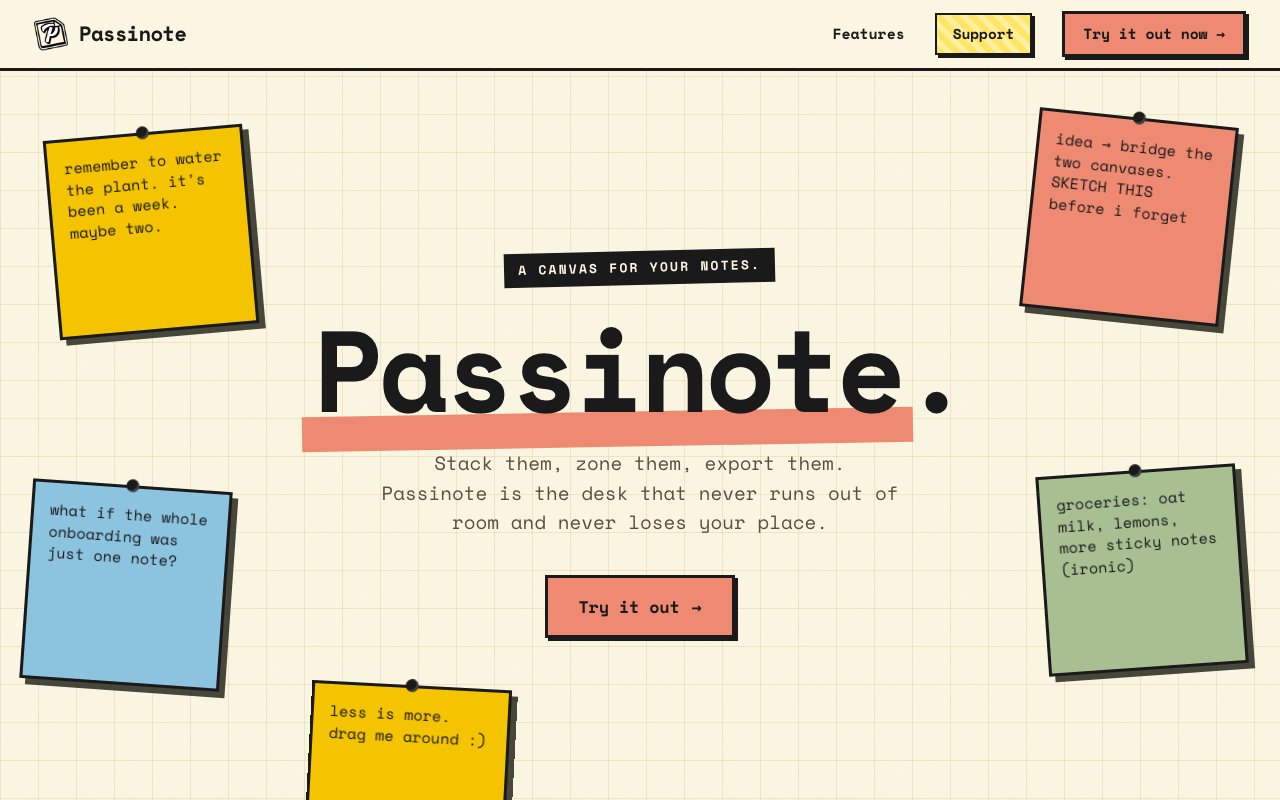
Passinote is an infinite canvas note-taking application designed for people who find traditional folder hierarchies and rigid document structures too constraining for how they actually think. The application presents itself as a desk that never runs out of room and never loses your place, capturing the experience of working on a large physical surface where you can spread out materials, group related items together, and maintain spatial awareness of where everything lives. Unlike conventional note apps that force content into linear documents or nested folder trees, Passinote lets users place notes and documents anywhere on an unlimited canvas and organize through visual arrangement rather than categorical filing.
The core interaction model revolves around four primary capabilities. The Drop feature allows placing notes and documents anywhere on the canvas without grid constraints or predetermined layouts, enabling organic placement based on how information naturally relates rather than where arbitrary rules dictate it should go. The Stack feature lets users group related thoughts into collapsible piles, creating vertical organization that keeps connected ideas together without cluttering the visible workspace. Zones allow drawing regions that create instant structure and categorize content visually, essentially defining areas of the canvas for different purposes or projects. Finally, Export converts selections to PDF format for sharing or archiving, allowing users to extract portions of their canvas for external use.
The saving behavior is designed to eliminate the anxiety of lost work that plagues many creative tools. Notes save the instant you let go of them, with automatic saving and version history handling persistence in the background. This means users never have to remember to save manually, never lose work to crashes or closed browsers, and can recover previous versions when needed. The draggable interaction model across the canvas feels intuitive for spatial organization, with items responding immediately to manipulation rather than requiring complex selection and move operations.
Passinote targets creative professionals, students, researchers, and knowledge workers who prefer flexible visual thinking spaces over traditional folder-based organization systems. Some people genuinely think better when they can arrange information spatially, see connections through proximity, and organize through visual clustering rather than hierarchical categorization. Conventional note apps force these users into organizational paradigms that conflict with their natural thinking patterns. The infinite canvas approach accommodates visual thinkers by letting them create whatever organizational structure emerges naturally from their content rather than imposing predetermined frameworks.
The visual organization paradigm offers advantages that folder systems fundamentally cannot replicate. Seeing multiple notes simultaneously reveals connections that remain hidden when content is buried in folder hierarchies. Spatial memory helps users remember where information lives based on position rather than requiring exact file names or folder paths. The ability to create loose associations through proximity rather than formal categorization allows for organic knowledge structures that evolve as understanding develops. These benefits particularly serve users doing creative work, research synthesis, project planning, or any activity where rigid structure constrains rather than supports the thinking process.
The application runs as a web app accessible at app.passinote.app, making it available across devices with modern browsers without requiring native installation. The creator accepts support through Ko-fi donations, suggesting either a free access model with optional contributions or a freemium approach where basic functionality is available without payment. Specific pricing details aren't prominently featured, indicating the focus remains on accessibility rather than aggressive monetization. This approach allows potential users to experience the canvas-based note-taking paradigm before making any financial commitment.
Passinote occupies a specific niche within the note-taking ecosystem that conventional apps don't adequately serve. While applications like Notion excel at databases and structured information, and tools like Obsidian focus on linked knowledge graphs, the infinite canvas approach serves users who think spatially and organize visually. The desk metaphor captures something that digital note-taking often loses in translation, the ability to spread out, see everything at once, and create organization through physical arrangement rather than abstract categorization. For users who resonate with this approach, Passinote offers a thinking environment that matches how their minds actually work.
Key Features
- Freeform canvas with no grid constraints
- Stackable note groups that collapse
- Named zones for regional organization
- Automatic instant saving
- PDF export for selections
- Web-based with no install required
Pros & Cons
What we like
- Spatial layout makes connections visible
- No save button keeps workflow uninterrupted
- Stacks and zones offer flexible organization
- Instant access via browser with no signup wall
Room for improvement
- No native mobile app mentioned
- Export limited to PDF only
- Pricing model unclear on the landing page
- Smaller project without team or roadmap visibility
Frequently Asked Questions
What is Passinote?
Is Passinote free?
How does saving work?
Can I export my notes?
Best For
Featured in
Alternatives to Passinote
View all
CalendHub
Smart scheduling and calendar management for teams
Kevin Gabeci Toolkits
Seven AI toolkits for writing books, making music, cutting video, and building agents.

Confluence
Atlassian's long-running team wiki that anchors many enterprise knowledge stacks
Kibu
Vertical software for disability service providers covering compliance, documentation, and programming
Reviews (11)
Solid daily driver
Came to Passinote after getting frustrated with what I had before. What stands out is how it handles web-based with no install required. The output quality holds up better than I expected. It fits well for plotting scenes or chapters for writing projects. Worth it for what I get out of it.
Decent with some rough edges
Started using Passinote casually, now it is pinned in my dock. The web-based with no install required is more useful than I expected. Setup was painless and I was productive the same day. The catch is export limited to pdf only. Worth it for what I get out of it.
Recommended without reservation
Picked Passinote for the price, stayed for the quality. Their take on stackable note groups that collapse is genuinely good. It fits well for visual brainstorming without rigid structure. No regrets so far.
Exactly what I needed
Hadn't planned on switching, but Passinote was hard to ignore. What stands out is how it handles stackable note groups that collapse. It has shaved real time off my week. Mostly using it for plotting scenes or chapters for writing projects. No regrets so far.
Powerful once it clicks
Started using Passinote casually, now it is pinned in my dock. The freeform canvas with no grid constraints is more useful than I expected. Found it works best for organizing overlapping ideas across courses. One thing that bugs me is pricing model unclear on the landing page. Worth it for what I get out of it.
Two months in, no regrets
Hadn't planned on switching, but Passinote was hard to ignore. The core workflow is smooth once you are set up. Support actually answered when I had a question, which surprised me. Found it works best for organizing overlapping ideas across courses. Would sign up again without thinking twice.
Solid daily driver
Three months of Passinote later, here is what holds up. Their take on spatial layout makes connections visible is genuinely good. Mostly using it for organizing overlapping ideas across courses. Recommending it to people in a similar spot.
Solid daily driver
Picked Passinote for the price, stayed for the quality. Got real value out of pdf export for selections. What stands out is how little babysitting it needs. Glad I made the switch.
Quietly excellent
Passinote solves a real problem for me without making a fuss about it. The thing I keep coming back to is how reliable it is. It does what it says, which is rarer than it should be. Mostly using it for mapping out research or literature reviews.
Does the job, a few gripes
Hadn't planned on switching, but Passinote was hard to ignore. Where it really wins is freeform canvas with no grid constraints. One thing that bugs me is no native mobile app mentioned. Hard to imagine going back to my old setup.
Recommended without reservation
Tried Passinote on a side project first, then rolled it out everywhere. Performance has been steady even when I lean on it hard. Setup was painless and I was productive the same day. It earns its place in my stack.
Badge builder
Add Passinote to your website
Choose a badge style and size, preview it here, then copy the generated HTML. Badge images are self-contained SVGs and do not require an external script.

<a href="https://toolindex.net/tools/passinote?ref=badge" target="_blank" rel="noopener">
  <img src="https://toolindex.net/badge/passinote/medium.svg" alt="Passinote - Listed on Tool Index" width="180" height="50" />
</a>How to use the badge
- 1. Pick the style, size, and theme that fit your layout.
- 2. Copy the generated HTML from the code block.
- 3. Paste it into your footer, homepage, or press page.
Standard badge available
The standard listing badge is available now. Score and circle badges are limited to tools currently ranked in the top 10 of a category.
Badge clicks return visitors to this profile with a referral tag so the source remains identifiable.
Related Tools
Confluence
Atlassian's long-running team wiki that anchors many enterprise knowledge stacks
Asana
Project management for teams that live in projects, tasks and dependencies
Kevin Gabeci Toolkits
Seven AI toolkits for writing books, making music, cutting video, and building agents.

Logseq
An open-source outliner notes app where every bullet is a first-class block
Work on Passinote? Request listing access or correction