
PDFly
56 free browser-based PDF tools that process files locally without uploads
Gallery
About PDFly
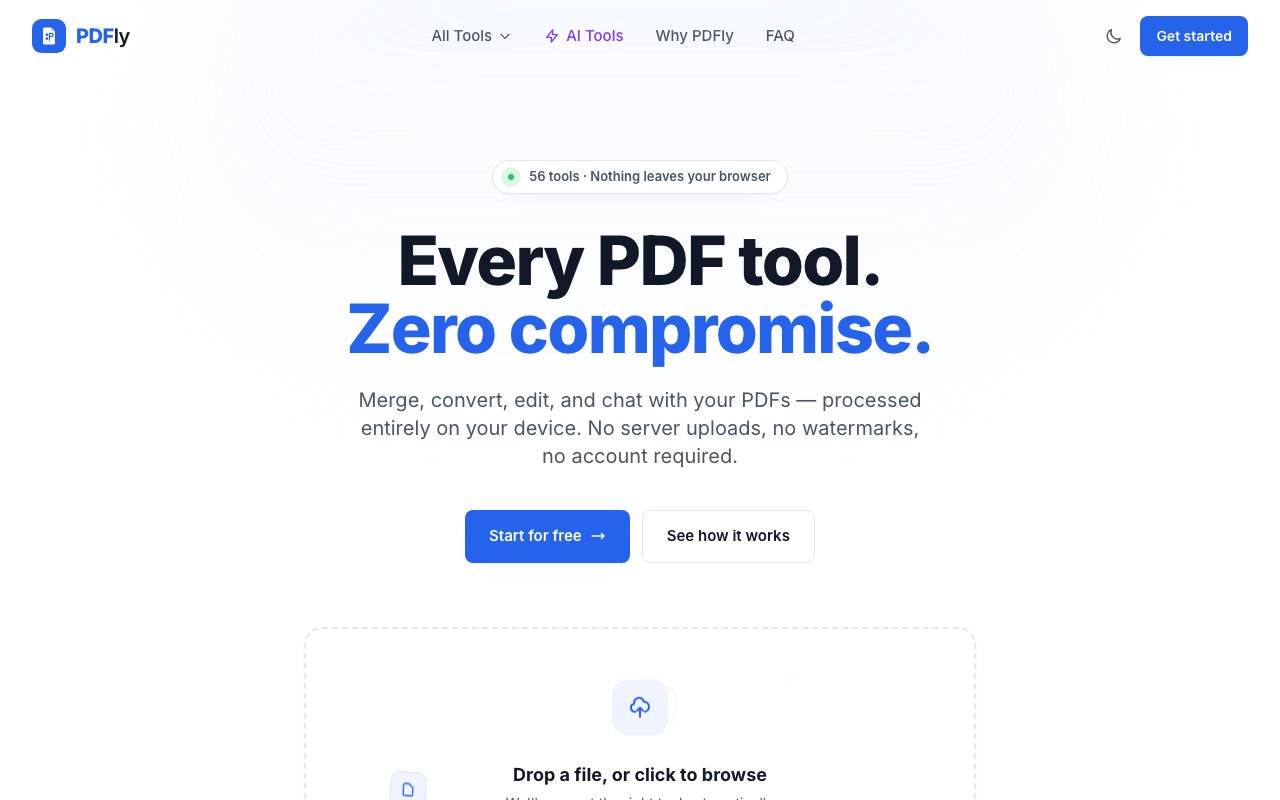
PDFly is a browser-based PDF toolkit that packs 56 tools into a free, privacy-focused platform. The key differentiator is that everything runs locally in your browser using WebAssembly. Files never leave your device because the processing happens on your own hardware, not on a remote server. There are no uploads to worry about, no accounts to create, no watermarks on output, and no hidden fees waiting after a trial period. You load the page, pick a tool, work on your document, and download the result. Most other free PDF tools quietly send your files to their servers for processing, which creates privacy concerns for sensitive documents like contracts, IDs, and legal drafts. PDFly avoids that entirely by keeping everything client-side.
The tool set covers the full range of PDF operations that professionals encounter regularly. On the organization side, you can merge multiple PDFs into a single document, split documents into sections or individual pages, compress file sizes for easier sharing via email or messaging apps, rotate pages to fix orientation issues, and reorder pages within a document. Conversion tools handle transforms between PDF and common formats including Word, Excel, PowerPoint, images like JPG and PNG, HTML, EPUB for ebooks, and plain text. That means you can go from PDF to editable Word document and back without leaving the platform. The format support is broad enough that you won't need to switch to another tool for most conversion tasks.
Editing and annotation features let you add comments for collaboration, highlight text for review and markup, redact sensitive information before sharing documents externally, and insert watermarks for branding or draft marking. Security tools include password protection for restricting access to confidential documents, document signing for adding your signature to contracts and forms without printing them, and the ability to unlock encrypted files when you have the password. The breadth of tools means most common PDF tasks can be handled in one place rather than searching for separate utilities for each operation. You don't need Adobe Acrobat or a paid subscription to do basic PDF work.
Where PDFly gets more interesting is the AI layer. You can chat with documents to ask questions about their content, which is useful for quickly finding specific information in long reports without reading everything. You can generate summaries that condense lengthy documents into key points for faster review, translate text from one language to another, run OCR to extract text from scanned pages and images, and even generate quizzes from document content for educational use. For AI features that require server-side processing, the platform processes only the specific request you make and doesn't retain or use files afterward. These features push it beyond a basic converter into something closer to a document analysis tool, though the depth of the AI features is naturally limited compared to dedicated AI platforms.
Performance claims are strong because of the local processing model. The company reports that most operations finish before a typical page finishes loading, with no upload queue or server round-trip slowing things down. Because you're not waiting behind other people's files in a processing queue, there's no throttling or delays during peak usage times. File size limits are essentially whatever your browser's memory can handle, not artificial caps imposed by the service to manage server costs. The platform has processed over 2.4 million files with a 4.9 out of 5 average rating from users, suggesting the approach works reliably at scale and people appreciate the speed and privacy.
The audience is professionals who handle documents regularly and care about privacy. Paralegals working with confidential case files, architects sharing plans with clients, accountants processing financial statements, students managing coursework, and anyone in a regulated industry where uploading documents to third-party servers creates compliance headaches or audit concerns. Healthcare providers, lawyers, and financial advisors particularly benefit from the local processing model. Because nothing leaves your browser, there's nothing to worry about in terms of data handling policies, server locations, or retention periods. Your documents stay on your machine from start to finish, which simplifies compliance conversations.
PDFly is genuinely free with no hidden costs, trial periods, or signup requirements. That's rare in a space where most PDF tools either watermark output, limit functionality after a few uses, or push you toward subscriptions once you hit a paywall. The tradeoff is that there's no developer API for automation, no team features for collaboration, and no integration options for plugging it into other systems. It's a standalone tool for individual use, not infrastructure for building workflows on top of. The other consideration is that browser-based processing depends on your device's resources, so very large files or intensive operations might strain older machines or those with limited memory. But for typical document work, the local processing model means faster results and zero privacy concerns, which is a strong combination for a completely free tool.
Key Features
- 56 PDF tools in one platform
- Local browser processing via WebAssembly
- Merge, split, compress, and rotate PDFs
- Convert between PDF and Office formats
- AI chat, summarization, and OCR
- Password protection and document signing
Pros & Cons
What we like
- Files never leave your device, ensuring privacy
- Completely free with no watermarks or signups
- Fast processing with no upload queues
- Broad tool coverage from basic editing to AI features
Room for improvement
- No developer API for automation or integrations
- Heavy files may strain older devices
- AI features may be less robust than dedicated tools
- Standalone tool with no workflow embedding options
Frequently Asked Questions
What is PDFly?
Is PDFly really free?
Are my files secure with PDFly?
What formats does PDFly support?
Best For
Featured in
Alternatives to PDFly
View all
CalendHub
Smart scheduling and calendar management for teams
Kevin Gabeci Toolkits
Seven AI toolkits for writing books, making music, cutting video, and building agents.

Confluence
Atlassian's long-running team wiki that anchors many enterprise knowledge stacks
Kibu
Vertical software for disability service providers covering compliance, documentation, and programming
Reviews (0)
Badge builder
Add PDFly to your website
Choose a badge style and size, preview it here, then copy the generated HTML. Badge images are self-contained SVGs and do not require an external script.

<a href="https://toolindex.net/tools/pdfly?ref=badge" target="_blank" rel="noopener">
  <img src="https://toolindex.net/badge/pdfly/medium.svg" alt="PDFly - Listed on Tool Index" width="180" height="50" />
</a>How to use the badge
- 1. Pick the style, size, and theme that fit your layout.
- 2. Copy the generated HTML from the code block.
- 3. Paste it into your footer, homepage, or press page.
Standard badge available
The standard listing badge is available now. Score and circle badges are limited to tools currently ranked in the top 10 of a category.
Badge clicks return visitors to this profile with a referral tag so the source remains identifiable.
Related Tools
Confluence
Atlassian's long-running team wiki that anchors many enterprise knowledge stacks
Asana
Project management for teams that live in projects, tasks and dependencies
Kevin Gabeci Toolkits
Seven AI toolkits for writing books, making music, cutting video, and building agents.

Logseq
An open-source outliner notes app where every bullet is a first-class block
Work on PDFly? Request listing access or correction