
PeerPixel
Discord-first community-powered text-to-image generation with the /imagine command
Gallery
About PeerPixel
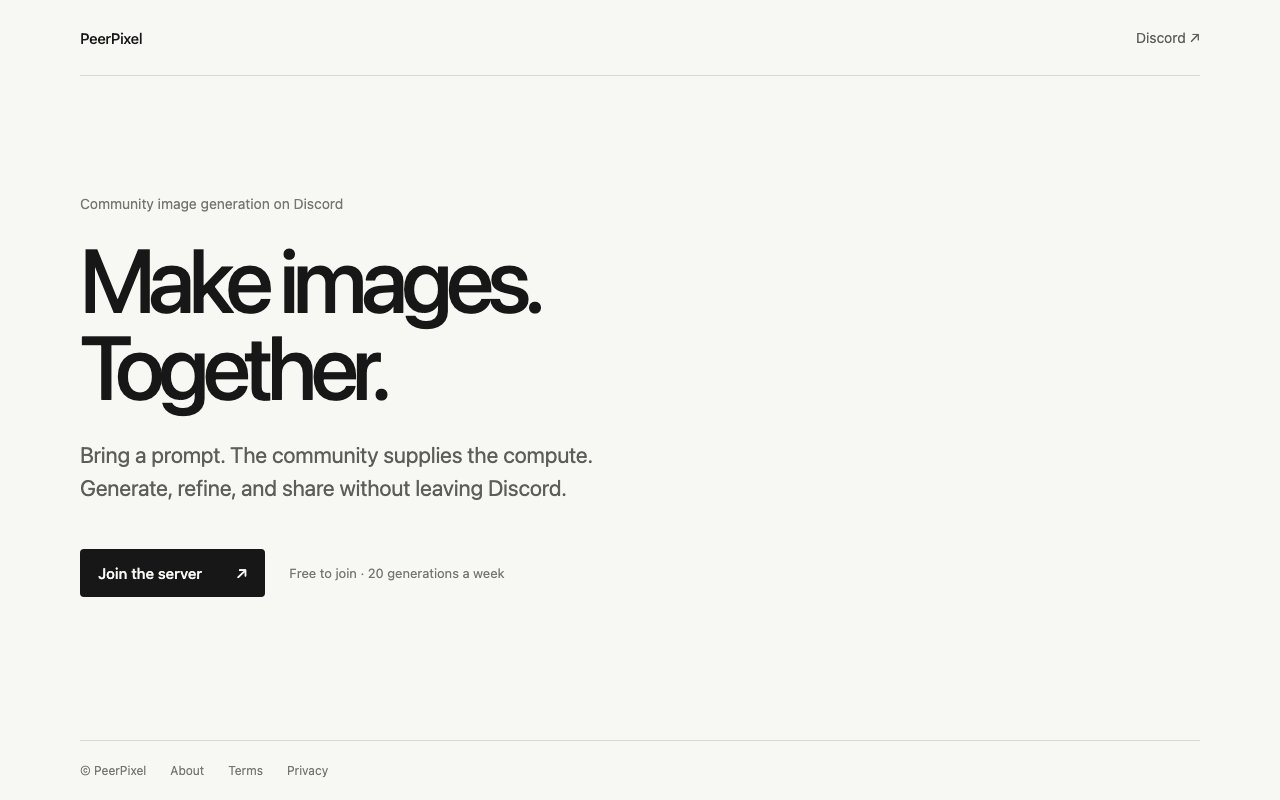
PeerPixel is a text-to-image generation service that lives entirely inside Discord. Instead of visiting a separate website or installing desktop software, you join their Discord server and use the /imagine command to create images from text prompts. The twist is that the computational power comes from the community itself, with members contributing resources to keep the system running. This distributed model means no single company has to foot the entire GPU bill, and the community shares both the costs and the benefits of the infrastructure. It is an unusual approach in a space dominated by well-funded startups running expensive data centers, and it creates a different dynamic between the service and its users.
The service targets Discord users who want to generate AI images without dealing with technical setup, GPU requirements, or managing their own infrastructure. You type a prompt, the system queues your request, and an image comes back. The Discord-native approach means you can share results instantly with others in the server, refine your prompts based on feedback, and build on what other people are creating. For communities that already spend hours in Discord, having image generation built directly into the platform removes the friction of switching between apps. You stay in the conversation, generate an image to illustrate a point or a joke, and move on without losing the thread of whatever else was happening.
Community-powered computing is the distinguishing feature here. Traditional image generation services either charge you directly for GPU time or run massive centralized data centers funded by venture capital. PeerPixel distributes the workload across people who choose to contribute, which keeps costs down and creates a collaborative dynamic where everyone has a stake in the system working well. Contributors get something in return for their resources, though the exact mechanics depend on how the community structures incentives. This model also means that generation speed and availability can vary depending on how many contributors are active at any given time, which is both a feature and a limitation. During busy hours, you might wait longer; during quiet periods, the system might be faster than expected.
The free tier gives you 20 image generations per week, which is enough to experiment with prompts and see what the tool can do. For casual users who want occasional images for social media, memes, or personal projects, that weekly allowance may cover most needs. The service does not currently advertise paid tiers prominently on the main page, so heavy users would need to check with the community for any upgraded options. The emphasis seems to be on accessibility rather than monetization, which makes sense given the community-powered model. If you need more than 20 images a week, you can ask around and see what arrangements exist, but the default offering is genuinely free within its limits.
Getting started requires joining the Discord server, which is a low-friction process if you already use Discord regularly. There is no account creation on a separate website, no billing setup, and no software installation beyond having Discord itself. You show up, type a command, and start generating. This makes PeerPixel one of the easier entry points for people new to AI image generation who want to try things out without commitment or upfront cost. The barrier to entry is essentially knowing how to use Discord, which millions of people already do. If you can type a message, you can generate an image.
The trade-off with a community-powered model is that you depend on volunteers. If the contributor pool shrinks or demand spikes, generation times could slow down or the queue could back up. There is also less control over the underlying model compared to services where you can choose specific versions, fine-tuned checkpoints, or particular styles. For users who need predictable performance, consistent quality, or advanced customization options, a dedicated paid service with guaranteed resources might be a better fit. PeerPixel is optimized for accessibility and community, not for power users with demanding requirements. It is a social experience first and a production tool second.
PeerPixel works best for casual creators, Discord communities that want a built-in image generation tool, and anyone who prefers collaborative environments over solo workflows. The model encourages experimentation and sharing, which can spark ideas you would not have on your own. Seeing what other people prompt and generate provides inspiration and context that isolated tools cannot match. If you are already spending time in Discord anyway, having image generation a slash command away removes a lot of friction and keeps the creative momentum going without context switches. The community aspect turns image generation from a solitary activity into a shared one, and that changes how people use it.
Key Features
- Discord-native /imagine command
- Community-powered computing model
- 20 free generations per week
- Instant sharing within Discord servers
- No software installation required
- Collaborative prompt refinement
Pros & Cons
What we like
- Works entirely inside Discord with no external apps needed
- Free tier covers casual use without requiring payment
- Community model keeps costs low and encourages collaboration
- Easy entry point for people new to AI image generation
Room for improvement
- Generation speed depends on community contributor availability
- Limited customization compared to dedicated paid services
- Weekly generation cap may frustrate heavy users
- Requires joining Discord even if you prefer other platforms
Frequently Asked Questions
What is PeerPixel?
Is PeerPixel free?
How do I start using PeerPixel?
What does community-powered mean?
Best For
Featured in
Alternatives to PeerPixel

HairstylesPro
Try hundreds of hairstyles on your own photo before you commit to a cut

Recraft
AI image generator built around vector output and brand styles

Midjourney
Create stunning AI artwork from text prompts

Leonardo.ai
Image generation suite with fine-tuned models for game and product art
Our take
Tool Index Editorial · Oct 2026· 3.0/5
PeerPixel is a Discord-first text-to-image bot powered by contributed community compute. A request returns four options, after which users can upscale or create related variations. Everyone gets five requests a week, while members of PeerPixel's community server get 20 that can be used in any server.
The setup is simple for groups already living in Discord, and the contribution model gives active supporters bonus generations. That social loop is the product's most interesting part. The public site is extremely spare, however, and does not show model choices, queue performance, moderation controls, output rights, or paid capacity. Community compute can also make availability less predictable. PeerPixel is an appealing free experiment for casual server use, but the site does not establish it as a dependable production image service.
Editorial opinion from the Tool Index team, written from the public product pages. Not a user review.
Reviews (0)
Badge builder
Add PeerPixel to your website
Choose a badge style and size, preview it here, then copy the generated HTML. Badge images are self-contained SVGs and do not require an external script.

<a href="https://toolindex.net/tools/peerpixel?ref=badge" target="_blank" rel="noopener">
  <img src="https://toolindex.net/badge/peerpixel/medium.svg" alt="PeerPixel - Listed on Tool Index" width="180" height="50" />
</a>How to use the badge
- 1. Pick the style, size, and theme that fit your layout.
- 2. Copy the generated HTML from the code block.
- 3. Paste it into your footer, homepage, or press page.
Standard badge available
The standard listing badge is available now. Score and circle badges are limited to tools currently ranked in the top 10 of a category.
Badge clicks return visitors to this profile with a referral tag so the source remains identifiable.
Related Tools
HairstylesPro
Try hundreds of hairstyles on your own photo before you commit to a cut
Recraft
AI image generator built around vector output and brand styles

AIMakeTattoo
Turn text descriptions into visual tattoo concepts with style and placement options
Flux by Black Forest Labs
Open and hosted image models that power half the AI art stack
Work on PeerPixel? Request listing access or correction