
Pipnote
iPhone reminders and sealed notes delivered by animated couriers in the Dynamic Island
Gallery
About Pipnote
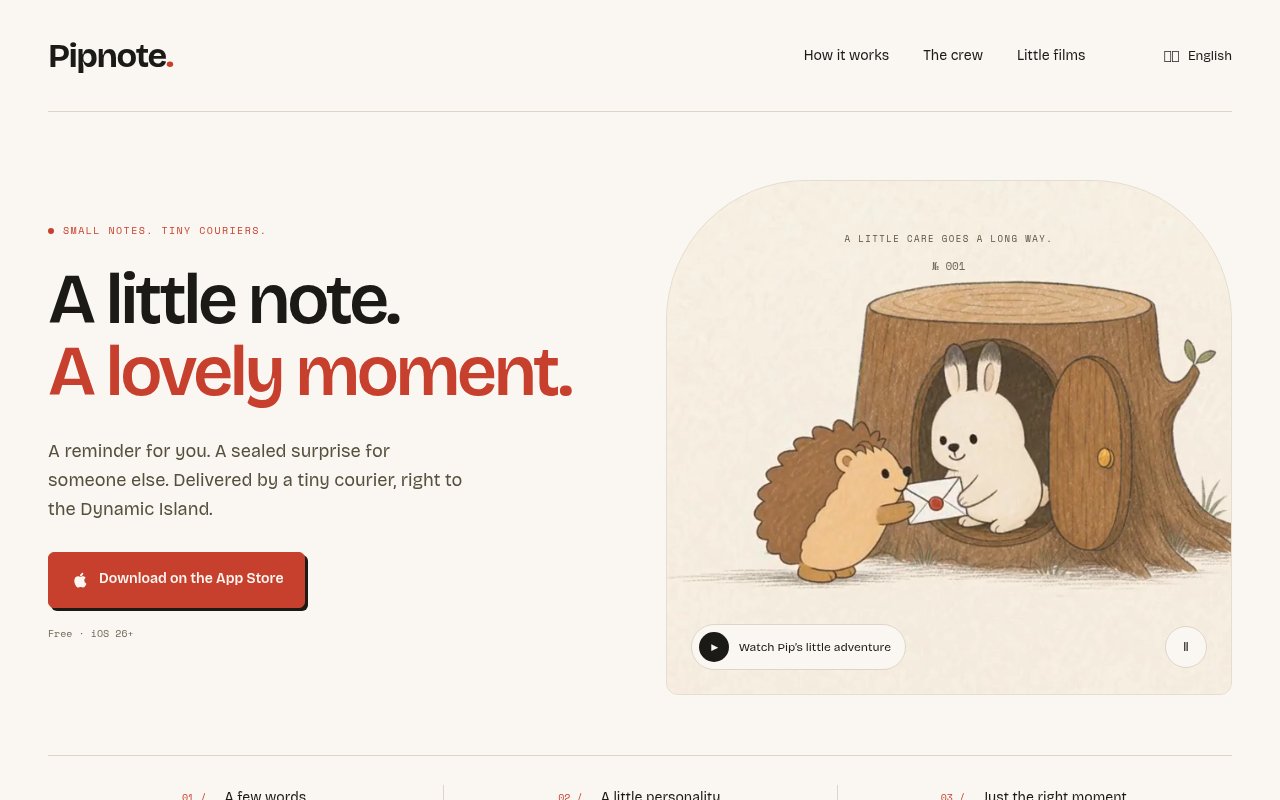
Pipnote is an iPhone app for sending short reminders and sealed notes that arrive at a chosen time, carried by a small animated animal courier that shows up in the Dynamic Island. You write a note of up to 60 characters, pick a courier, set a delivery time, and either keep it for yourself or share a sealed link with someone else. The recipient can see that something is on its way but can't read it until the moment it arrives. The idea it plays with is that reminders and messages are instant and forgettable. Pipnote turns them into a small event.
Notes are short by design, 60 characters and no more. Four couriers are available, Pip, Skye, Ember and Moss, and each one animates the delivery in its own way. When the scheduled moment comes, the reminder appears in the Dynamic Island on iPhones that have one, and on older models it shows as a Live Activity on the Lock Screen instead, so nobody is left out entirely. Sharing works through ordinary messaging apps. You send a sealed link, the recipient opens it, and the note stays sealed until the time you set. Pro adds snooze, repeating reminders and a full archive of everything you've sent.
The link travels through whatever messaging app you already use, and the seal is enforced by the delivery time rather than by trust. That matters for the surprise use case. A birthday message sent the night before can't be peeked at over breakfast, and a good luck note timed for the start of an interview lands exactly then and not when the recipient happens to check their phone.
The Live Activity fallback deserves a mention because it's the difference between a gimmick and an app. The Dynamic Island exists only on the newer iPhones, and an app that only worked there would leave a lot of people out. Pipnote treats the Island as the best case and the Lock Screen Live Activity as the standard case, so a sealed note sent to a friend on an older phone still arrives on schedule and still opens at the right moment.
It's for people who want reminders to feel a bit more human, couples and friends who like sending surprises, parents leaving a note that opens at pickup time, and anyone who enjoys the Dynamic Island as a place for something playful rather than a battery indicator. It's a personal app rather than a team tool, and it's happiest with a nudge, a joke or a good luck message rather than anything that needs a paragraph.
Plenty of apps schedule a message. Pipnote's twist is the seal and the courier. The recipient knows something is coming and has to wait, and the animation makes the arrival a moment rather than one more notification in a stack of fifty. Delivering through the Dynamic Island is native to the newer iPhone hardware, and very few small apps use it as the main stage rather than a status strip. The couriers are more than skins. Each is a character with its own delivery animation, and choosing between Pip, Skye, Ember and Moss is part of composing the message, the way choosing a card is part of sending one. Pro's extra couriers are the main reason to upgrade for people who send a lot, alongside the archive that keeps a full history of what you've sent. Repeating reminders in Pro extend the same idea to routines rather than one-off moments.
Using it takes seconds. Open the app, type the note, choose who carries it and when it lands, and either save it as a reminder or send the sealed link. For yourself, that might be a morning nudge that arrives with a courier rather than a plain bell. For someone else, it might be a note timed to open when their exam ends or their flight lands. The archive in Pro keeps the history so a year of small messages is there to scroll back through. It doesn't try to be a task manager. A reminder that needs context beyond 60 characters belongs in a different app. What it does instead is make a single reminder feel considered, which is a narrow job and one the app takes seriously.
It's iPhone only, with the best experience on models that have a Dynamic Island, and the site lists iOS 26 or later as the requirement. Sixty characters is a hard cap, so it's for nudges and surprises, not letters. The free tier is limited to one courier and three sends a week, and it's a one person indie project, so updates follow one developer's schedule rather than a roadmap.
The free tier includes the Pip courier and three sends per week. Pro unlocks the other couriers, snooze, repeating reminders and the full archive, and it's available monthly, yearly or as a lifetime purchase. Prices aren't listed on the website. It's on the App Store, built by an independent developer, Radomir, who's reachable on X. No support email is published.
Key Features
- Sealed notes that open at a set time
- Dynamic Island delivery animations
- Four animal couriers
- Lock Screen Live Activity fallback
- Share sealed links through any messaging app
- Snooze, repeats and archive in Pro
Pros & Cons
What we like
- Turns a reminder into a small moment
- Works on older iPhones via Live Activities
- Free tier to try it properly
- Lifetime purchase option in Pro
Room for improvement
- iPhone only, iOS 26 or later
- 60 character cap on every note
- Free tier limited to three sends a week
- Solo developer, prices not on the website
Frequently Asked Questions
What is Pipnote?
Is Pipnote free?
Does it work without a Dynamic Island?
Can the recipient open the note early?
Best For
Featured in
Alternatives to Pipnote
View all
CalendHub
Smart scheduling and calendar management for teams
Kevin Gabeci Toolkits
Seven AI toolkits for writing books, making music, cutting video, and building agents.

Eased Into AI
Learn AI from zero. No jargon, no hype, just steps that work.

Fix It Gently
Calm, plain-English fixes for everyday tech problems.
Our take
Tool Index Editorial · Sep 2026· 3.5/5
Pipnote sends a short reminder or sealed note at a chosen time, delivered by an animated courier through the iPhone's Dynamic Island or a Lock Screen Live Activity. We found the concept charming and unusually disciplined. Notes stay capped at 60 characters, sharing uses an ordinary link, and the recipient cannot open the message early. The app is free to try on iOS 26 or later.
Pro costs $2.49 monthly, $12.99 yearly, or $15.99 for lifetime access, adding more couriers and reminder features. This is a delightful fit for small surprises and personal nudges, but it is intentionally not a task manager or messaging system. It is iPhone only, the newest hardware gets the best presentation, and the narrow format may wear thin for users who do not value the animation itself.
Editorial opinion from the Tool Index team, written from the public product pages. Not a user review.
Reviews (0)
Badge builder
Add Pipnote to your website
Choose a badge style and size, preview it here, then copy the generated HTML. Badge images are self-contained SVGs and do not require an external script.

<a href="https://toolindex.net/tools/pipnote?ref=badge" target="_blank" rel="noopener">
  <img src="https://toolindex.net/badge/pipnote/medium.svg" alt="Pipnote - Listed on Tool Index" width="180" height="50" />
</a>How to use the badge
- 1. Pick the style, size, and theme that fit your layout.
- 2. Copy the generated HTML from the code block.
- 3. Paste it into your footer, homepage, or press page.
Standard badge available
The standard listing badge is available now. Score and circle badges are limited to tools currently ranked in the top 10 of a category.
Badge clicks return visitors to this profile with a referral tag so the source remains identifiable.
Related Tools

Confluence
Atlassian's long-running team wiki that anchors many enterprise knowledge stacks
Asana
Project management for teams that live in projects, tasks and dependencies
Kevin Gabeci Toolkits
Seven AI toolkits for writing books, making music, cutting video, and building agents.

Logseq
An open-source outliner notes app where every bullet is a first-class block
Work on Pipnote? Request listing access or correction