
Piqt
An on-device iPhone app that scores your photo library and surfaces the shots worth keeping
Gallery
About Piqt
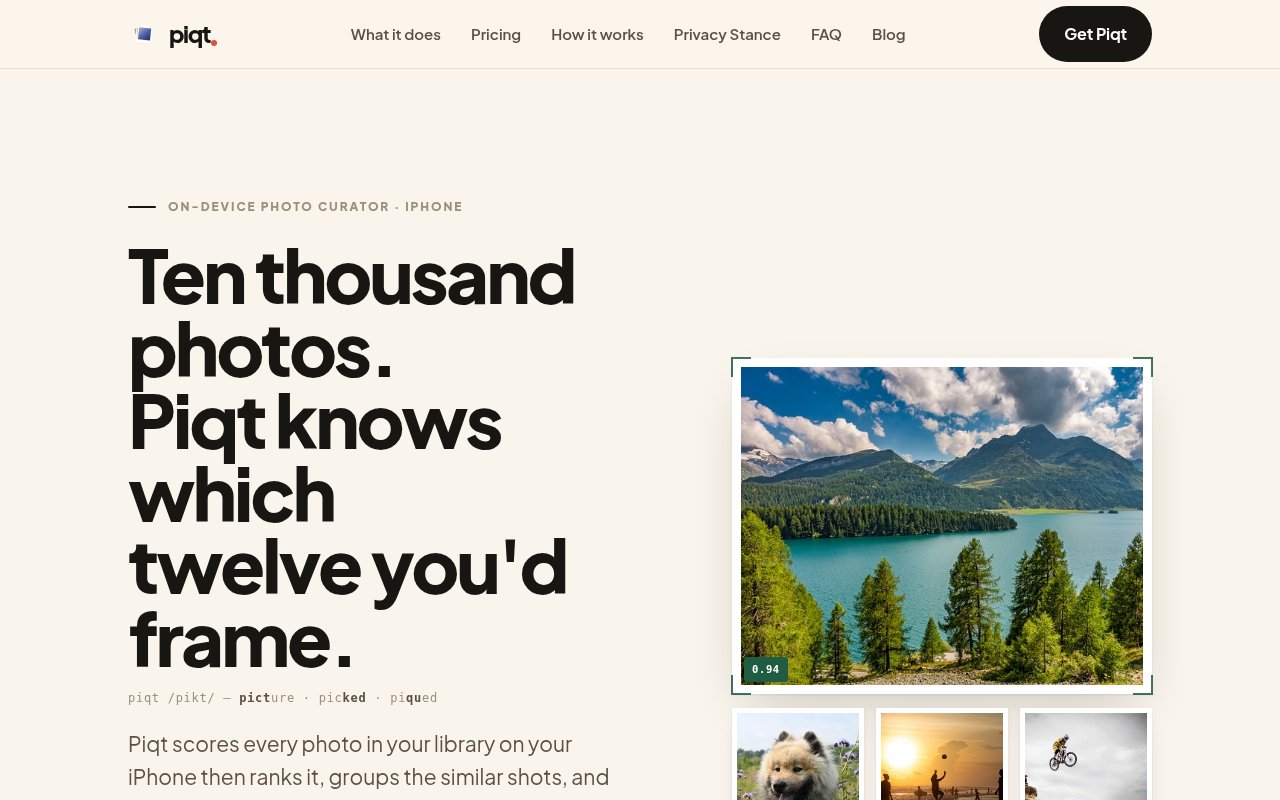
Piqt is an iPhone app that scores every photo in your library and shows you which ones are actually worth keeping. It runs entirely on the device, using Apple's Neural Engine through Core ML and the Vision framework, so nothing is uploaded, there's no account, and your camera roll never leaves your phone. The result is a ranked view of your library that separates the keepers from the near-duplicates, the burst leftovers and the screenshots.
The problem is obvious to anyone with a few years of iPhone photos. Libraries run to tens of thousands of images, most of them variations of the same moment, and the good ones are buried. Cloud services will happily sort them for you, but at the cost of sending your entire personal archive to someone else's servers. Piqt's bet is that the phone is now fast enough to do the judging locally, and that people would rather it did.
Scoring combines five signals into a single rating between zero and one. Apple's own on-device aesthetics score is one input. Technical quality, meaning sharpness and exposure, is another. A NIMA model trained on 255,000 human-rated images provides a learned sense of what people tend to find appealing. Face detection and location rarity round it out, so a sharp portrait from somewhere you rarely go scores differently from a blurry shot of your desk. The weights of all five are adjustable in settings, which matters because taste isn't universal. Beyond scoring, Piqt groups similar shots, flags duplicates and pulls screenshots into searchable collections. The first run is a scan. Piqt works through your library on the Neural Engine and assigns each photo its rating, then sorts everything into three buckets to browse. From there the workflow is review and act. You favourite the keepers, clear the ones you'd never miss, and let the similar-shot groups show you where a burst of twelve can become one. Screenshots collect in their own searchable set, which alone accounts for a surprising share of most libraries.
Deletion is handled cautiously. Piqt never deletes anything on its own. When you clear a photo, it moves into a dedicated To Delete album that Piqt creates in Photos, and you finish the job in Apple Photos when you're ready, with the option to recover anything before that. It's a small design choice that removes most of the anxiety from letting software near your memories. Video gets less attention than photos in the current version. The Plus tier includes trimming videos, and the app is billed as a photo and video curator, but the site says little about how videos are scored, so treat the video side as a bonus rather than the reason to buy. The adjustable weights are the other feature worth exploring early. If you don't care about faces, turn that signal down; if you travel a lot and want the rare places to float up, turn location rarity up. It's for iPhone users with large libraries who want a curated view without handing the archive to a cloud service. Photographers who shoot in bursts will get the most from the similar-shot grouping, and anyone who has ever tried to free up storage will appreciate the duplicate and screenshot handling. Requirements are specific. It's iPhone only and needs iOS 26 or later, with Mac and iPad versions planned but not yet available.
What sets it apart is the combination of transparent scoring and strict privacy. Plenty of apps promise to find your best photos; few tell you what signals they use, let you adjust them, and do the whole thing without a network connection. The lifetime and founders pricing also signals a product that wants to be bought once rather than rented forever, which is rare in this category. Compared with the usual options, the trade is straightforward. Apple Photos handles exact duplicates and surfaces a few highlights, but it doesn't score everything or explain why. Cloud services do a fuller job of curation and ask for your whole archive in return. Piqt gives you the scoring and the grouping on the device, with the signals disclosed and adjustable, and asks only for a subscription or a one-off payment if you want the actions. The cost is device support, since it's iPhone only and needs the latest iOS.
The free tier is generous enough to judge it. Scanning, scoring and browsing your library sorted into three buckets cost nothing. Piqt Plus unlocks the actions, which means favouriting, clearing photos and trimming videos, at $3.99 a month or $29.99 a year with a seven-day trial, or $49.99 for a lifetime licence. A $99.99 Founders edition was offered to the first thousand users. The app is on the App Store, the site has an FAQ and blog, and the team can be reached at hello@piqt.app.
Key Features
- Five-signal photo scoring on the Neural Engine
- Adjustable weights for each scoring signal
- Similar-shot grouping and duplicate detection
- Screenshots sorted into searchable collections
- To Delete album with recovery before removal
- No account, no uploads, no cloud processing
Pros & Cons
What we like
- Everything runs on the phone
- Scoring signals are disclosed and tunable
- Never deletes without you finishing the step
- Lifetime licence available
Room for improvement
- iPhone only, and requires iOS 26 or later
- Actions like clearing photos need the paid tier
- Scoring taste may need tuning to match yours
- Video features are lightly documented
Frequently Asked Questions
What is Piqt?
Is Piqt free?
Does Piqt upload my photos?
Will Piqt delete my photos?
Best For
Featured in
Alternatives to Piqt
View all
PropGPT
iOS app that uses AI to analyze player props, spreads, and bets across major sports leagues

Expo
The React Native framework and cloud build service that ships native iOS and Android apps without touching Xcode.

Glide
No-code platform that turns spreadsheets and databases into mobile and web apps, with computed columns and AI actions.

Fix It Gently
Calm, plain-English fixes for everyday tech problems.
Our take
Tool Index Editorial · Sep 2026· 4.0/5
Piqt is an on device photo curator for iPhone and iPad that scores a library, explains each score, groups near duplicate shots, and organizes screenshots. The current site lists iOS 18 or later and no account requirement. Five disclosed signals contribute to ranking, and users can change their weights and rerank the library without rescanning. Scanning and browsing are free, while actions such as favoriting and clearing require the paid tier.
We like both the privacy model and the cautious deletion flow. Photos never leave the device, and Piqt does not include code that deletes them directly. Instead it prepares a review path that the user finishes in Apple Photos. Taste cannot be reduced to one score, so tuning is likely, and the site says much less about video than photos. It is also confined to Apple devices, but for a large camera roll it offers a rare mix of explainability, safety, and local processing.
Editorial opinion from the Tool Index team, written from the public product pages. Not a user review.
Reviews (0)
Badge builder
Add Piqt to your website
Choose a badge style and size, preview it here, then copy the generated HTML. Badge images are self-contained SVGs and do not require an external script.

<a href="https://toolindex.net/tools/piqt?ref=badge" target="_blank" rel="noopener">
  <img src="https://toolindex.net/badge/piqt/medium.svg" alt="Piqt - Listed on Tool Index" width="180" height="50" />
</a>How to use the badge
- 1. Pick the style, size, and theme that fit your layout.
- 2. Copy the generated HTML from the code block.
- 3. Paste it into your footer, homepage, or press page.
Standard badge available
The standard listing badge is available now. Score and circle badges are limited to tools currently ranked in the top 10 of a category.
Badge clicks return visitors to this profile with a referral tag so the source remains identifiable.
Related Tools

Sleep Suivour
Track your sleep, improve your rest
Glide
No-code platform that turns spreadsheets and databases into mobile and web apps, with computed columns and AI actions.
ProtoPie
High-fidelity prototyping tool that simulates sensor input, IoT triggers, and complex interactions without writing code.

FlutterFlow
Visual builder that compiles to real Flutter source code, producing native iOS, Android, web, and desktop apps from one project.
Work on Piqt? Request listing access or correction