
Gallery
About PodText
Featured in
Alternatives to PodText

LiquidBrain
Dedicated AI supercompute with unlimited tokens, unlimited context, and full data sovereignty
Luma Dream Machine
Fast, photoreal video generation from the team behind Genie 3D
AssemblyAI
Speech-to-text API with diarization, summarization, and LLM features
Kling AI
Kuaishou's video model that punches above its weight on motion
Our take
Tool Index Editorial · Nov 2026· 3.5/5
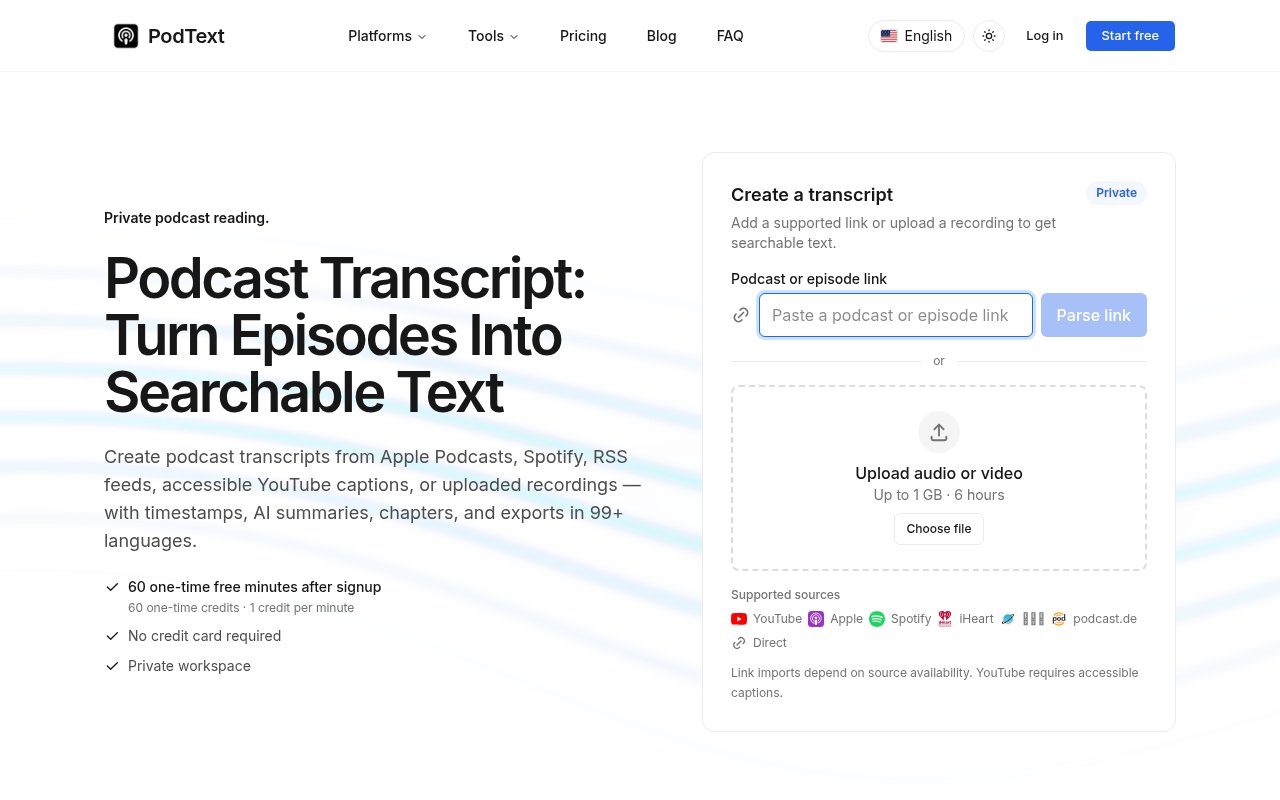
PodText turns podcast links, audio, and video into searchable transcripts with timestamps, chapters, summaries, and exports. It is a good fit for researchers, regular podcast listeners, and creators who need to find or reuse a passage without replaying an entire recording. The site supports several podcast sources, uploads up to 1 GB or six hours, and transcription in more than 99 languages.
A new account gets 60 one-time minutes without a card. Starter costs $19.99 a month for 500 minutes, Pro is $39.99 for 1,500, and Advanced is $99.99 for 5,000. Pay-as-you-go packs cost $10 for 100 minutes or $20 for 250 and do not expire. We like that failed jobs are refunded automatically and that source limits are stated plainly.
Each started minute rounds up, subscription credits reset rather than roll over, and YouTube imports require accessible captions. Paid plans advertise permanent audio storage, which is convenient but deserves a deliberate privacy and deletion check for confidential recordings. PodText has a coherent reading workflow, though the free allowance is a trial rather than an ongoing tier.
Editorial opinion from the Tool Index team, written from the public product pages. Not a user review.
Reviews (0)
Badge builder
Add PodText to your website
Choose a badge style and size, preview it here, then copy the generated HTML. Badge images are self-contained SVGs and do not require an external script.

<a href="https://toolindex.net/tools/podtext?ref=badge" target="_blank" rel="noopener">
  <img src="https://toolindex.net/badge/podtext/medium.svg" alt="PodText - Listed on Tool Index" width="180" height="50" />
</a>How to use the badge
- 1. Pick the style, size, and theme that fit your layout.
- 2. Copy the generated HTML from the code block.
- 3. Paste it into your footer, homepage, or press page.
Standard badge available
The standard listing badge is available now. Score and circle badges are limited to tools currently ranked in the top 10 of a category.
Badge clicks return visitors to this profile with a referral tag so the source remains identifiable.
Related Tools

Apatero AI
The creator studio for AI image, video, audio, 3D, and avatars, now at apatero.ai.
Kevin Gabeci Toolkits
Seven AI toolkits for writing books, making music, cutting video, and building agents.

Warp
The modern terminal reimagined with AI and collaboration

Bolt.new
Prompt-to-deployed full-stack app inside the browser
Work on PodText? Request listing access or correction