
Promptcove
Turn video, audio, or text into a structured prompt for leading AI tools
Gallery
About Promptcove
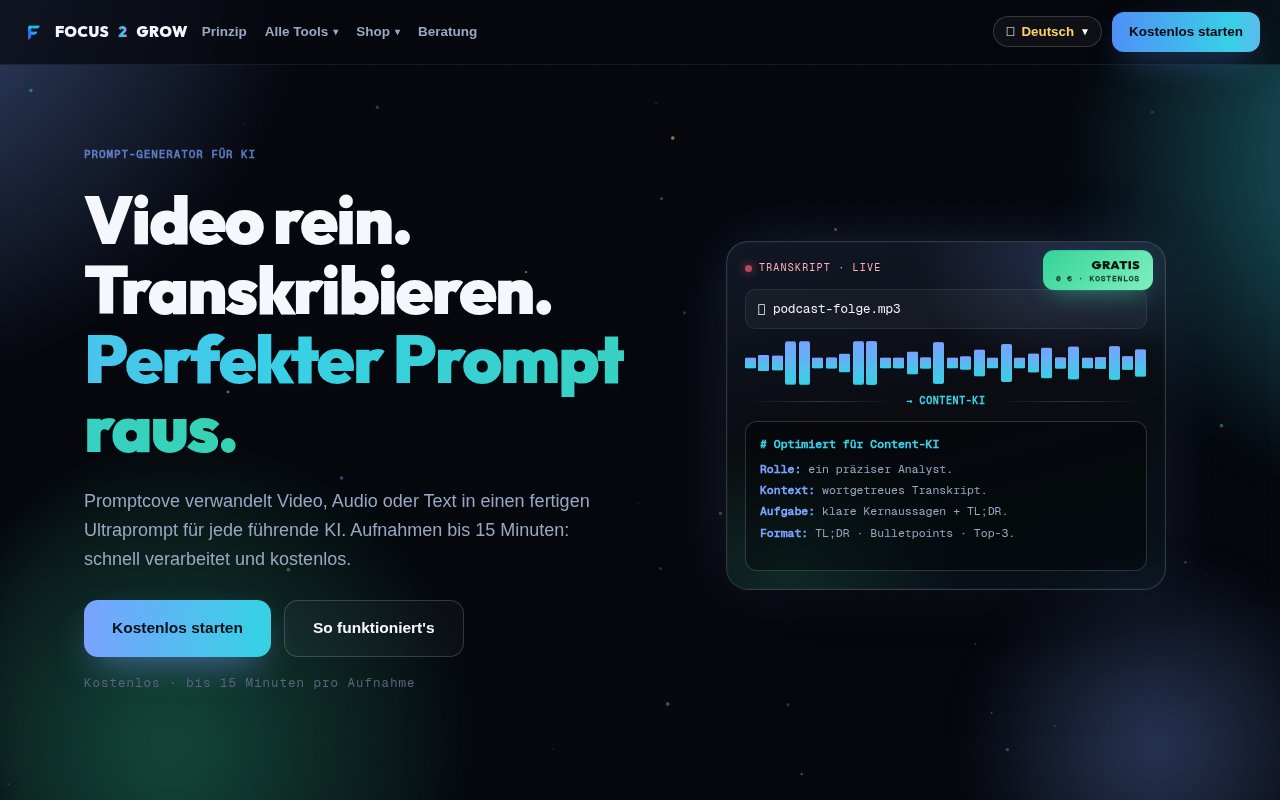
Promptcove is a free prompt generator that turns a video, an audio recording, or pasted text into a structured prompt for an AI assistant. It combines two jobs that are often handled separately. First it transcribes spoken material into clean text. Then it shapes that material into an instruction with a role, goal, context, steps, and output format. The result can be copied into the AI tool the user already prefers. This is useful when the source is a recording but the desired outcome is a summary, script, set of hooks, analysis, list of actions, question and answer document, or rewrite. Recordings can be up to 15 minutes long, which gives the tool a clear place in quick content and knowledge workflows rather than long media archives.
The workflow is deliberately narrow. A user chooses a video or audio file, or pastes text, and Promptcove detects the spoken language automatically when transcription is needed. The user then selects a goal and an AI type. The service builds what it calls an ultra-prompt, which is simply a more complete instruction than a casual request such as asking an assistant to summarize something. Promptcove says it supports five AI types and seven prompt goals. Once the prompt is ready, one click puts it on the clipboard. The final AI response is produced elsewhere, so Promptcove doesn't try to replace a chat assistant or research system. It prepares the source and instruction so that another model has clearer material to work from.
That split makes sense for creators, marketers, researchers, students, and small teams who already have an AI subscription or a favorite general assistant. A creator can turn a spoken draft into a request for social hooks. A meeting participant can convert an audio note into a prompt for extracting decisions and tasks. A researcher can ask for a structured analysis without uploading the original media again. People who know what outcome they want but don't enjoy prompt writing get the most obvious value. It is less relevant for anyone looking for a searchable transcript library, collaborative media workspace, or an AI that delivers the finished article inside the same interface.
Promptcove's practical distinction is that it sends a compact text instruction onward instead of asking the destination model to ingest the whole recording. That can reduce token use and waiting time in tools that charge or meter large media inputs. The prompt structure also encourages the user to state the role, context, task, and expected format, all of which are easy to omit in a quick chat message. Prompts are tailored to the selected AI type, although the public page describes those choices generically rather than naming every supported model. The seven stated goals cover summarization, scripts, hooks, analysis, action items, question and answer output, and rewriting. That is a useful range, but it remains a focused generator rather than an open ended prompt editor with version history or team governance.
The service also makes a specific data handling claim. Recordings are transferred to a server for transcription, processed temporarily, and deleted afterward. The German product page identifies that server location as Germany and the provider as Hetzner. A password based account isn't required, but access still involves receiving a license key by email. That distinction matters for buyers who read the phrase no login as meaning no identity step at all. There is no software to install, and the site says the tool works on laptops, phones, and tablets. Users handling confidential interviews or internal meetings should still review the linked privacy terms before upload, since the recording does leave the device for processing.
Promptcove costs zero euros and the site describes it as a permanently free entry point to the broader Focus2Grow tool collection. There is no paid Promptcove tier shown, no watermark, and no charge for the stated workflow. Common video and audio formats are accepted, although the page doesn't publish a detailed extension list. Pasted text provides another path when transcription isn't necessary, so the tool can also reshape rough written instructions. The main constraints are the 15 minute recording limit, the need to take the generated prompt into another AI product, and a public feature page that refers to broad AI types instead of a detailed model compatibility list. Within those boundaries, it offers a direct route from spoken or rough source material to a reusable, well formed instruction. It's best approached as a lightweight preparation layer for AI work, not as a transcription archive or complete content production suite.
Key Features
- Automatic audio and video transcription
- Seven structured prompt goals
- Five target AI types
- Automatic language detection
- One-click prompt copying
- Temporary recording processing
Pros & Cons
What we like
- Combines transcription and prompt building in one flow
- Costs nothing for recordings up to 15 minutes
- Structures prompts around role, goal, context, and format
- Deletes uploaded recordings after temporary processing
Room for improvement
- Recordings are limited to 15 minutes
- Generated prompts still require a separate AI tool
- Access requires a license key sent by email
- Supported models are described only as AI types
Frequently Asked Questions
What is Promptcove?
Is Promptcove free?
What happens to uploaded recordings?
Does Promptcove produce the final AI answer?
Best For
Featured in
Alternatives to Promptcove

Apatero AI
The creator studio for AI image, video, audio, 3D, and avatars, now at apatero.ai.

SoloDevStack
A solo developer blog built on head-to-head tool comparisons, 580+ posts deep.
Apatero Studio
Creator studio for AI image, video, audio, 3D, and avatars. Every model worth using, in one workspace.

Melodex
Turn your idea into an AI-generated music video
Reviews (0)
Badge builder
Add Promptcove to your website
Choose a badge style and size, preview it here, then copy the generated HTML. Badge images are self-contained SVGs and do not require an external script.

<a href="https://toolindex.net/tools/promptcove?ref=badge" target="_blank" rel="noopener">
  <img src="https://toolindex.net/badge/promptcove/medium.svg" alt="Promptcove - Listed on Tool Index" width="180" height="50" />
</a>How to use the badge
- 1. Pick the style, size, and theme that fit your layout.
- 2. Copy the generated HTML from the code block.
- 3. Paste it into your footer, homepage, or press page.
Standard badge available
The standard listing badge is available now. Score and circle badges are limited to tools currently ranked in the top 10 of a category.
Badge clicks return visitors to this profile with a referral tag so the source remains identifiable.
Related Tools
Apatero AI
The creator studio for AI image, video, audio, 3D, and avatars, now at apatero.ai.
Kevin Gabeci Toolkits
Seven AI toolkits for writing books, making music, cutting video, and building agents.

Warp
The modern terminal reimagined with AI and collaboration

Bolt.new
Prompt-to-deployed full-stack app inside the browser
Work on Promptcove? Request listing access or correction