
Quote Reel for Kindle
Rediscover Kindle highlights and notes in a private, swipeable Android reading feed
Gallery
About Quote Reel for Kindle
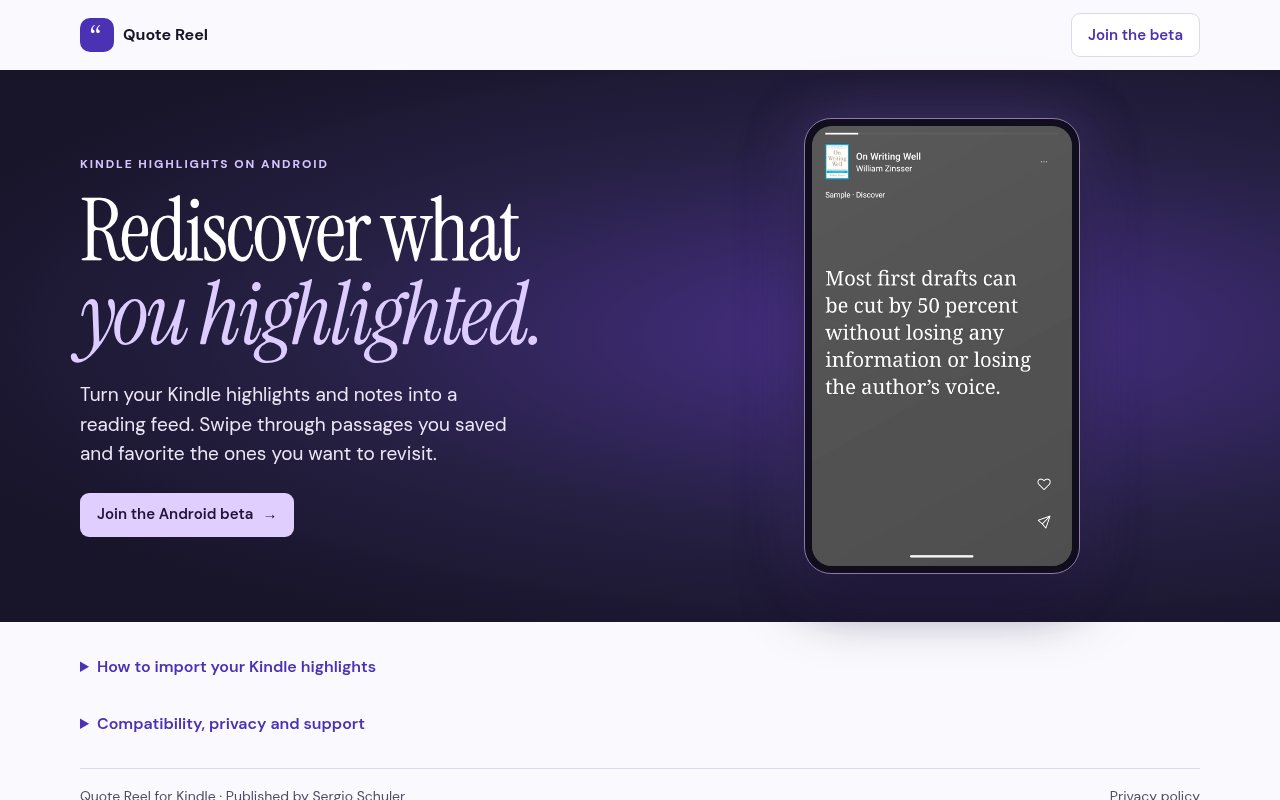
Quote Reel for Kindle is an Android app that turns saved Kindle highlights and notes into a feed for deliberate rereading. It addresses a small but common problem for frequent readers. Marking a passage is easy, but returning to hundreds of saved passages later rarely fits into the normal Kindle reading flow. Quote Reel brings that material forward one item at a time, using a swipeable presentation that feels familiar on a phone without adding an unrelated social feed. Readers can pause on a passage, favorite the ones they want to keep close, or open a book within the app to move through that title's highlights in order. Notes appear beside the highlight when they exist, keeping the reader's own context attached.
Unlike a public feed, every item comes from the reader's own library of saved passages. Swiping moves between highlights, tapping pauses the current item, and choosing a book shifts the experience from discovery to an ordered review of that title. Favoriting lets a reader mark a smaller set worth returning to again. The design does not ask the user to write a new summary or reorganize every note before gaining value. It starts with material that already exists and changes how often that material is likely to be seen.
Import happens directly on the Android phone. The user first syncs the Kindle over Wi-Fi, then signs in to Amazon on Amazon's own page inside Quote Reel. The app reads the highlights and notes available in the Amazon.com online notebook and saves them privately on the device. There is no desktop companion to configure, no browser extension to maintain, and no Google Drive handoff in the current version. Once the import finishes, the saved notebook can be read offline. That keeps the product centered on one job, moving material the reader already created into a format that is easier to revisit during a spare minute.
The refresh behavior is designed to preserve an existing library if Amazon cannot be reached. Readers can request a refresh while using the app, and opening it also triggers a refresh when the previous successful import is more than 24 hours old. The app needs to remain open during that process. If a refresh fails, the highlights already saved on the phone remain unchanged instead of being replaced by a partial result. This matters for a personal archive because reliability is more important than showing an incomplete update. Compatibility is currently limited to Android 9 or later, and access is presented as an Android beta, so iPhone, iPad, desktop, and older Android users are outside its current scope.
Quote Reel fits people who highlight actively but do not maintain a separate note system. It can support a quick review habit after finishing a book, a focused pass through one title, or a quiet alternative to opening a social app. It is not a complete research database or a general annotation platform. Only items visible in Amazon's online notebook can be imported, which means passages from unsupported sources will not appear. Opening a book from Quote Reel also does not jump directly to the original highlighted location in the Kindle app. Readers who need citation management, cross-platform capture, or links back to the exact page will find the current focus deliberately narrower.
Privacy is unusually concrete for such personal material. The imported notebook is stored on the phone for offline use, and the site says highlight and note text is never sent to analytics. Supported builds can collect usage analytics, crash diagnostics, and masked session replays by default, but collection can be turned off in Settings. The product says book details and private reading content are protected in replays. It also has no advertising. People who used an earlier Google Drive based version should note that the browser extension has been retired. Their previous Drive exports remain theirs, but the current app no longer uses those files and instead asks them to sign in to Amazon again.
The product is still early. The site invites readers to join the Android beta, and there is no paid plan, purchase price, or advertising model shown. That makes the current access posture free, though beta availability can be more limited than a normal public store release. The narrow platform support and dependence on Amazon's online notebook are real constraints, but they are paired with a simple setup and a clear promise about local storage. For an Android Kindle reader who wants to see old passages more often, Quote Reel offers a focused way to build that habit without sending the text of the reading archive to a separate note service.
Key Features
- Swipeable Kindle highlight feed
- Direct Amazon notebook import
- Offline on-device reading
- Book-by-book highlight review
- Highlight favorites and attached notes
- Automatic daily notebook refresh
Pros & Cons
What we like
- Makes forgotten highlights easy to revisit
- Stores the imported notebook on the phone
- Needs no desktop extension or Drive workflow
- Failed refreshes preserve the saved library
Room for improvement
- Available only as an Android beta
- Requires Android 9 or later
- Imports only Amazon online notebook content
- Cannot jump to the original Kindle passage
Frequently Asked Questions
What is Quote Reel for Kindle?
Is Quote Reel for Kindle free?
Where does Quote Reel store highlights?
What does Quote Reel require?
Best For
Featured in
Alternatives to Quote Reel for Kindle
View all
PropGPT
iOS app that uses AI to analyze player props, spreads, and bets across major sports leagues

Expo
The React Native framework and cloud build service that ships native iOS and Android apps without touching Xcode.

Glide
No-code platform that turns spreadsheets and databases into mobile and web apps, with computed columns and AI actions.

Fix It Gently
Calm, plain-English fixes for everyday tech problems.
Reviews (0)
No reviews yet
Be the first to share your experience with Quote Reel for Kindle
Sign in to write a reviewBadge builder
Add Quote Reel for Kindle to your website
Choose a badge style and size, preview it here, then copy the generated HTML. Badge images are self-contained SVGs and do not require an external script.

<a href="https://toolindex.net/tools/quote-reel?ref=badge" target="_blank" rel="noopener">
  <img src="https://toolindex.net/badge/quote-reel/medium.svg" alt="Quote Reel for Kindle - Listed on Tool Index" width="180" height="50" />
</a>How to use the badge
- 1. Pick the style, size, and theme that fit your layout.
- 2. Copy the generated HTML from the code block.
- 3. Paste it into your footer, homepage, or press page.
Score badge available
Quote Reel for Kindle qualifies for the score and circle badges based on its current top-10 positionin Mobile.
Badge clicks return visitors to this profile with a referral tag so the source remains identifiable.
Related Tools

Sleep Suivour
Track your sleep, improve your rest
Glide
No-code platform that turns spreadsheets and databases into mobile and web apps, with computed columns and AI actions.
ProtoPie
High-fidelity prototyping tool that simulates sensor input, IoT triggers, and complex interactions without writing code.

FlutterFlow
Visual builder that compiles to real Flutter source code, producing native iOS, Android, web, and desktop apps from one project.
Work on Quote Reel for Kindle? Request listing access or correction