
Recurse
Build, host, and publish specialist agent applications through MCP
Gallery
About Recurse
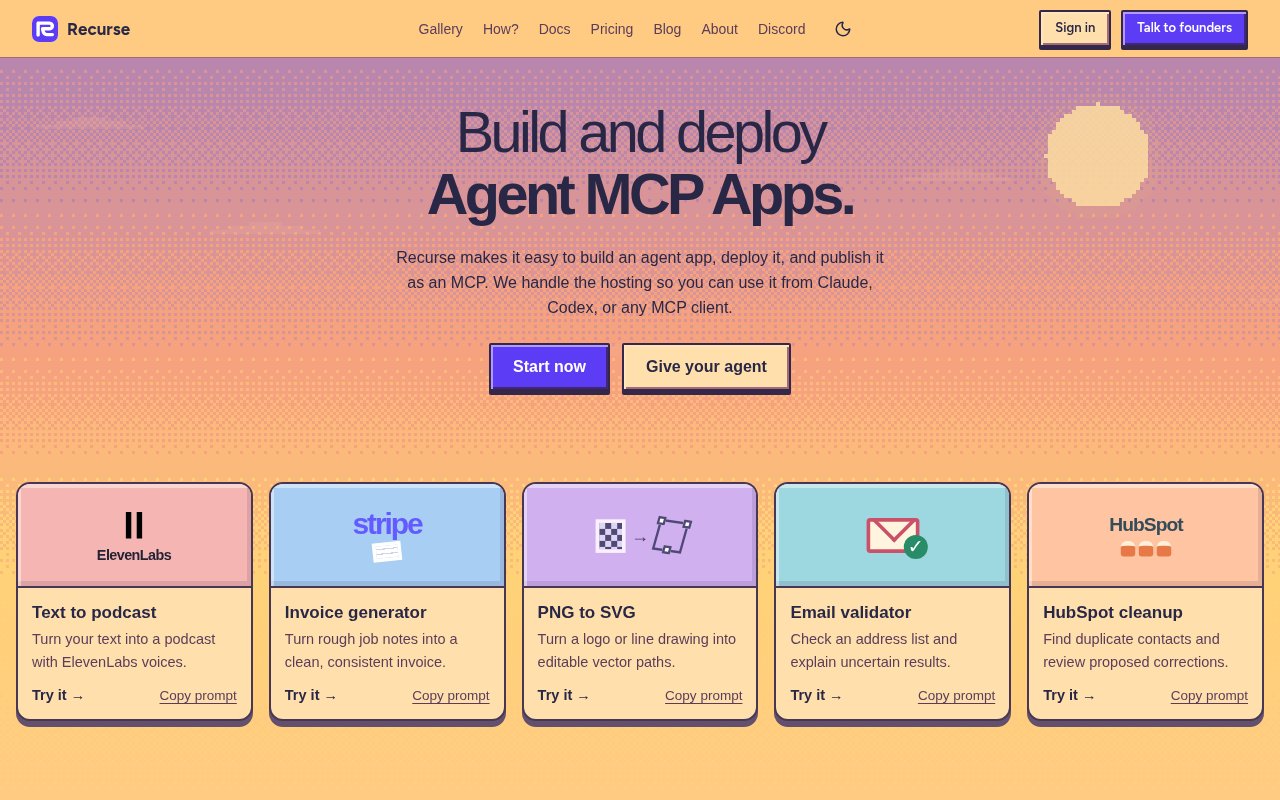
Recurse is a platform for building, testing, hosting, and publishing specialist agent applications. A developer can create an app for one focused job, deploy it, and expose it through MCP so it can be used from Claude, Codex, or another compatible client. Recurse handles the hosted execution rather than asking every builder to create a separate service around a prompt and a few tools. The examples on its site make the scope concrete. They include turning text into a podcast with ElevenLabs voices, creating an invoice from rough job notes, converting a PNG image into editable vector paths, validating an email list, and reviewing duplicate HubSpot contacts before corrections are made.
The starting point can be a coding agent or Recurse's command line tools. Its setup prompt tells a coding agent to prepare Recurse for a project, while the direct CLI path installs the Python SDK and works from an agent project on disk. The sample project shown on the site contains an agent configuration file, a prompt, Python tools, project metadata, and a dependency lock file. That shape keeps the specialist's instructions and executable capabilities together in a normal project rather than hiding the whole application inside a hosted chat interface. A developer can read and change those files, use source control around them, and ask a coding agent to help assemble the first version.
Testing happens before deployment through a run command that accepts sample input. Recurse encourages builders to choose a result they can actually inspect instead of treating any fluent response as success. Its image optimizer example has a measurable goal, finding the smallest image that still meets a chosen quality target. The builder downloads the example project, runs it, and checks whether the smaller result still looks good. The same pattern applies to a generated invoice, a converted logo, or a cleaned contact list. A narrow app with clear input and review criteria is therefore a stronger fit than an open-ended assistant whose quality can't be checked in a repeatable way.
When the project is ready, the deployment command publishes it as an MCP app on Recurse's hosted infrastructure. The site says Recurse handles hosting and makes the agent available to MCP clients, while command options let the builder choose more CPU or memory when an application needs it. That creates one path from editable local project to reusable hosted capability. A team can build the specialist once and call it from the agent environments it already uses instead of repeating the same long instructions in every conversation. It also means deployment depends on Recurse's runtime, so teams with strict self-hosting requirements should confirm that the hosted model fits their policies.
Specialists often need credentials for other services, and Recurse includes a secret workflow for that case. A developer saves a key through a hidden prompt, then attaches the saved value to a deployment under an environment variable name. Recurse loads it when the app's tools run, so the key doesn't have to appear inside the prompt or project files. The homepage shows a wide set of services that an app may connect to, including GitHub, Slack, Stripe, Notion, Shopify, HubSpot, Gmail, Google Drive, Linear, Airtable, databases, monitoring services, and messaging tools. Those logos describe the possible tool ecosystem, while each app's Python code still determines what is actually connected and allowed.
Recurse is best suited to developers and technical teams that already use coding agents and want to turn a repeatable capability into a shared MCP tool. It joins several normally separate steps in one workflow, covering project creation, sample runs, deployment, secrets, and hosted execution. The tradeoff is that the quick path is still developer oriented. It assumes comfort with Python packages, a command line, project files, API keys, and resource settings. The supported model list on the pricing section is also specific rather than open ended. Buyers should check that the available models, MCP clients, and external services match the intended workflow before making an agent app part of a production process.
Pricing is based on usage. Recurse states that there is no subscription and no charge while an app is idle. Model calls use the provider's token cost without a Recurse markup, and secure serverless execution is billed at $0.013 per active minute. The site also notes that non-preemptible direct runs carry three times the normal CPU and memory charges, while model calls and other charges keep their normal rates. That approach can be efficient for specialists that run occasionally and finish quickly, but the final cost still depends on active execution time, model usage, selected resources, and any connected third-party service. A representative test run is the sensible way to estimate spend before wider deployment.
Key Features
- Coding agent project setup
- Hosted MCP deployment
- Local sample runs
- Managed runtime secrets
- Python tool projects
- Usage-based serverless execution
Pros & Cons
What we like
- Publishes specialists as reusable MCP tools
- Handles hosting and execution infrastructure
- Keeps saved credentials outside project files
- Charges only for active usage
Room for improvement
- Requires Python and command-line setup
- Hosted deployment depends on Recurse
- Supported model choices are specific
- Direct runs can cost more compute
Frequently Asked Questions
What is Recurse?
How does Recurse deploy an agent?
Can Recurse agents use private API keys?
How much does Recurse cost?
Best For
Featured in
Alternatives to Recurse
Rememori
Embedded memory engine for AI agents in TypeScript with zero dependencies

Almanac
A hosted, source-cited wiki that turns your files into context your AI agents can use

Lindy
No-code AI agents that handle email, meetings, and recurring workflows
Vapi
Build voice AI agents that take and place phone calls
Our take
Tool Index Editorial · Oct 2026· 3.5/5
Recurse packages focused Python agents as hosted MCP tools that can be called from Codex, Claude, or another compatible client. Its strongest idea is the complete path from local project and sample run to deployment, secrets, hosted execution, and inspectable results. The site says there is no subscription or idle charge, with costs tied to model calls and active serverless execution.
We think it fits technical teams with measurable tasks, such as artifact optimization or data cleanup, much better than vague general assistants. The tradeoff is dependence on Recurse's hosted runtime and a workflow that assumes Python, command line tools, credentials, and resource choices. Production buyers should test a representative run before estimating cost or reliability.
Editorial opinion from the Tool Index team, written from the public product pages. Not a user review.
Reviews (0)
Badge builder
Add Recurse to your website
Choose a badge style and size, preview it here, then copy the generated HTML. Badge images are self-contained SVGs and do not require an external script.

<a href="https://toolindex.net/tools/recurse?ref=badge" target="_blank" rel="noopener">
  <img src="https://toolindex.net/badge/recurse/medium.svg" alt="Recurse - Listed on Tool Index" width="180" height="50" />
</a>How to use the badge
- 1. Pick the style, size, and theme that fit your layout.
- 2. Copy the generated HTML from the code block.
- 3. Paste it into your footer, homepage, or press page.
Standard badge available
The standard listing badge is available now. Score and circle badges are limited to tools currently ranked in the top 10 of a category.
Badge clicks return visitors to this profile with a referral tag so the source remains identifiable.
Related Tools

OpenBenchmarks
Public, externally validated benchmarks that help agents pick SaaS APIs
Almanac
A hosted, source-cited wiki that turns your files into context your AI agents can use

Wizard
Self-extending Rust terminal AI agent that works with any model

Chariot
Elastic cloud infrastructure for deploying and scaling AI agent fleets with persistent storage
Work on Recurse? Request listing access or correction