
ReDiagram
Replace one flawed element in an AI image while preserving the rest of the composition
Gallery
About ReDiagram
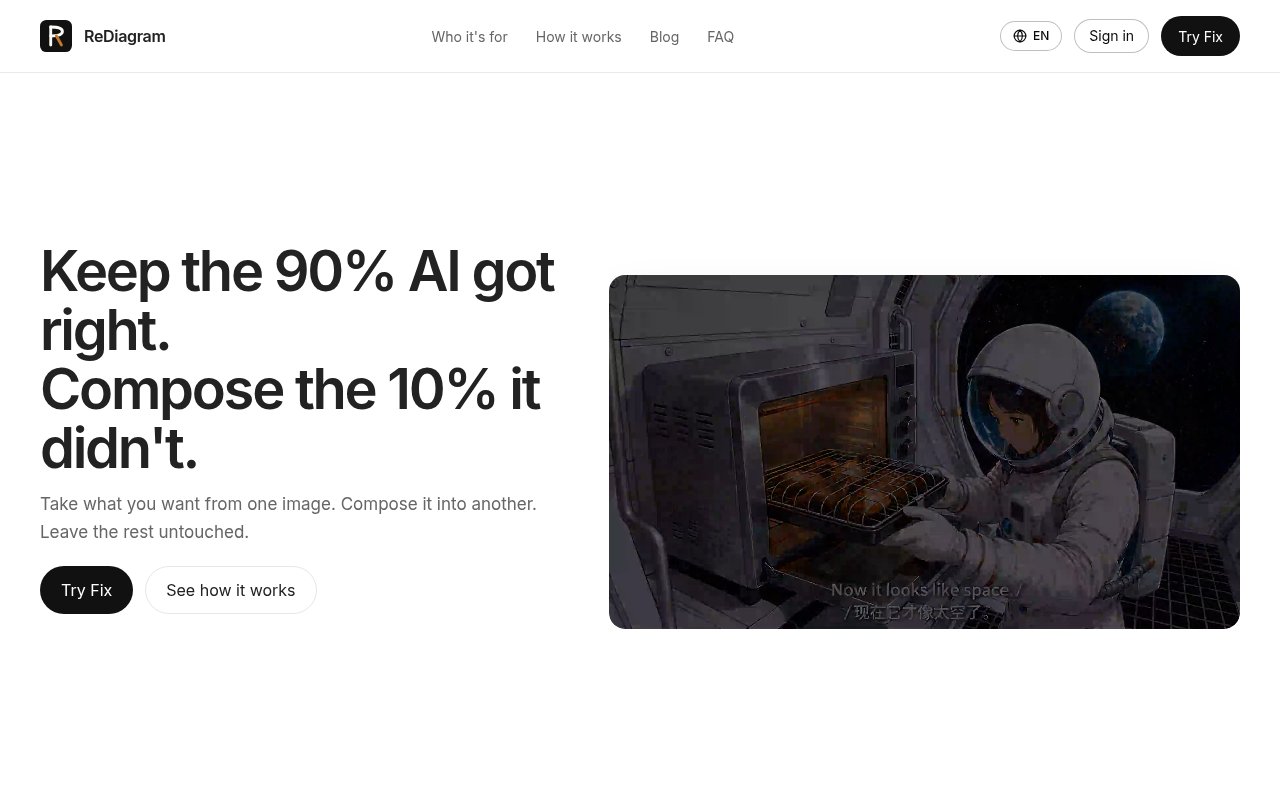
ReDiagram is a focused AI image editing product for repairing one part of an existing visual without regenerating the whole scene. Its live tool, ReDiagram Fix, takes the element a user wants from one reference image and composes it into a marked area of the main image. The pitch is built around a familiar problem with generated artwork. A picture may have the right composition, lighting, characters, and mood, while one hand, prop, building, expression, or factual detail makes it unusable. Starting again risks losing everything that already worked. ReDiagram instead treats that local error as a replacement job.
The workflow uses two images. The user uploads the main picture that needs correction and a patch image containing the desired element. The patch can be another generated image, a photograph, or other available visual material. The user marks the region to replace in the main image, then marks the element to borrow from the reference. ReDiagram handles the composite and says it aligns style, lighting, and edges automatically. The intended result keeps the surrounding composition in place while changing only the selected area. Access to the editor requires signing in through Google or GitHub, and the workspace keeps previous fixes and history.
This reference based process is useful when a text prompt is too ambiguous for the correction. Instead of describing an exact object and hoping a generative fill invents the right version, the user points to the version that should be used. A correct grip can come from a photograph, a consistent prop can come from another comic panel, and a historically appropriate building can come from a separate reference. The main image supplies the visual setting while the patch supplies the concrete detail. That division is what makes ReDiagram more specific than a general image generator or a broad photo editor with dozens of unrelated controls.
The official examples focus on publication work. Picture book artists can correct an exposed area, malformed hand, or unsuitable prop without changing the entire spread. Comic creators can make a weapon, object, pose, or expression consistent across panels while preserving the panel layout and established art style. Educators can replace an inaccurate piece of anatomy, machinery, a molecular model, a map element, or an architectural feature with a more authoritative reference. Publishers and creators preparing work for public release can repair the detail that would otherwise fail review while keeping the approved parts of the visual intact.
The approach also sets practical expectations. A strong patch is easier when the reference element is clear, detailed, and reasonably compatible with the target position. Official product material notes that compositing becomes more difficult when object orientation or scale is badly mismatched, when lighting directions are opposite, or when the reference is tiny or low detail. Complex boundaries and faces require careful inspection. Automatic edge, color, and lighting adaptation can reduce visible seams, but it cannot make every unrelated pair of images equally easy to combine. Users still need the right to use the main image and reference material they upload.
ReDiagram is narrow by design. It is not currently the text to diagram generator suggested by the older `rediagram.app` path, and it is not a conventional vector diagram editor. The current company site describes Fix as an image compositing tool and says a separate ReDiagram Vector product for professional designers is still coming. There is no public evidence of team review features, layered manual editing, batch processing, plug-ins, or a developer API on the current product pages. Someone looking for flowcharts, architecture maps, or a replacement for a full image editor will need a different product. The fit here is a creator who already has both a mostly correct image and a specific reference patch.
The company invites users to try Fix for free, but its public pages do not expose full prices, credit allowances, or subscription terms before account sign in. The catalog classification is therefore paid, since only a free try is publicly confirmed rather than a continuing free tier. That access posture is less transparent than products with a complete pricing page, and buyers should review the terms shown inside the authenticated workspace before committing. The product itself is clear about the job it performs. It preserves the useful majority of a generated visual and gives the creator a controlled way to replace the part that failed.
Key Features
- Reference based element replacement
- Marked target and patch regions
- Automatic style and lighting adaptation
- Localized composition preservation
- Google and GitHub sign in
- Workspace fix history
Pros & Cons
What we like
- Repairs one detail without rerolling the full image
- Uses a concrete visual reference instead of text alone
- Targets illustration and publication correction workflows
- Accepts photos or generated images as patches
Room for improvement
- Public pricing and credit details are not shown
- Requires an account before opening the editor
- Difficult lighting or geometry can weaken composites
- Upcoming vector tools are not available yet
Frequently Asked Questions
What is ReDiagram?
How does ReDiagram Fix work?
Is ReDiagram a diagram generator?
Can ReDiagram be tried for free?
Best For
Featured in
Alternatives to ReDiagram
View all
HairstylesPro
Try hundreds of hairstyles on your own photo before you commit to a cut

Recraft
AI image generator built around vector output and brand styles

Midjourney
Create stunning AI artwork from text prompts

Leonardo.ai
Image generation suite with fine-tuned models for game and product art
Our take
Tool Index Editorial · Sep 2026· 3.0/5
ReDiagram repairs one selected element in an existing AI image by borrowing a marked element from a second reference image. It is for illustrators, comic makers, educators, and publishers who have a mostly usable image with one bad hand, prop, building, or factual detail. We found a clear three-step workflow and concrete examples that explain the narrow job well. The public pages invite users to try Fix, but they don't disclose prices or credit allowances before sign-in.
Reference-based replacement is a sensible answer when another text prompt would risk changing the whole composition. The limitation is that the site mostly shows curated examples and promises automatic alignment of style, lighting, and edges. Difficult faces, mismatched angles, and conflicting light still need close review. It also requires an account, and the announced vector product is not available yet, so this shouldn't be mistaken for a general diagram or image editor.
Editorial opinion from the Tool Index team, written from the public product pages. Not a user review.
Reviews (0)
Badge builder
Add ReDiagram to your website
Choose a badge style and size, preview it here, then copy the generated HTML. Badge images are self-contained SVGs and do not require an external script.

<a href="https://toolindex.net/tools/rediagram?ref=badge" target="_blank" rel="noopener">
  <img src="https://toolindex.net/badge/rediagram/medium.svg" alt="ReDiagram - Listed on Tool Index" width="180" height="50" />
</a>How to use the badge
- 1. Pick the style, size, and theme that fit your layout.
- 2. Copy the generated HTML from the code block.
- 3. Paste it into your footer, homepage, or press page.
Standard badge available
The standard listing badge is available now. Score and circle badges are limited to tools currently ranked in the top 10 of a category.
Badge clicks return visitors to this profile with a referral tag so the source remains identifiable.
Related Tools
HairstylesPro
Try hundreds of hairstyles on your own photo before you commit to a cut
Recraft
AI image generator built around vector output and brand styles

AIMakeTattoo
Turn text descriptions into visual tattoo concepts with style and placement options
Flux by Black Forest Labs
Open and hosted image models that power half the AI art stack
Work on ReDiagram? Request listing access or correction