
Rename.Tools
Rename large batches of local files with rule chains, previews, and conflict checks
Gallery
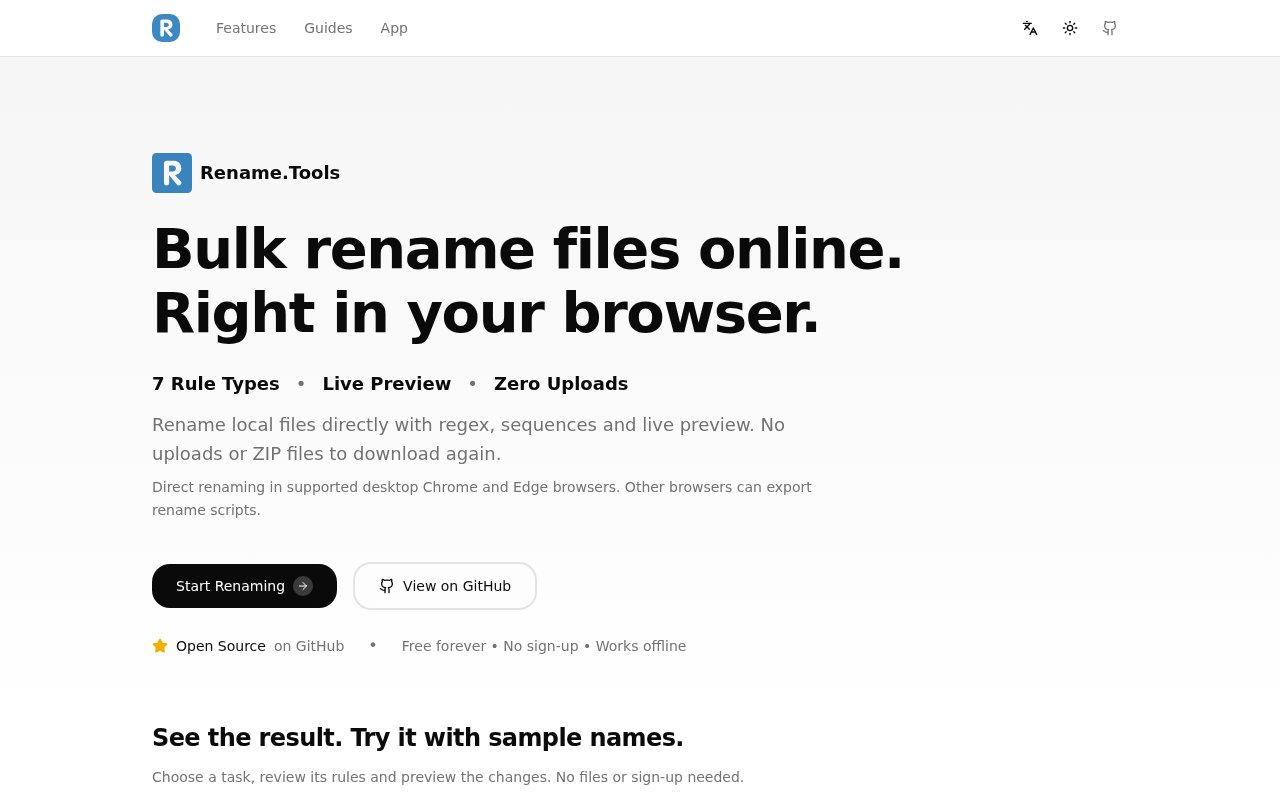
About Rename.Tools
Rename.Tools is a free, open-source bulk file renamer that runs in a web browser. It lets someone import local files or folders, build a sequence of naming rules, preview every proposed result, and apply the changes directly on the device. The tool is meant for the point where renaming files one by one becomes slow and error prone, but writing a shell script still feels excessive. Photo sets, media libraries, document archives, and code projects can all go through the same visual workflow. There is no account, trial, or premium tier, and the app can work offline after it has loaded.
The rule builder has seven transformation types that can be combined in any order. Find and replace handles ordinary text, position based changes, case sensitivity, and first or all matches. Insert rules add text or dynamic values such as dates, folder names, sequence numbers, and supported metadata. Sequence rules cover numeric, alphabetic, and Roman numeral patterns with configurable starting values, padding, steps, sorting, and scope. Case conversion moves names between uppercase, lowercase, title styles, camelCase, PascalCase, kebab-case, and snake_case. More complex jobs can use regular expressions with capture groups, removal rules, or a custom JavaScript function.
Every change appears in a live before and after preview as rules are edited. Conflict detection flags cases where two files would receive the same name, helping users avoid accidental overwrites before they execute a batch. Filters can narrow the table to changed files or conflicts, and rules can target the base name, extension, or full filename. Undo and redo cover the editing workflow and completed rename operations. Users who prefer a command line or need to work on another system can export an operation as Bash, PowerShell, or CSV, including undo scripts. This makes the visual builder useful even when the final rename won't happen in the current browser.
Reusable templates and presets reduce setup for common jobs. Built-in templates cover tasks such as removing bracketed text, adding a date prefix, cleaning downloaded names, formatting television episodes, and converting code filenames to another convention. Personal rule chains can be saved, tagged, exported as JSON, shared through a URL, and imported by another user. Rename.Tools can also read EXIF fields from photos and tags from audio, then use those values in a name. An optional TMDb lookup helps match television files with show and episode information. The site is translated into several languages, which is useful for a utility likely to be shared across mixed teams.
Large and mixed batches get more control than a simple search and replace utility can provide. Files can be filtered by name, extension, size, or modification date, with multiple conditions joined together. Natural sorting keeps numbered names in the expected order before a sequence rule runs. Numbering can restart for each folder, extension, or category, while hierarchical patterns handle nested folders. A scope control protects extensions when only base names should change. Custom JavaScript receives the filename, extension, index, size, and modification time in a sandboxed editor, and included examples give technical users a starting point without forcing everyone into code.
Privacy is one of its strongest practical advantages. File renaming, filename analysis, metadata extraction, and previews run as client-side JavaScript, and the files aren't uploaded for processing. Optional TMDb searches send relevant search terms and a configured credential directly to TMDb. The website itself uses analytics services for traffic and performance measurement, but its privacy policy separates that visit data from local file operations and says imported file lists and file contents aren't included. Saved presets, theme and language choices, and an optional TMDb credential can remain in browser storage, so users should still manage browser data on shared machines.
Rename.Tools works best in Chromium based desktop browsers such as Chrome, Edge, Brave, and Arc because direct renaming relies on the File System Access API. Firefox and Safari users can try sample data and export scripts, but they can't apply direct file renames from the page. That browser difference is the main constraint to understand before building a large rule chain. The project is free forever under the AGPL 3.0 license, and its public source repository includes local development instructions. For anyone who wants transparent batch renaming without uploading private filenames or learning a dedicated desktop app, it offers a capable middle ground between manual edits and custom scripts.
Key Features
- Seven composable rename rules
- Live before and after preview
- Duplicate filename conflict detection
- Local browser based processing
- Metadata aware naming templates
- Shell and CSV export
Pros & Cons
What we like
- Processes files locally without uploading them
- Handles simple rules and advanced regular expressions
- Shows conflicts before a rename is applied
- Free source code is publicly available
Room for improvement
- Direct renaming requires a Chromium based browser
- Firefox and Safari are limited to script export
- Custom JavaScript rules assume technical comfort
- Optional media lookup sends search terms to TMDb
Frequently Asked Questions
What is Rename.Tools?
Is Rename.Tools free and open source?
Does Rename.Tools upload my files?
Which browsers support direct renaming?
Best For
Featured in
Alternatives to Rename.Tools

CalendHub
Smart scheduling and calendar management for teams
Kevin Gabeci Toolkits
Seven AI toolkits for writing books, making music, cutting video, and building agents.

Eased Into AI
Learn AI from zero. No jargon, no hype, just steps that work.

Fix It Gently
Calm, plain-English fixes for everyday tech problems.
Our take
Tool Index Editorial · Oct 2026· 4.0/5
Rename.Tools is a capable bulk file renamer that builds rule chains in the browser and previews every result before changing local files. We found the combination of regular expressions, sequences, metadata, case conversion, conflict detection, reusable presets, and undo unusually complete for a free utility. Local processing also avoids uploading private filenames and media.
The project is free and open source with no signup, and it can work offline after loading. Direct renaming depends on the File System Access API, so desktop Chrome, Edge, and similar browsers get the full experience while Firefox and Safari users must export a script. That browser limit is real, but transparent previews and conflict checks make this a strong middle ground between manual renaming and custom code.
Editorial opinion from the Tool Index team, written from the public product pages. Not a user review.
Reviews (0)
Badge builder
Add Rename.Tools to your website
Choose a badge style and size, preview it here, then copy the generated HTML. Badge images are self-contained SVGs and do not require an external script.

<a href="https://toolindex.net/tools/rename-tools?ref=badge" target="_blank" rel="noopener">
  <img src="https://toolindex.net/badge/rename-tools/medium.svg" alt="Rename.Tools - Listed on Tool Index" width="180" height="50" />
</a>How to use the badge
- 1. Pick the style, size, and theme that fit your layout.
- 2. Copy the generated HTML from the code block.
- 3. Paste it into your footer, homepage, or press page.
Standard badge available
The standard listing badge is available now. Score and circle badges are limited to tools currently ranked in the top 10 of a category.
Badge clicks return visitors to this profile with a referral tag so the source remains identifiable.
Related Tools

Confluence
Atlassian's long-running team wiki that anchors many enterprise knowledge stacks
Asana
Project management for teams that live in projects, tasks and dependencies
Kevin Gabeci Toolkits
Seven AI toolkits for writing books, making music, cutting video, and building agents.

Logseq
An open-source outliner notes app where every bullet is a first-class block
Work on Rename.Tools? Request listing access or correction