
rootmode
Use and serve AI models through an open peer-to-peer network
Gallery
About rootmode
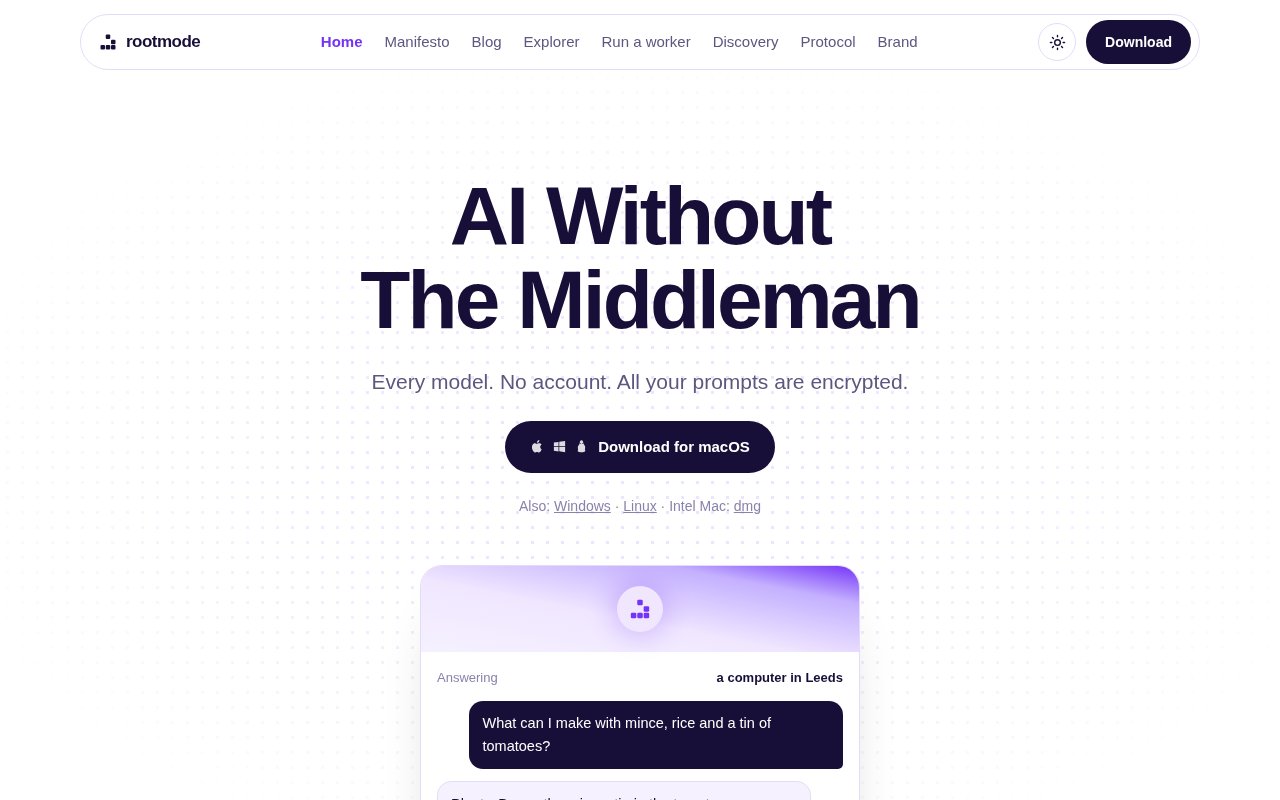
rootmode is an open-source peer-to-peer network and desktop app for sending text and image generation jobs directly to independently operated computers. It replaces the usual hosted AI account with a client that discovers available workers, shows what they can serve, and sends a request to the selected machine. There is no email signup, password, or central model host in the request path. The app is available for Mac, Windows, and Linux, and the published code and protocol let technically capable users inspect or run the system themselves. It is built for people who want access to AI models without putting one provider in charge of every prompt, account, and price.
Using the client is deliberately simple. A person downloads the app, opens it, and asks for text or an image. The network finds workers advertising suitable capabilities, and the answering worker returns the result directly. Image output is saved to the user's downloads. Connections are encrypted, and rootmode says prompts and responses don't pass through or get stored by its own company server. The worker that performs a job must still read the prompt to answer it, which is an important privacy distinction. Anyone who needs tighter control can keep the exchange at home by running a worker on the same machine or local network. There is no central account for the company to close, and local chat data stays on the user's computer.
The network model changes how availability and price are determined. Each independent worker chooses what models to offer and what to charge, while clients can compare what is available. The desktop software itself is free. A worker may also serve requests for free, which avoids payments entirely. Paid work is settled in USDC on Base after the client's funds are locked, with 90 percent sent to the worker's payout address and 10 percent directed to the network treasury. Prices therefore belong to individual operators rather than a rootmode subscription. Cost, speed, and model availability can vary as workers join, leave, or change their offers. The savings shown on the homepage are illustrations against typical hosted rates, not a fixed network price list.
People with existing inference infrastructure can contribute capacity by running the Docker-based worker. It connects over HTTP to a vLLM server or another OpenAI-compatible text server, and it can expose ComfyUI checkpoints for image generation. Operators declare the endpoint, pricing, payout address, and optional limits in configuration. The worker advertises the models that the local server actually provides and doesn't give clients a route to execute arbitrary commands. Operators can cap concurrent jobs, require signed submissions, restrict accepted peer identities, set different prices per model, and stop participating by shutting down the container. Serving for free needs no wallet or blockchain transaction, which offers a simpler route for a private or community node.
Its clearest difference from a conventional AI gateway is the lack of a mandatory central broker. Discovery uses peer networking, the job travels from the client to an operator, and the public protocol documents the messages exchanged between them. Connections identify peers with public keys, and a client can check a pinned identity before sending a job. Results include hashes so the client can verify the received bytes. The project also publishes the discovery process, worker setup, and protocol details, which makes it possible to audit or extend more than a closed desktop chatbot would allow. That openness doesn't guarantee output quality, uptime, or model identity. Workers are independent, and the terms make clear that rootmode doesn't audit their weights or stand behind their responses.
rootmode is a strong fit for open-source AI users, privacy-conscious experimenters, and GPU owners who already run vLLM or ComfyUI. The accountless app lowers the entry barrier for a client, but operating a paid worker is more technical. It requires Docker, an inference server, a Base wallet address, and a small amount of ETH on Base for settlement gas. The network also depends on enough reachable workers being online, so it can't promise the uniform capacity of a large centralized service. Teams that need guaranteed throughput, audited models, or a single vendor responsible for support will need to weigh that tradeoff carefully. There is no subscription tier to compare. The software is open source and free to download, while any inference charge is set by the worker that handles the request.
Key Features
- Accountless desktop client
- Peer-to-peer model discovery
- Encrypted direct requests
- Text and image generation
- Docker-based worker setup
- Operator-controlled inference pricing
Pros & Cons
What we like
- No signup or central AI account
- Open source client and protocol
- Supports local and remote workers
- Lets GPU owners set their terms
Room for improvement
- Availability depends on independent workers
- Worker output quality is not guaranteed
- Paid serving requires crypto setup
- Operator setup assumes inference experience
Frequently Asked Questions
What is rootmode?
Is rootmode free?
Who can see a rootmode prompt?
Can I run a rootmode worker?
Best For
Featured in
Alternatives to rootmode
View all
Apatero AI
The creator studio for AI image, video, audio, 3D, and avatars, now at apatero.ai.

SoloDevStack
A solo developer blog built on head-to-head tool comparisons, 580+ posts deep.
Apatero Studio
Creator studio for AI image, video, audio, 3D, and avatars. Every model worth using, in one workspace.

Melodex
Turn your idea into an AI-generated music video
Reviews (0)
Badge builder
Add rootmode to your website
Choose a badge style and size, preview it here, then copy the generated HTML. Badge images are self-contained SVGs and do not require an external script.

<a href="https://toolindex.net/tools/rootmode?ref=badge" target="_blank" rel="noopener">
  <img src="https://toolindex.net/badge/rootmode/medium.svg" alt="rootmode - Listed on Tool Index" width="180" height="50" />
</a>How to use the badge
- 1. Pick the style, size, and theme that fit your layout.
- 2. Copy the generated HTML from the code block.
- 3. Paste it into your footer, homepage, or press page.
Standard badge available
The standard listing badge is available now. Score and circle badges are limited to tools currently ranked in the top 10 of a category.
Badge clicks return visitors to this profile with a referral tag so the source remains identifiable.
Related Tools
Apatero AI
The creator studio for AI image, video, audio, 3D, and avatars, now at apatero.ai.
Kevin Gabeci Toolkits
Seven AI toolkits for writing books, making music, cutting video, and building agents.

Warp
The modern terminal reimagined with AI and collaboration

Bolt.new
Prompt-to-deployed full-stack app inside the browser
Work on rootmode? Request listing access or correction