sbm Sync
Keep one plain-text bookmark collection in sync across terminal, browser, and Android
Gallery
About sbm Sync
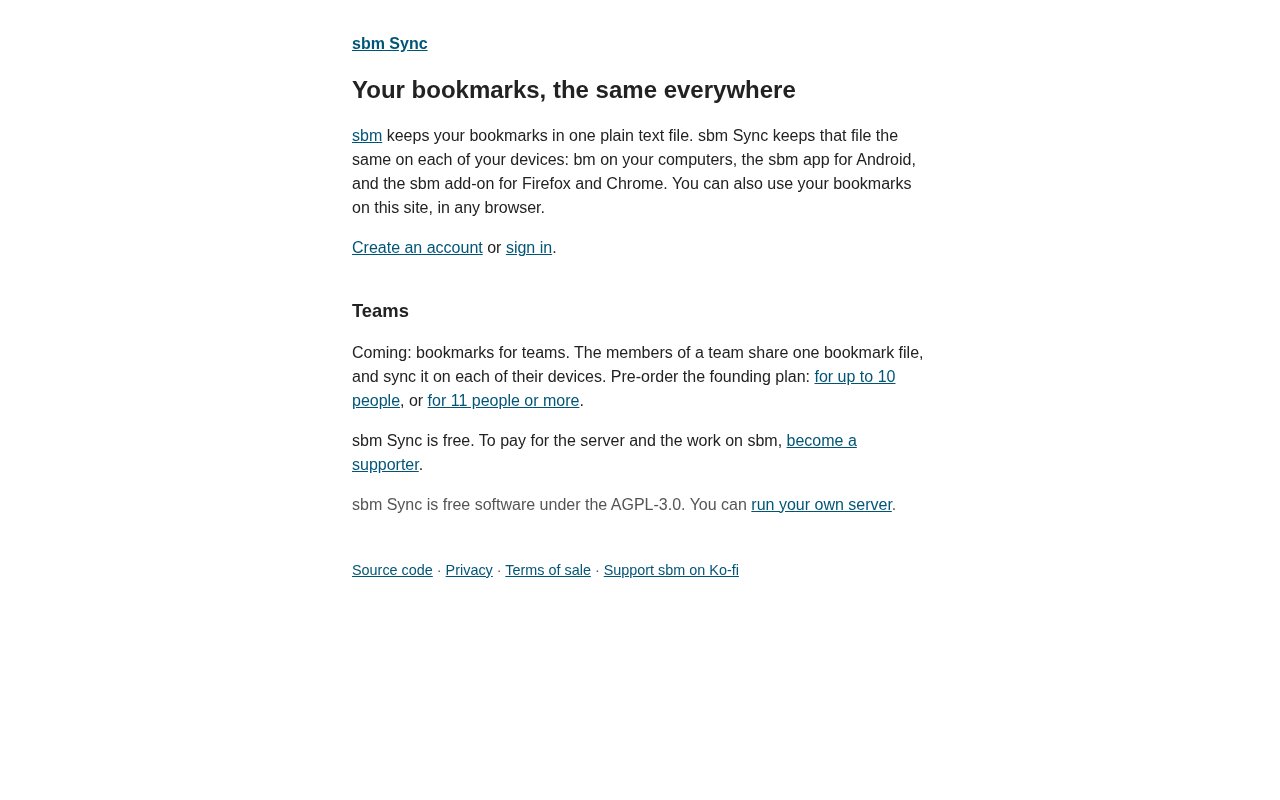
sbm Sync is a bookmark service built around one plain-text file that stays available across devices. It brings the same collection into the terminal, desktop browsers, and Android instead of making each environment a separate place to save links. The product is intentionally narrow. It is for people who want bookmarks to remain simple, portable in spirit, and reachable wherever they are working. Chrome and Firefox users are part of the advertised audience, alongside Android users and people who spend much of their day at a command line.
The central choice is the plain-text data model. Many bookmark products begin with cards, screenshots, recommendations, or a proprietary database. sbm Sync begins with a file. That makes the collection easier to understand as a set of links rather than a content platform. The site doesn't position the product as an AI research assistant, a web archiver, or a note-taking workspace. Its job is to keep bookmarks together and synchronized while providing interfaces suited to the places where users actually encounter and revisit links.
Terminal access matters for developers and other keyboard-driven users. A bookmark can be part of a shell-oriented workflow without requiring a trip through a browser's menus. Browser access covers the more familiar context where most links are discovered and opened, and the product specifically addresses both Chrome and Firefox users. Android extends the same idea away from the desktop. Together, those surfaces reduce the common split where work links live in one browser, personal links in another, and mobile saves disappear into a separate app.
The cross-device focus is the practical value. Someone can maintain one bookmark collection while moving between a workstation, laptop, and phone, rather than deciding which device owns the definitive copy. The plain-text foundation also sets a clear expectation about scope. sbm Sync is about URLs and bookmark continuity, not a visually elaborate knowledge base. Readers who mainly need reliable access may prefer that restraint, while those looking for saved page copies, annotation systems, collaborative boards, or automated content summaries should evaluate a broader tool.
sbm Sync appears best suited to individual users who mix browsers or regularly cross between graphical and terminal work. It can fit a developer saving documentation, a researcher moving between desktop browsing and mobile reading, or anyone frustrated by bookmark collections tied to a single browser account. Its Android support is useful for that mixed setup, but the public product surface doesn't advertise a corresponding iPhone app. The site is also very new and its documentation remains brief, so prospective users have less public material and community experience to draw on than they would with a long-established bookmark manager.
The service publishes a privacy policy and presents the product over a secure site, but buyers should still read the current policy before moving a sensitive link collection. A bookmark list can reveal projects, interests, internal tools, and private resources even when it contains no page content. The public material available for this review doesn't describe every synchronization detail or recovery workflow. Users with a large or business-critical collection should therefore start with a small set, check behavior on each intended surface, and confirm that the plain-text approach matches their own backup expectations.
What makes sbm Sync different is not a long list of secondary features. It is the combination of one text-based collection and three distinct working contexts. Browser-only managers are convenient until someone changes browsers. Terminal-only tools are comfortable for technical users but awkward on a phone. Mobile-only apps make capture easy but can become isolated. sbm Sync's proposition is that the collection should follow the user across those boundaries while retaining a deliberately uncomplicated underlying form.
The core product is free. The published pricing posture describes an optional supporter tier that helps cover server costs rather than a required subscription for basic use. That makes it easy to test the service on the terminal, in the intended browser, and on Android before deciding whether to support it. The tradeoff is maturity. This is a young, focused product with a small public footprint. It is most attractive to someone who already likes plain-text tools and cross-device access, and less suitable for a team expecting extensive administration, content enrichment, or a mature integration catalog.
Key Features
- Single plain-text bookmark file
- Cross-device bookmark syncing
- Terminal bookmark access
- Chrome browser access
- Firefox browser access
- Android mobile access
Pros & Cons
What we like
- Keeps one collection across several work contexts
- Plain-text foundation stays conceptually simple
- Supports both Chrome and Firefox users
- Core access is free
Room for improvement
- Public documentation is still brief
- No iPhone app is currently advertised
- Narrow bookmark focus omits richer research workflows
- Young product has a small public community
Frequently Asked Questions
What is sbm Sync?
Is sbm Sync free?
Which platforms does sbm Sync support?
Who is sbm Sync for?
Best For
Featured in
Alternatives to sbm Sync

CalendHub
Smart scheduling and calendar management for teams
Kevin Gabeci Toolkits
Seven AI toolkits for writing books, making music, cutting video, and building agents.

Eased Into AI
Learn AI from zero. No jargon, no hype, just steps that work.

Fix It Gently
Calm, plain-English fixes for everyday tech problems.
Reviews (0)
Badge builder
Add sbm Sync to your website
Choose a badge style and size, preview it here, then copy the generated HTML. Badge images are self-contained SVGs and do not require an external script.

<a href="https://toolindex.net/tools/sbmsync?ref=badge" target="_blank" rel="noopener">
  <img src="https://toolindex.net/badge/sbmsync/medium.svg" alt="sbm Sync - Listed on Tool Index" width="180" height="50" />
</a>How to use the badge
- 1. Pick the style, size, and theme that fit your layout.
- 2. Copy the generated HTML from the code block.
- 3. Paste it into your footer, homepage, or press page.
Standard badge available
The standard listing badge is available now. Score and circle badges are limited to tools currently ranked in the top 10 of a category.
Badge clicks return visitors to this profile with a referral tag so the source remains identifiable.
Related Tools

Confluence
Atlassian's long-running team wiki that anchors many enterprise knowledge stacks
Asana
Project management for teams that live in projects, tasks and dependencies
Kevin Gabeci Toolkits
Seven AI toolkits for writing books, making music, cutting video, and building agents.

Logseq
An open-source outliner notes app where every bullet is a first-class block
Work on sbm Sync? Request listing access or correction