Selenium Boot
Java testing framework that brings Spring Boot conventions and Playwright APIs to Selenium
Gallery
About Selenium Boot
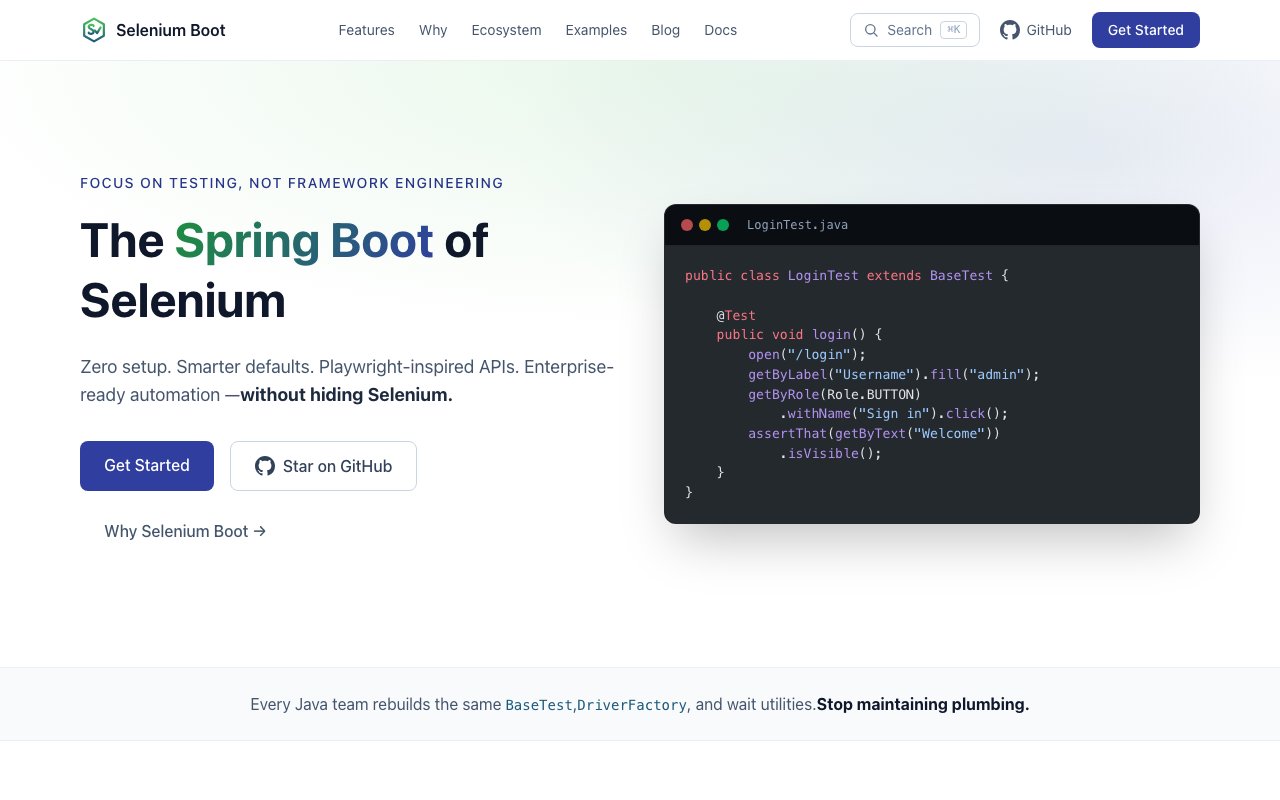
Selenium Boot is a Java testing framework that bills itself as the Spring Boot of browser automation. It wraps Selenium WebDriver with sensible defaults and modern APIs borrowed from Playwright, so teams get enterprise-grade test infrastructure without hiding the underlying Selenium engine. You keep full access to the ecosystem, the drivers, the community knowledge, while spending far less time on boilerplate configuration and flaky timing bugs.
The biggest pain point it tackles is waiting. Anyone who has maintained a Selenium suite knows the pattern. You pepper tests with Thread.sleep calls, scatter WebDriverWait blocks everywhere, and still watch green tests turn red in CI because the element wasn't quite ready when the script clicked it. Selenium Boot centralizes all of that in a WaitEngine that auto-waits before every action. The engine checks more than ten built-in conditions, from element visibility to text presence to interactability, and only proceeds once they pass. No manual polling, no arbitrary sleeps, just actions that wait for the browser to catch up.
Locators get the same treatment. Instead of chaining brittle CSS selectors and XPath expressions that break every time the frontend team refactors a class name or shuffles the DOM, Selenium Boot pushes accessibility-first locators like getByRole, getByLabel, getByText, and getByTestId. These target the accessibility tree rather than raw HTML structure, so they survive UI redesigns as long as the semantic meaning of elements stays intact. It's the same philosophy Playwright evangelizes, now available without leaving the Selenium world.
Assertions follow what the team calls a web-first model. Instead of asserting immediately and failing if the condition isn't true yet, each assertion auto-retries until a timeout. If you're checking that a submit button becomes enabled after an AJAX call, the assertion waits for that state rather than throwing instantly. This single change eliminates an entire category of flakiness that traditional Selenium suites struggle with, especially under the variable timing of CI environments.
Parallel execution is thread-safe by default. A ThreadLocal DriverManager isolates one driver per thread, so you can scale tests across methods or classes through configuration without worrying about one test closing a browser that another test is still using. Retry mechanisms are built in at three levels. You can mark methods with a Retryable annotation, hook global retries via a RetryListener, or quarantine flaky scenarios so they still run and report without failing the overall suite. Teams that inherit legacy tests can stabilize their builds without deleting flaky cases outright.
Reporting ships out of the box. The HTML dashboard presents a tabbed interface with an overview, individual test cases, failure details, and a flakiness radar that highlights tests with inconsistent results over time. JUnit XML output is generated alongside, compatible with any CI system that consumes standard test reports. GitHub Actions, Jenkins, and GitLab are detected automatically through a CiEnvironmentDetector that forces headless mode, tunes thread counts, and enforces configurable pass-rate gates when running in those environments.
Installation is a single Maven dependency from Maven Central. You add io.github.seleniumboot selenium-boot to your pom.xml, extend BaseTest or BasePage, and the lifecycle management, waits, retries, and reporting come along automatically. Configuration follows convention over configuration principles, with an optional selenium-boot.yml file for overrides and sensible defaults for everything else. Java 17 or later is required, and the framework supports both TestNG and JUnit 5 as test runners.
Beyond the core library, Selenium Boot offers an MCP server package on PyPI that enables AI-assisted test generation through Claude or Copilot. IDE plugins exist for IntelliJ IDEA (2024.2 and later via JetBrains Marketplace) and VS Code, providing in-editor assistance for writing and running tests. Documentation lives at docs.seleniumboot.com with a GitHub repository hosting discussions and example projects.
Selenium Boot is free and open source under the Apache 2.0 license. It targets Java teams that want to stay in the Selenium ecosystem but reduce the maintenance overhead of custom wait utilities, base classes, and reporting scripts. If you're starting a new automation project or inheriting a brittle test suite and looking for a path that doesn't require a full rewrite to Playwright or Cypress, this sits in a practical middle ground. You get modern ergonomics while preserving all the Java, Maven, and Selenium muscle memory your team already has.
Key Features
- Auto waiting actions via centralized WaitEngine
- Accessibility first locators (getByRole, getByLabel, getByText)
- Web first assertions that auto retry until timeout
- Built in HTML and JUnit XML reporting
- Thread safe driver management for parallel tests
- Automatic CI detection for GitHub, Jenkins, GitLab
Pros & Cons
What we like
- Eliminates manual Thread.sleep and explicit wait boilerplate
- Locators survive CSS refactors by anchoring to semantic attributes
- Auto retry assertions cut flaky test failures significantly
- Free and open source under Apache 2.0
Room for improvement
- Java only, not useful for Python or JavaScript test suites
- Newer project with a smaller community than raw Selenium or Playwright
- Learning curve if your team is used to raw WebDriver patterns
- Documentation is still maturing
Frequently Asked Questions
What is Selenium Boot?
Is Selenium Boot free?
Does Selenium Boot replace Selenium?
Who is Selenium Boot for?
Best For
Featured in
Alternatives to Selenium Boot

Playwright
Microsofts open-source end-to-end browser testing framework for Chromium, Firefox, and WebKit with one API.

Buildkite
Hybrid CI/CD where the control plane is hosted but the build agents run on your own infrastructure.

Storybook
Open-source workshop for building UI components in isolation. Preview, document, and test them outside the app.

Postman
API client and collaboration platform that started as a Chrome extension and now covers design, testing, and mocking.
Reviews (11)
Recommended without reservation
Found Selenium Boot on a Show HN thread and I am glad I clicked. Where it really wins is free and open source under apache 2.0. The interface stays out of my way, which I appreciate. No regrets so far.
Pulled its weight from week one
Tried Selenium Boot on a side project first, then rolled it out everywhere. Where it really wins is automatic ci detection for github, jenkins, gitlab. The thing I keep coming back to is how reliable it is. Glad I made the switch.
Worth a look
Picked Selenium Boot for the price, stayed for the quality. Support actually answered when I had a question, which surprised me. It fits well for generating ci friendly reports without custom scripting. Recommending it to people in a similar spot.
Finally something that fits
Found Selenium Boot on a Show HN thread and I am glad I clicked. Their take on auto retry assertions cut flaky test failures significantly is genuinely good. The thing I keep coming back to is how reliable it is. Mostly using it for reducing flakiness in an existing selenium test suite.
Recommended without reservation
Three months of Selenium Boot later, here is what holds up. Where it really wins is auto retry assertions cut flaky test failures significantly. Found it works best for generating ci friendly reports without custom scripting.
Worth a look
Three months of Selenium Boot later, here is what holds up. Got real value out of locators survive css refactors by anchoring to semantic attributes. Recommending it to people in a similar spot.
Pulled its weight from week one
Selenium Boot solves a real problem for me without making a fuss about it. What stands out is how it handles locators survive css refactors by anchoring to semantic attributes. It slotted into my routine without much fuss. Glad I made the switch.
Recommended without reservation
Hadn't planned on switching, but Selenium Boot was hard to ignore. Their take on thread safe driver management for parallel tests is genuinely good. Mostly using it for building a new browser automation suite in java without boilerplate.
Recommended without reservation
Tried Selenium Boot on a side project first, then rolled it out everywhere. Performance has been steady even when I lean on it hard. Setup was painless and I was productive the same day. It earns its place in my stack.
Recommended without reservation
Came to Selenium Boot after getting frustrated with what I had before. Got real value out of eliminates manual thread.sleep and explicit wait boilerplate. It does what it says, which is rarer than it should be. No regrets so far.
It just works
Hadn't planned on switching, but Selenium Boot was hard to ignore. Where it really wins is auto waiting actions via centralized waitengine. The interface stays out of my way, which I appreciate. Mostly using it for generating ci friendly reports without custom scripting. It earns its place in my stack.
Badge builder
Add Selenium Boot to your website
Choose a badge style and size, preview it here, then copy the generated HTML. Badge images are self-contained SVGs and do not require an external script.

<a href="https://toolindex.net/tools/selenium-boot?ref=badge" target="_blank" rel="noopener">
  <img src="https://toolindex.net/badge/selenium-boot/medium.svg" alt="Selenium Boot - Listed on Tool Index" width="180" height="50" />
</a>How to use the badge
- 1. Pick the style, size, and theme that fit your layout.
- 2. Copy the generated HTML from the code block.
- 3. Paste it into your footer, homepage, or press page.
Score badge available
Selenium Boot qualifies for the score and circle badges based on its current top-10 positionin Testing.
Badge clicks return visitors to this profile with a referral tag so the source remains identifiable.
Related Tools

DeviceKit
Free Screen & Device Tests Online | Private Browser Diagnostics

Chromatic
Visual regression testing and review platform built by the Storybook team, with cloud-rendered snapshots and PR integration.
Playwright
Microsofts open-source end-to-end browser testing framework for Chromium, Firefox, and WebKit with one API.

Tests.ws
WebSocket testing tools, protocol guides, and a Chrome extension for developers
Work on Selenium Boot? Request listing access or correction