
SendPage
Share HTML documents as links that render perfectly on any device
Gallery
About SendPage
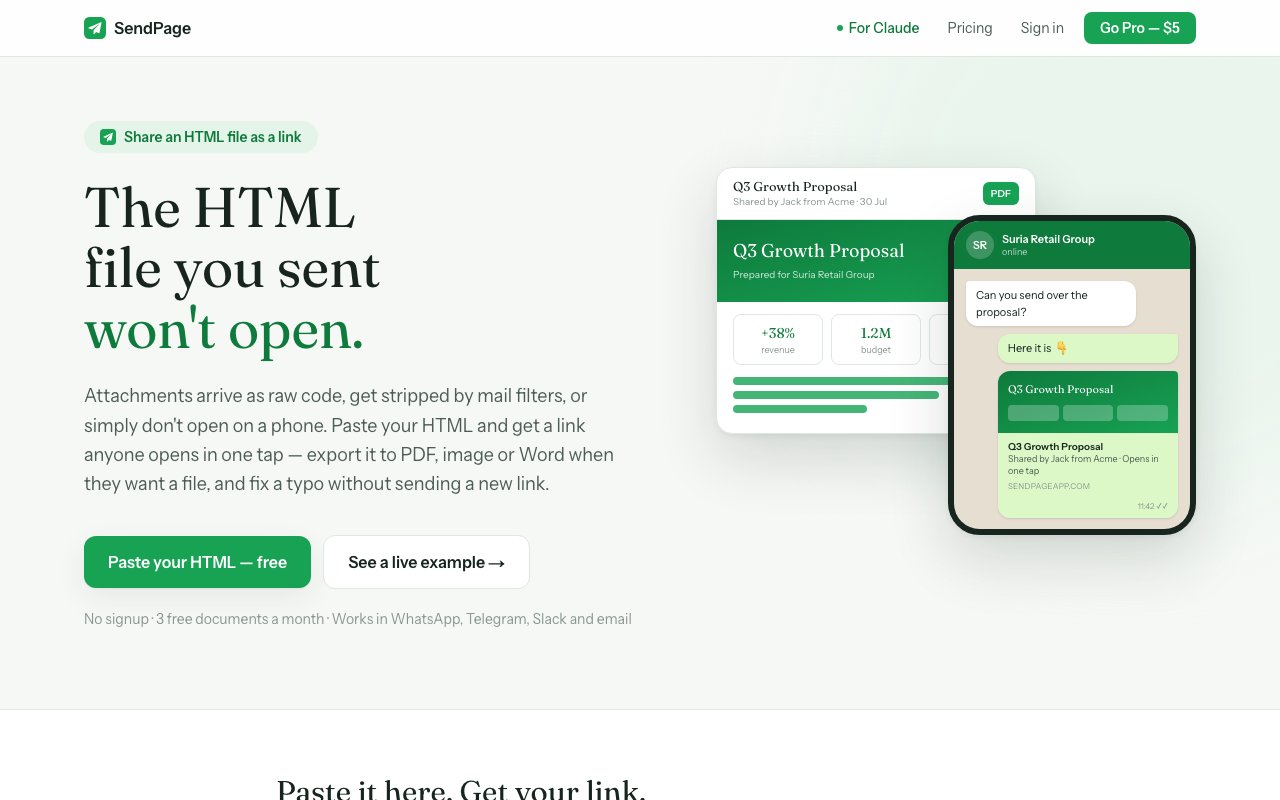
SendPage takes an HTML document and turns it into a shareable link that anyone can open in their browser. Instead of attaching a file that might render differently on every device, get stripped by email filters, or require the recipient to download something, you paste your HTML, get a unique URL, and send that. The document displays exactly as you designed it, with charts that stay clickable, animations that play, and layouts that hold together regardless of whether the recipient is on a phone, tablet, or desktop. This solves a problem that is surprisingly common and surprisingly annoying when you stop to think about it. Getting formatted content from point A to point B without it falling apart along the way is harder than it should be, and SendPage is built specifically to fix that.
The workflow is minimal. You paste up to two megabytes of HTML into the interface, and SendPage generates a link you can share anywhere. That link works in WhatsApp, Telegram, Slack, iMessage, and email, and it unfurls as a preview card with the document title and a snippet of the content. Recipients click and view. There is no download, no plugin, no account required on their end, and no friction explaining how to open the file. For documents with Chinese, Arabic, Thai, Tamil, or other non Latin scripts, the platform includes proper font support, which is where PDF exports from other tools often fail. The site claims 100 percent text preservation in exports, verified word for word, so you do not lose characters or see garbled output when you move between languages or alphabets.
Once a document is live, you can still edit it. Click any text in the viewer and type directly without touching code. The link stays the same, so you do not need to resend anything if you catch a typo, update a figure, or need to make a last minute change before a meeting. This makes SendPage practical for proposals, reports, and deliverables that tend to evolve after you have already hit send. You fix the problem instead of sending an awkward follow up email with a corrected attachment. For anyone who has ever noticed an error the moment after sending, this feature alone justifies the workflow.
Read tracking shows you when someone opens the document, what device they are using, and how long they spend with it. For sales follow ups, consulting proposals, or any situation where confirmation matters, this visibility is valuable. You know whether the document was opened, whether it was opened on mobile or desktop, and whether the recipient spent thirty seconds or ten minutes with it. Password protection is available on all plans, including the free tier, so you can restrict access if the document is sensitive. Email gating is another option if you want to collect the recipient's email address before they can view the content, which can feed into sales pipelines or contact lists.
Export options cover PDF, images, and Word documents. PDF generation uses real browser rendering and takes about two and a half seconds, which means the output matches what you see in the preview rather than getting mangled by a PDF library that does not understand your CSS. The Pro tier adds Word export, which is useful when the recipient needs to edit the document themselves rather than just view it. Multilingual support on Pro lets a single document open in up to three languages, with translated PDFs generated automatically. This is helpful for international teams or client facing work where recipients might prefer their own language, and it saves you from maintaining multiple versions of the same document. The site has benchmarked against 23 document types and claims correct handling across all of them.
Pricing is accessible. The free plan allows three documents per month, includes PDF and image export, password protection, email gating, and thirty days of read tracking. A small SendPage footer appears on free documents. Pro costs five dollars a month or forty dollars a year and removes the footer, adds unlimited documents, Word export, twelve months of read history, multilingual support, and custom link preview card colors. If you just need a single document and do not want to commit to a subscription, a one dollar option unlocks one document permanently. This pricing structure is simple, with no hidden tiers or confusing credits.
SendPage also offers a Claude integration through MCP, the Model Context Protocol. If you use Claude to generate HTML reports, proposals, or documentation, you can publish directly to SendPage without leaving the conversation. This tightens the loop between generating content and sharing it. For anyone who regularly produces HTML through AI tools, design software, or code and needs a simple way to get it in front of someone else, SendPage fills a gap that is hard to fill any other way. It does one thing well and stays out of your way while doing it.
Key Features
- HTML to shareable link conversion
- In-browser editing without code
- Password protection on all plans
- Read tracking with device details
- PDF, image, and Word export
- Multilingual document support
Pros & Cons
What we like
- Documents render consistently across devices
- Post-send edits don't change the link
- Handles CJK and Arabic text where PDFs struggle
- Interactive elements like charts stay functional
Room for improvement
- Free tier limited to three documents per month
- Multilingual features only on Pro
- Requires HTML input, not plain text or Markdown
- Read tracking capped at thirty days on free plan
Frequently Asked Questions
What is SendPage?
Is SendPage free?
Can I edit a document after sharing it?
What languages does SendPage support?
Best For
Featured in
Alternatives to SendPage

CalendHub
Smart scheduling and calendar management for teams
Kevin Gabeci Toolkits
Seven AI toolkits for writing books, making music, cutting video, and building agents.

Eased Into AI
Learn AI from zero. No jargon, no hype, just steps that work.

Fix It Gently
Calm, plain-English fixes for everyday tech problems.
Reviews (0)
Badge builder
Add SendPage to your website
Choose a badge style and size, preview it here, then copy the generated HTML. Badge images are self-contained SVGs and do not require an external script.

<a href="https://toolindex.net/tools/sendpage?ref=badge" target="_blank" rel="noopener">
  <img src="https://toolindex.net/badge/sendpage/medium.svg" alt="SendPage - Listed on Tool Index" width="180" height="50" />
</a>How to use the badge
- 1. Pick the style, size, and theme that fit your layout.
- 2. Copy the generated HTML from the code block.
- 3. Paste it into your footer, homepage, or press page.
Standard badge available
The standard listing badge is available now. Score and circle badges are limited to tools currently ranked in the top 10 of a category.
Badge clicks return visitors to this profile with a referral tag so the source remains identifiable.
Related Tools

Confluence
Atlassian's long-running team wiki that anchors many enterprise knowledge stacks
Asana
Project management for teams that live in projects, tasks and dependencies
Kevin Gabeci Toolkits
Seven AI toolkits for writing books, making music, cutting video, and building agents.

Logseq
An open-source outliner notes app where every bullet is a first-class block
Work on SendPage? Request listing access or correction