Shotomatic
Automate Mac screenshots for tutorials, QA documentation, and timelapse workflows
Gallery
About Shotomatic
Shotomatic is a Mac application that automates screenshot capture for creating tutorials, documenting workflows, archiving content, and building timelapse videos. Instead of manually taking screenshots at each step, switching between applications, and organizing files afterward, you set up capture rules and let the app handle the rest. It can capture on timed intervals, on keypresses, or on mouse clicks, then organize those captures into editable guides or compile them into video. Everything runs locally on your Mac, so your screenshots never leave your machine unless you choose to export or share them. This is a real desktop application, not a web tool, which means it has full access to capture any window or screen region regardless of what application you are documenting.
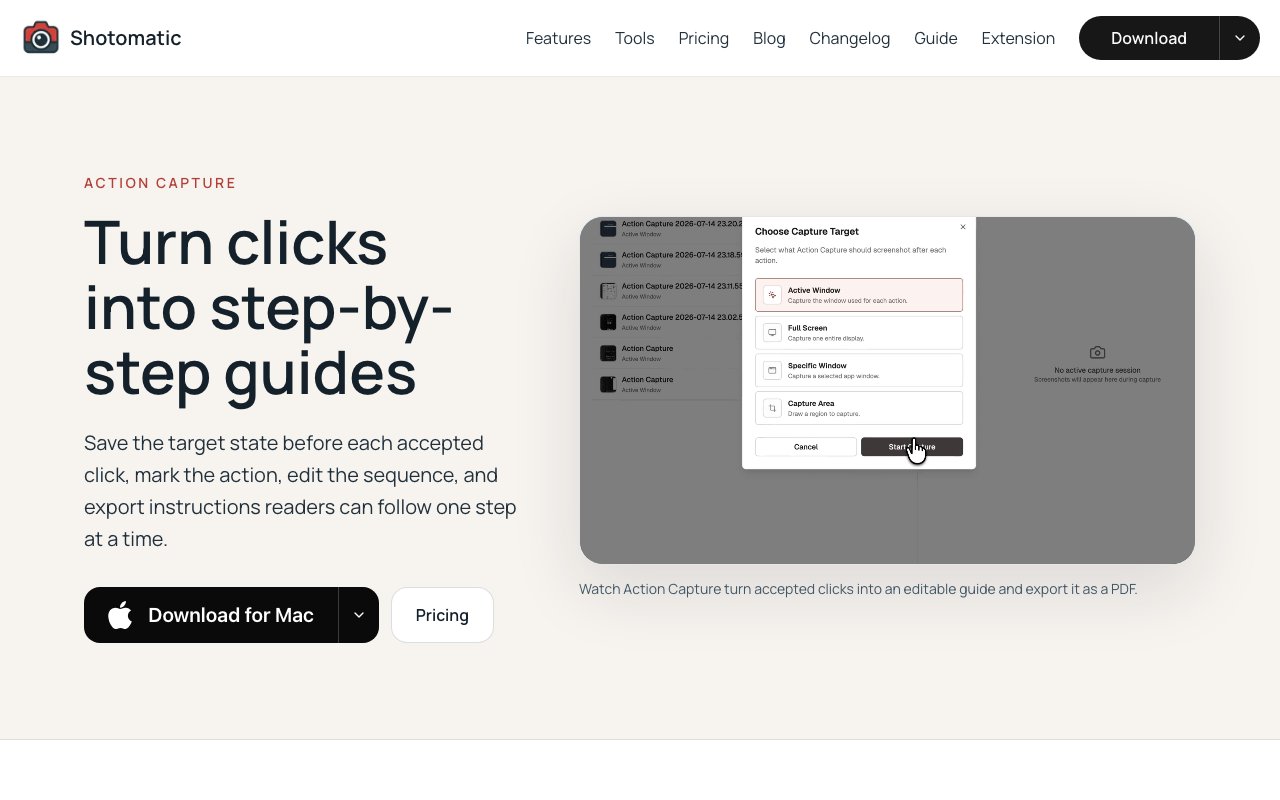
The core feature that sets it apart is action capture. When you turn this on, the app watches for mouse clicks and takes a screenshot at each one, automatically annotating where the click happened with a visual marker. The result is an ordered sequence of images that documents exactly what you did, step by step, without you having to think about timing or remember to press a capture key. Each capture includes a cursor overlay and click marker, and the tool generates automatic titles based on the action so you have context for each step. For anyone who has tried to create a tutorial by screenshotting, switching windows, writing notes, and repeating that cycle dozens of times, this cuts out most of the friction. You click through your task once at a natural pace and get a complete visual guide without manual cleanup or post processing.
Beyond action capture, there is timed interval mode for hands free capture. You set a delay between shots, optionally add keypress automation to simulate typing, navigation, or page turns, and let it run unattended. This is useful for archiving content that pages automatically, like ebooks, webcomics, manga, or any app based material you want saved locally in image form. You can configure stop conditions so the session ends after a certain number of captures, a time limit, or when a specific condition is met. The keypress automation handles page turns or scrolling between shots, which means you can walk away and come back to a complete archive without babysitting the process. This is particularly valuable for content that might disappear or become inaccessible later, giving you a personal backup that does not depend on the original source staying online.
Website capture handles batch screenshots across multiple URLs. You provide a list of addresses, configure viewport size, timing, cookies, format, and quality per URL, and the app works through them using headless browser technology that runs silently in the background. You can choose desktop, tablet, or mobile viewports for each capture to document how sites appear across different device sizes. For agencies doing client work, QA teams reviewing staging environments, or anyone auditing multiple pages, this is faster than opening each one manually and capturing individually. There is also a SERP analyzer mode that automates search result capture for competitive analysis and SEO research, letting you document how your keywords rank over time without manually screenshotting search pages.
The documents library lets you organize, annotate, and edit captured sequences before exporting. You can upload images from other sources, import capture sessions, reorder pages by dragging, add text annotations, apply focus framing around action areas to draw attention to specific elements, and crop content to remove unnecessary regions. When you are ready, export as PDF for documentation, PNG or JPG for individual images, WebP for web optimized versions, or ZIP to bundle everything together. The timelapse feature compiles screenshot sessions into MP4 videos with customizable speed settings. If you have been working on a design for hours and want to show progress in a one minute video, this handles the conversion without needing separate video editing software or manually sequencing frames.
Pricing is one time or subscription. Monthly runs seven ninety nine, yearly is forty nine dollars, and lifetime is eighty nine dollars for a single purchase that avoids ongoing costs. All tiers cover up to three Macs, unlimited screenshots per session, keypress automation, and all export formats. There is a fourteen day money back guarantee if it does not fit your workflow after testing. The app also includes free utilities for image to PDF conversion, PDF page organizing, image compression, redaction tools for blurring sensitive content, and social image composition for creating sized graphics for different platforms.
The audience is documentation creators, QA teams, content archivists, tutorial makers, and anyone who spends too much time on manual screenshots. It is Mac only, supporting both Apple Silicon and Intel processors as of the December 2024 update. Windows and Linux are listed as future plans but have no announced release date. For Mac users who need serious screenshot automation without cobbling together scripts, Automator workflows, or multiple single purpose tools, Shotomatic bundles everything into one application that handles capture, organization, annotation, and export in a single workflow.
Key Features
- Automatic click based action capture
- Timed interval screenshot automation
- Batch website capture with per URL settings
- Timelapse video export to MP4
- Editable documents library with annotations
- Keypress automation between captures
Pros & Cons
What we like
- Automatically documents workflows with click based capture
- All captures stay local on your Mac
- Covers tutorials, QA, archiving, and timelapse in one tool
- Lifetime purchase option avoids recurring costs
Room for improvement
- Mac only with no Windows or Linux support yet
- No free tier beyond the money back guarantee period
- Requires manual setup for complex capture workflows
- Keypress automation has a learning curve for advanced use
Frequently Asked Questions
What is Shotomatic?
How does action capture work?
Is there a free trial?
Can I use Shotomatic on Windows?
Best For
Featured in
Alternatives to Shotomatic
View all
CalendHub
Smart scheduling and calendar management for teams
Kevin Gabeci Toolkits
Seven AI toolkits for writing books, making music, cutting video, and building agents.

Confluence
Atlassian's long-running team wiki that anchors many enterprise knowledge stacks
Kibu
Vertical software for disability service providers covering compliance, documentation, and programming
Our take
Tool Index Editorial · Oct 2026· 4.0/5
Shotomatic is a Mac screenshot utility for capturing clicks as ordered guide steps, running timed captures, batching website screenshots, and exporting finished documents. We found the click-driven workflow particularly practical. It saves the state before an accepted click, marks the action, then lets the author reorder, annotate, frame, redact, and export the sequence. A free plan supports guides of up to five captured steps.
Pro costs $39 once for one Mac, $109 once for three Macs, or $12 a month for three Macs. The limitation is platform and scope. It is Mac only, longer action guides require Pro, and advanced automation still needs setup. Even so, local processing, useful export formats, and one-time licenses make it a well-shaped tool for support, QA, onboarding, and tutorial work.
Editorial opinion from the Tool Index team, written from the public product pages. Not a user review.
Reviews (0)
Badge builder
Add Shotomatic to your website
Choose a badge style and size, preview it here, then copy the generated HTML. Badge images are self-contained SVGs and do not require an external script.

<a href="https://toolindex.net/tools/shotomatic?ref=badge" target="_blank" rel="noopener">
  <img src="https://toolindex.net/badge/shotomatic/medium.svg" alt="Shotomatic - Listed on Tool Index" width="180" height="50" />
</a>How to use the badge
- 1. Pick the style, size, and theme that fit your layout.
- 2. Copy the generated HTML from the code block.
- 3. Paste it into your footer, homepage, or press page.
Standard badge available
The standard listing badge is available now. Score and circle badges are limited to tools currently ranked in the top 10 of a category.
Badge clicks return visitors to this profile with a referral tag so the source remains identifiable.
Related Tools
Confluence
Atlassian's long-running team wiki that anchors many enterprise knowledge stacks
Asana
Project management for teams that live in projects, tasks and dependencies
Kevin Gabeci Toolkits
Seven AI toolkits for writing books, making music, cutting video, and building agents.

Logseq
An open-source outliner notes app where every bullet is a first-class block
Work on Shotomatic? Request a listing correction