
Sift
iOS recipe keeper that detects recipes in Safari and saves a clean, ad-free copy for cooking
Gallery
About Sift
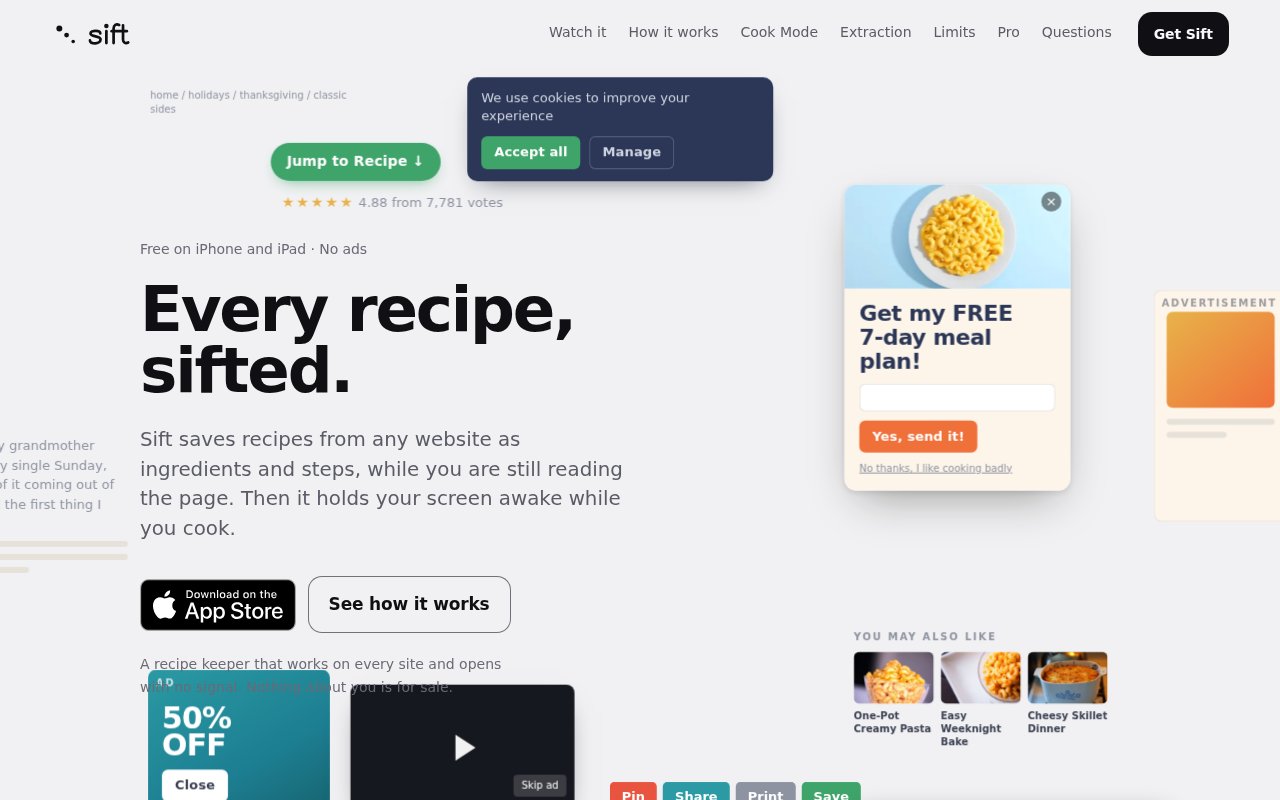
Sift is an iOS recipe keeper that notices when a Safari page contains a recipe, pulls out just the ingredients and the steps, and stores a clean copy on your device for when you're actually cooking. The problem is familiar to anyone who cooks from the web. Recipe pages are wrapped in ads, autoplay video, and a long story before the method, and the moment you need to check a quantity your phone has locked or the page has reloaded and scrolled away. Sift keeps the recipe and drops the rest. It stores the recipe itself rather than a bookmark, which means it's still there when the page moves, the site paywalls, or you're standing in a kitchen with no signal.
It works through a Safari extension paired with the app. As you browse, the extension detects recipes automatically and offers to save them. Extraction runs in four tiers, reading JSON-LD schema markup first, then microdata, then readability heuristics for pages that don't mark up their recipes, and finally letting you paste the text by hand when nothing else works. There's no AI involved and no cloud service in the loop. Recipes are stored locally on the device, the app works offline, and it doesn't require an account, so there's nothing to sign up for before the first recipe lands in the library. The order of the tiers matters. JSON-LD comes first because it's the structured recipe markup sites publish for search engines and it gives the cleanest result, microdata catches older sites, the readability pass handles blogs that never marked anything up, and manual paste is the safety net for everything else, so the outcome is a saved recipe rather than an error message.
The cooking side is where the detail shows. Cook Mode keeps the screen on while you work, so you're not unlocking the phone with floury hands every two minutes. Timers mentioned in a step are detected automatically and start a Lock Screen countdown that survives closing the app. Recipes scale from half to ten times with fractions adjusted properly, there are ingredient substitution suggestions, and you can compare two recipes side by side when you're choosing between versions of the same dish. The library keeps the order you give it and records a cook history, and an ingredient list can be sent to Reminders, Notes, or a text message for the shop. None of that needs a connection, which is the point of storing the recipe rather than a link to it.
It's for iPhone and iPad owners on iOS 17 or later who cook from online recipes and want a simple, ad-free copy without the meal-planning and grocery-list machinery that bigger recipe apps bolt on. The developer is explicit that Sift doesn't do meal planning or grocery lists, which is a feature if you've been put off by apps that try to run your kitchen and a limitation if that's what you wanted. It also suits people who care where their data lives. With no account and no cloud sync, the recipes exist on the device and nowhere else, which is a comfort for privacy and worth remembering when you change phones.
A typical evening looks like this. You find a recipe on your phone, the extension spots it and you save it, and later in the kitchen you open Sift, put it in Cook Mode, and the screen stays awake while your hands are busy. When a step says to simmer for twenty minutes, the timer is already there and it keeps counting on the Lock Screen even if you switch to a podcast app or the phone goes in your pocket. If four people turned into eight, you scale it and the fractions come out right. Afterwards the cook history records that you made it, and the ingredient list can go to Reminders for the next shop.
What sets it apart is the restraint. Many recipe savers push you into a subscription and a sync account on day one. Sift is free, has no ads, and keeps everything on the device, and the four-tier extraction means it copes with badly built recipe pages instead of failing on anything without schema markup. There's a browser version at app.siftapp.me with a limited feature set, and browser extensions for other browsers are in development. The developer describes the browser version as limited, so the iOS app remains the real product and the web is a convenience.
The limits follow from the same choices. It's iOS only, there's no cloud sync between devices, and the browser version is deliberately limited. A Sift Pro subscription is planned, with pricing and timing not yet announced, and the developer says the existing features will stay free. The app is on the App Store now, and support is at hello@siftapp.me. It's a young app from a small developer, so the pace of updates and the shape of the Pro tier are still to be seen, but the free version is complete enough to judge on its own.
Key Features
- Automatic recipe detection in Safari
- Four-tier extraction with manual paste fallback
- Cook Mode with automatic Lock Screen timers
- Recipe scaling from half to ten times
- Side-by-side recipe comparison
- Local, offline storage with no account
Pros & Cons
What we like
- Free with no ads and no signup
- Handles pages without recipe markup
- Timers keep running after the app closes
- Everything stays on the device
Room for improvement
- iOS and iPadOS only
- No cloud sync between devices
- No meal planning or grocery lists by design
- Planned Pro tier has no pricing or date yet
Frequently Asked Questions
What is Sift?
Is Sift free?
Does it use AI or the cloud?
Does Sift do meal planning?
Best For
Featured in
Alternatives to Sift
View all
PropGPT
iOS app that uses AI to analyze player props, spreads, and bets across major sports leagues

Expo
The React Native framework and cloud build service that ships native iOS and Android apps without touching Xcode.

Glide
No-code platform that turns spreadsheets and databases into mobile and web apps, with computed columns and AI actions.

Fix It Gently
Calm, plain-English fixes for everyday tech problems.
Our take
Tool Index Editorial · Sep 2026· 4.0/5
Sift saves web recipes as clean ingredients and steps on iPhone and iPad, keeps the screen awake while cooking, and now adds Ember recommendations. It is for people who want a recipe keeper rather than a full household planner. The existing saver and six daily Ember picks are free, while asking Ember what to cook is part of Sift Pro. The captured page does not show the Pro price.
We like the focus on the kitchen moment, especially persistent recipes, scaled quantities, timers, and a screen that stays on. The new recommendation layer also explains why each recipe appears and says ranking stays on the phone. The limitations are platform and scope. It is centered on Apple devices, does not try to replace meal planning or grocery software, and the public page leaves paid terms and cross device behavior unclear.
Editorial opinion from the Tool Index team, written from the public product pages. Not a user review.
Reviews (0)
Badge builder
Add Sift to your website
Choose a badge style and size, preview it here, then copy the generated HTML. Badge images are self-contained SVGs and do not require an external script.

<a href="https://toolindex.net/tools/siftapp?ref=badge" target="_blank" rel="noopener">
  <img src="https://toolindex.net/badge/siftapp/medium.svg" alt="Sift - Listed on Tool Index" width="180" height="50" />
</a>How to use the badge
- 1. Pick the style, size, and theme that fit your layout.
- 2. Copy the generated HTML from the code block.
- 3. Paste it into your footer, homepage, or press page.
Standard badge available
The standard listing badge is available now. Score and circle badges are limited to tools currently ranked in the top 10 of a category.
Badge clicks return visitors to this profile with a referral tag so the source remains identifiable.
Related Tools

Sleep Suivour
Track your sleep, improve your rest
Glide
No-code platform that turns spreadsheets and databases into mobile and web apps, with computed columns and AI actions.
ProtoPie
High-fidelity prototyping tool that simulates sensor input, IoT triggers, and complex interactions without writing code.

FlutterFlow
Visual builder that compiles to real Flutter source code, producing native iOS, Android, web, and desktop apps from one project.
Work on Sift? Request listing access or correction