
SleepSignal
Free cognitive shuffling app to quiet a racing mind and help you fall asleep
Gallery
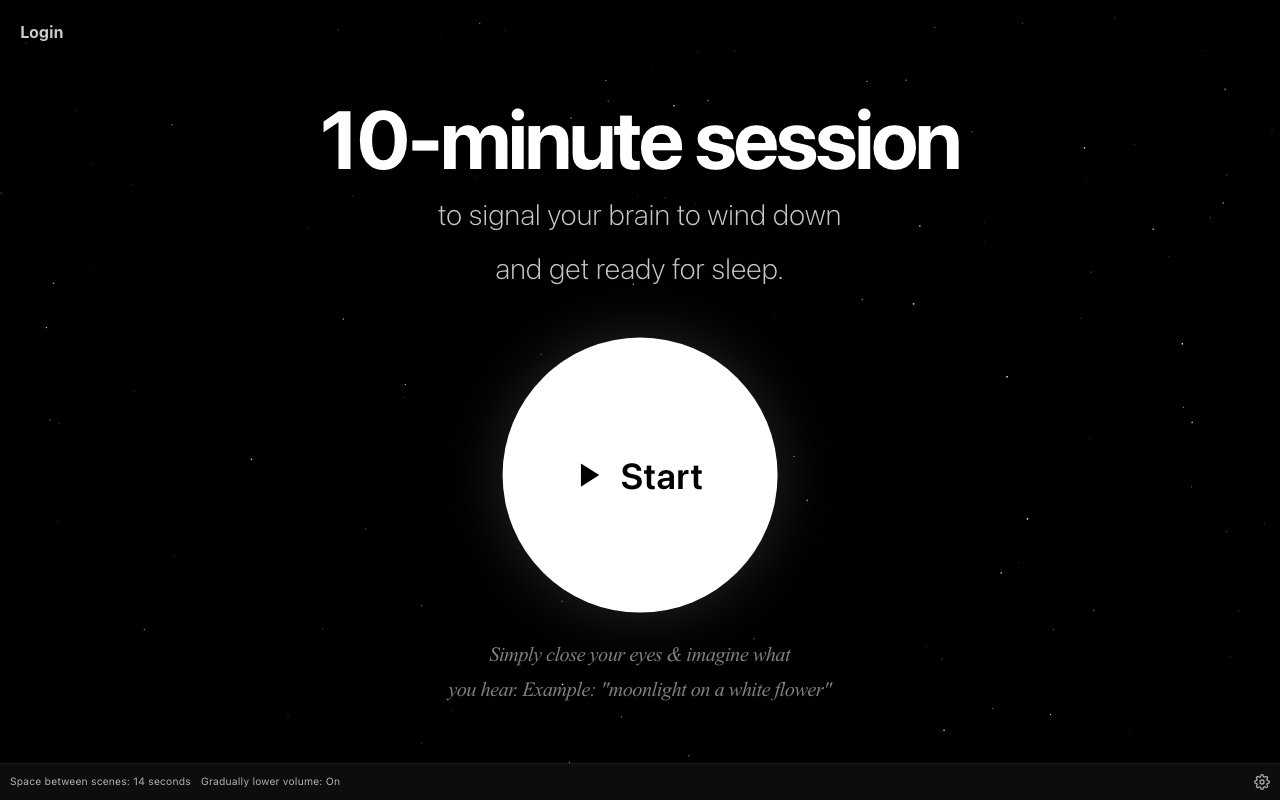
About SleepSignal
SleepSignal is a free cognitive shuffling application designed to quiet racing thoughts and help users fall asleep naturally when their mind won't stop running. The app implements a technique developed by cognitive scientists that works by presenting the mind with a sequence of unrelated images or words, preventing the brain from constructing coherent worry chains at bedtime. When someone lies awake with anxious thoughts looping through their head, the mind is essentially building narratives that feed on themselves, each concern leading to another related concern in an escalating cycle. Cognitive shuffling breaks this pattern by forcing attention onto disconnected concepts that can't chain together into stressful storylines. The technique has roots in research from Simon Fraser University and was tested in a randomized controlled trial in 2016, providing scientific backing for an approach that might otherwise seem too simple to be effective.
The core mechanism is deceptively simple but neurologically effective. Users might hear or see prompts like lighthouse, hammock, pineapple, bicycle, presented in random sequence with no logical connection between them. Because these images have nothing to do with each other, the brain cannot spin them into an anxiety narrative the way it would with related concepts. Instead of following a thread from work stress to financial concerns to relationship worries to health anxieties, the mind gets redirected to neutral visualizations that occupy attention without feeding rumination. This approach works with the brain's natural tendency toward sleep rather than fighting against restless thoughts through willpower alone. The randomness is essential because predictable sequences could still enable the mind to construct stories around the pattern.
SleepSignal runs entirely in the browser without requiring downloads, account creation, or payment of any kind. Users simply visit the site when they can't sleep and start a session immediately. The no friction access model removes barriers that might otherwise prevent someone from using the tool in the moment when they need it most, which is typically two in the morning when patience for onboarding is at its lowest. There's no app to find on a phone's home screen, no password to remember or reset, and no subscription to manage or cancel. This simplicity aligns with the product's purpose since someone struggling to sleep at two in the morning shouldn't need to navigate complex setup procedures before getting help. The browser based approach also means it works on any device without platform specific installation requirements.
The technique behind SleepSignal, sometimes called Serial Diverse Imagining in research literature, targets a specific failure mode in the sleep onset process that affects millions of people. When people report being unable to sleep because their mind won't stop, they're typically experiencing repetitive thought patterns that maintain arousal by signaling to the brain that important processing is happening. These loops can involve planning tomorrow's tasks, problem solving issues at work, or worrying about health, finances, relationships, or other concerns. All of these are cognitive activities that tell the brain it needs to stay alert rather than transition to sleep. By replacing this mental activity with random visualization, cognitive shuffling essentially mimics the kind of loose associative thinking that naturally occurs as people drift toward sleep. The method doesn't require meditation skills, special breathing techniques, extensive practice, or any particular mindset to be effective.
SleepSignal fits into a broader category of sleep tools that address the psychological rather than physiological aspects of insomnia and sleep onset difficulty. While sleep trackers measure what happens after someone falls asleep and medications alter brain chemistry to induce drowsiness, cognitive shuffling tools help with the transition from wakefulness to sleep itself. For people whose primary barrier is an overactive mind rather than physical discomfort, medical conditions, or environmental factors, this targeted approach often proves more effective than general relaxation techniques that don't specifically address thought patterns. The app serves users who find that their thoughts race specifically at bedtime even when they feel physically tired and have optimized other aspects of sleep hygiene.
The free access model with no signup makes SleepSignal particularly suited for occasional use rather than daily habit building. Someone who normally sleeps fine but occasionally experiences stress induced insomnia can bookmark the site and use it only when needed without maintaining an ongoing relationship with yet another app trying to become part of their daily routine. There are no push notifications, no gamification elements trying to build habits through streaks, and no engagement metrics to satisfy. The tool exists purely to help someone fall asleep in the moment they're using it, then gets out of the way until the next time it's needed. This approach respects that not every useful tool needs to become a lifestyle product, and that sometimes the best software does one thing well and then disappears.
Key Features
- Guided cognitive shuffling sessions
- No account or sign up required
- Browser based with no installation
- Minimal distraction free interface
- Works on phone, tablet, and desktop
- Free access to all features
Pros & Cons
What we like
- Completely free with no paywall or subscription
- No login or account creation needed
- Based on a science backed relaxation technique
- Minimal interface avoids adding screen stress
Room for improvement
- Very narrow focus on one technique only
- No mobile app, browser only
- Limited customization options
- May not work for everyone's brain
Frequently Asked Questions
What is SleepSignal?
Is SleepSignal free?
How does cognitive shuffling help with sleep?
Do I need to install anything to use SleepSignal?
Best For
Featured in
Alternatives to SleepSignal
View all
CalendHub
Smart scheduling and calendar management for teams
Kevin Gabeci Toolkits
Seven AI toolkits for writing books, making music, cutting video, and building agents.

Eased Into AI
Learn AI from zero. No jargon, no hype, just steps that work.

Fix It Gently
Calm, plain-English fixes for everyday tech problems.
Reviews (0)
Badge builder
Add SleepSignal to your website
Choose a badge style and size, preview it here, then copy the generated HTML. Badge images are self-contained SVGs and do not require an external script.

<a href="https://toolindex.net/tools/sleepsignal?ref=badge" target="_blank" rel="noopener">
  <img src="https://toolindex.net/badge/sleepsignal/medium.svg" alt="SleepSignal - Listed on Tool Index" width="180" height="50" />
</a>How to use the badge
- 1. Pick the style, size, and theme that fit your layout.
- 2. Copy the generated HTML from the code block.
- 3. Paste it into your footer, homepage, or press page.
Standard badge available
The standard listing badge is available now. Score and circle badges are limited to tools currently ranked in the top 10 of a category.
Badge clicks return visitors to this profile with a referral tag so the source remains identifiable.
Related Tools

Confluence
Atlassian's long-running team wiki that anchors many enterprise knowledge stacks
Asana
Project management for teams that live in projects, tasks and dependencies
Kevin Gabeci Toolkits
Seven AI toolkits for writing books, making music, cutting video, and building agents.

Logseq
An open-source outliner notes app where every bullet is a first-class block
Work on SleepSignal? Request listing access or correction