
OpenSlideX
Build editable presentations locally with React source, AI agents, and portable exports
Gallery
About OpenSlideX
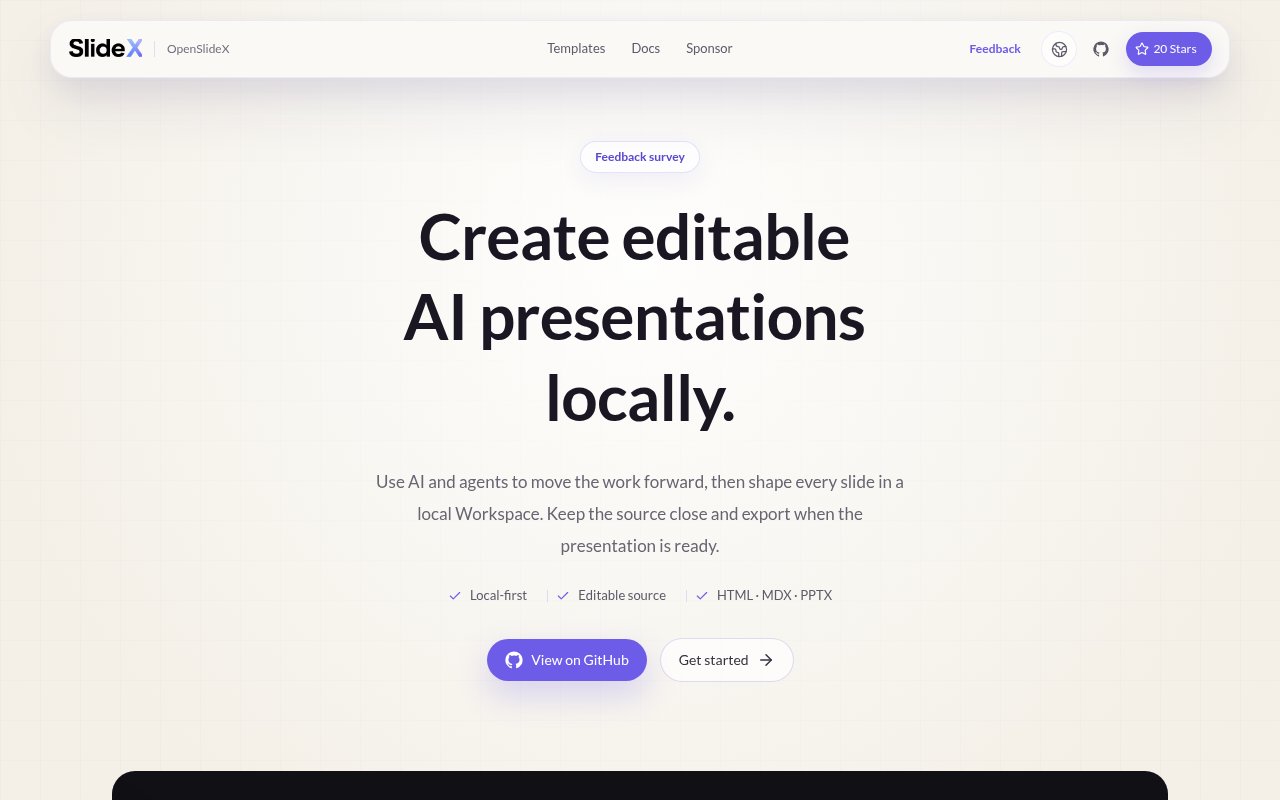
OpenSlideX is an open-source, local-first workspace for creating presentations that remain editable after the first draft. It keeps each deck in a folder on the user's computer, with a React-based presentation.tsx file as the canonical source. The project is aimed at people who want agents to help create a deck without handing ownership of the deck to a hosted presentation service. Copy, layouts, assets, and exports can stay beside one another in a normal local project, where they can be opened in an editor, inspected from a terminal, or tracked with Git.
The Workspace provides the visual side of that model. A user can start a blank deck or choose an official template, edit slide content and styling, preview changes locally, and keep working on the same source. An existing OpenSlideX project can also be imported from its folder and reopened for more editing. Template content isn't locked. Copy can be rewritten, images swapped, and each slide restyled in the Workspace. React components represent presentation elements such as slides, text, images, video, shapes, charts, tables, SVG, and embedded HTML. Underneath, OpenSlideX compiles the React source into its portable MotionDoc model. MDX remains available for import and export, but the current documentation is clear that presentation.tsx is the source of truth for a deck.
This setup addresses a familiar problem with AI-made slides. A generated deck can look useful at first, then become awkward to revise because the source is hidden inside a service or flattened into images. OpenSlideX puts the editable structure in the project from the start. Its Workbench supports local preview and validation, and the effect system includes entry, action, and exit effects along with native slide interactions. Because the deck is code-backed, a team can review changes as files and use the same development habits it already uses for other versioned work.
Agent assistance is part of the intended workflow, though it isn't presented as a bundled hosted model. The starter includes project-local skills for source intake and PPTX conversion, React authoring, browser-native HTML authoring, narrative design, motion direction, and visual quality checks. An agent can use those resources to move a brief toward a working draft, while the user refines individual slides in Workspace. This makes OpenSlideX especially relevant to developers, technical teams, and agent users who are comfortable giving structured instructions and reviewing editable output rather than accepting a one-click generated result.
Delivery remains flexible. The homepage advertises export to HTML, MDX, and editable PPTX, so a deck can travel as a web presentation, portable source, or a familiar office file. Local validation and rendering happen before export, and the project keeps assets and generated files alongside the deck. That range is useful when one audience needs a browser link while another expects PowerPoint. Some effects or code-driven behaviors may not map perfectly to every destination, so the editable source remains the most complete version and exported formats are best checked before a high-stakes presentation.
There are two installation paths. The standalone macOS and Windows installers include the required runtime and Chromium renderer, so they don't install system-wide Node.js, npm, or Git and don't require administrator access. Release archives are checked with SHA-256 integrity and GitHub artifact attestations, and normal releases require the GitHub CLI for verification. The command can update to a verified new release or roll back to the retained earlier version, and uninstalling the runtime leaves presentation folders in place. Developers can instead clone the repository or initialize a standalone deck through npm, which currently requires Node.js 22.12 or newer. That flexibility is helpful, though both routes assume more comfort with a terminal than a typical cloud slide editor.
OpenSlideX is free and MIT licensed, with no account requirement, background synchronization, or hidden cloud presentation store in its normal workflow. The site says sponsorship is being prepared, but it doesn't describe a paid product tier. The tradeoff is the shape of a young open-source project. Its official bundled catalog currently names only two templates, and the user is responsible for the local runtime, files, and any external agent setup. For someone who values source ownership, local work, and editable exports, those responsibilities are closely connected to the reasons to choose it.
Key Features
- Local presentation workspace
- React-based editable source
- Project-local agent skills
- HTML, MDX, and PPTX export
- Template-based deck creation
- Local validation and preview
Pros & Cons
What we like
- Deck source stays in a local folder
- No account or background sync required
- Exports remain useful outside the workspace
- MIT license supports adaptation and inspection
Room for improvement
- Installation still involves a terminal
- Official template catalog is currently small
- AI assistance depends on external agents
- Standalone installers focus on macOS and Windows
Frequently Asked Questions
What is OpenSlideX?
Is OpenSlideX free?
Which formats can OpenSlideX export?
Does OpenSlideX include its own AI model?
Best For
Featured in
Alternatives to OpenSlideX
View all
CalendHub
Smart scheduling and calendar management for teams
Kevin Gabeci Toolkits
Seven AI toolkits for writing books, making music, cutting video, and building agents.

Eased Into AI
Learn AI from zero. No jargon, no hype, just steps that work.

Fix It Gently
Calm, plain-English fixes for everyday tech problems.
Our take
Tool Index Editorial · Oct 2026· 3.5/5
OpenSlideX is a free, open source presentation workspace that keeps deck source and assets in a local folder. It targets developers and agent users who want React based slides, local preview, version control, and exports to HTML, MDX, or editable PowerPoint instead of a deck trapped in a hosted service. No account or background sync is required.
We found the code backed model appealing for technical decks and repeatable templates, and the documentation covers real components, effects, validation, and agent setup. It remains a young, technical project. Installation and daily use assume terminal comfort, the official template set is small, and external agents provide the AI assistance. The homepage still calls MDX the source while the current docs name presentation.tsx as canonical, a documentation mismatch worth resolving before teams standardize on it.
Editorial opinion from the Tool Index team, written from the public product pages. Not a user review.
Reviews (0)
Badge builder
Add OpenSlideX to your website
Choose a badge style and size, preview it here, then copy the generated HTML. Badge images are self-contained SVGs and do not require an external script.

<a href="https://toolindex.net/tools/slidex?ref=badge" target="_blank" rel="noopener">
  <img src="https://toolindex.net/badge/slidex/medium.svg" alt="OpenSlideX - Listed on Tool Index" width="180" height="50" />
</a>How to use the badge
- 1. Pick the style, size, and theme that fit your layout.
- 2. Copy the generated HTML from the code block.
- 3. Paste it into your footer, homepage, or press page.
Standard badge available
The standard listing badge is available now. Score and circle badges are limited to tools currently ranked in the top 10 of a category.
Badge clicks return visitors to this profile with a referral tag so the source remains identifiable.
Related Tools

Confluence
Atlassian's long-running team wiki that anchors many enterprise knowledge stacks
Asana
Project management for teams that live in projects, tasks and dependencies
Kevin Gabeci Toolkits
Seven AI toolkits for writing books, making music, cutting video, and building agents.

Logseq
An open-source outliner notes app where every bullet is a first-class block
Work on OpenSlideX? Request listing access or correction