
Snapix
Mac screenshot app with annotation, OCR, and capture history in the menu bar
Gallery
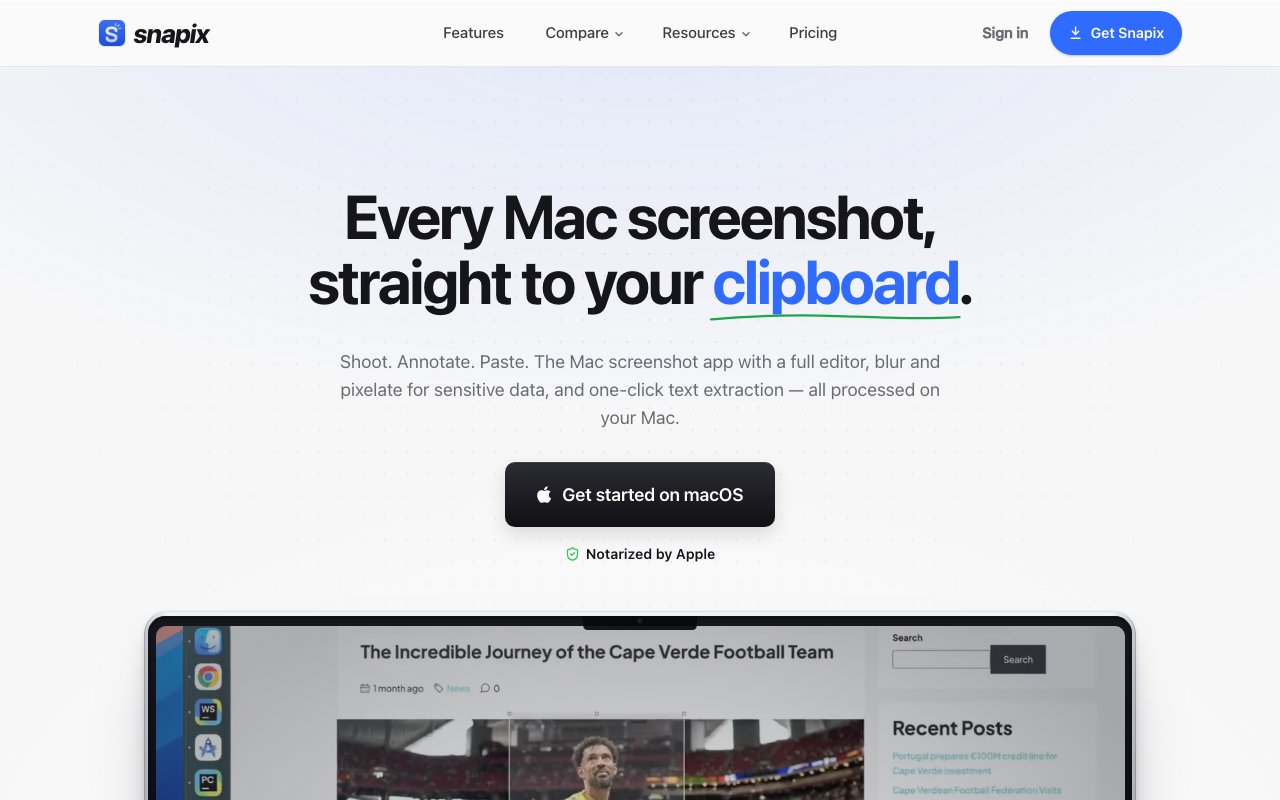
About Snapix
Snapix is a screenshot utility for macOS that lives in the menu bar and extends what the built-in capture tools can do. It adds annotation, text extraction via OCR, and a searchable capture history to the standard screenshot workflow, all rendered at full Retina resolution and processed entirely on the local machine. The app is designed for people who take screenshots constantly and find the default macOS tools either too slow or too limited for professional use.
The core value proposition is speed to share. Every screenshot copies to the clipboard the instant it's captured, which means pasting into Slack, a support ticket, an email, or a document happens without an intermediate save step. You capture, you paste, you move on. When a capture needs context before sharing, the built-in annotation editor provides arrows, shapes, text labels, and auto-numbered steps for documenting multi-step processes. Blur and pixelate tools handle sensitive content like email addresses, credentials, or personal data that shouldn't appear in the final image. The edits render natively at Retina resolution, so everything stays crisp regardless of how much you zoom in or how the image gets resized later.
Text extraction works by dragging a selection over any visible text on the screen. Snapix runs optical character recognition locally, detects the language automatically without configuration, and drops the extracted text onto the clipboard ready to paste. This is useful for pulling text from error dialogs, PDFs rendered in Preview, code pasted as an image, or any interface that doesn't allow normal text selection. Because the OCR engine runs entirely on the Mac, there's no network call and no data leaving the machine. The feature requires no signup, no account, and no cloud processing.
Capture history solves the problem of losing a screenshot before you could use it. A global hotkey opens the history panel where recent captures are listed chronologically. Each entry is editable, copyable, and pinnable. Pins keep important captures at the top of the list for quick access, and the history persists across app restarts so a screenshot from last week is still reachable without digging through folders. The panel integrates with the annotation editor, so you can mark up an old capture without re-taking it.
The target audience is anyone whose workflow involves frequent screenshots. Developers documenting bugs or writing technical documentation, support staff capturing customer-reported issues, designers sharing progress with stakeholders, and writers grabbing reference material all fit. The product positions itself as a lighter, more affordable alternative to CleanShot X, which is the de facto standard for power-user screenshot tools on macOS. Snapix claims to save roughly twenty-four hours a year for users taking fifty or more screenshots daily, which translates to a few seconds per capture that compound over thousands of captures.
Privacy receives particular emphasis throughout the product. Every capture, annotation, and OCR result processes on the Mac and stays there. The app only connects to external servers for account authentication, subscription verification, and checking for updates. There is no background recording, no screen capture beyond the moment the user initiates a shot, and no telemetry that uploads image content. For users working with sensitive material or operating under compliance constraints, this local-only architecture is a meaningful differentiator from tools that rely on cloud processing.
The annotation toolset covers the common use cases without becoming bloated. Arrows point at the thing you're highlighting. Shapes and boxes draw attention to regions. Text labels add context. Numbered steps document sequences for tutorials or bug reproduction. Blur and pixelate hide sensitive areas without editing the underlying capture. All of these tools are accessible through keyboard shortcuts for speed, and the editor interface is minimal enough that you can mark up a screenshot and close the window in a few seconds rather than getting lost in a full image editor.
Pricing is a single tier at twenty-four dollars per year for Snapix Pro. There is no free tier beyond the trial, but the trial itself is fourteen days with full feature access and no credit card required. The app is notarized by Apple, requires macOS 14.0 (Sonoma) or later, and installs as a standard menu bar utility. If you're evaluating screenshot tools and want local processing, fast clipboard integration, and a simpler interface than the heavier alternatives, the trial gives enough time to run it through a real workflow before committing.
Key Features
- Instant clipboard copy on capture
- Retina-resolution annotation editor
- On-device OCR text extraction
- Searchable capture history with pins
- Customizable global hotkeys
- Blur and pixelate sensitive areas
Pros & Cons
What we like
- All processing stays on device with no cloud uploads
- Annotations render crisply at Retina resolution
- Capture history persists across restarts
- One-price annual tier keeps costs predictable
Room for improvement
- Mac only, no Windows or Linux support
- No free tier beyond the trial
- Requires macOS 14.0 or later
- Annual subscription rather than one-time purchase
Frequently Asked Questions
What is Snapix?
Is Snapix free?
Does Snapix upload my screenshots?
Which macOS versions does Snapix support?
Best For
Featured in
Alternatives to Snapix
View all
CalendHub
Smart scheduling and calendar management for teams
Kevin Gabeci Toolkits
Seven AI toolkits for writing books, making music, cutting video, and building agents.

Eased Into AI
Learn AI from zero. No jargon, no hype, just steps that work.

Fix It Gently
Calm, plain-English fixes for everyday tech problems.
Our take
Tool Index Editorial · Oct 2026· 4.0/5
Snapix is a polished Mac screenshot utility with fast capture, a 16 tool editor, local OCR, pinned images, and searchable history. It is for developers, support staff, designers, and writers who annotate or reuse screenshots throughout the day. We found the keyboard driven workflow, persistent history, blur tools, backgrounds, and on device text extraction meaningfully beyond the built in macOS capture controls.
There is a 14 day trial with no card. Pricing is EUR 2.99 monthly, EUR 23.88 yearly, or EUR 67 for a lifetime license. Every plan includes the full feature set. The limitation is platform reach. It requires macOS 14 or later, the trial asks for an Apple or Google sign in, and teams needing cloud sharing or Windows support will need another product. For a single Mac user, though, the scope and pricing are convincing.
Editorial opinion from the Tool Index team, written from the public product pages. Not a user review.
Reviews (0)
Badge builder
Add Snapix to your website
Choose a badge style and size, preview it here, then copy the generated HTML. Badge images are self-contained SVGs and do not require an external script.

<a href="https://toolindex.net/tools/snapix?ref=badge" target="_blank" rel="noopener">
  <img src="https://toolindex.net/badge/snapix/medium.svg" alt="Snapix - Listed on Tool Index" width="180" height="50" />
</a>How to use the badge
- 1. Pick the style, size, and theme that fit your layout.
- 2. Copy the generated HTML from the code block.
- 3. Paste it into your footer, homepage, or press page.
Standard badge available
The standard listing badge is available now. Score and circle badges are limited to tools currently ranked in the top 10 of a category.
Badge clicks return visitors to this profile with a referral tag so the source remains identifiable.
Related Tools

Confluence
Atlassian's long-running team wiki that anchors many enterprise knowledge stacks
Asana
Project management for teams that live in projects, tasks and dependencies
Kevin Gabeci Toolkits
Seven AI toolkits for writing books, making music, cutting video, and building agents.

Logseq
An open-source outliner notes app where every bullet is a first-class block
Work on Snapix? Request listing access or correction