
Snippety
Snippet manager and text expander for macOS and iOS with smart placeholders, scripts, and AI actions
Gallery
About Snippety
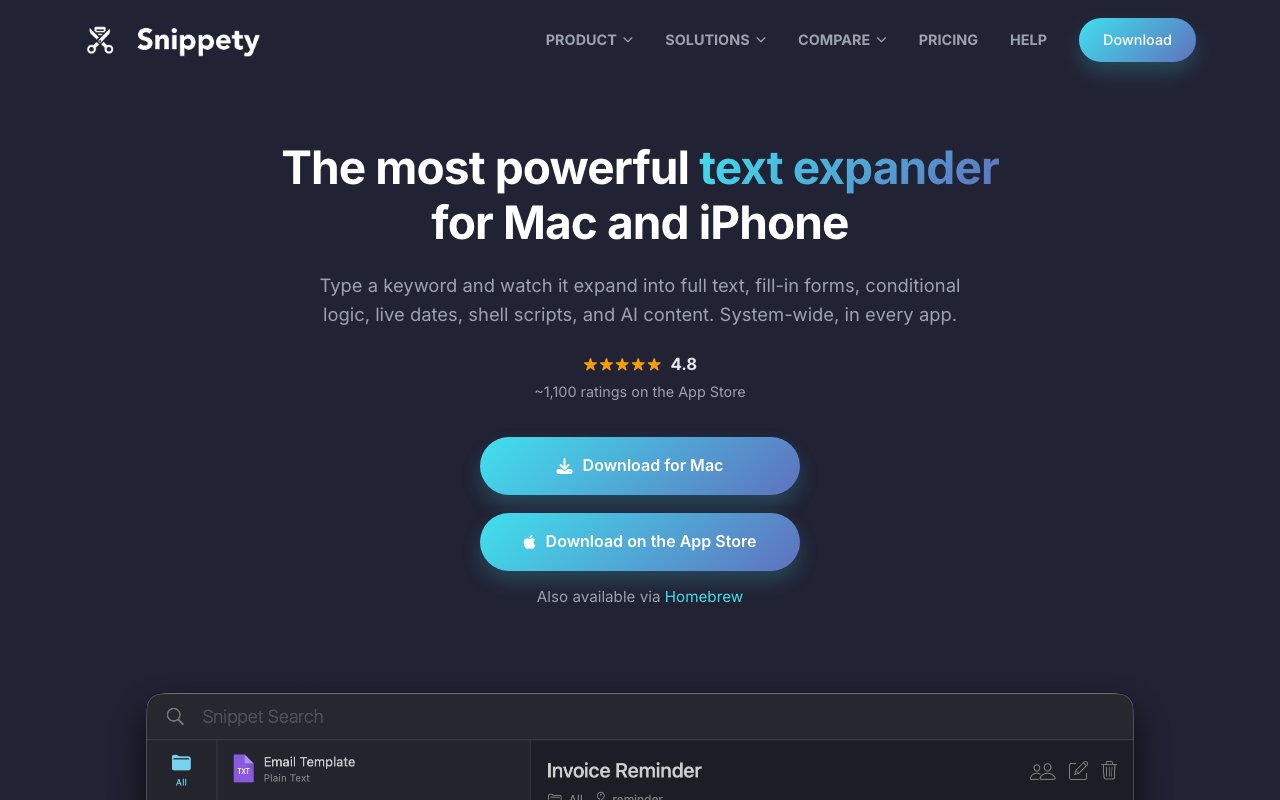
Snippety is a snippet manager and text expander for macOS and iOS that turns short keywords into full blocks of text anywhere you type. You define a snippet once, give it a trigger, and from then on typing that trigger in any application expands it into the complete text, whether that's a code block, a support reply, a legal clause, or a prompt you keep feeding to an AI chat. It's been in active development for over six years by indie developer Wojciech Kulik, and that history shows in how far the templating goes beyond simple find-and-replace.
The templating engine is the heart of the app. Snippety ships with twenty smart placeholders, so a single snippet can pause mid-expansion and ask you to fill in a field, pick an option from a dropdown, insert a date calculated for you, pull in whatever is sitting on your clipboard, or reference another snippet entirely. Conditional blocks take it further by letting one template change its output based on what you answer, which means one well-built snippet can replace a whole folder of near-duplicates. And when plain templating runs out, a snippet can execute a shell script mid-expansion and insert the output, which quietly turns a text expander into a small automation tool.
There's an AI layer wired into the same templates. Snippets can translate text, rewrite it, or generate content as part of an expansion, so a reply can be rephrased or localized on its way out instead of in a separate app. Developers are clearly a core audience here. Stored code snippets get syntax highlighting across more than fifty languages, and there's a command-line interface for expanding and searching snippets straight from the terminal, so the library you build in the app is scriptable too. On the Apple automation side, Snippety exposes more than twenty actions to Shortcuts, with Siri support, so snippets can feed into larger workflows across the system.
One group the site calls out directly is people who spend their day inside AI chat tools, and the fit is better than it first sounds. Prompts are the new snippets. A prompt library with fill-in placeholders is a genuinely better way to work with a chatbot than scrolling back through old conversations hunting for the careful prompt you wrote last week. Build it once with a dropdown for tone and a field for the topic, give it a keyword, and the same prompt becomes reusable everywhere you can type, in the browser, in a native client, on your phone. The built-in AI actions close the loop, since a template can also hand its own text off for rewriting or translation as part of the expansion.
Everything syncs through iCloud, so the same library follows you from Mac to iPhone to iPad, and teams can share snippets across people as well. On iOS there's a custom keyboard that expands snippets while you type inside any app, which is the piece most Mac-first expanders never get around to shipping. The intended audience is anyone who types the same things repeatedly. The site calls out developers, customer support, sales teams, recruiters, legal professionals, doctors, and writers, plus anyone maintaining a growing collection of AI prompts they reuse across tools. If your day involves pasting variations of the same message, the savings compound fast.
What sets Snippety apart in a crowded text-expander field is the combination of depth and posture. Conditional templates are rare in this category, shell script execution mid-expansion is rarer still, and the whole thing stays a native Mac and iOS app rather than a web wrapper. There are also around 250 themes if you care how your snippet window looks, which is a small thing, but it signals the general level of polish. The pitch leans on being powerful and native without forcing a subscription, which is exactly the nerve that most rivals in this space keep hitting. Six years of constant updates from the same developer is also a long run for an indie utility, and it means the unglamorous basics have had time to mature.
Pricing is friendly by category standards. There's a free tier with a limited number of snippets, so you can live with the app for a while before paying anything. Pro costs $2.99 a month, or you can pay $39.99 once for a lifetime license that includes future updates. A single App Store purchase unlocks the app on every device signed into the same Apple ID, so you're not buying the Mac and iPhone versions separately. For a category where subscription fatigue is real, that lifetime option is the detail many buyers will care about most, and the track record suggests the developer intends to keep earning it.
Key Features
- Twenty smart placeholders in templates
- Conditional blocks for adaptive snippets
- Shell script execution mid-expansion
- AI translation, rewriting, and generation
- CLI plus Shortcuts and Siri actions
- iCloud sync with iOS custom keyboard
Pros & Cons
What we like
- Lifetime license option instead of forced subscription
- Conditional templates go deeper than most expanders
- Native macOS and iOS apps, one purchase for all devices
- Syntax highlighting and CLI make it genuinely developer-friendly
Room for improvement
- Apple platforms only, no Windows or Android
- Free tier caps the number of snippets
- Advanced templating has a learning curve
- Built by a solo developer, smaller team behind it
Frequently Asked Questions
What is Snippety?
Is Snippety free?
Who is Snippety for?
How is Snippety different from other text expanders?
Best For
Featured in
Alternatives to Snippety

CalendHub
Smart scheduling and calendar management for teams
Kevin Gabeci Toolkits
Seven AI toolkits for writing books, making music, cutting video, and building agents.

Eased Into AI
Learn AI from zero. No jargon, no hype, just steps that work.

Fix It Gently
Calm, plain-English fixes for everyday tech problems.
Reviews (0)
Badge builder
Add Snippety to your website
Choose a badge style and size, preview it here, then copy the generated HTML. Badge images are self-contained SVGs and do not require an external script.

<a href="https://toolindex.net/tools/snippety?ref=badge" target="_blank" rel="noopener">
  <img src="https://toolindex.net/badge/snippety/medium.svg" alt="Snippety - Listed on Tool Index" width="180" height="50" />
</a>How to use the badge
- 1. Pick the style, size, and theme that fit your layout.
- 2. Copy the generated HTML from the code block.
- 3. Paste it into your footer, homepage, or press page.
Standard badge available
The standard listing badge is available now. Score and circle badges are limited to tools currently ranked in the top 10 of a category.
Badge clicks return visitors to this profile with a referral tag so the source remains identifiable.
Related Tools

Confluence
Atlassian's long-running team wiki that anchors many enterprise knowledge stacks
Asana
Project management for teams that live in projects, tasks and dependencies
Kevin Gabeci Toolkits
Seven AI toolkits for writing books, making music, cutting video, and building agents.

Logseq
An open-source outliner notes app where every bullet is a first-class block
Work on Snippety? Request listing access or correction