SubRead
Align an audiobook with its ebook and create book-accurate subtitles in the browser
Gallery
About SubRead
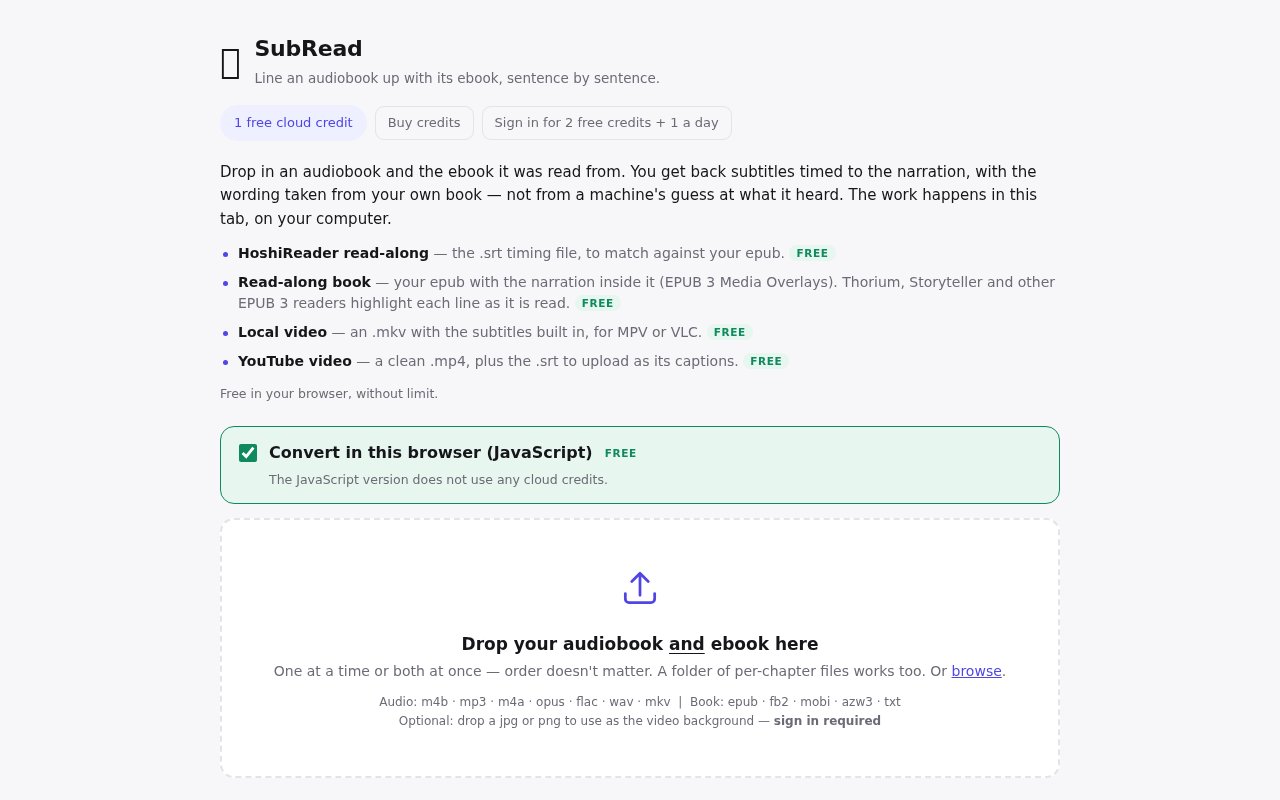
SubRead is a browser tool that lines up an audiobook with the ebook it was recorded from. The user supplies both versions, and the tool creates subtitles timed to the narration. Its central idea is that speech recognition should determine when words are spoken, while the uploaded book supplies the words themselves. That distinction matters for names, uncommon vocabulary, punctuation, and spelling, which a transcript generated only from audio can get wrong. The result is aimed at people who want to read along with an audiobook or reuse accurately timed book text in a subtitle-based format.
The workflow starts by dropping the audiobook and matching ebook into the page. SubRead uses Whisper as the speech model and credits SubPlz for the alignment method. Whisper helps locate the spoken material in time, then the alignment connects those timings to passages from the ebook. Every subtitle line is taken from the book the user provided rather than treated as a final machine transcription. This doesn't remove the need for a genuinely matching edition, but it gives the finished text a firmer source than an audio-only guess.
A free conversion can happen directly in the current browser tab, on the user's computer. That gives readers a way to try the core process without first buying a server job. It also means local processing is tied to the device and open session doing the work. SubRead says videos are created in the tab only when requested, take seconds to make, and are not retained. Anyone who wants a video output needs to generate and save it before closing the tab rather than assuming the service will keep a cloud copy available later.
For users who don't want to rely only on local browser processing, SubRead also offers paid server conversion. One credit converts one book on its server and includes every output the job provides. Credits bought in a pack don't expire, and a failed job returns its credit. A monthly plan renews until canceled through the plan management control, but its book allowance doesn't carry into the next month. Payment is handled through Stripe, and buying access creates an account under the email supplied to Stripe. The site says it doesn't see the user's card details.
The tool also connects to honjimaku.com, a free library of subtitles for Japanese audiobooks. Users can share finished subtitles there so another learner with the same book doesn't need to repeat the alignment work. SubRead says the relevant key stays in the browser and that the subtitle data travels from the tab to honjimaku.com and nowhere else. It also gives an important rights reminder. Subtitles contain the wording of the uploaded book, so users should share them only when they have permission to do so.
SubRead fits language learners, audiobook listeners who benefit from visible text, and readers trying to create a read-along version from media they already own. It can also help someone produce timed book text without manually transcribing a long recording. The requirement to provide both sides of the pair is a meaningful boundary. It isn't a tool for inventing an ebook from an arbitrary spoken recording, and alignment quality will depend on how closely the chosen ebook matches what the narrator reads. Abridgments, changed editions, or added material can naturally make that pairing harder.
What makes the product distinct is its division of labor between audio recognition and source text. Many transcription tools return whatever the speech model believes it heard. SubRead instead uses the book as the authority for wording while retaining audio-derived timing, which directly addresses the misspellings that make automatic subtitles frustrating for books. Local conversion, on-demand video creation, optional server credits, and a Japanese subtitle-sharing destination give the same core alignment several practical routes without turning the product into a general editing suite.
Access is freemium in practice. Conversion in the current tab is always free, while credit packs and a renewing monthly plan cover server processing. The public page explains how credits, failures, account creation, and renewal work, though the accessible product text doesn't expose the current currency amounts clearly enough to quote here. The safest first step is to test a matching audiobook and ebook locally, review the alignment against the supplied book, and save any temporary output before the tab closes. Paid processing makes more sense once that result has proved useful.
Key Features
- Audiobook and ebook alignment
- Book-grounded subtitle text
- Whisper-based speech timing
- Free in-browser conversion
- On-demand video generation
- Optional honjimaku subtitle sharing
Pros & Cons
What we like
- Uses the ebook for names and exact spelling
- Core conversion can run free in the browser
- Failed server jobs return their credit
- Credit packs don't expire
Room for improvement
- Requires both a matching audiobook and ebook
- Different or abridged editions may align poorly
- Generated videos aren't retained after the tab closes
- Shared subtitles require careful rights review
Frequently Asked Questions
What is SubRead?
Is SubRead free?
How does SubRead keep subtitle spelling accurate?
Can SubRead subtitles be shared?
Best For
Featured in
Alternatives to SubRead

CalendHub
Smart scheduling and calendar management for teams
Kevin Gabeci Toolkits
Seven AI toolkits for writing books, making music, cutting video, and building agents.

Eased Into AI
Learn AI from zero. No jargon, no hype, just steps that work.

Fix It Gently
Calm, plain-English fixes for everyday tech problems.
Reviews (0)
Badge builder
Add SubRead to your website
Choose a badge style and size, preview it here, then copy the generated HTML. Badge images are self-contained SVGs and do not require an external script.

<a href="https://toolindex.net/tools/subread?ref=badge" target="_blank" rel="noopener">
  <img src="https://toolindex.net/badge/subread/medium.svg" alt="SubRead - Listed on Tool Index" width="180" height="50" />
</a>How to use the badge
- 1. Pick the style, size, and theme that fit your layout.
- 2. Copy the generated HTML from the code block.
- 3. Paste it into your footer, homepage, or press page.
Standard badge available
The standard listing badge is available now. Score and circle badges are limited to tools currently ranked in the top 10 of a category.
Badge clicks return visitors to this profile with a referral tag so the source remains identifiable.
Related Tools

Confluence
Atlassian's long-running team wiki that anchors many enterprise knowledge stacks
Asana
Project management for teams that live in projects, tasks and dependencies
Kevin Gabeci Toolkits
Seven AI toolkits for writing books, making music, cutting video, and building agents.

Logseq
An open-source outliner notes app where every bullet is a first-class block
Work on SubRead? Request listing access or correction