
Gallery
About SuperOpt
SuperOpt is an open-source macOS menu bar app that makes the desktop behave more like Linux and GNOME. It is meant for people who already have years of muscle memory built around Control shortcuts, the Super key, GNOME's Activities overview, and familiar window controls. Instead of asking them to relearn every gesture on a Mac, SuperOpt translates many of those habits into the equivalent macOS actions. The result is a compatibility layer for daily interaction rather than a new launcher or window manager. It can be useful when a Linux user receives a Mac for work, switches between both systems, or uses a PC keyboard with a Mac.
Keyboard remapping covers common editing, file, browser, terminal, and code editor actions. Control can handle copy, paste, undo, search, tabs, and similar commands while SuperOpt triggers the macOS equivalents underneath. It also maps familiar actions such as Alt plus F4 for closing a window, F2 for renaming a Finder item, F11 for full screen, and Home and End for moving to the start or end of a line. Terminal mappings account for the different copy and paste combinations used on Linux, and code editor mappings cover actions such as the command palette, commenting, indentation, line movement, and find and replace. Every individual shortcut can be turned on or off, which helps avoid forcing one complete preset onto every app.
The Option key behavior is designed to coexist with shortcuts already present on the Mac. A single press is detected when the key is released, while combinations that use Option can continue to work normally. The Dock number mapping also lets the Finder position be configured, which matters because Dock layouts differ. These details support a gradual setup. Someone can enable a familiar launcher gesture or a small group of editing commands first, then add browser, terminal, and Finder mappings only where the defaults keep causing mistakes.
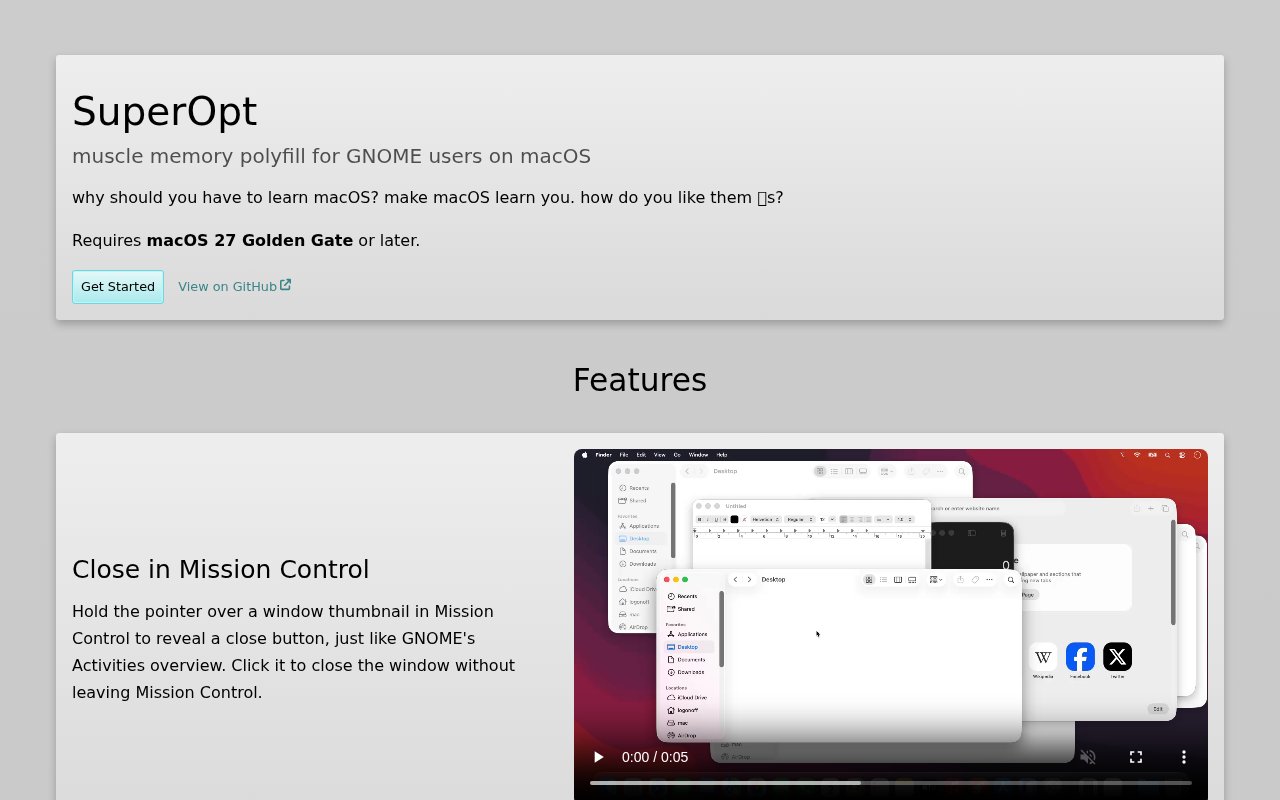
The GNOME influence extends beyond keystrokes. Moving the pointer to the top-left corner can open Mission Control with a ripple animation. Hovering over a window there can reveal a close button, and Tile Assist can suggest another window after one is placed on half of the screen. An optional change makes the green window button fill the screen instead of entering full screen, while another can add an opaque dark area behind the menu bar when a window fills the display. Pressing the Option key can open Mission Control, pressing it twice can open Spotlight Apps, and Option with a number can open a corresponding Dock app. Window tiling can also use Option with the arrow keys.
SuperOpt includes smaller behaviors that often make the difference between a familiar desktop and an irritating one. A Menu key on a PC keyboard can open a shortcut menu. Middle-click can paste into a text field or open a new window from a Dock icon while leaving native middle-click behavior alone elsewhere. Control with the scroll wheel can zoom in browsers, with a choice of natural or traditional direction. Finder can gain a cut and paste flow for moving files, and an onscreen indicator can report when Caps Lock changes. The settings window provides fine-grained switches for these functions, and the interface is available in eleven languages.
The privacy posture is straightforward because everything runs locally. The site says SuperOpt makes no network requests, collects no telemetry, and sends no data away from the Mac. Its source code is public, and it can be installed through the developer's Homebrew tap or downloaded from GitHub Releases. Releases are self-signed rather than notarized, so the first launch may require a Control-click and an explicit Open action to pass Gatekeeper. The project offers GitHub build attestations that link release files to source commits, immutable release assets, a pinned hash in the Homebrew cask, GPG-signed commits, and a public code-signing key for people who want to verify what they install.
That transparency does not remove the need for caution. SuperOpt needs Accessibility and Input Monitoring permissions because it watches global keyboard and mouse events, generates key events, and manages windows. The product page also carries a blunt warning that the project was made with AI assistance and hasn't been thoroughly vetted by a human. Users should review the source and start with only the mappings they need, especially on a managed work Mac. The homepage lists macOS Tahoe 26 or later, while the current repository README names macOS 27, so the latest release requirements should be checked before installation. There is no paid tier. SuperOpt is free software under the WTFPL v2, making it an unusually configurable option for Linux users who accept the permissions and early-project caveats.
Key Features
- Linux-style shortcut remapping
- GNOME-inspired Mission Control
- Configurable window tiling
- Middle-click paste support
- Per-feature settings controls
- Fully offline operation
Pros & Cons
What we like
- Preserves Linux habits across common Mac apps
- Lets every feature and shortcut be disabled individually
- Runs locally without telemetry or network requests
- Publishes source and release verification materials
Room for improvement
- Requires Accessibility and Input Monitoring permissions
- Self-signed releases need a Gatekeeper override
- Code hasn't been thoroughly human-vetted
- Published macOS requirements are currently inconsistent
Frequently Asked Questions
What is SuperOpt?
Can individual SuperOpt mappings be disabled?
Does SuperOpt send data off the Mac?
Is SuperOpt free and open source?
Best For
Featured in
Alternatives to SuperOpt
View all
CalendHub
Smart scheduling and calendar management for teams
Kevin Gabeci Toolkits
Seven AI toolkits for writing books, making music, cutting video, and building agents.

Eased Into AI
Learn AI from zero. No jargon, no hype, just steps that work.

Fix It Gently
Calm, plain-English fixes for everyday tech problems.
Our take
Tool Index Editorial · Sep 2026· 3.5/5
SuperOpt is an open source Mac menu bar app that brings GNOME and Linux habits to macOS through shortcut remapping, hot corners, tiling, middle click paste, and window behavior tweaks. We found unusually fine controls, with each feature switchable on its own, and a strong local privacy posture with no network requests or telemetry. The site presents source and downloads but no paid tier.
It is a smart fit for Linux users who resent rebuilding years of muscle memory on a Mac. The tradeoff is trust and compatibility. A global input and window utility needs powerful system permissions, the download is self signed, and the current page requires macOS 27, which sharply limits its audience. Users should verify the build and enable only the mappings they actually want.
Editorial opinion from the Tool Index team, written from the public product pages. Not a user review.
Reviews (0)
Badge builder
Add SuperOpt to your website
Choose a badge style and size, preview it here, then copy the generated HTML. Badge images are self-contained SVGs and do not require an external script.

<a href="https://toolindex.net/tools/superopt?ref=badge" target="_blank" rel="noopener">
  <img src="https://toolindex.net/badge/superopt/medium.svg" alt="SuperOpt - Listed on Tool Index" width="180" height="50" />
</a>How to use the badge
- 1. Pick the style, size, and theme that fit your layout.
- 2. Copy the generated HTML from the code block.
- 3. Paste it into your footer, homepage, or press page.
Standard badge available
The standard listing badge is available now. Score and circle badges are limited to tools currently ranked in the top 10 of a category.
Badge clicks return visitors to this profile with a referral tag so the source remains identifiable.
Related Tools

Confluence
Atlassian's long-running team wiki that anchors many enterprise knowledge stacks
Asana
Project management for teams that live in projects, tasks and dependencies
Kevin Gabeci Toolkits
Seven AI toolkits for writing books, making music, cutting video, and building agents.

Logseq
An open-source outliner notes app where every bullet is a first-class block
Work on SuperOpt? Request listing access or correction