
TapSend
Cross platform file sharing app with instant sync across all your devices
Gallery
About TapSend
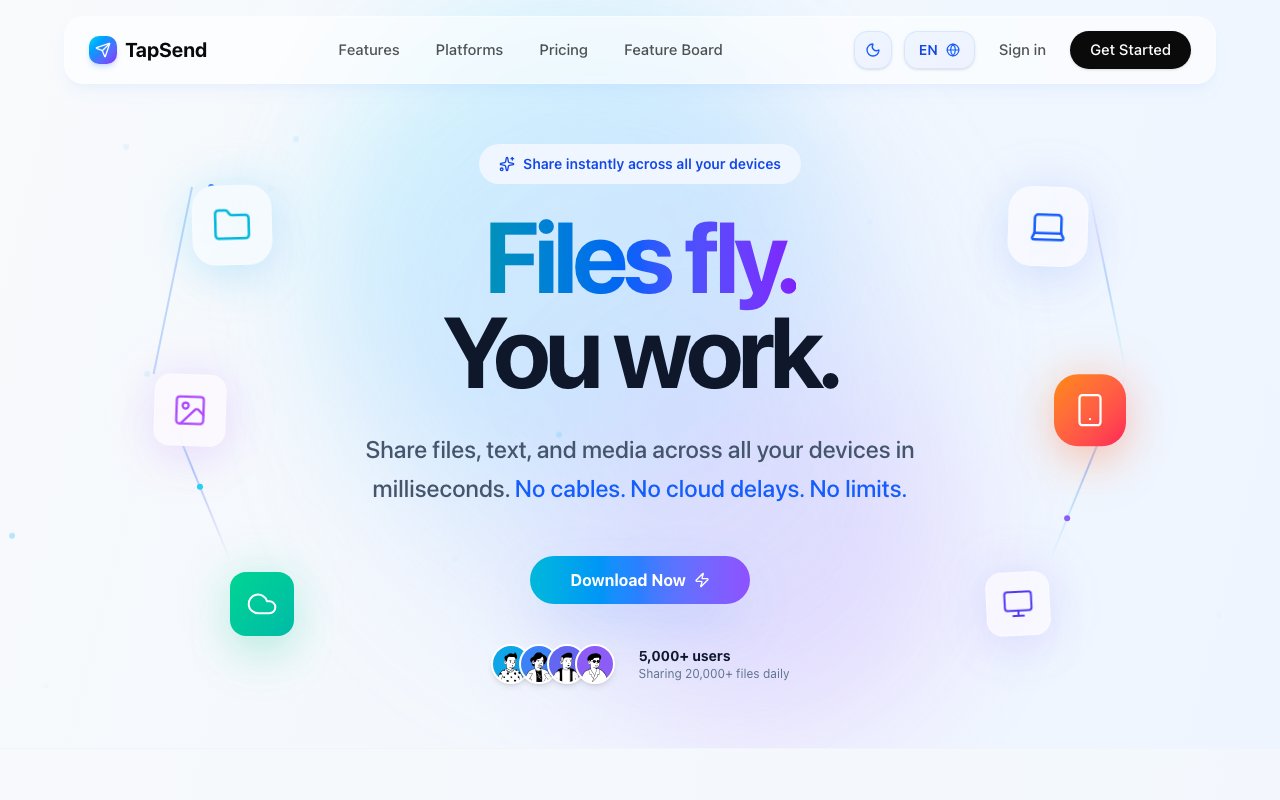
TapSend is a cross platform file sharing application that handles transfers between Windows, macOS, Linux, Android, iPhone, and iPad through a unified cloud backed system. Users sign in once and their devices automatically sync in real time, eliminating the need to manually pair devices or remember which machine has which file. The app supports sending files, text snippets, and links, covering the most common scenarios where people need to move information between devices or share with colleagues. Unlike platform locked alternatives such as AirDrop, TapSend works across all major operating systems without requiring everyone to be in the same ecosystem.
The security model encrypts all files and text in transit using industry standard SSL and TLS protocols, preventing interception during transfer. Files get stored in secure cloud infrastructure with automatic cleanup based on the user's subscription tier, preventing indefinite accumulation of old transfers that could become a storage liability over time. A friend sharing system lets users send files to trusted contacts through a friend request mechanism rather than exposing transfer links publicly or relying on easily forwarded URLs. This adds a layer of intentionality to sharing, ensuring files only reach people the sender has explicitly approved rather than anyone who happens to get the link.
Platform coverage extends beyond the expected desktop and mobile apps to reach users wherever they work. Browser extensions for Chrome, Brave, Edge, Firefox, and Opera are listed as coming soon, which would allow quick sharing directly from the browser without switching to a separate application or downloading files first. Desktop versions include tray shortcuts and global hotkeys for power users who share frequently and want the fastest possible workflow. These accelerators turn file sharing into a keyboard shortcut rather than a multi step process of opening an app, selecting files, navigating to a recipient, and confirming the send. For workflows that involve many small transfers throughout the day, these seconds saved add up.
The pricing structure splits into three tiers with meaningful differences at each level. The free plan supports two devices with 2 GB of cloud storage and allows 100 transfers per month capped at 50 MB each, which handles light personal use without any cost. The Pro plan at 9.99 dollars per month jumps to five devices, 50 GB of storage, and unlimited transfers up to 2 GB per file, fitting individuals with multiple devices who move larger files regularly. Business pricing at 19.99 dollars per month removes the device limit entirely, increases storage to 300 GB, and raises the per file limit to 5 GB for teams that share substantial media files or project archives. Annual billing on paid plans includes two months free, bringing the effective monthly cost down for users willing to commit upfront.
Target users span individuals who work across multiple personal devices, small teams that need simple collaborative file transfer without enterprise complexity, and professionals whose workflows involve frequent movement between phone, tablet, and desktop throughout the day. The unlimited device allowance on the Business tier makes particular sense for agencies or consultancies where team size fluctuates or where contractors need temporary access without consuming permanent seat licenses. Families sharing photos and documents across mixed device ecosystems will find the simpler plans cover their needs without overpaying for business features they would never use.
The real time synchronization works automatically once devices are connected to the same account. Changes propagate instantly without manual refresh, which matters when working across devices simultaneously and expecting the latest version everywhere. Someone could draft a document on their laptop, send it to their phone for review during a commute, then access the same file on a work computer without explicitly transferring at each step or wondering whether they have the current version. The cloud acts as a universal clipboard that persists across sessions and devices without the five minute expiration that limits native clipboard sharing on some platforms.
TapSend competes with platform specific solutions like AirDrop and built in cloud sync from Google, Apple, and Microsoft, but differentiates by working across all major operating systems rather than locking users into a single ecosystem. The friend sharing feature addresses the social dimension of file transfer that pure sync tools ignore, since sync assumes you only want files on your own devices. For teams that have resisted more complex collaboration platforms with steep learning curves and feature sprawl, TapSend offers a lightweight entry point that handles the transfer problem directly without imposing broader workflow changes or requiring everyone to adopt new project management habits.
Key Features
- Cross platform file sharing
- Instant device synchronization
- SSL and TLS encrypted transfers
- Cloud storage with auto cleanup
- Friend based sharing system
- Desktop tray and global hotkeys
Pros & Cons
What we like
- Works across all major operating systems and browsers
- Transfers happen in milliseconds with real time sync
- Free tier available for basic personal use
- Simple setup without complicated configuration
Room for improvement
- Free tier limited to two devices and 100 transfers monthly
- Cloud storage is not meant for long term archival
- Desktop features require paid plans
- Less useful if you only use one platform
Frequently Asked Questions
What is TapSend?
Is TapSend free?
How secure is TapSend?
What is the maximum file size?
Best For
Featured in
Alternatives to TapSend
View all
CalendHub
Smart scheduling and calendar management for teams
Kevin Gabeci Toolkits
Seven AI toolkits for writing books, making music, cutting video, and building agents.

Confluence
Atlassian's long-running team wiki that anchors many enterprise knowledge stacks
Kibu
Vertical software for disability service providers covering compliance, documentation, and programming
Reviews (11)
Exactly what I needed
Started using TapSend casually, now it is pinned in my dock. Setup was painless and I was productive the same day. Performance has been steady even when I lean on it hard.
Good, with a few caveats
Hadn't planned on switching, but TapSend was hard to ignore. Setup was painless and I was productive the same day. The interface stays out of my way, which I appreciate. Mostly using it for collaborating with teammates through shared file transfers. It would be a five if not for free tier limited to two devices and 100 transfers monthly.
Genuinely impressed
Came to TapSend after getting frustrated with what I had before. It slotted into my routine without much fuss. The defaults are sensible, so I was not fighting settings on day one. Would sign up again without thinking twice.
Recommended without reservation
Started using TapSend casually, now it is pinned in my dock. The works across all major operating systems and browsers is more useful than I expected. The core workflow is smooth once you are set up. It fits well for syncing media between personal devices without cables. Recommending it to people in a similar spot.
It just works
Picked TapSend for the price, stayed for the quality. Got real value out of works across all major operating systems and browsers. Mostly using it for syncing media between personal devices without cables. No regrets so far.
Solid daily driver
Found TapSend on a Show HN thread and I am glad I clicked. Got real value out of instant device synchronization. Mostly using it for sharing screenshots across different operating systems. Easy yes for anyone weighing the same trade offs.
It just works
Found TapSend on a Show HN thread and I am glad I clicked. Where it really wins is cross platform file sharing. Found it works best for syncing media between personal devices without cables. Would sign up again without thinking twice.
Finally something that fits
TapSend solves a real problem for me without making a fuss about it. Performance has been steady even when I lean on it hard. Found it works best for moving files between phone and computer instantly.
Good, with a few caveats
TapSend solves a real problem for me without making a fuss about it. Where it really wins is works across all major operating systems and browsers. My only gripe is desktop features require paid plans. Would sign up again without thinking twice.
Genuinely impressed
Have been running TapSend for a while, here is where I land. The thing I keep coming back to is how reliable it is. The defaults are sensible, so I was not fighting settings on day one. It fits well for collaborating with teammates through shared file transfers. Glad I made the switch.
It just works
Started using TapSend casually, now it is pinned in my dock. Where it really wins is simple setup without complicated configuration.
Badge builder
Add TapSend to your website
Choose a badge style and size, preview it here, then copy the generated HTML. Badge images are self-contained SVGs and do not require an external script.

<a href="https://toolindex.net/tools/tapsend?ref=badge" target="_blank" rel="noopener">
  <img src="https://toolindex.net/badge/tapsend/medium.svg" alt="TapSend - Listed on Tool Index" width="180" height="50" />
</a>How to use the badge
- 1. Pick the style, size, and theme that fit your layout.
- 2. Copy the generated HTML from the code block.
- 3. Paste it into your footer, homepage, or press page.
Standard badge available
The standard listing badge is available now. Score and circle badges are limited to tools currently ranked in the top 10 of a category.
Badge clicks return visitors to this profile with a referral tag so the source remains identifiable.
Related Tools
Confluence
Atlassian's long-running team wiki that anchors many enterprise knowledge stacks
Asana
Project management for teams that live in projects, tasks and dependencies
Kevin Gabeci Toolkits
Seven AI toolkits for writing books, making music, cutting video, and building agents.

Logseq
An open-source outliner notes app where every bullet is a first-class block
Work on TapSend? Request listing access or correction