
Tasfer
A local-first Canvas Markdown editor with rich blocks, LaTeX, and peer-to-peer sync
Gallery
About Tasfer
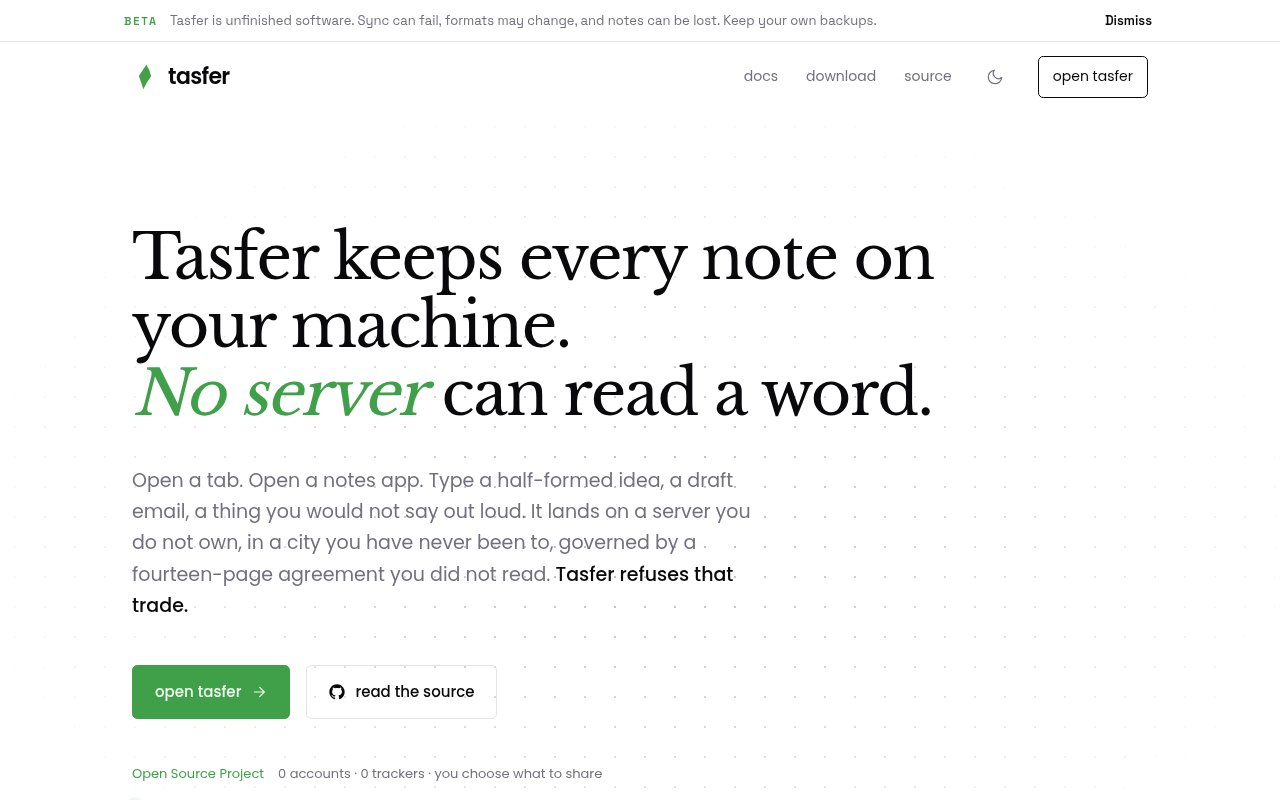
Tasfer is an open-source Markdown editor that draws the document directly on HTML5 Canvas while keeping the user's writing on their own device. It combines a structured block model with the formatting expected from a rich text editor, so it isn't limited to typing raw Markdown into a plain text box. The local-first design removes the need for a cloud account and keeps the editor available offline. People can open the web app without installing anything, use an app build, or inspect the source. The product is aimed at writers who want capable document editing without making hosted storage the price of convenience.
The editor organizes content into blocks such as paragraphs, headings, bullet lists, numbered lists, to-do lists, images, and dividers. Within those blocks it supports bold, italic, strikethrough, inline code, and links. Mathematical writing gets a Canvas-native LaTeX renderer rather than a separate embedded document surface. Tasfer also documents bidirectional text support for Arabic, Hebrew, and other right-to-left languages, along with a user interface that can be internationalized. Because text and math are painted onto Canvas instead of ordinary document elements, the project controls layout, input, and rendering consistently across the environments it supports.
That rendering system is also available as a developer component. The headless and framework-agnostic @tasfer/editor package contains the document model, schema, actions, CRDT, and Canvas renderer. A separate @tasfer/react package supplies React 19 bindings with a hook and editor component. Both engine packages use the MIT license, while the full Tasfer application uses AGPL-3.0. Developers can embed the editor core in another product and provide their own nodes, formatting marks, theme, and sync providers. This makes Tasfer relevant both as a ready writing app and as an editor toolkit for teams that don't want to build Canvas text behavior and collaborative merging from scratch.
Documents stay local, with SQLite-backed storage adapted to each runtime. The operation log is the source of truth, and snapshots plus lazily synced, content-addressed assets support the working document. Collaboration uses an operation-log CRDT, which stamps changes with logical time and merges character-level edits from different peers so offline work converges after reconnection. Peers exchange their current versions and send the missing operations, then stream new changes in real time. This is a practical distinction from simple file transfer because two people can continue editing and let the document model reconcile their operations rather than choosing one complete copy over another.
Sync remains optional and peer to peer. Devices discover one another through a stateless signaling relay, establish direct WebRTC data channels, catch up on missing operations, and then exchange new work. Each device creates its own Ed25519 key pair, and one-time pairing invitations establish trust through mutual signature verification. Peer communication is end-to-end encrypted, so collaborators hold the keys needed to read the material. If a direct path can't be established, relay-forwarded transport is available as a fallback, and the project says the relay can't decrypt the notes or retain an account and message history. Users can also configure their own relay.
Tasfer has paths for the web as a progressive web app, macOS, Windows, and Linux through Electron, plus iOS and Android through Capacitor. The same core handles keyboard, mouse, touch, and input method editor behavior, while each platform supplies its own storage and runtime layer. That breadth suits people who switch between a desktop and phone, writers who need offline access, technical authors using code and LaTeX, and small groups that want direct collaboration. The browser route offers the lowest-friction way to try it, while the repository includes desktop and mobile projects for users and contributors working across those environments.
The main tradeoff is maturity. Tasfer's homepage calls the product a public beta and says it runs and syncs but will break, with no guarantee that writing will survive an update. Important documents still need independent backups, and self-hosting a relay or embedding the editor core requires technical setup. There is no account, advertising, analytics, subscription, or paid storage tier shown, so open source is the clearest pricing posture. The app can be audited, forked, and run under AGPL-3.0, while the reusable editor and React packages are MIT-licensed. Tasfer already has a substantial editor architecture, but buyers should treat its beta warning as seriously as its privacy promises.
Key Features
- HTML5 Canvas-native Markdown rendering
- Block-based rich text editing
- Canvas-native LaTeX math
- Encrypted CRDT peer-to-peer collaboration
- Web, desktop, and mobile paths
- Embeddable framework-agnostic editor core
Pros & Cons
What we like
- Renders rich Markdown and math on a consistent Canvas surface
- Merges offline edits through an operation-log CRDT
- Runs locally without requiring an account or connection
- MIT-licensed core can be embedded in other products
Room for improvement
- Public beta may break during updates
- Written data isn't guaranteed to survive an update
- Reliable backups remain the user's responsibility
- Self-hosting and embedding require technical setup
Frequently Asked Questions
What is Tasfer?
What can the Tasfer editor format?
How does Tasfer collaboration work?
Where can Tasfer run?
Best For
Featured in
Alternatives to Tasfer
View all
CalendHub
Smart scheduling and calendar management for teams
Kevin Gabeci Toolkits
Seven AI toolkits for writing books, making music, cutting video, and building agents.

Eased Into AI
Learn AI from zero. No jargon, no hype, just steps that work.

Fix It Gently
Calm, plain-English fixes for everyday tech problems.
Our take
Tool Index Editorial · Sep 2026· 3.0/5
Tasfer is an open-source, local-first Markdown editor that keeps notes on the device and syncs peers over end-to-end encrypted connections without accounts. It is for privacy-minded writers and developers who want readable local files, math support, and an embeddable editor core. The app is free, with an AGPL app and an MIT-licensed editor package.
The architecture is appealing, and the option to self-host the stateless relay is a meaningful escape hatch. We also appreciate the site's blunt beta warning. Sync can fail, formats can change, and it says notes may be lost or fail to survive an update. That makes independent backups mandatory. Tasfer is worth exploring, but it is not ready to be the only home for important writing.
Editorial opinion from the Tool Index team, written from the public product pages. Not a user review.
Reviews (0)
Badge builder
Add Tasfer to your website
Choose a badge style and size, preview it here, then copy the generated HTML. Badge images are self-contained SVGs and do not require an external script.

<a href="https://toolindex.net/tools/tasfer?ref=badge" target="_blank" rel="noopener">
  <img src="https://toolindex.net/badge/tasfer/medium.svg" alt="Tasfer - Listed on Tool Index" width="180" height="50" />
</a>How to use the badge
- 1. Pick the style, size, and theme that fit your layout.
- 2. Copy the generated HTML from the code block.
- 3. Paste it into your footer, homepage, or press page.
Standard badge available
The standard listing badge is available now. Score and circle badges are limited to tools currently ranked in the top 10 of a category.
Badge clicks return visitors to this profile with a referral tag so the source remains identifiable.
Related Tools

Confluence
Atlassian's long-running team wiki that anchors many enterprise knowledge stacks
Asana
Project management for teams that live in projects, tasks and dependencies
Kevin Gabeci Toolkits
Seven AI toolkits for writing books, making music, cutting video, and building agents.

Logseq
An open-source outliner notes app where every bullet is a first-class block
Work on Tasfer? Request listing access or correction