
TasmoShelf
Local-first mobile control center for Tasmota smart home devices
Gallery
About TasmoShelf
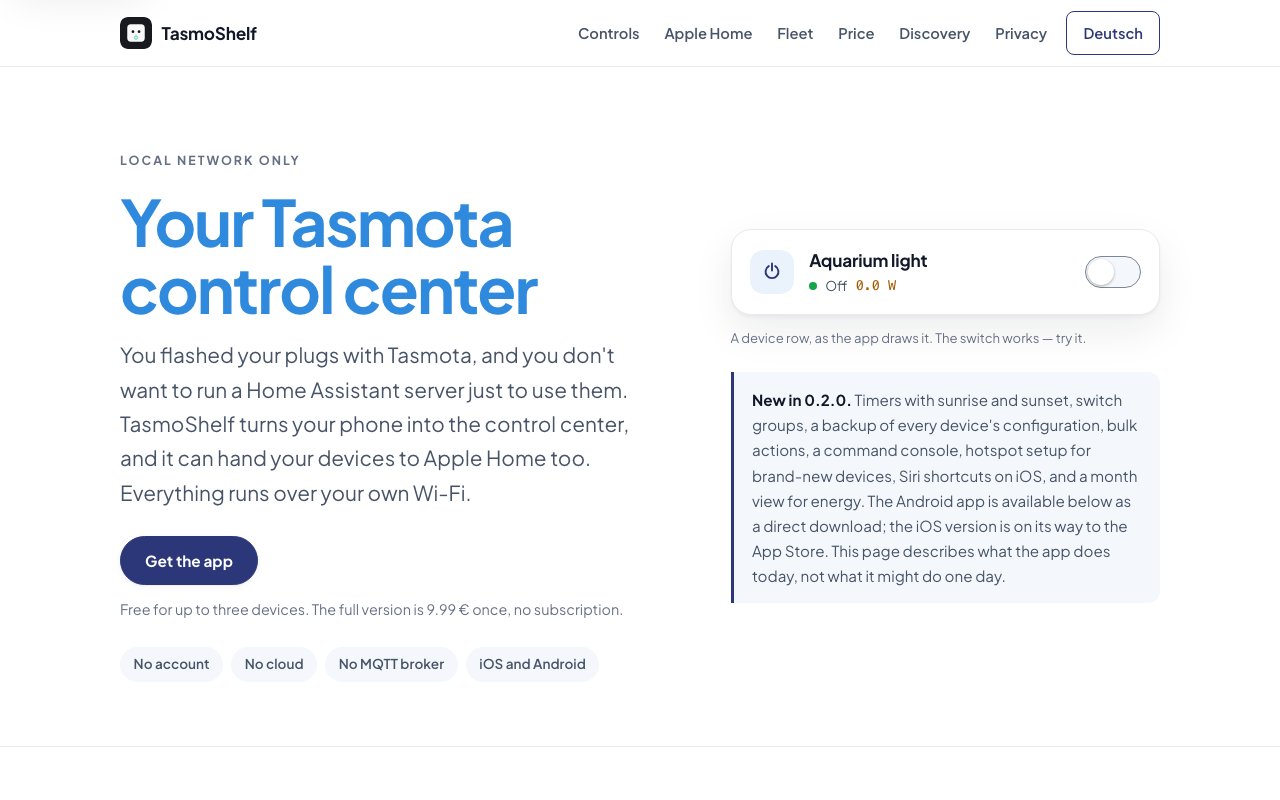
TasmoShelf is a mobile app for iOS and Android that works as a local control center for Tasmota smart home devices. Anyone who has flashed a few smart plugs, bulbs, or relays with Tasmota firmware knows the awkward middle stage that follows. You end up juggling a browser full of bookmarked IP addresses, or you stand up a full Home Assistant server just to get a decent interface. TasmoShelf targets the gap between those two extremes. It gives you one app that finds every Tasmota device on your network and controls it directly, with no cloud account, no external server, and nothing else to install.
The defining design decision is that everything stays on your home network. The app talks to devices over direct HTTP connections, the product catalogue ships inside the app, and device passwords live in the phone's keychain using standard HTTP authentication. There's no account to create and no third party sitting between your phone and your hardware. That's good for privacy, and it's just as good for reliability, because your switches keep responding even when your internet connection is down. The same design means there's nothing to subscribe to, no server-side outage that can take your lights out, and no company that can sunset a cloud service out from under your hardware.
Discovery is automatic. TasmoShelf scans the network, finds Tasmota devices, and builds controls that match what each device actually is, so a dimmer gets a slider, an RGB bulb gets a color wheel, and a plain relay gets a simple switch. Devices can be collected into groups so a single tap switches several at once. For deeper tinkering there's a command console that sends raw Tasmota commands, complete with history and suggestions, which saves a trip to the device web UI every time you need to change a setting.
It's worth pausing on what the stock experience looks like without something like this. Tasmota's built-in web interface is functional but bare. It's one page per device, styled like a router admin panel, and reachable only if you remember which IP belongs to which plug. That's fine on setup day, tedious for daily use, and a non-starter for anyone else in the household. TasmoShelf keeps everything that makes Tasmota worth flashing in the first place, the local control and the open firmware, and replaces only the part that was never designed to be a daily interface.
A few features push it well past being a network remote. Timers and schedules are written to the devices themselves rather than run from the phone, so an automation keeps firing when your phone is off or out of the house. Devices with power monitoring report real-time watts, daily and monthly consumption, voltage, and current, and the numbers export to CSV if you want to analyze them somewhere else. The app can also download each device's configuration as a .dmp backup file, which anyone who has rebuilt a dead device from scratch will appreciate. There's even a hotspot setup flow for configuring freshly flashed devices without wrestling with a browser on a captive network.
For Apple households there's a genuine standout feature. TasmoShelf can connect devices to Apple Home through the Matter protocol, which brings Siri voice control and Apple's scenes into play for hardware that was never sold with HomeKit support. That single bridge turns a pile of hobbyist devices into things the rest of the family can actually use.
The app is aimed at people who own more than a couple of Tasmota devices but don't want the overhead of Home Assistant or a dedicated always-on server. That's a real audience. Tasmota is one of the most popular open firmwares for ESP-based smart hardware, and plenty of its users just want reliable local control with a clean interface, not a whole home automation platform to maintain. TasmoShelf also suits the tinkerer phase, since the hotspot onboarding and the command console cover the messy first hour of a new device's life as well as the years of routine use afterwards.
Pricing is refreshingly simple. The app is free for up to three devices with every feature included, and a one-time purchase of 9.99 euros removes the device limit. There's no subscription, no ads, and no account requirement. Android users can download the APK directly from the website today, while the iOS version is listed as coming to the App Store. In a category where companion apps tend to lock features behind subscriptions or phone home constantly, a pay-once, local-only tool is an easy thing to recommend trying. Three devices is also a genuinely useful trial rather than a crippled demo, since the limit is on device count, not on features.
Key Features
- Automatic Tasmota device discovery
- Apple Home connection via Matter
- On-device timers and schedules
- Energy monitoring with CSV export
- Device configuration backup files
- Command console with history and suggestions
Pros & Cons
What we like
- Fully local, no cloud account or server required
- Free tier includes every feature for up to three devices
- One-time purchase instead of a subscription
- Schedules run on the devices, not the phone
Room for improvement
- Only works with Tasmota firmware devices
- iOS version not yet on the App Store
- Android install is a direct APK download
- Local-only design means no remote access away from home
Frequently Asked Questions
What is TasmoShelf?
Is TasmoShelf free?
Does TasmoShelf need the cloud or a server?
How is TasmoShelf different from Home Assistant?
Best For
Featured in
Alternatives to TasmoShelf

PropGPT
iOS app that uses AI to analyze player props, spreads, and bets across major sports leagues

Expo
The React Native framework and cloud build service that ships native iOS and Android apps without touching Xcode.

Glide
No-code platform that turns spreadsheets and databases into mobile and web apps, with computed columns and AI actions.

Fix It Gently
Calm, plain-English fixes for everyday tech problems.
Reviews (0)
Badge builder
Add TasmoShelf to your website
Choose a badge style and size, preview it here, then copy the generated HTML. Badge images are self-contained SVGs and do not require an external script.

<a href="https://toolindex.net/tools/tasmoshelf?ref=badge" target="_blank" rel="noopener">
  <img src="https://toolindex.net/badge/tasmoshelf/medium.svg" alt="TasmoShelf - Listed on Tool Index" width="180" height="50" />
</a>How to use the badge
- 1. Pick the style, size, and theme that fit your layout.
- 2. Copy the generated HTML from the code block.
- 3. Paste it into your footer, homepage, or press page.
Standard badge available
The standard listing badge is available now. Score and circle badges are limited to tools currently ranked in the top 10 of a category.
Badge clicks return visitors to this profile with a referral tag so the source remains identifiable.
Related Tools

Sleep Suivour
Track your sleep, improve your rest
Glide
No-code platform that turns spreadsheets and databases into mobile and web apps, with computed columns and AI actions.
ProtoPie
High-fidelity prototyping tool that simulates sensor input, IoT triggers, and complex interactions without writing code.

FlutterFlow
Visual builder that compiles to real Flutter source code, producing native iOS, Android, web, and desktop apps from one project.
Work on TasmoShelf? Request listing access or correction