
Teacher Planner
Organize teaching plans and draft classroom materials with practical AI tools
Gallery
About Teacher Planner
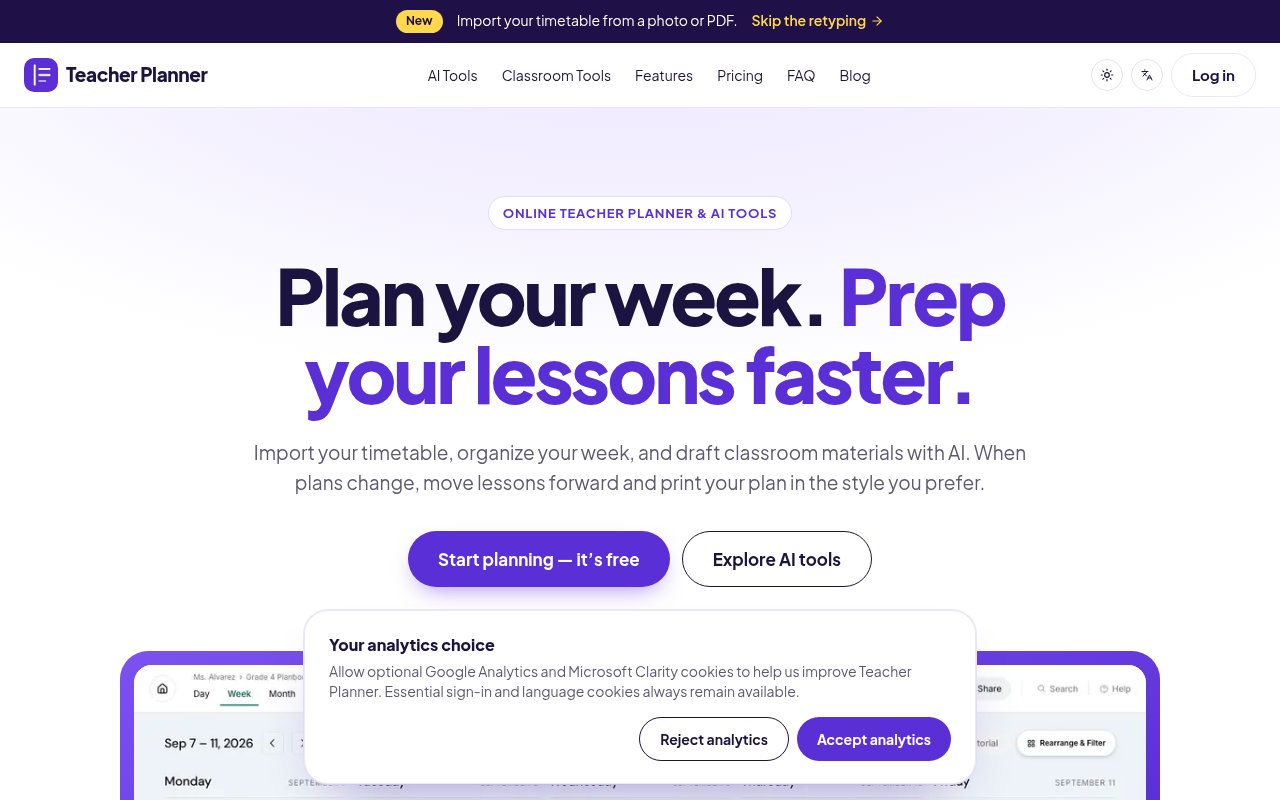
Teacher Planner is a browser-based planning workspace for teachers who want their timetable, lesson sequence, notes, printable plans, and common preparation tasks in one place. It combines a day-to-day digital planbook with focused AI tools for drafting lesson plans, worksheets, multiple-choice quizzes, adapted text, and writing feedback. The product is designed around the reality that teaching plans change. It helps a teacher see the current lesson clearly while preserving the longer sequence across a week, month, unit, or term.
Setup can begin with an existing timetable rather than a blank grid. A teacher uploads a photo or PDF of a fixed weekly schedule, and Teacher Planner reads the classes, days, and times. The extracted result is shown for review before it is saved, so errors can be corrected rather than silently entering the plan. Timetable grids and plain lists are supported. More complex A/B rotations and whole-school timetables aren't currently supported for import, which makes the feature best suited to a stable personal teaching schedule rather than every scheduling system a school might use.
Once the schedule is in place, plans can be viewed by day, week, or month. A Unit Timeline shows how larger teaching sequences stretch across the term, while the Outline keeps every lesson in order without making the user jump between dates. Objectives, activities, and notes stay with the lesson. The Bump Forward tool handles disruptions such as assemblies, cancellations, or a topic that needs another day. It moves the affected lesson and shifts the later lessons in sequence, avoiding the familiar job of copying and retyping a chain of plans after one calendar change.
The AI tools focus on specific classroom preparation tasks instead of offering only a general chat box. Teachers can draft a plan from a topic, learning objective, or standard, turn a topic or reading passage into a grade-level worksheet, create multiple-choice questions with an answer key, adjust text wording or complexity, and prepare feedback using assignment details and chosen criteria. Existing passages and source material can be supplied as context where the tool allows it. Generated work remains editable and can be saved to resources, copied, downloaded as text, or printed. The site clearly advises reviewing facts, answer keys, difficulty, and student suitability before anything is shared.
The planner fits elementary teachers managing several subjects, secondary teachers balancing periods and preparations, homeschool educators changing pace as needed, and co-teachers who need a readable plan to share. Printing is a real part of the workflow rather than an afterthought. Classic, Minimal, and Cards layouts turn the same underlying plan into different day, week, month, or outline formats, with browser printing and PDF saving. It doesn't replace an LMS or gradebook, and the product tells users to keep grades, submissions, and confidential records in approved school systems. Teachers are also told to remove student names and identifying information before using AI inputs.
The split between planning and generation is sensible for classroom work. A lesson can remain anchored to the schedule while its worksheet, quiz, or feedback draft is prepared alongside it, reducing the need to reconstruct context in unrelated documents. Teachers can edit the result and decide what belongs in their resource library or printout. The process still depends on professional review, especially when material involves factual accuracy, reading level, accessibility, local standards, or sensitive student needs. It is a preparation aid, and the teacher remains responsible for what reaches the classroom. That boundary is stated clearly throughout the product guidance.
Access is freemium. The free account includes one planbook, day, week, and month views, basic printing with the Minimal template, and the AI tools, with no credit card required. Generation limits apply to AI use and are shown inside each tool. Pro costs $9.90 monthly or $59.90 yearly and adds unlimited planbooks, Standards Tracker, all three print templates, outline printing, custom date ranges, and advanced print controls. A $299 one-time Lifetime purchase provides the listed Pro planning features without a recurring subscription, but it does not include a separate unlimited AI allowance. That structure gives a teacher enough free access to test the core planning routine before deciding whether broader printing and multiple planbooks are worth paying for.
Key Features
- Photo and PDF timetable import
- Day, week, and month views
- Automatic lesson bumping
- Focused AI teaching tools
- Unit timeline and outline
- Flexible printable plan templates
Pros & Cons
What we like
- Free plan needs no credit card
- Handles schedule changes without retyping
- AI drafts stay editable before use
- Plans print cleanly in several layouts
Room for improvement
- Free plan is limited to one planbook
- AI generations have usage limits
- A/B timetable imports aren't supported
- It doesn't replace a gradebook or LMS
Frequently Asked Questions
What is Teacher Planner?
Is Teacher Planner free?
Can Teacher Planner import an existing timetable?
What does the Pro plan add?
Best For
Featured in
Alternatives to Teacher Planner

CalendHub
Smart scheduling and calendar management for teams
Kevin Gabeci Toolkits
Seven AI toolkits for writing books, making music, cutting video, and building agents.

Eased Into AI
Learn AI from zero. No jargon, no hype, just steps that work.

Fix It Gently
Calm, plain-English fixes for everyday tech problems.
Our take
Tool Index Editorial · Oct 2026· 4.0/5
Teacher Planner combines a digital planbook with focused AI tools for lesson plans, worksheets, quizzes, rewriting, and feedback. It is designed for teachers who need day, week, month, unit, and print views to stay connected when a timetable changes. The free tier includes one planbook and basic PDF printing. Pro costs $9.90 a month with a seven-day trial, while a $299 lifetime option covers the listed premium planning features.
We found the timetable import and review step thoughtful, and the product treats generated classroom material as an editable draft rather than a finished answer. Moving a disrupted lesson sequence forward and printing the same plan in different layouts address real planning work. The free plan is narrow, advanced print controls sit behind Pro, and every generated fact, answer key, reading level, and feedback note still needs a teacher's review. It will not replace an LMS or professional judgment, but it is a coherent planning workspace rather than a loose bundle of generators.
Editorial opinion from the Tool Index team, written from the public product pages. Not a user review.
Reviews (0)
Badge builder
Add Teacher Planner to your website
Choose a badge style and size, preview it here, then copy the generated HTML. Badge images are self-contained SVGs and do not require an external script.

<a href="https://toolindex.net/tools/teacher-planner?ref=badge" target="_blank" rel="noopener">
  <img src="https://toolindex.net/badge/teacher-planner/medium.svg" alt="Teacher Planner - Listed on Tool Index" width="180" height="50" />
</a>How to use the badge
- 1. Pick the style, size, and theme that fit your layout.
- 2. Copy the generated HTML from the code block.
- 3. Paste it into your footer, homepage, or press page.
Standard badge available
The standard listing badge is available now. Score and circle badges are limited to tools currently ranked in the top 10 of a category.
Badge clicks return visitors to this profile with a referral tag so the source remains identifiable.
Related Tools

Confluence
Atlassian's long-running team wiki that anchors many enterprise knowledge stacks
Asana
Project management for teams that live in projects, tasks and dependencies
Kevin Gabeci Toolkits
Seven AI toolkits for writing books, making music, cutting video, and building agents.

Logseq
An open-source outliner notes app where every bullet is a first-class block
Work on Teacher Planner? Request listing access or correction